

On Gymkee you can add your own healthy & delicious recipes for your clients to enjoy!
It's super easy to do.
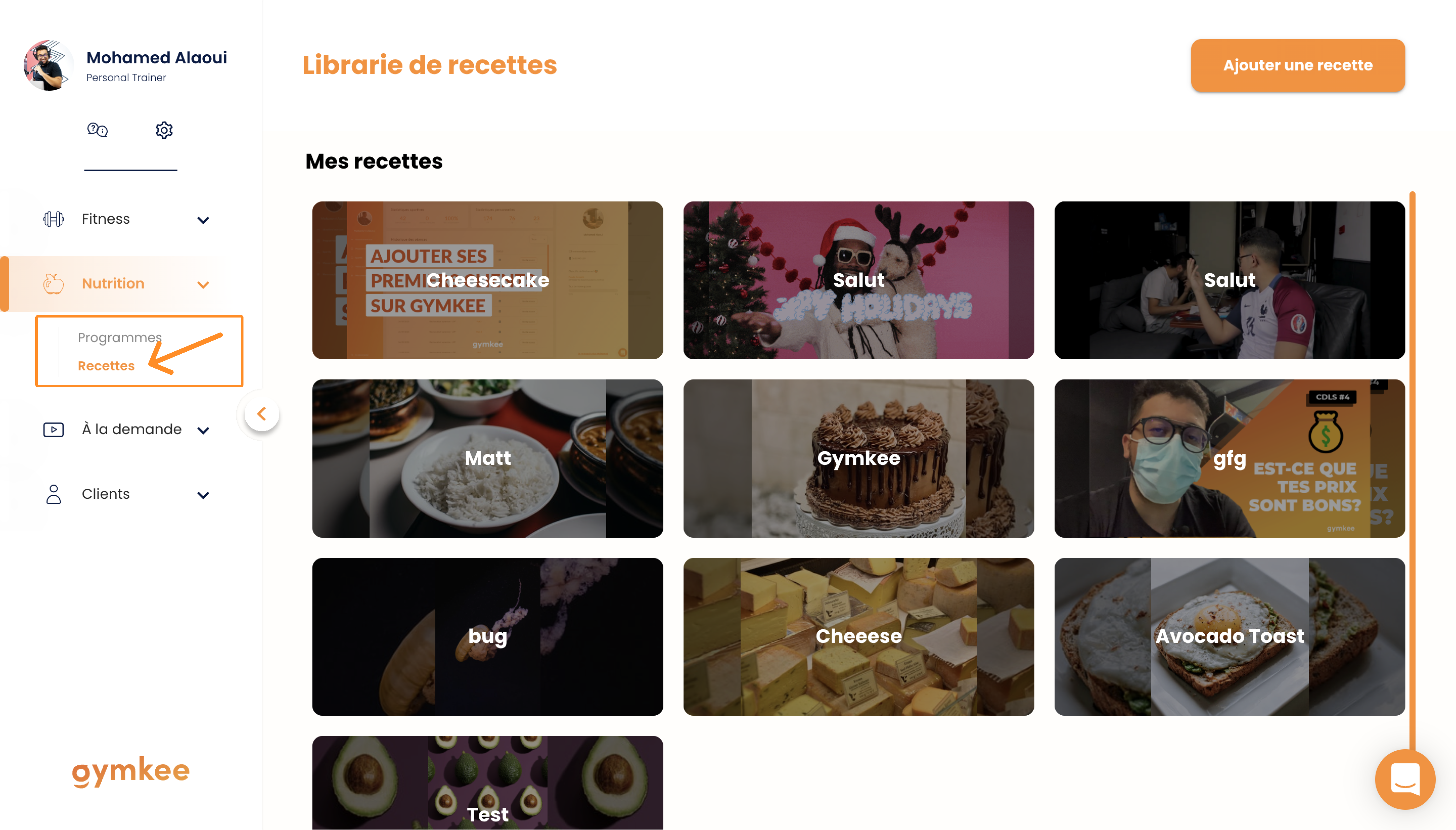
First, head to the "Recipes" section.
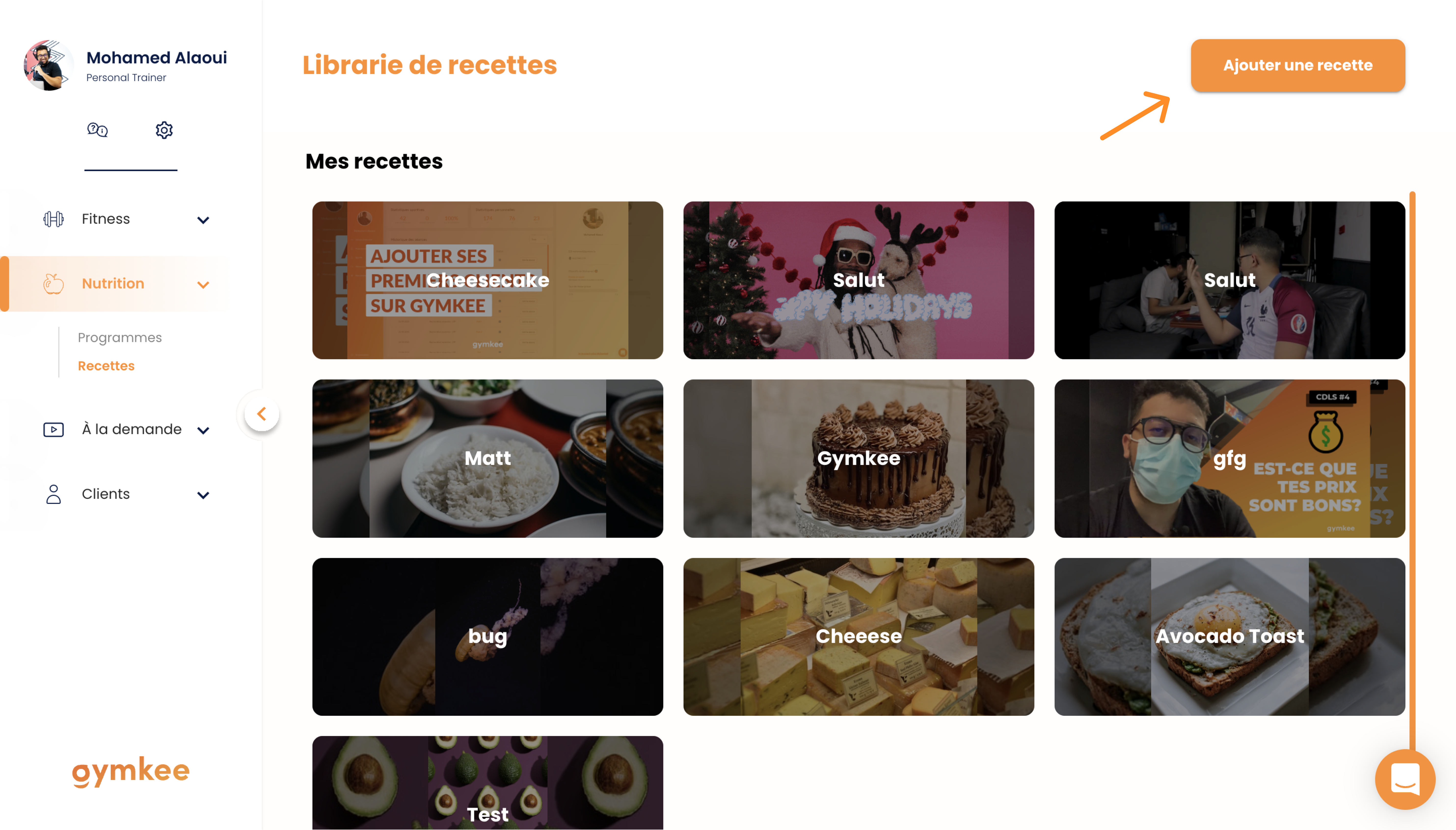
Once you're there, click on "Add a recipe"
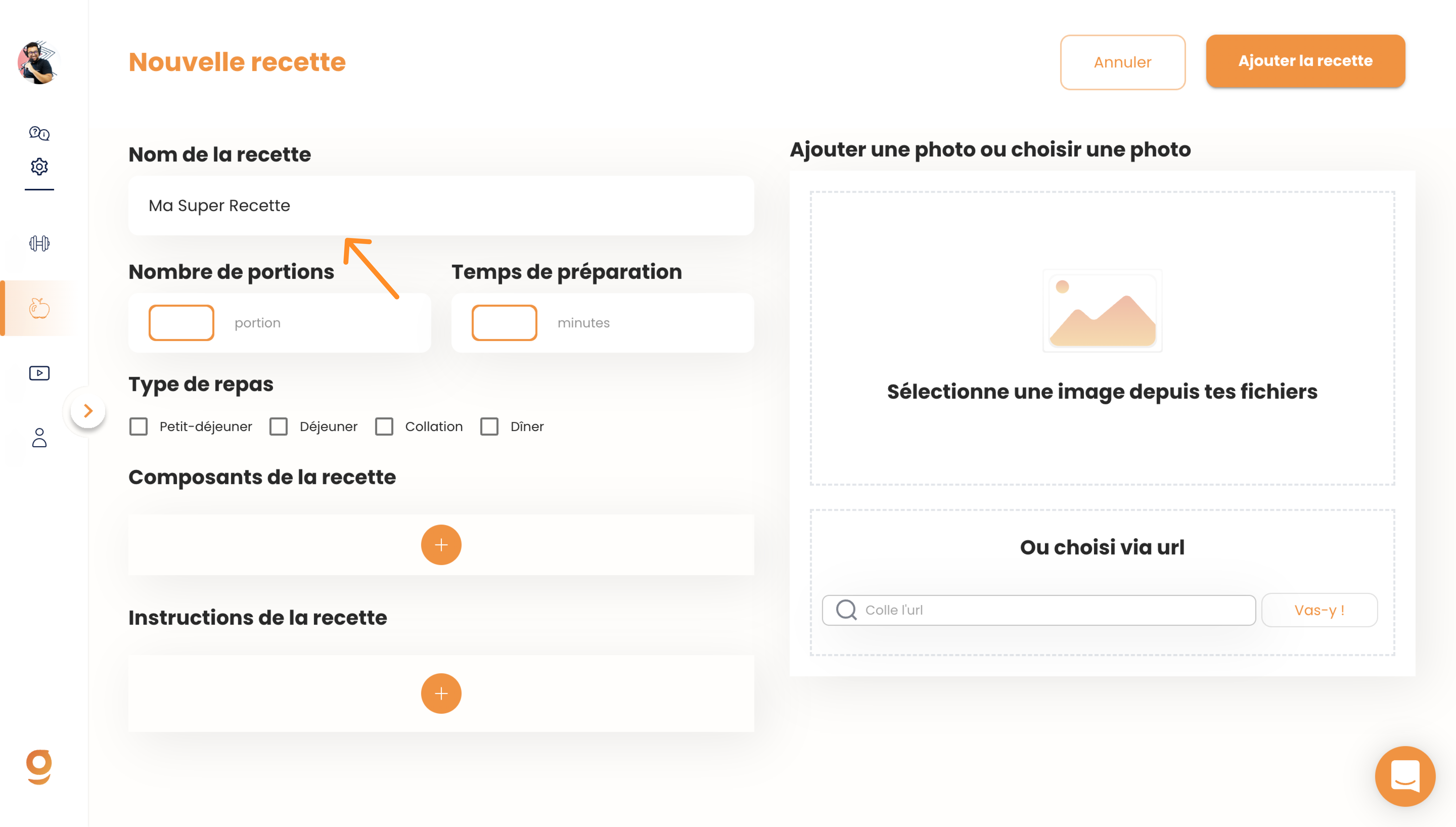
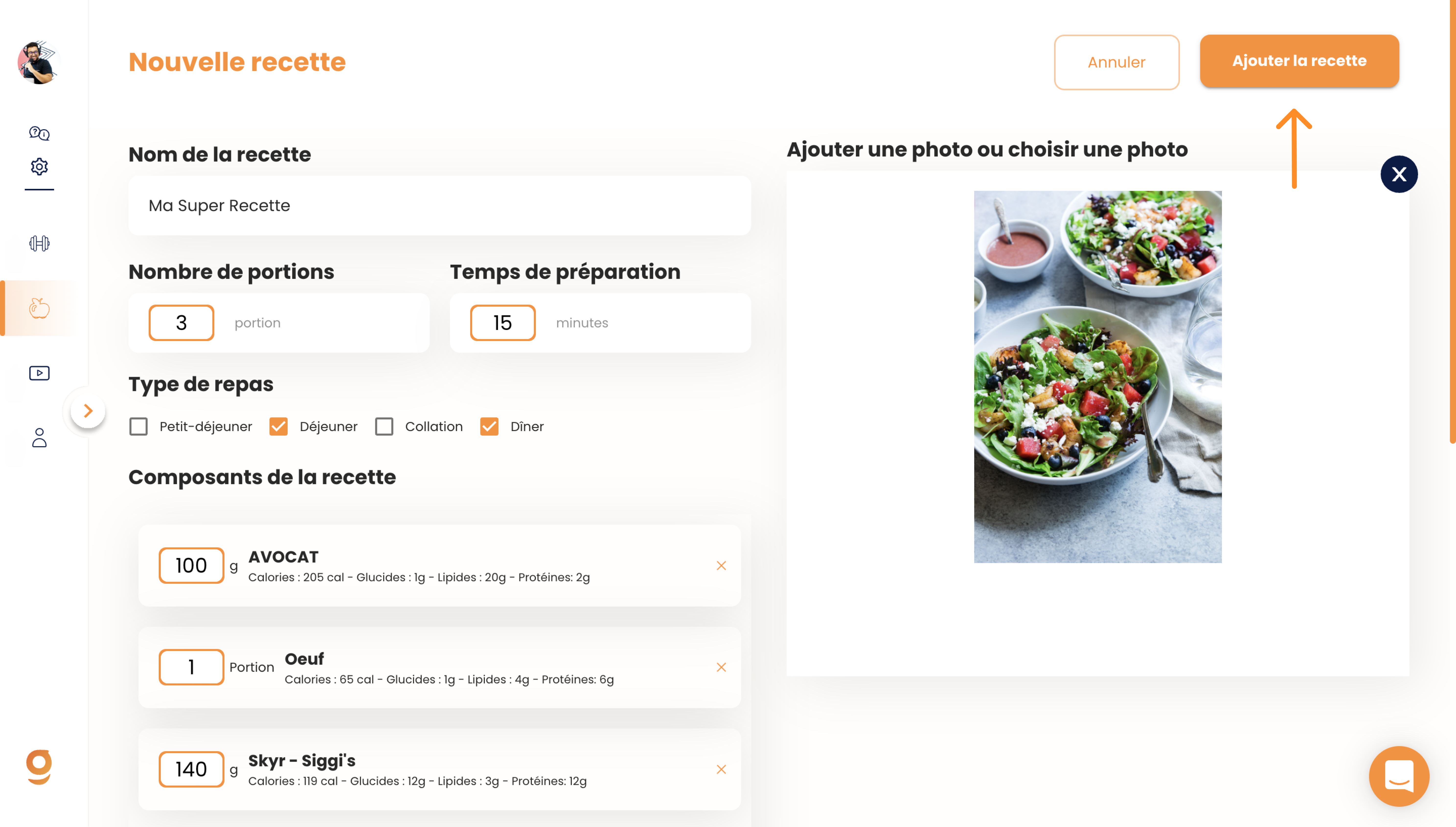
First, give your recipe a name. You can name it whatever you want, and you should definitely add your personal touch to it.
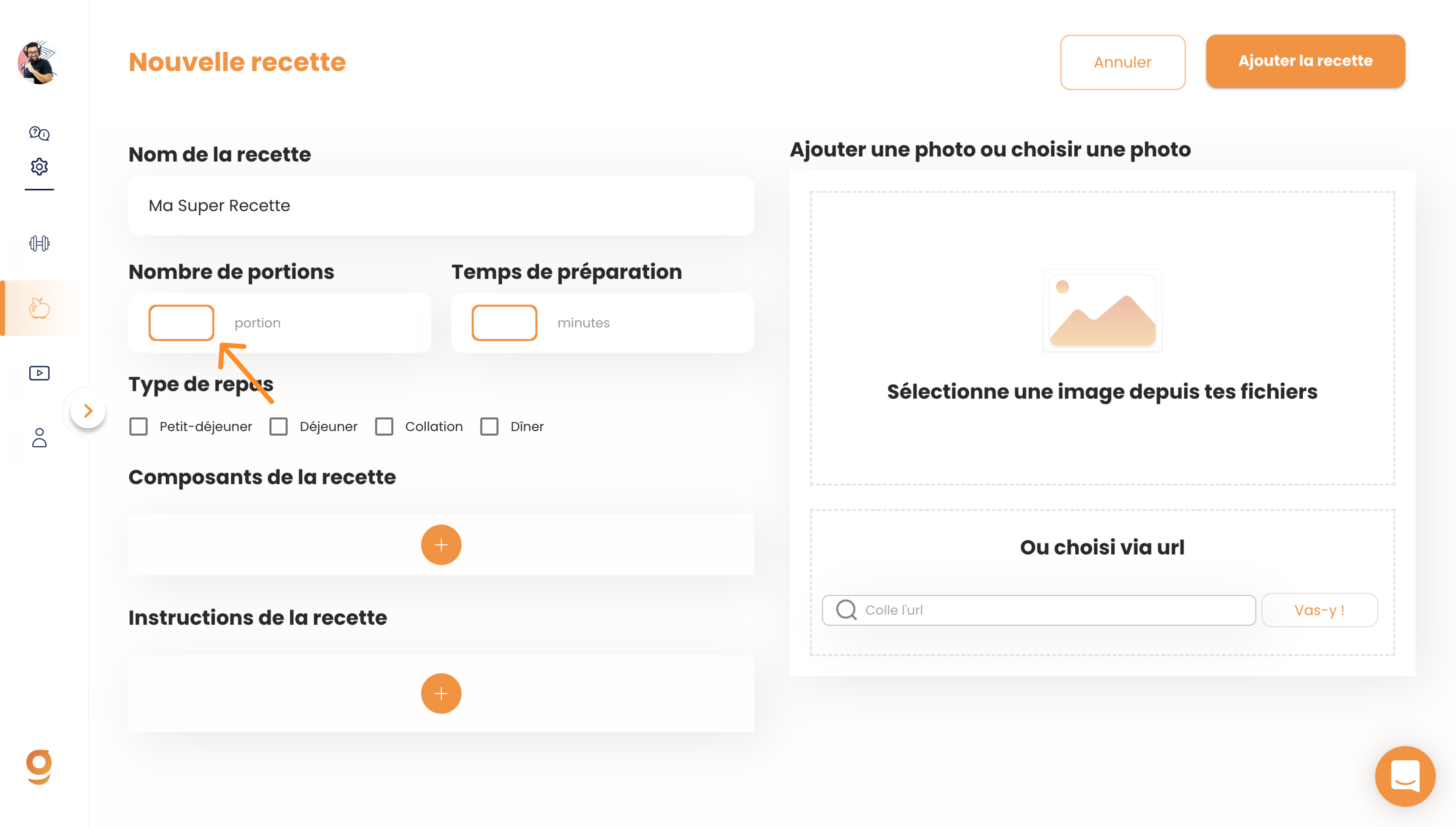
Next, enter the total number of servings for the recipe. If you're creating a healthy dish for 4 people, enter 4 servings.
When you add a recipe to a meal plan, Gymkee will automatically calculate the portion for 1 person.
Also let your clients know the prep time in minutes for the recipe. When they're browsing Gymkee, it'll help them choose which recipe to make based on how much time they have.
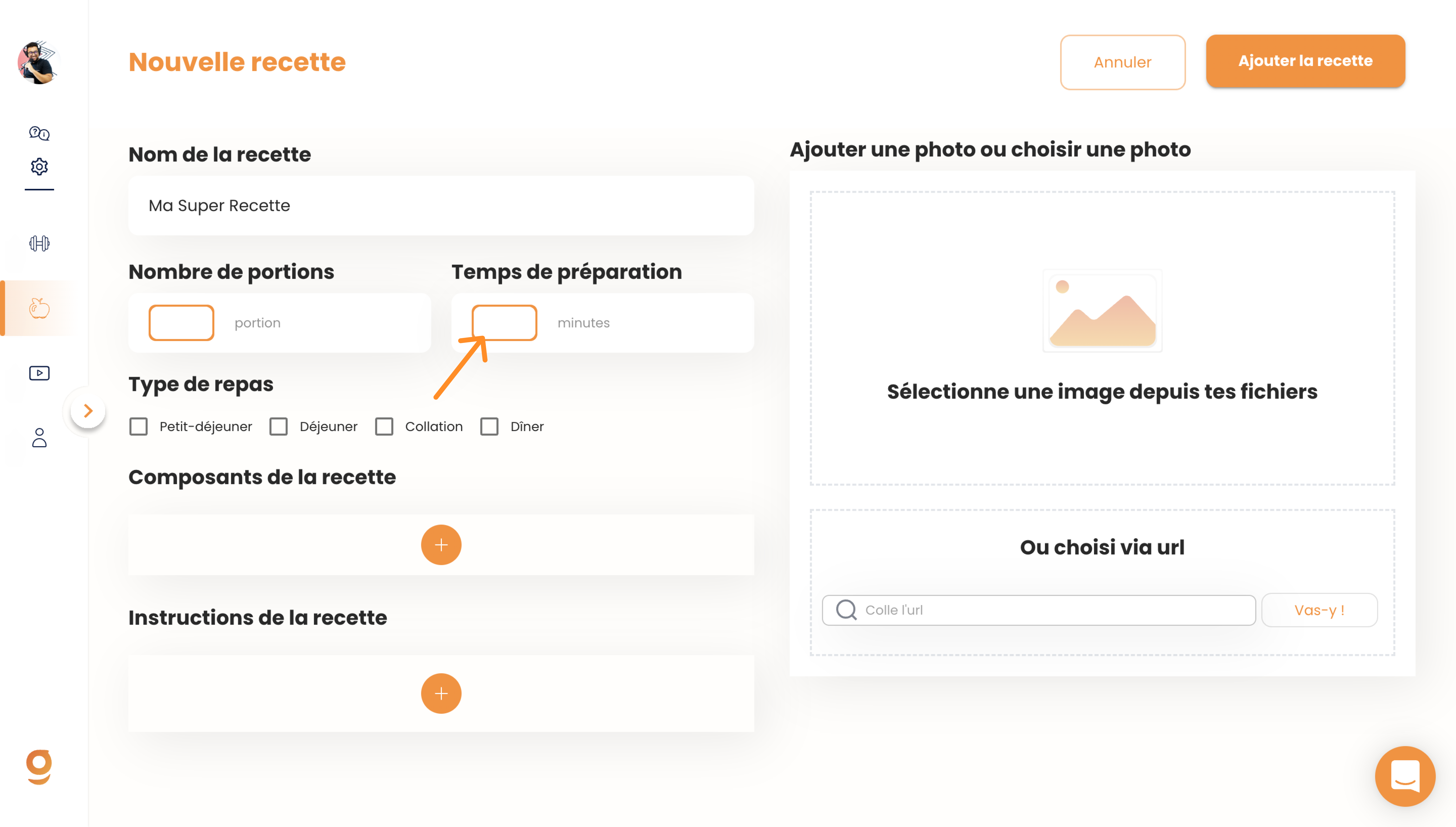
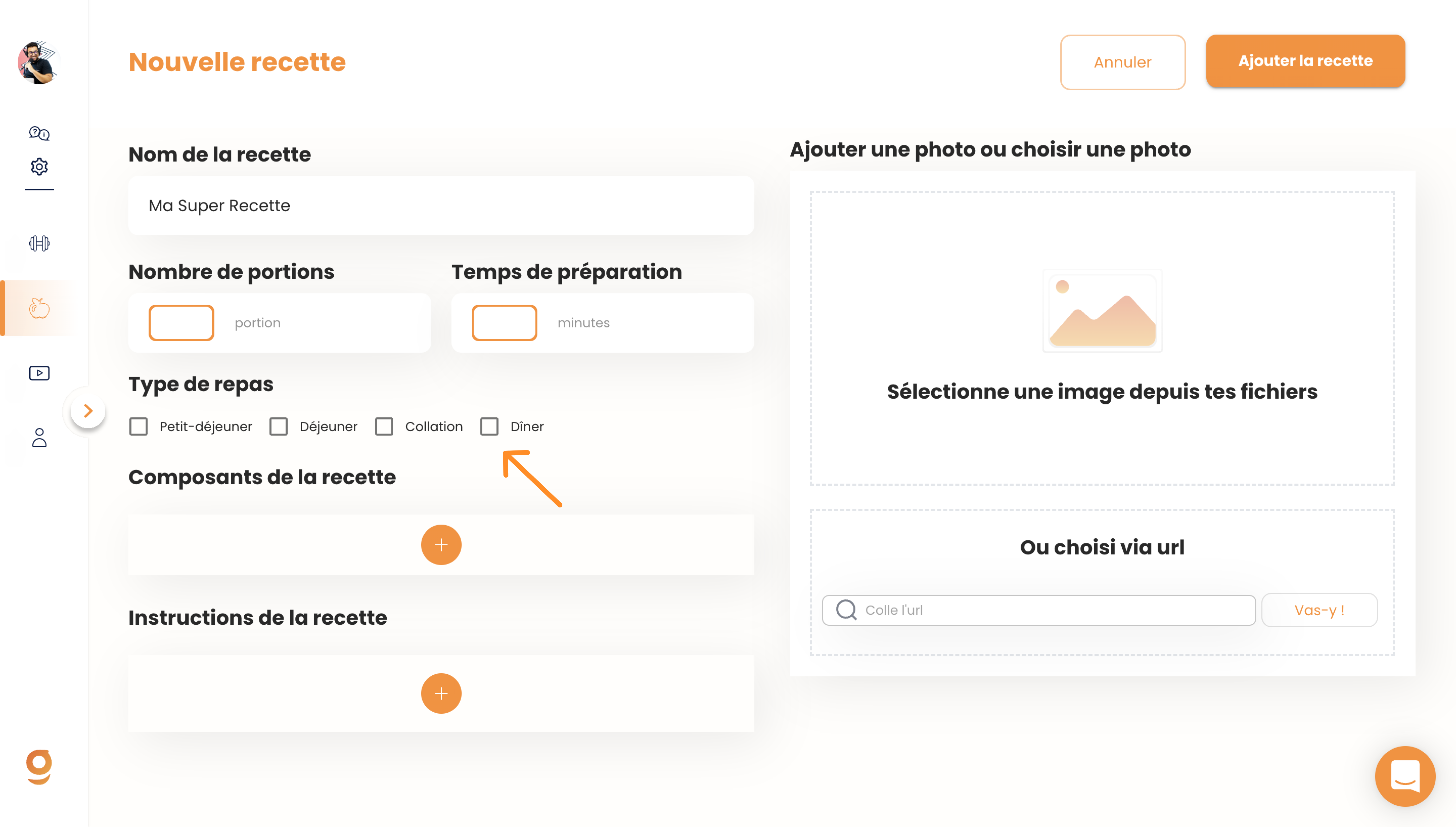
You can help your clients understand when they should eat the recipe... is it more of a breakfast thing or a dinner thing?
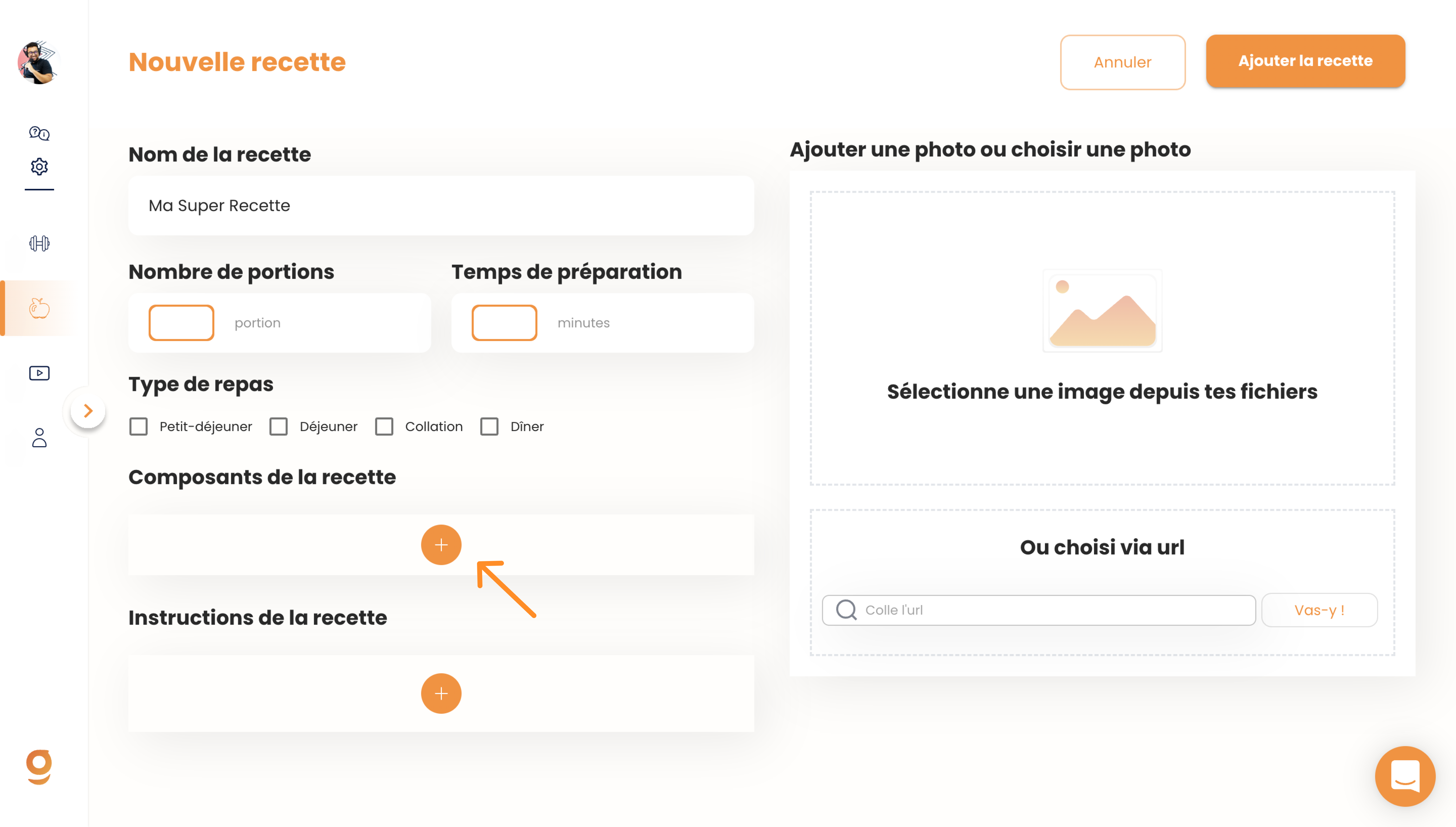
Then, you'll be able to build your recipe using the foods available in the Gymkee database. You'll have access to over 3,000 foods and products.
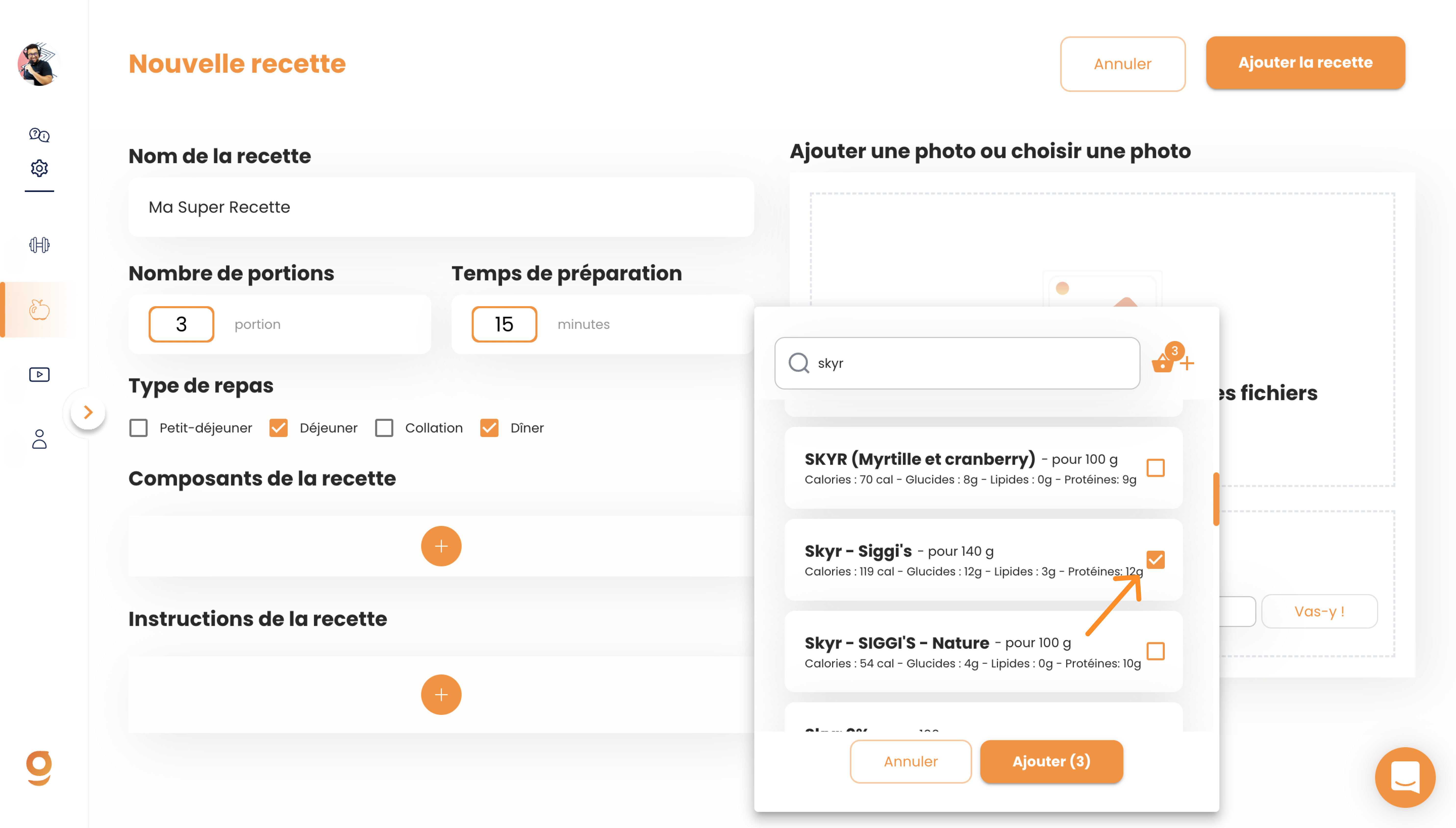
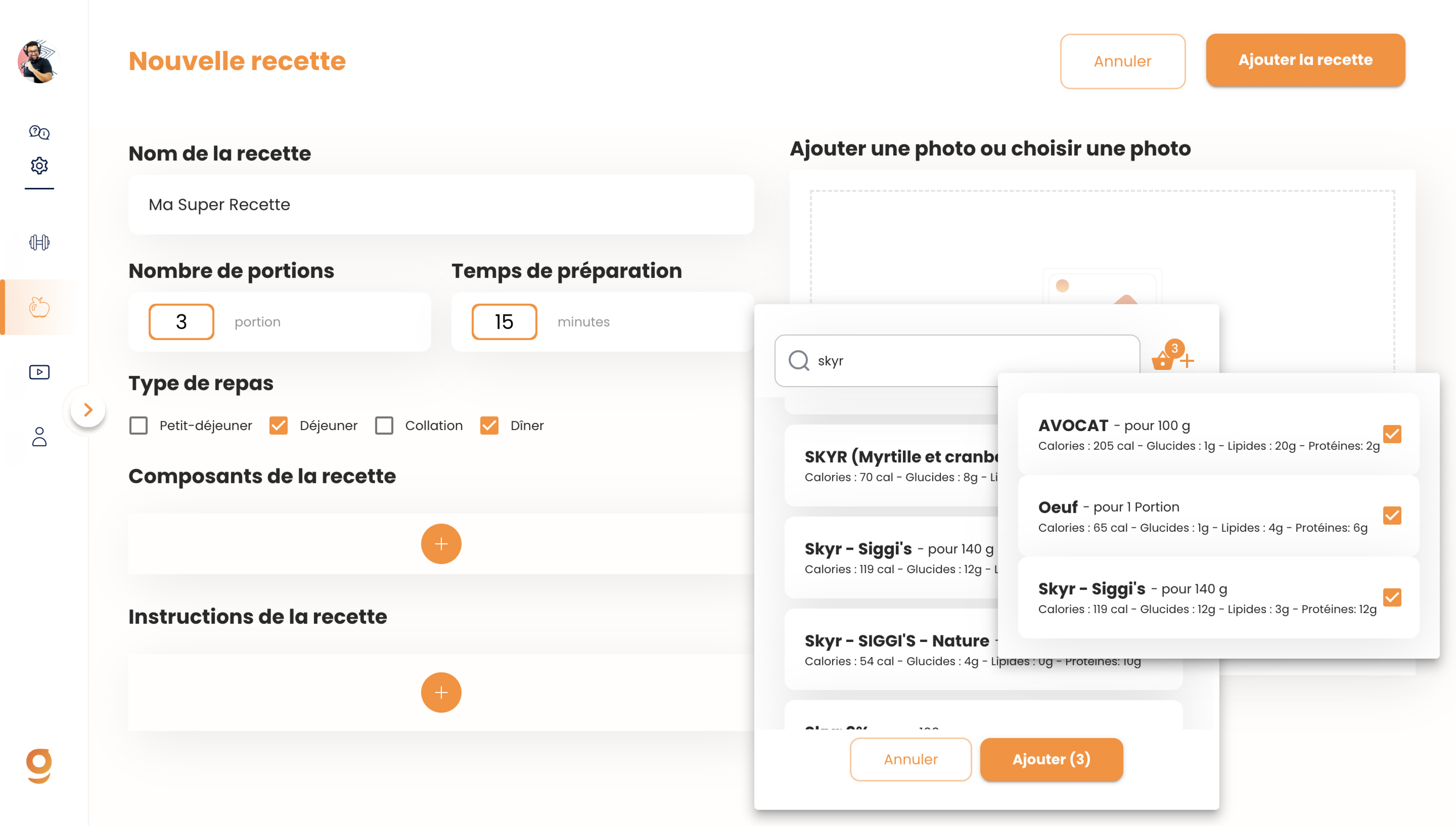
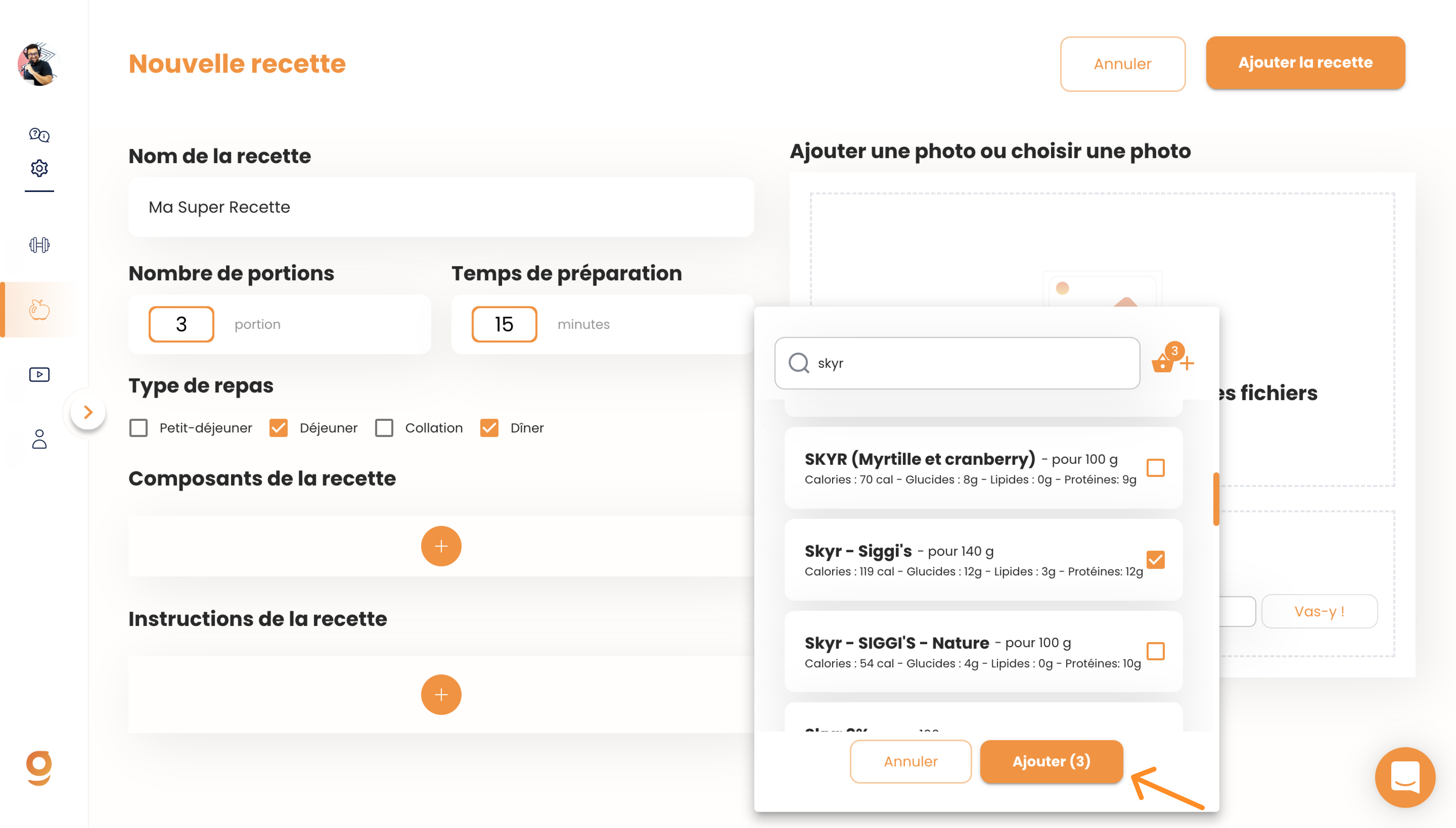
Once you've selected all of them, just add them to your recipe.
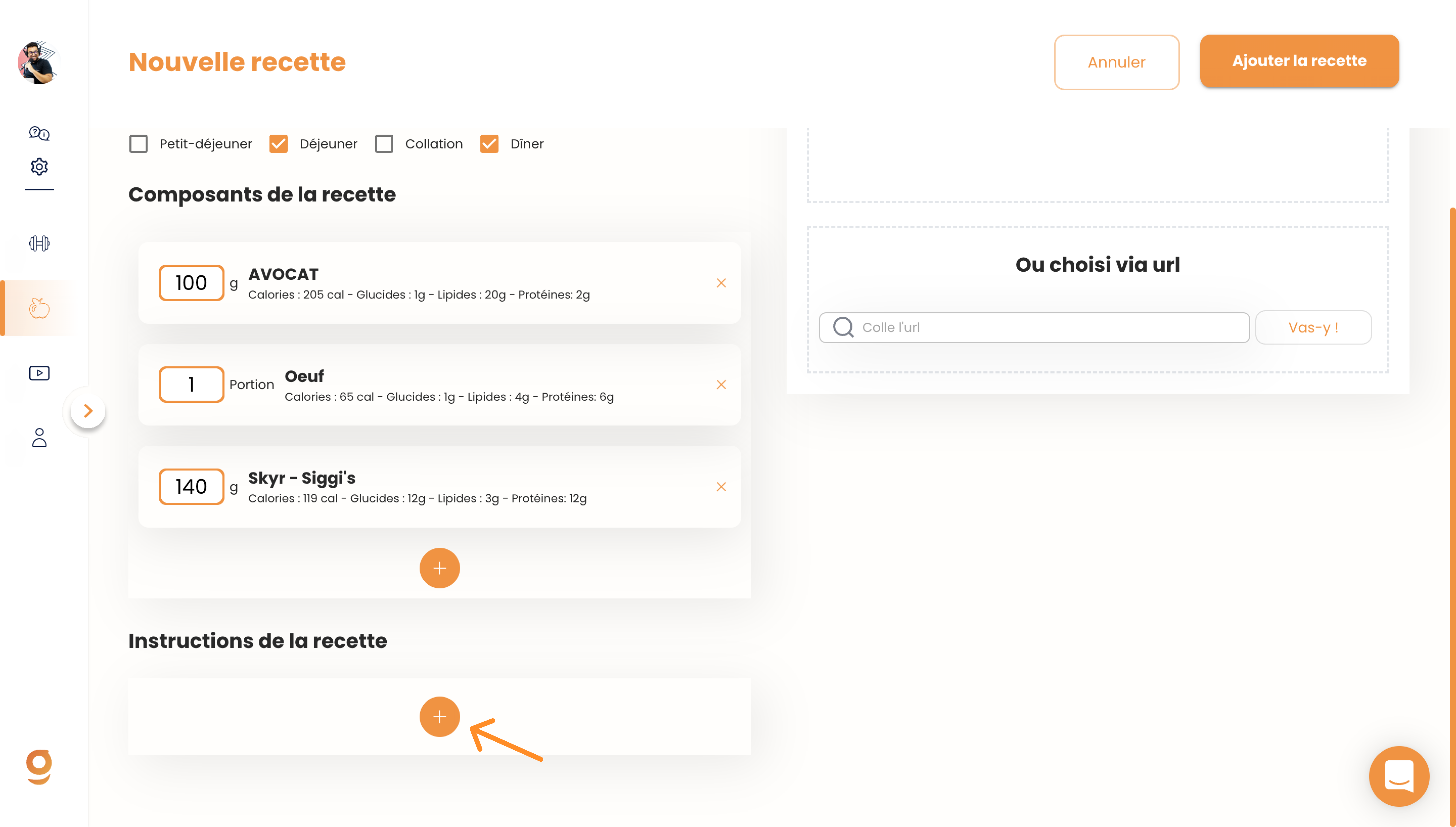
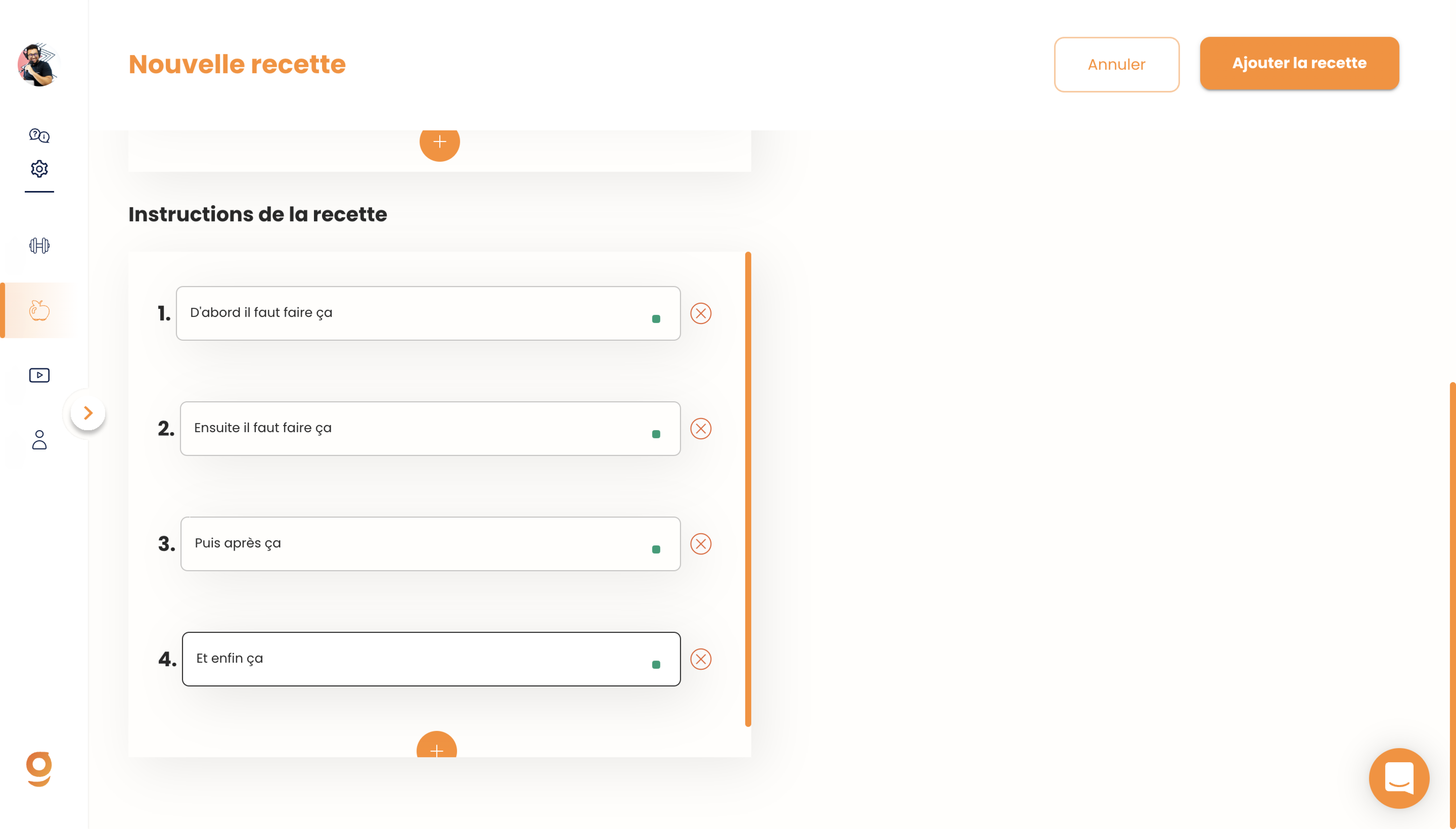
Before finalizing your recipe and making it available to your clients, you'll need to add instructions to help your clients prepare it.
Once that's done, all you have left to do is add a photo of the recipe.
You've got 2 options for that:
- Take a photo of the dish yourself (recommended)
- Import one via a Google link (just make sure the image is royalty-free).
Once that's done, just click on "Add the recipe" to make it available to your clients.
And there you go! Now you know how to add your own recipes on Gymkee :)
If you're logged into Gymkee, you can click here to start the guided tutorial:
Happy coaching & take care of yourself
