

At Gymkee, we do everything we can to give you the best experience possible. But if the time comes when you decide to leave, here's how to delete your account, step by step. It's easy and quick!
Step 1: Go to Your Profile
First, open Gymkee on your smartphone. Go to your profile by tapping on the icon that represents you.
Step 2: Head to Settings
Once you're on your profile, tap on "Settings." You'll find it either in the top right corner or at the very bottom of your profile screen.
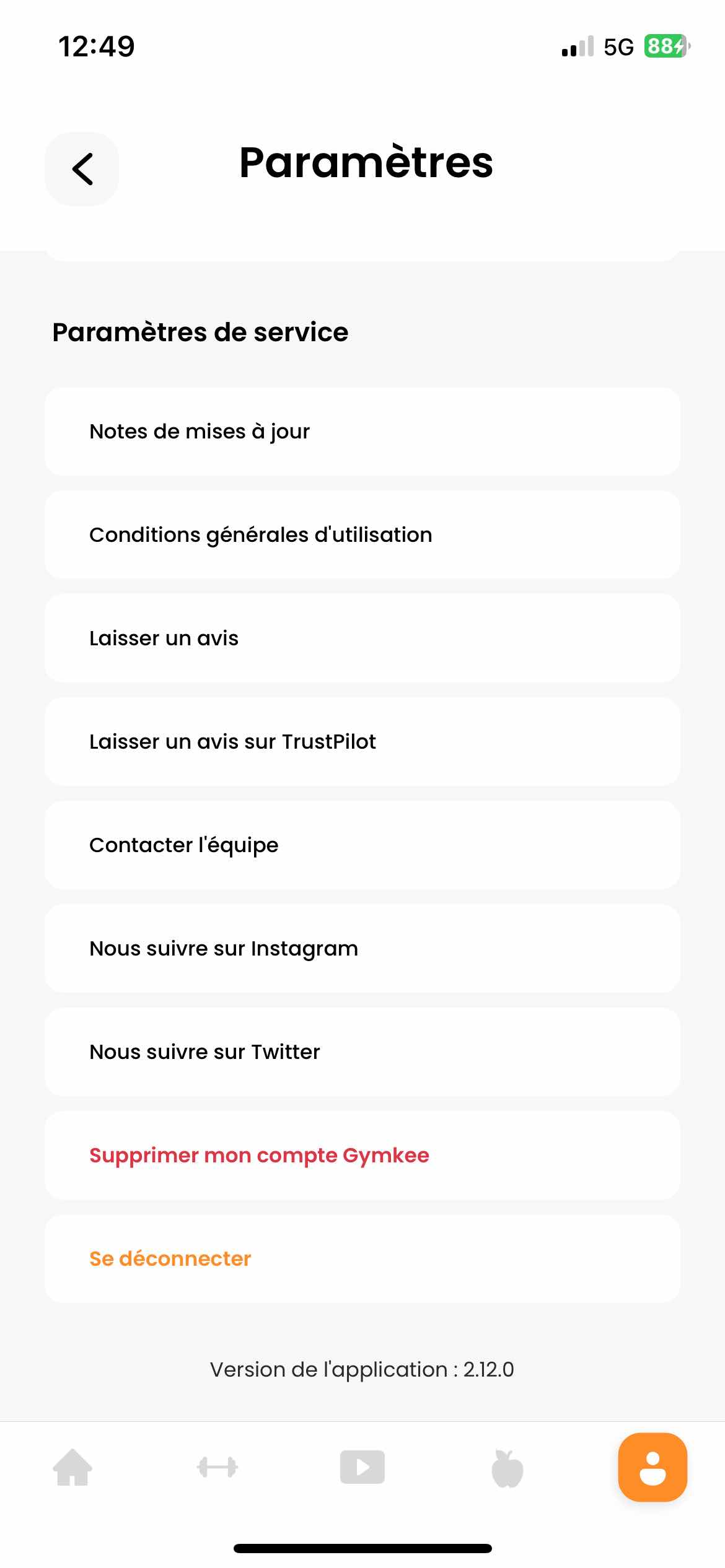
Step 3: Delete Your Account
Scroll down until you find "Delete my Gymkee account." Tap on it to start the process.
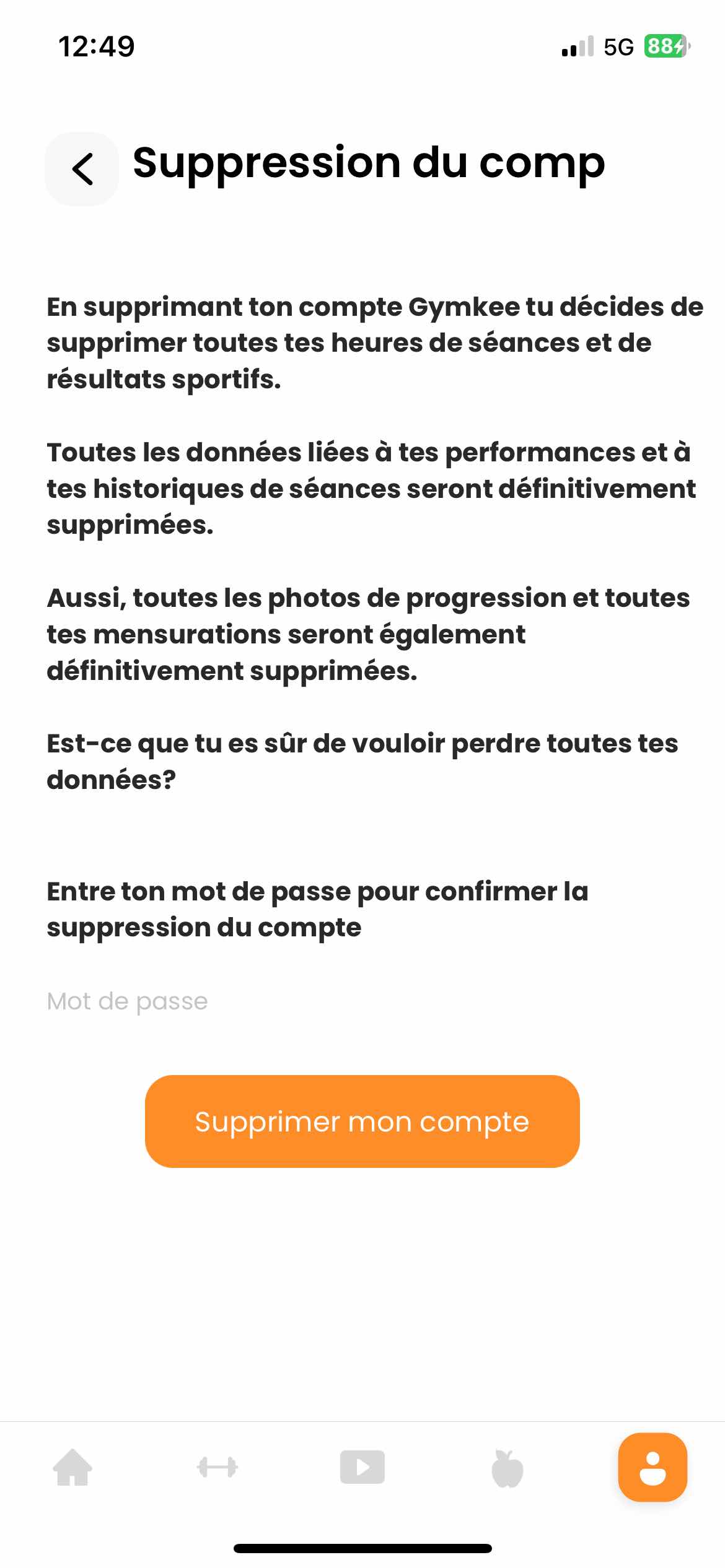
Step 4: Confirm the Deletion
After tapping, a new page will open to confirm your choice. Enter your password to validate the deletion. This step is to make sure it's really you and to prevent accidental deletion.
Alternative: Contact Support
If you're having trouble or prefer some help, you can request to delete your account by sending an email to hello@gymkee.com. Our team is always here to help.
That's it! We hope this guide was helpful. At Gymkee, we respect your choices and we're here to give you the best experience. If you have any questions or need help, don't hesitate to reach out to our support team.
Take care of yourself!
