

On your Gymkee mobile training app you will be able to stop your workout at any time and resume it whenever you want while keeping your progress. 📈
For this, you must already be in a workout.
If you don't know how to start a workout, you can check out the tutorial on the subject right here:
👉 How to start a workout on Gymkee?
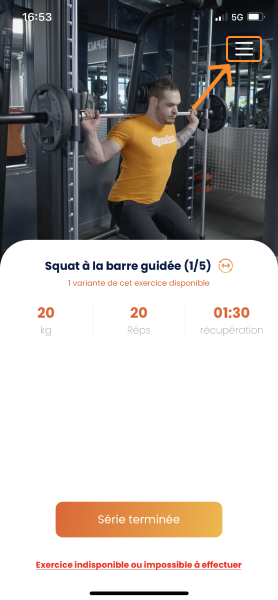
To stop your Gymkee workout, go to the workout menu at the top right of your screen:
Then you just have to tap on the bottom right button "Stop my workout" to end your workout:
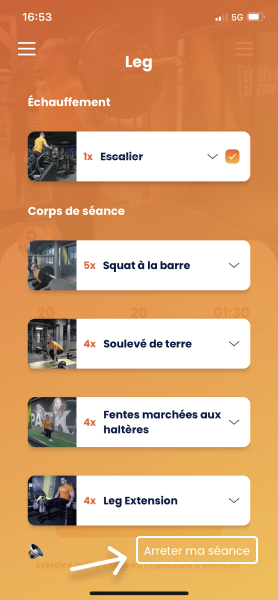
Once the workout is over, you will have 2 options:
- Resume your workout from where you left off.
- Resume your workout from scratch
That's it!
Now you know how to end a workout on Gymkee 😉
Don't hesitate to take a look at the other tutorials to master Gymkee from A to Z and ensure you make good progress to reach your goals. 🎯
We'll be there for you if you need anything!
Have great workouts and take care of yourself ❤️
