

Gymkee ma ponad 400 wbudowanych ćwiczeń, dzięki którym szybko zbudujesz programy. Ale gdy dodasz już własne ćwiczenia, możesz chcieć, aby Twoi klienci widzieli tylko Twoje, możesz ukryć bibliotekę Gymkee.
Otwórz Konto, przejdź do zakładki Biznes i przewiń do Widoczność biblioteki. Włącz Ukryj bibliotekę ćwiczeń Gymkee.
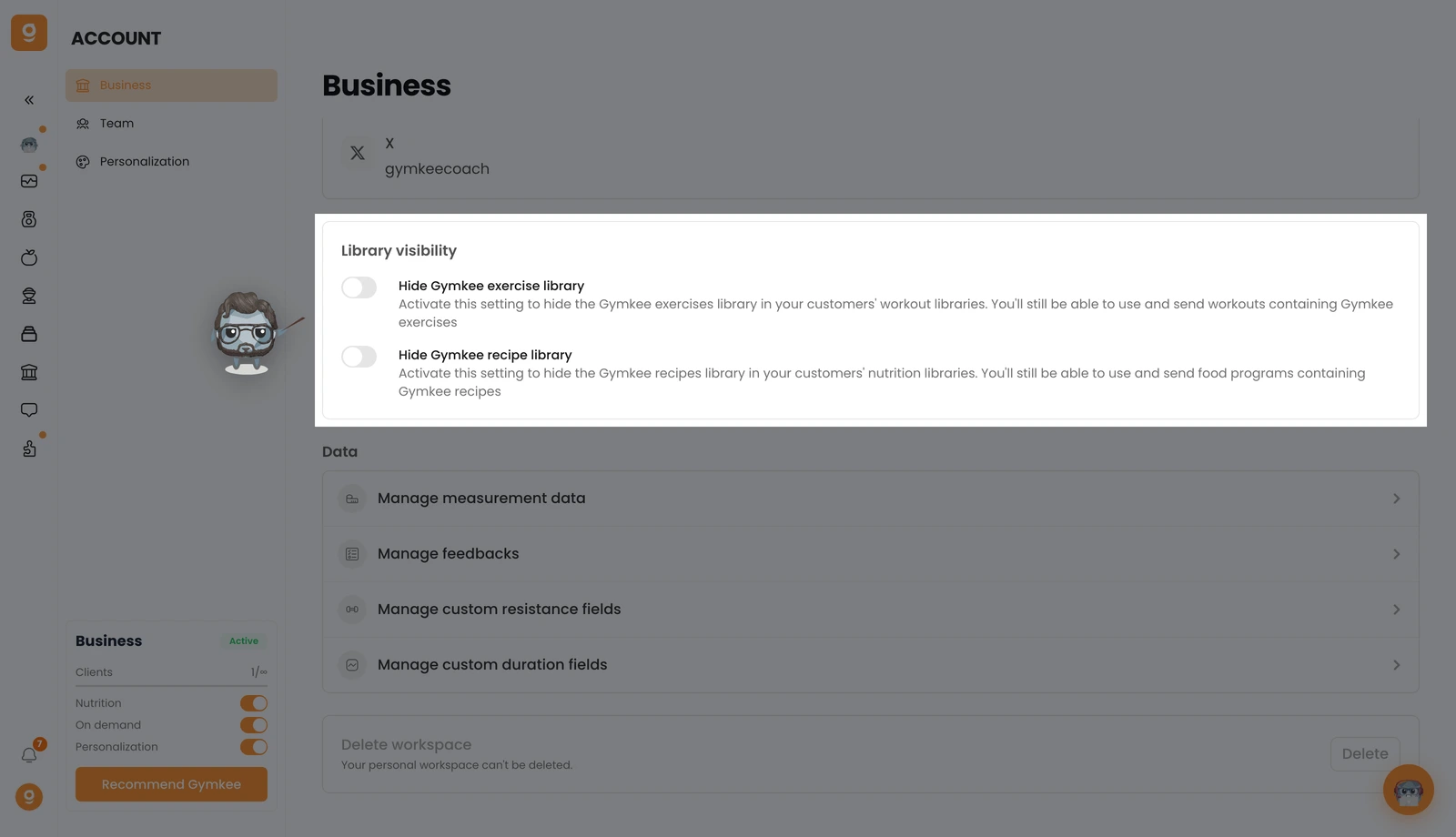
To wszystko, Twoi klienci nie będą już widzieć biblioteki ćwiczeń Gymkee w swojej aplikacji, tylko ćwiczenia, które dodałeś. Nadal możesz używać i wysyłać treningi zawierające ćwiczenia Gymkee, więc nic nie zepsuje się w Twoich istniejących programach.
Tuż pod tym znajdziesz Ukryj bibliotekę przepisów Gymkee, która robi to samo dla żywienia, ukrywa nasze przepisy, aby klienci widzieli tylko Twoje.
Nie dodałeś jeszcze własnych ćwiczeń? Najpierw skorzystaj z tego przewodnika: 👉 Dodaj własne wideo z ćwiczeniami na Gymkee
Jeśli czegoś potrzebujesz, napisz do nas przez czat w aplikacji w prawym dolnym rogu 😉
Świetnego coachingu i dbaj o siebie ❤️
