

Gymkee ma ponad 550 gotowych ćwiczeń, ale możesz też dodać własne, z własnymi wideo, aby Twoi klienci widzieli dokładnie ten ruch, który chcesz.
Otwórz Fitness → Biblioteka ćwiczeń i kliknij Dodaj ćwiczenie w prawym górnym rogu.
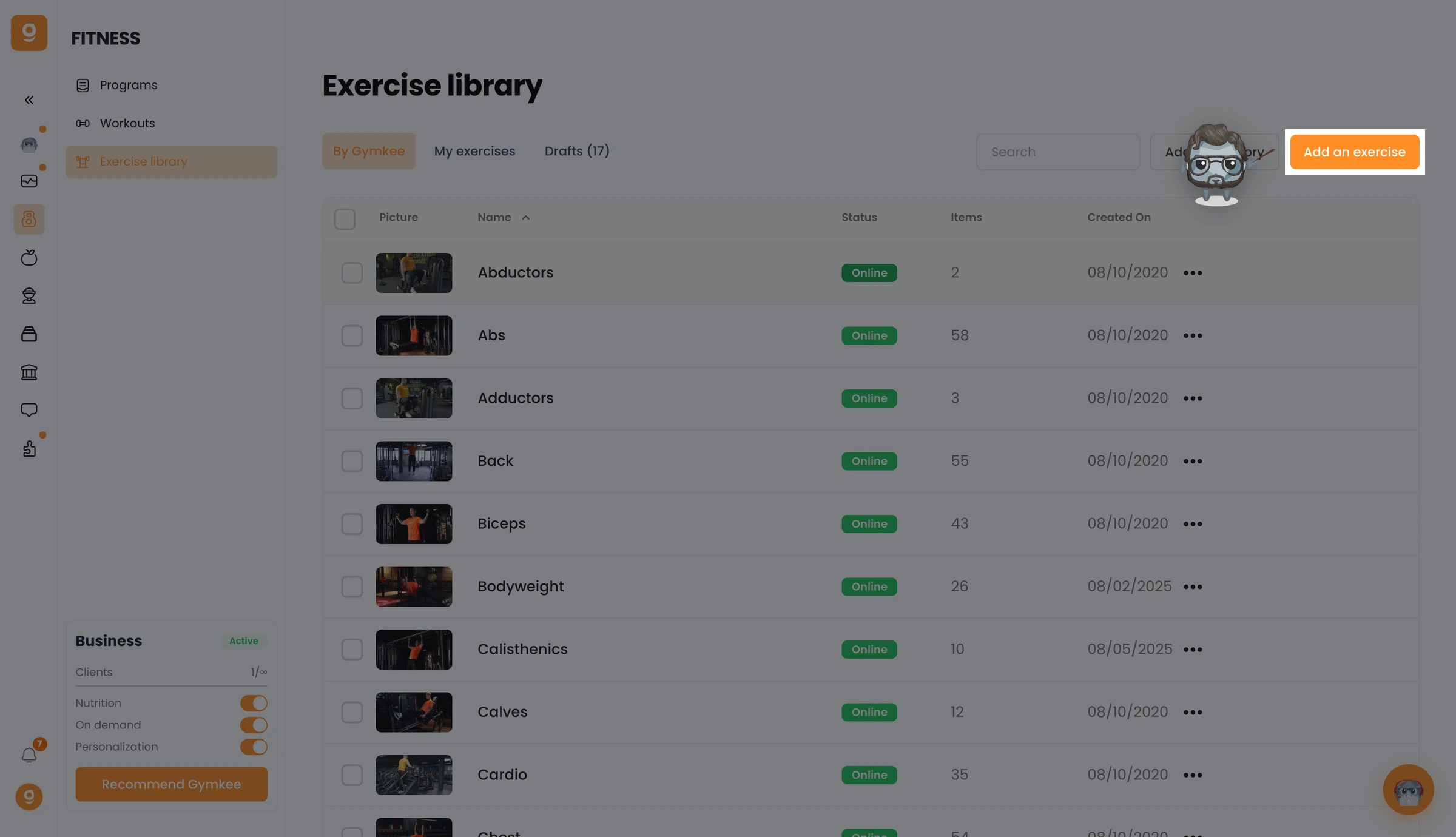
Przeciągnij jedno lub kilka wideo do pola upuszczania (MP4, MOV lub WebM), upuść jedno, aby stworzyć pojedyncze ćwiczenie, albo kilka, aby stworzyć je wszystkie naraz. Możesz też włączyć Użyj Dwayne AI, aby automatycznie uzupełnić nazwę, opis, kategorie i tagi na podstawie Twojego wideo, a następnie kliknij Kontynuuj.
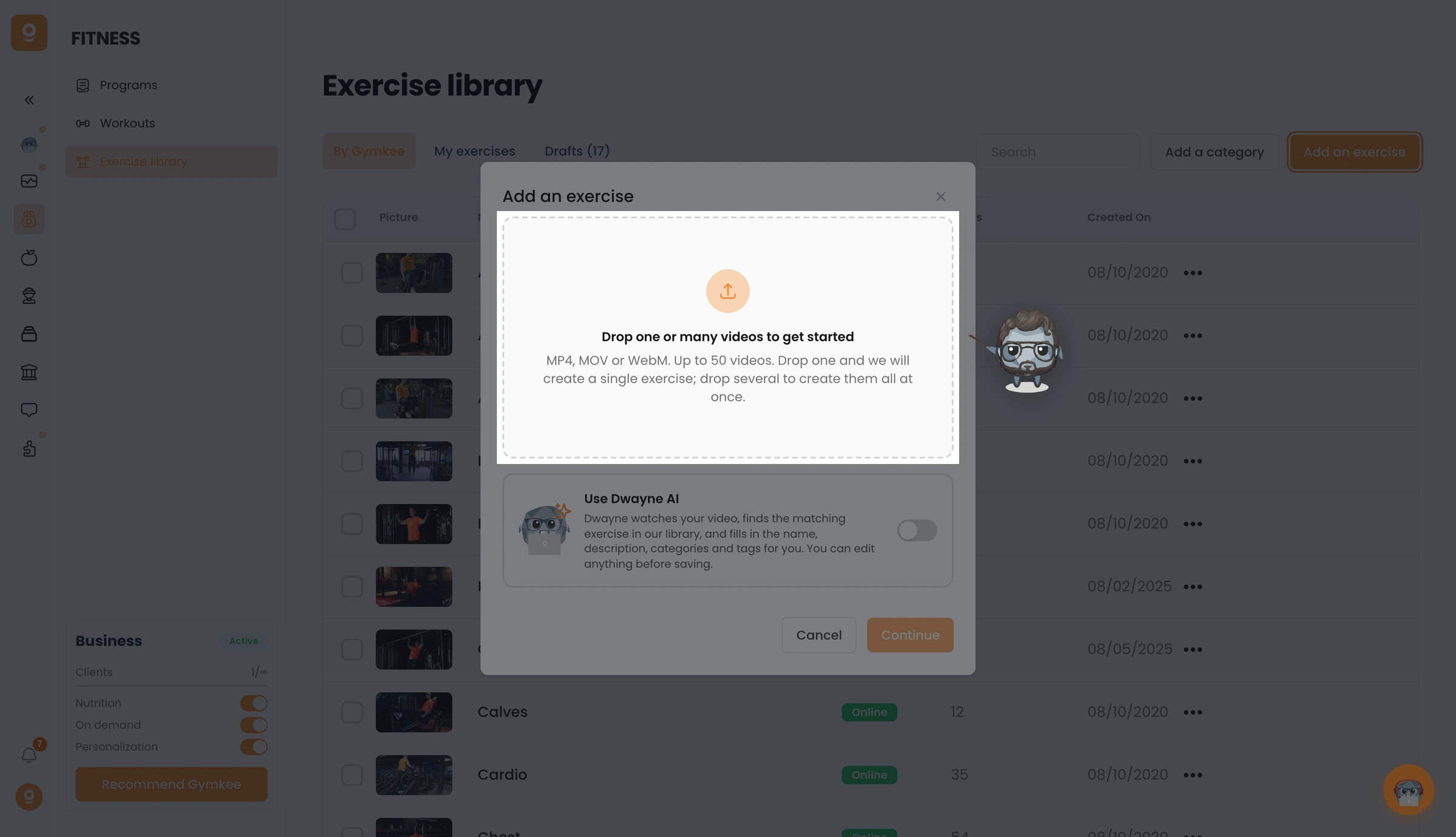
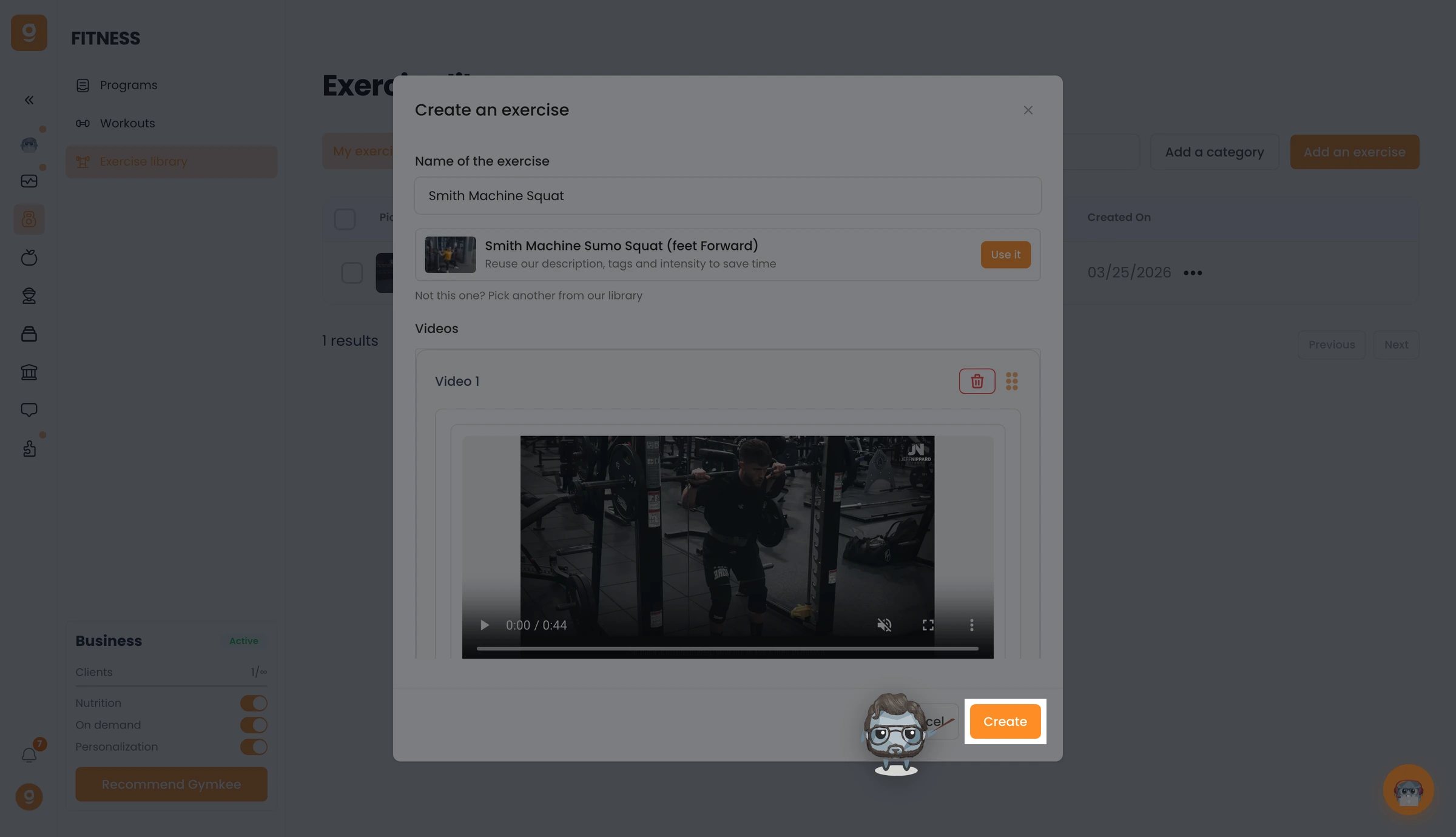
W edytorze nadaj ćwiczeniu nazwę i sprawdź jego wideo.
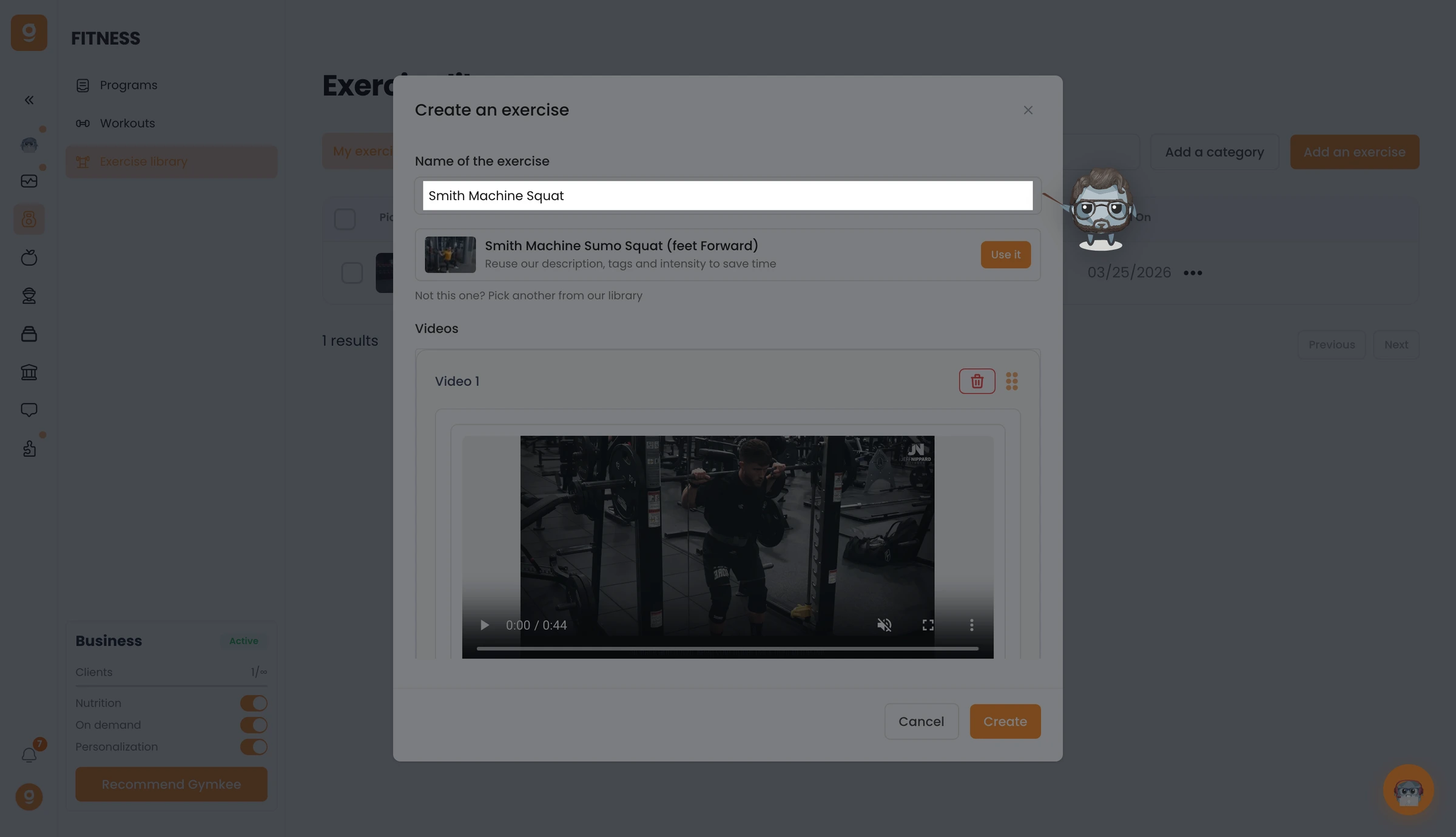
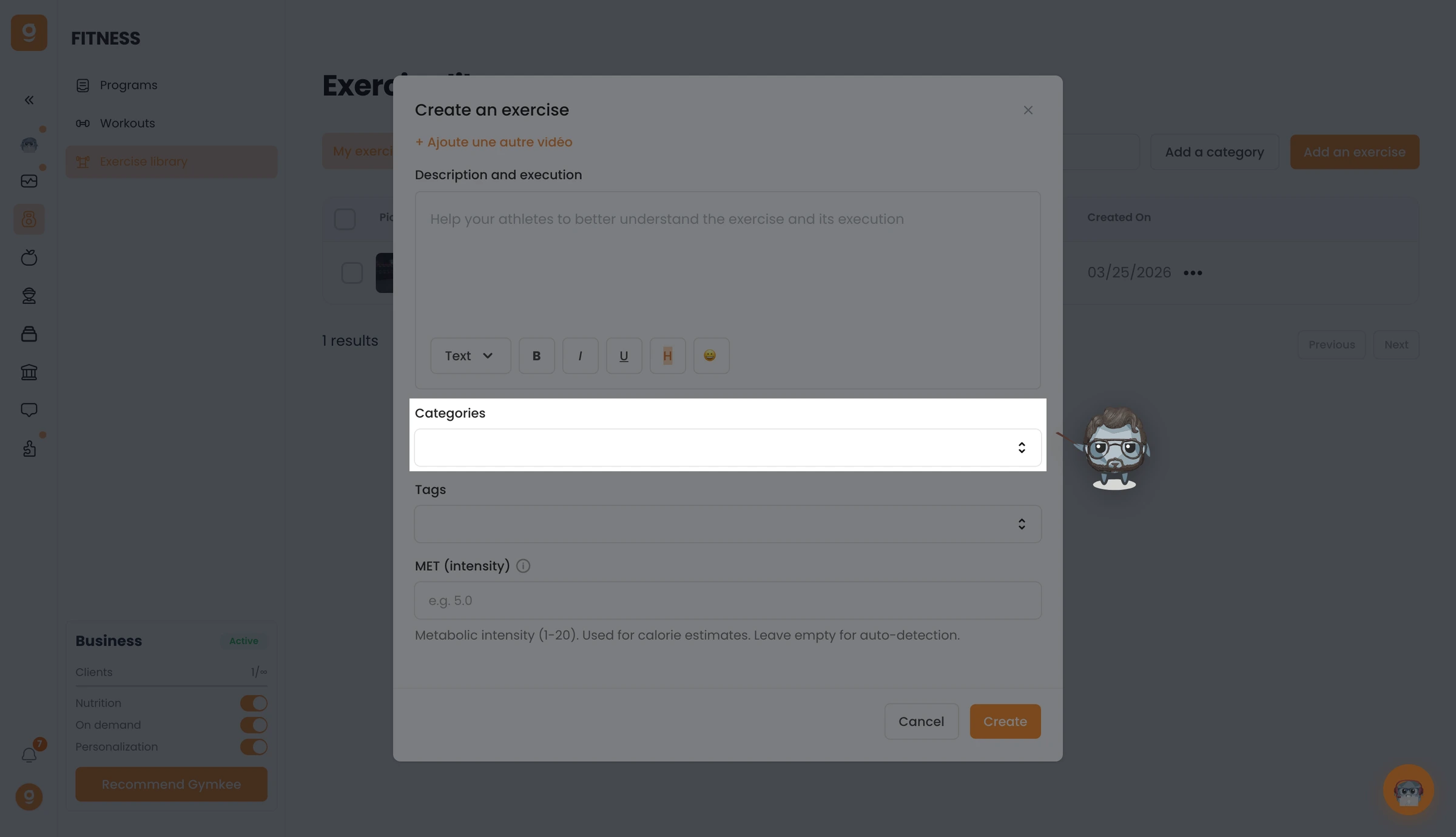
Ustaw model i orientację, a następnie napisz opis i wykonanie, aby przeprowadzić klientów przez ruch.
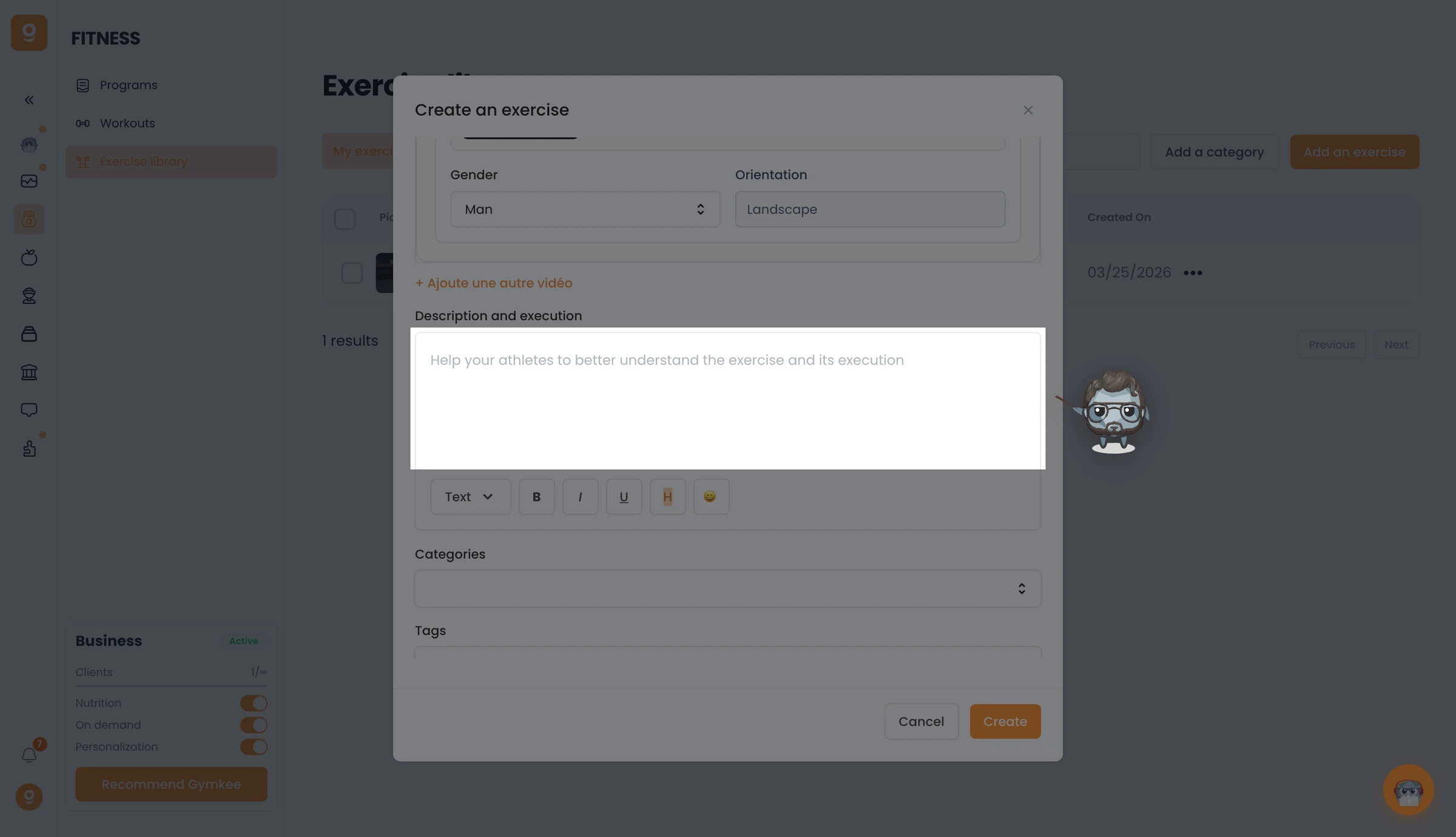
Wybierz Kategorie, każdą grupę mięśniową, którą ćwiczenie angażuje, główną i pomocniczą, dodaj Tagi, aby je uporządkować, i opcjonalnie wartość MET do szacowania kalorii.
Gdy wszystko jest gotowe, kliknij Utwórz. Twoje ćwiczenie zostanie dodane do biblioteki, gotowe do wrzucenia do dowolnego programu.
Gdy dodasz już własne ćwiczenia, możesz też ukryć bibliotekę Gymkee, aby klienci widzieli tylko Twoje, zobacz Ukryj bibliotekę ćwiczeń Gymkee.
Jeśli czegoś potrzebujesz, skontaktuj się z nami przez czat w aplikacji w prawym dolnym rogu 😉
Świetnego coachingu i dbaj o siebie ❤️
