

Chcesz usunąć program treningowy? Nie możesz usunąć programu, który jest jeszcze w toku, najpierw musisz go zakończyć, a potem usunąć z zakończonych programów.
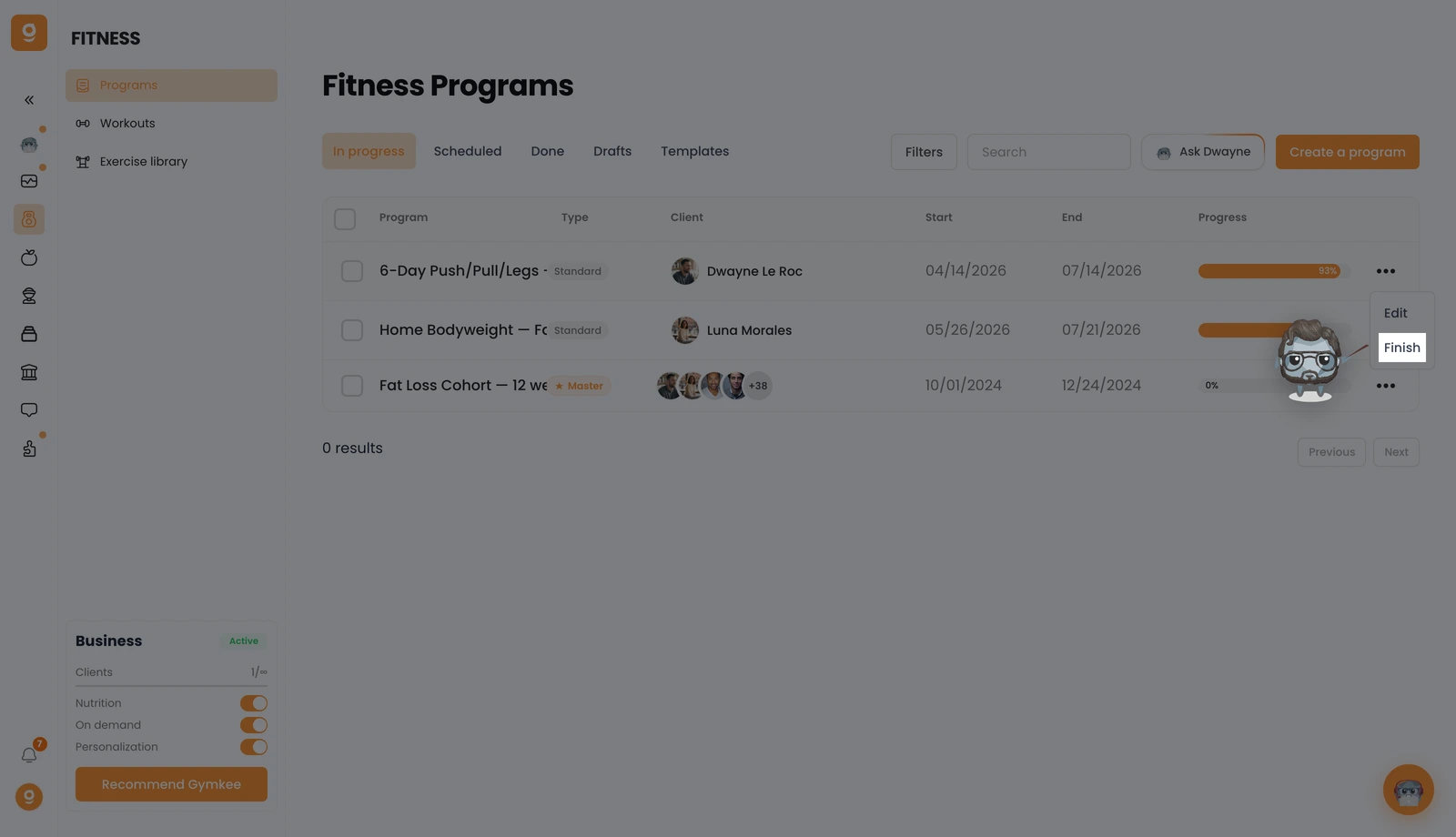
Otwórz Fitness → Programy, a w zakładce W toku kliknij menu „...” przy wybranym programie, a następnie kliknij Zakończ. To kończy program i przenosi go na Twoją listę zakończonych.
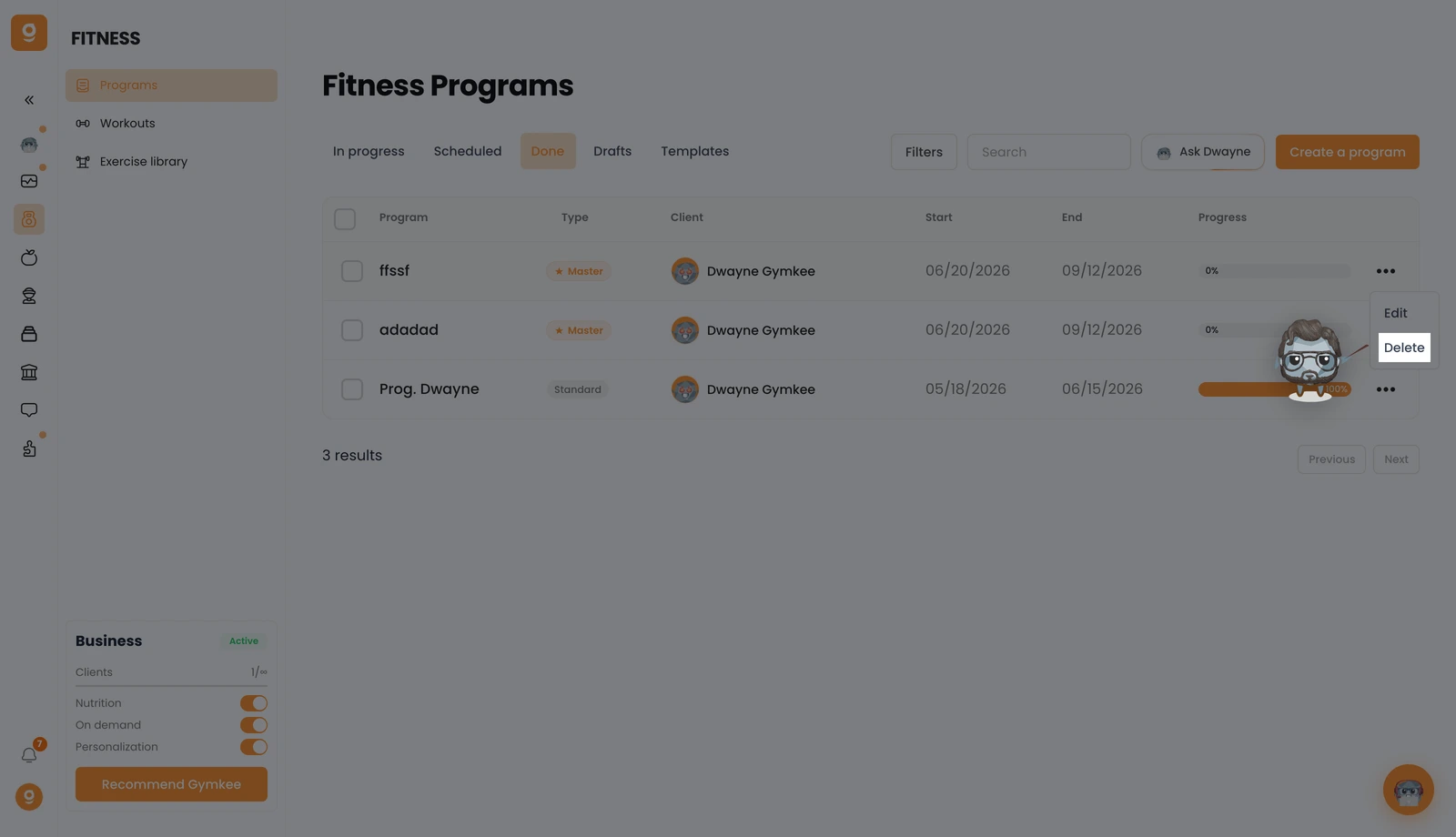
Teraz otwórz zakładkę Zakończone, kliknij menu „...” przy tym programie i kliknij Usuń. Potwierdź, a program zostanie trwale usunięty.
Jeśli czegoś potrzebujesz, napisz do nas przez czat w aplikacji w prawym dolnym rogu 😉
Dobrego coachingu i dbaj o siebie ❤️
