

At Gymkee, we place a lot of importance on personalization... it's ultra-important for our clients to feel at home.
That's why you have the possibility to customize the colors of our applications to respect your codes & branding.
Colors can be changed on both the web app (the one you use) and the mobile app (the one your customers use).
To do this, first go to your "Settings".
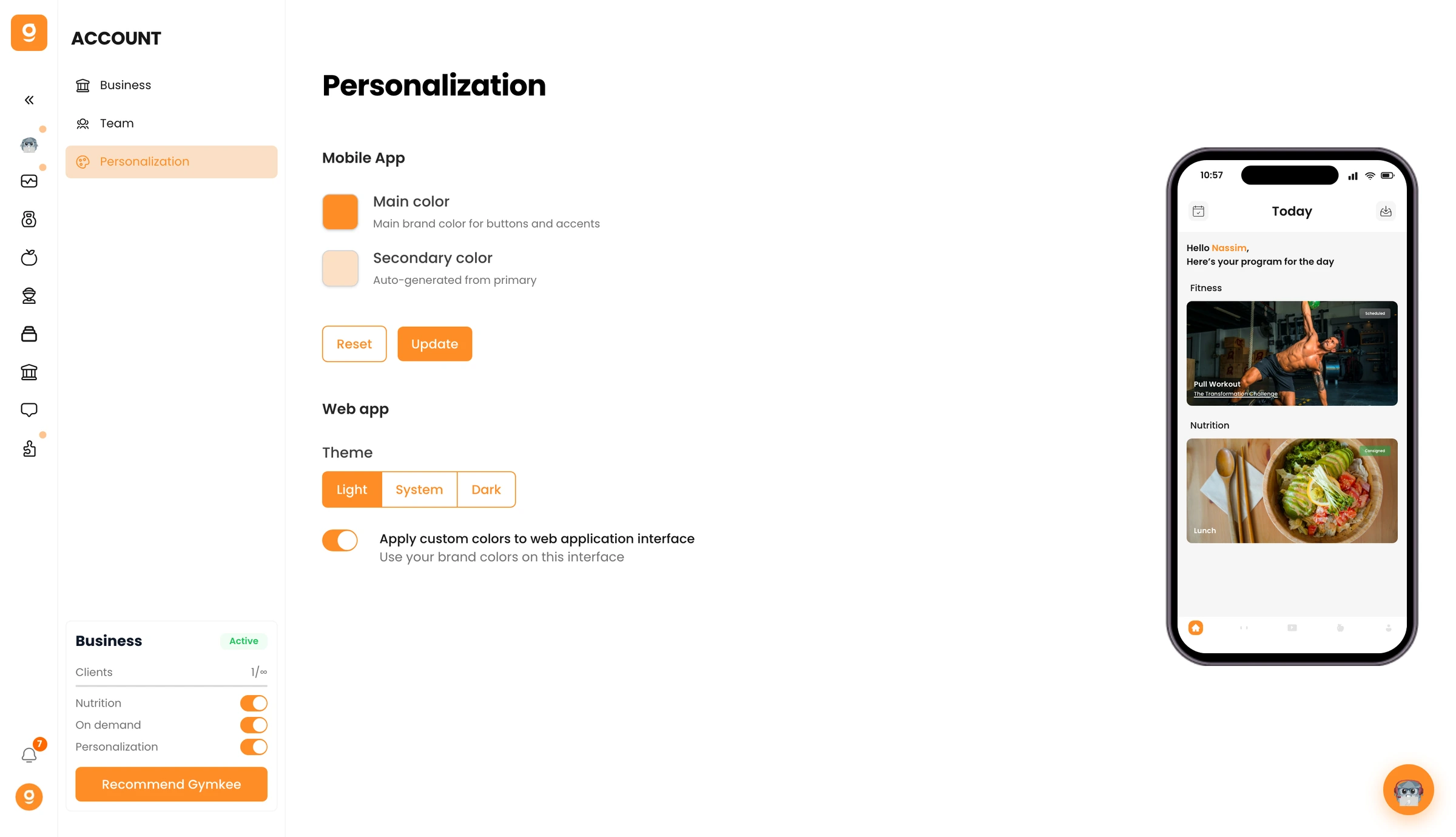
To access the color settings, click on " Personalization ".
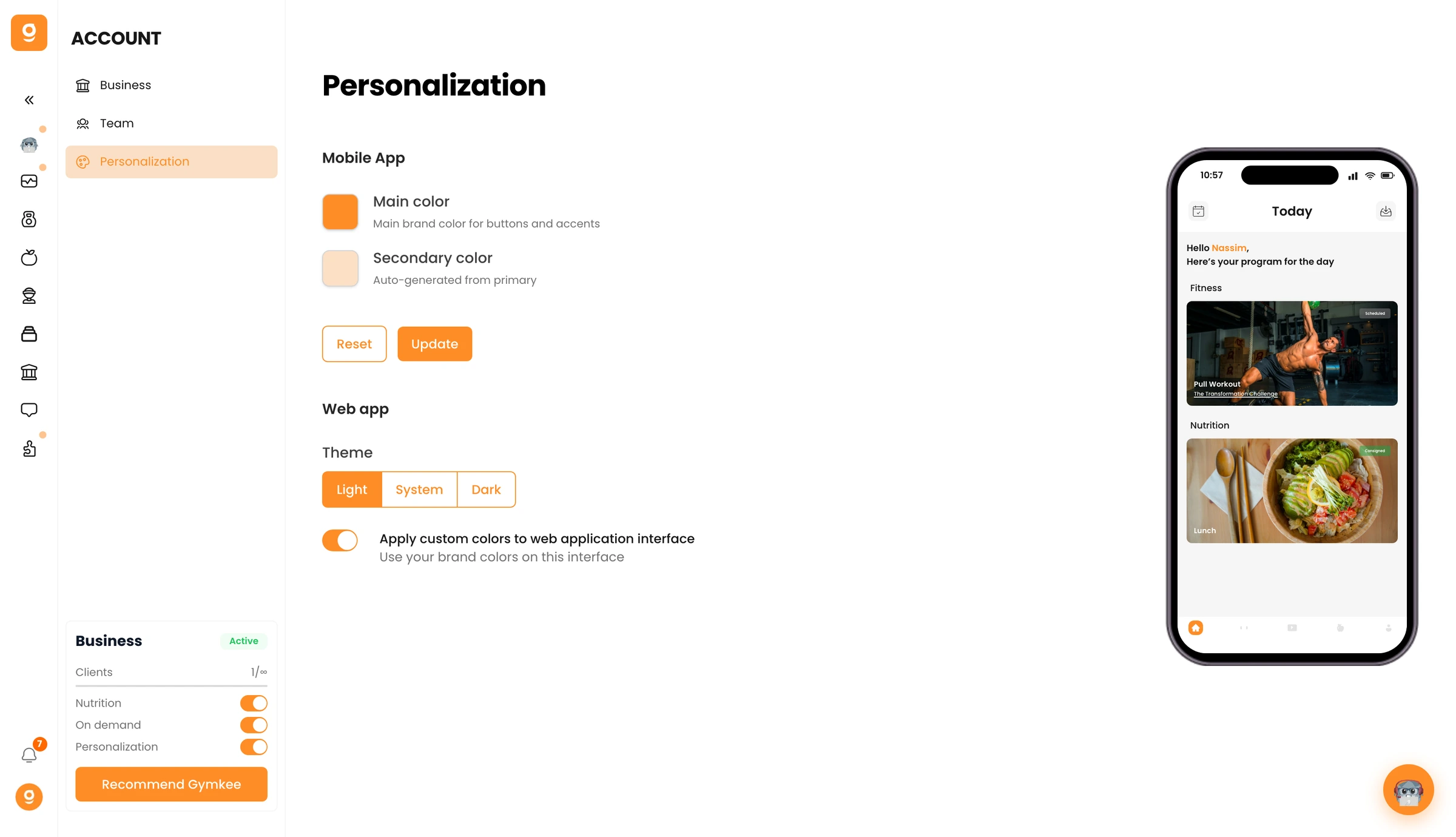
The Gymkee application is composed of different colors:
The primary color that is used in the application's titles & primary texts.
The gradient that is contained in some titles and in the action buttons.
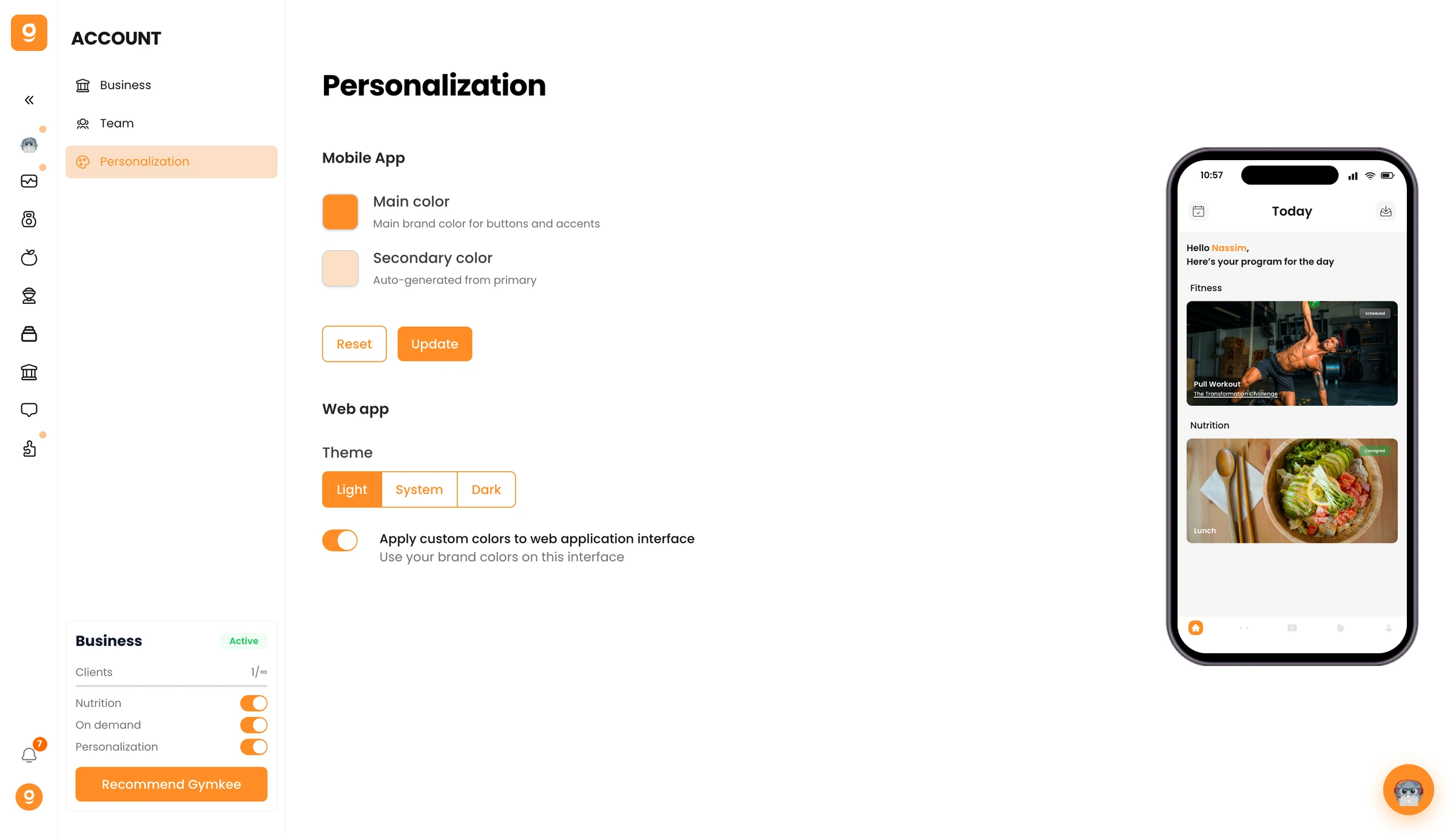
You will be able to modify the colors by adding those of your branding. The changes are made live to allow you to judge the relevance before validating the changes for your customers.
You have the preview of the mobile application so you can visualize the final result.
⚠️ Be careful with the colors ⚠️
We let you customize your application as much as possible, but we are not responsible for the visual appearance of your application to your customers.
The colors must be properly managed to not end up on a ugly application & with unreadable text.
Things to avoid:
- Colors that are too light.
- Black writing (because black background on black background does not work).
- Avoid fluorescent colors.
Now you know how to customize Gymkee with your own colors to match your branding!
If you want more customization such as your own name on the application & stores as well as your logo, don't hesitate to count us in for the SUPERTRAINER plan.
You can compare our plans right here
👉 Take a look at the plans
If you need anything, feel free to contact us via the internal app chat on the bottom right 😉
Good coaching & take care of yourself ❤️
