在 Gymkee 上添加您自己的锻炼视频

如何在 Gymkee 上添加您自己的锻炼?

Gymkee comes with 550+ ready-to-use exercises, but you can also add your own — with your own videos, so your clients see exactly the movement you want.

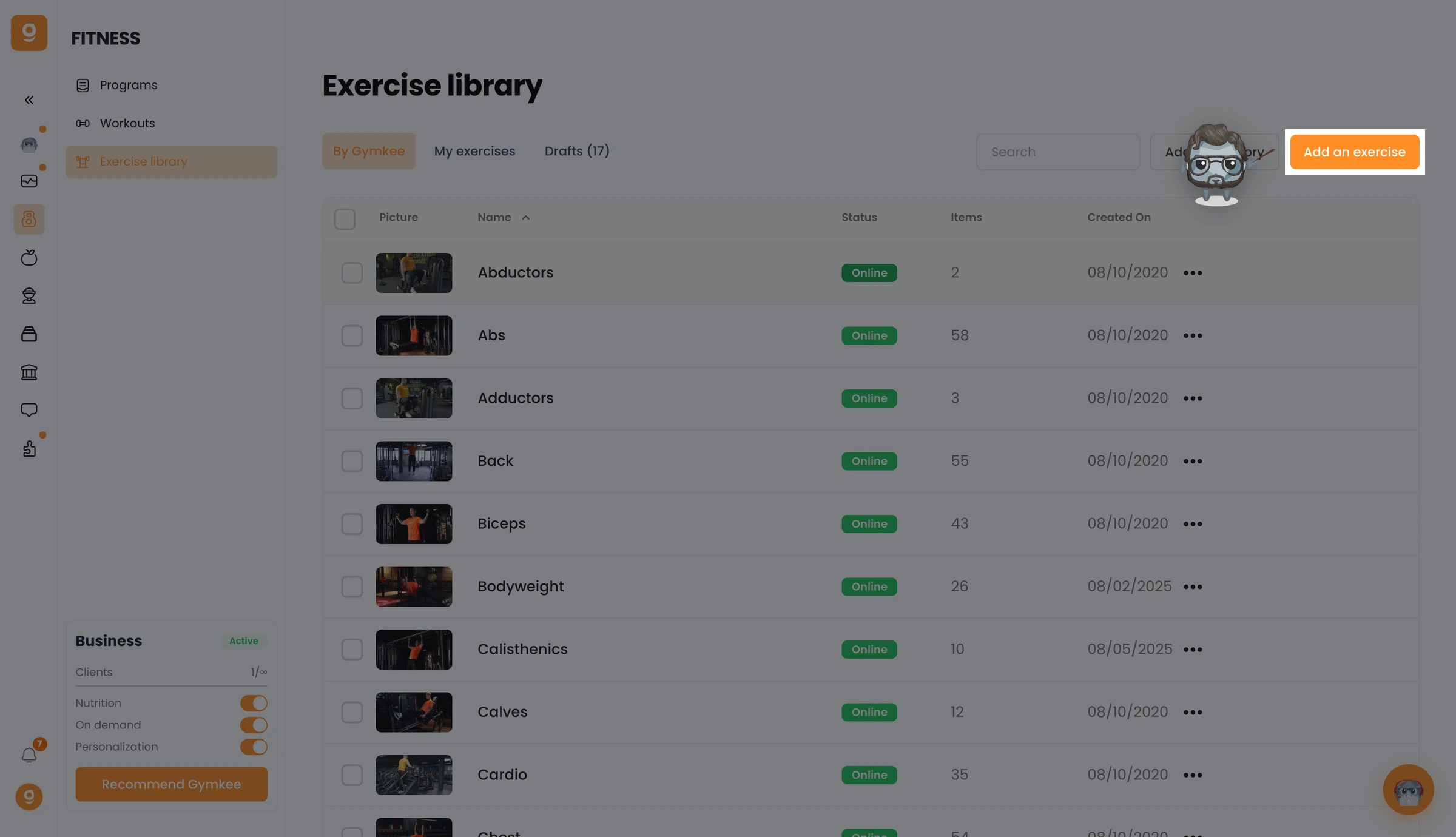
Open Fitness → Exercise library and click Add an exercise at the top right.

在 Gymkee 上添加您自己的锻炼视频 — screenshot 1

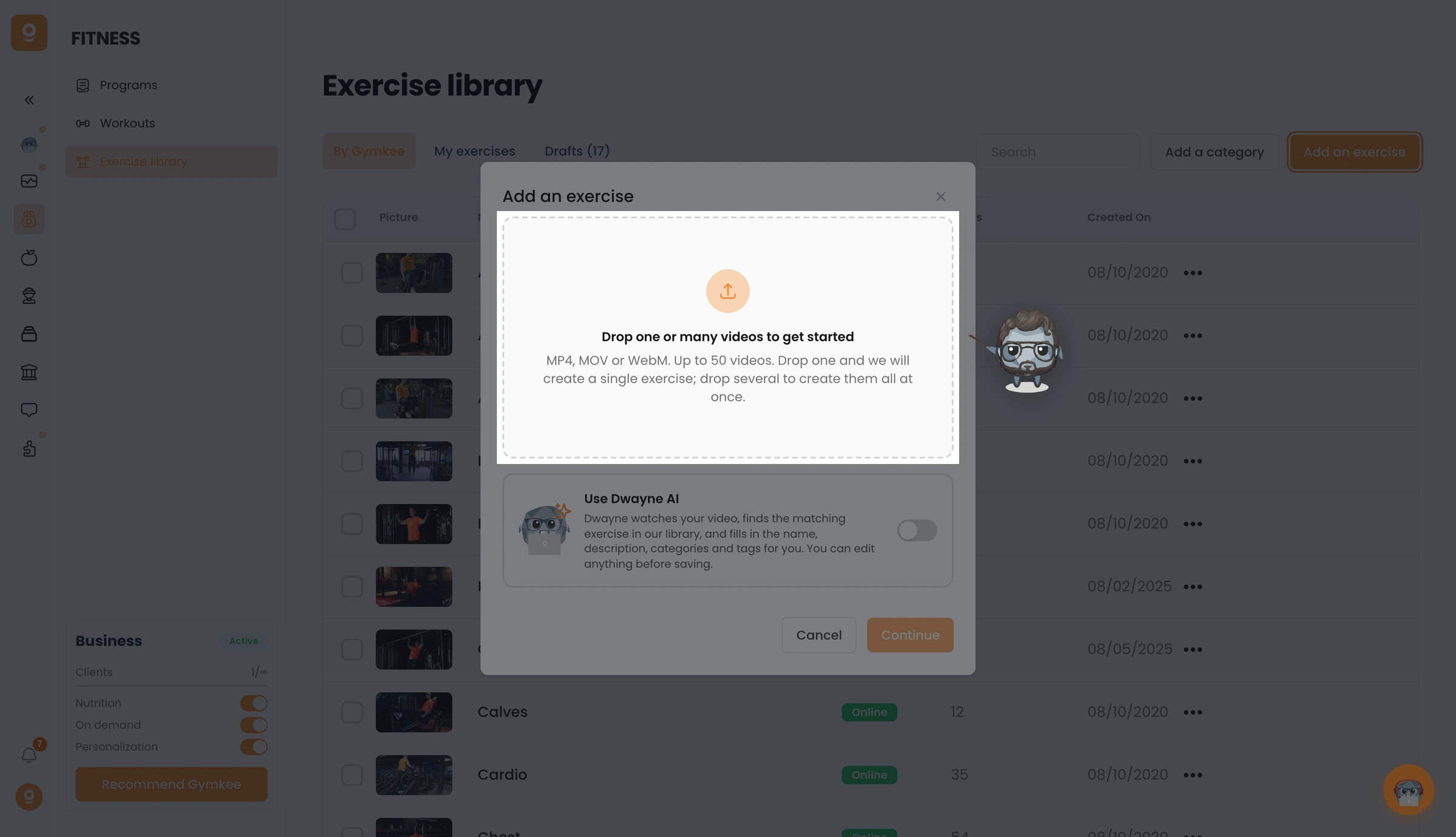
Drag one or more videos into the drop zone (MP4, MOV or WebM) — drop one to create a single exercise, or several to create them all at once. You can also turn on Use Dwayne AI to auto-fill the name, description, categories and tags from your video, then click Continue.

在 Gymkee 上添加您自己的锻炼视频 — screenshot 2

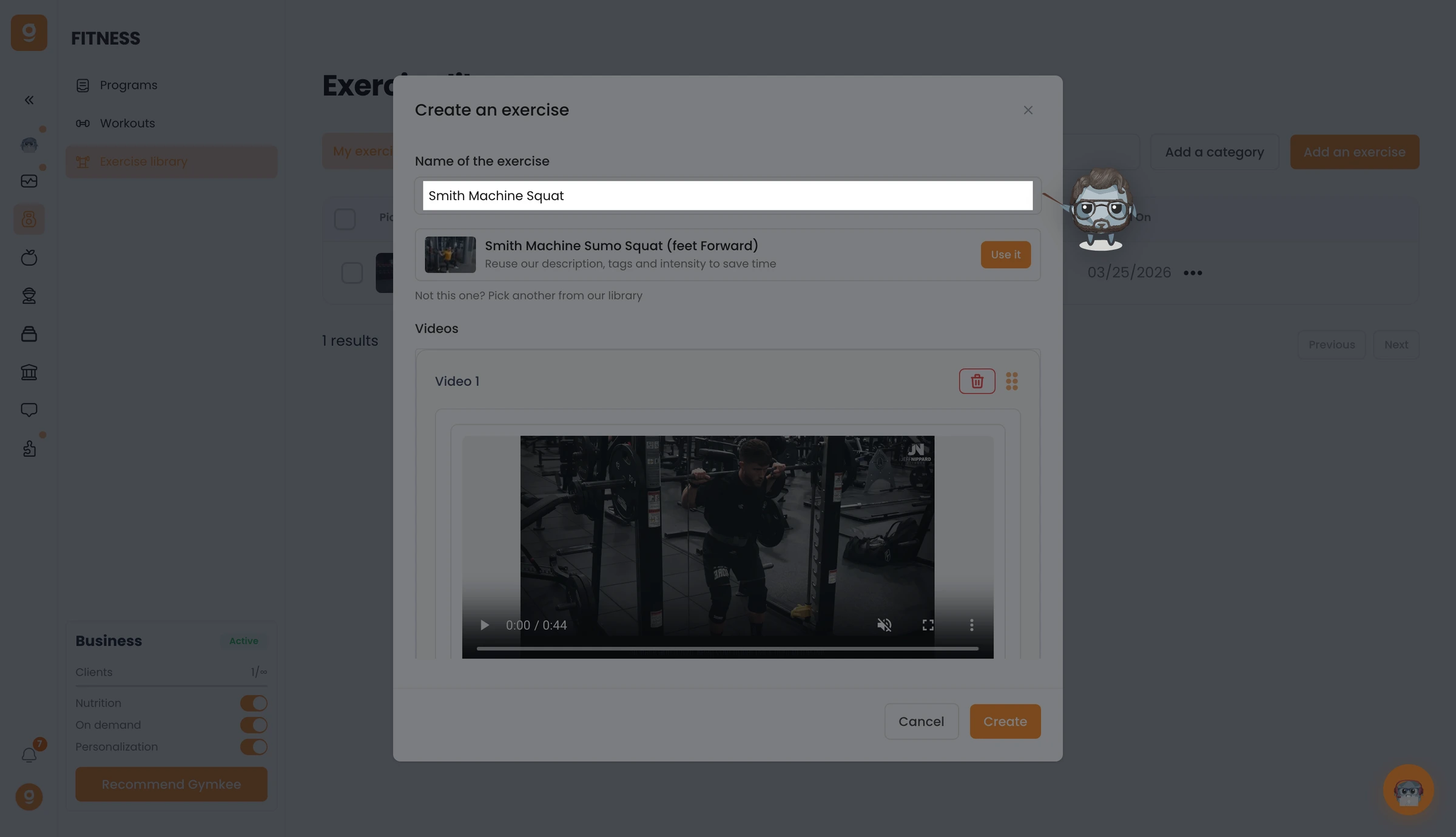
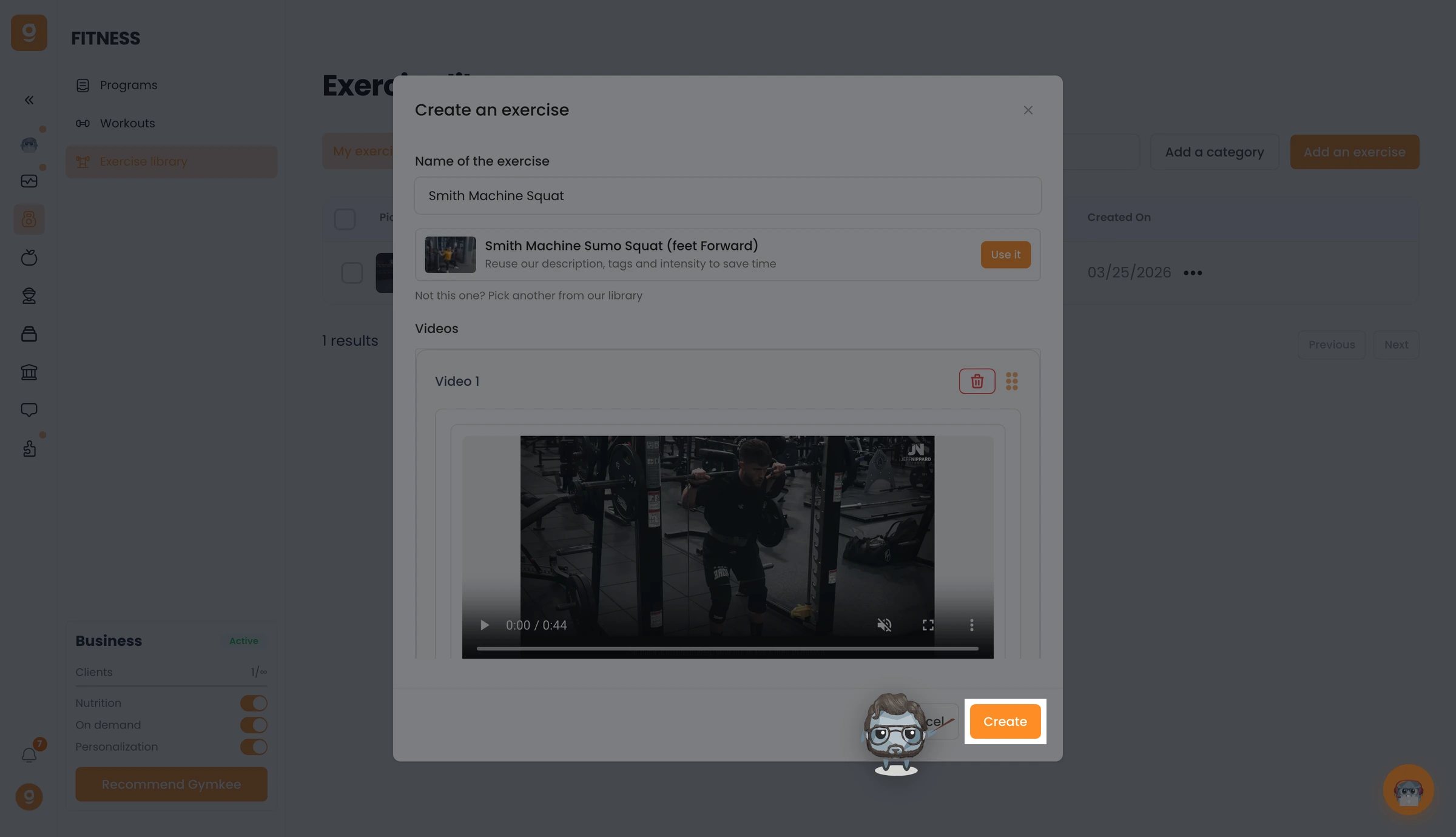
In the editor, give your exercise a name and check its video.

在 Gymkee 上添加您自己的锻炼视频 — screenshot 3

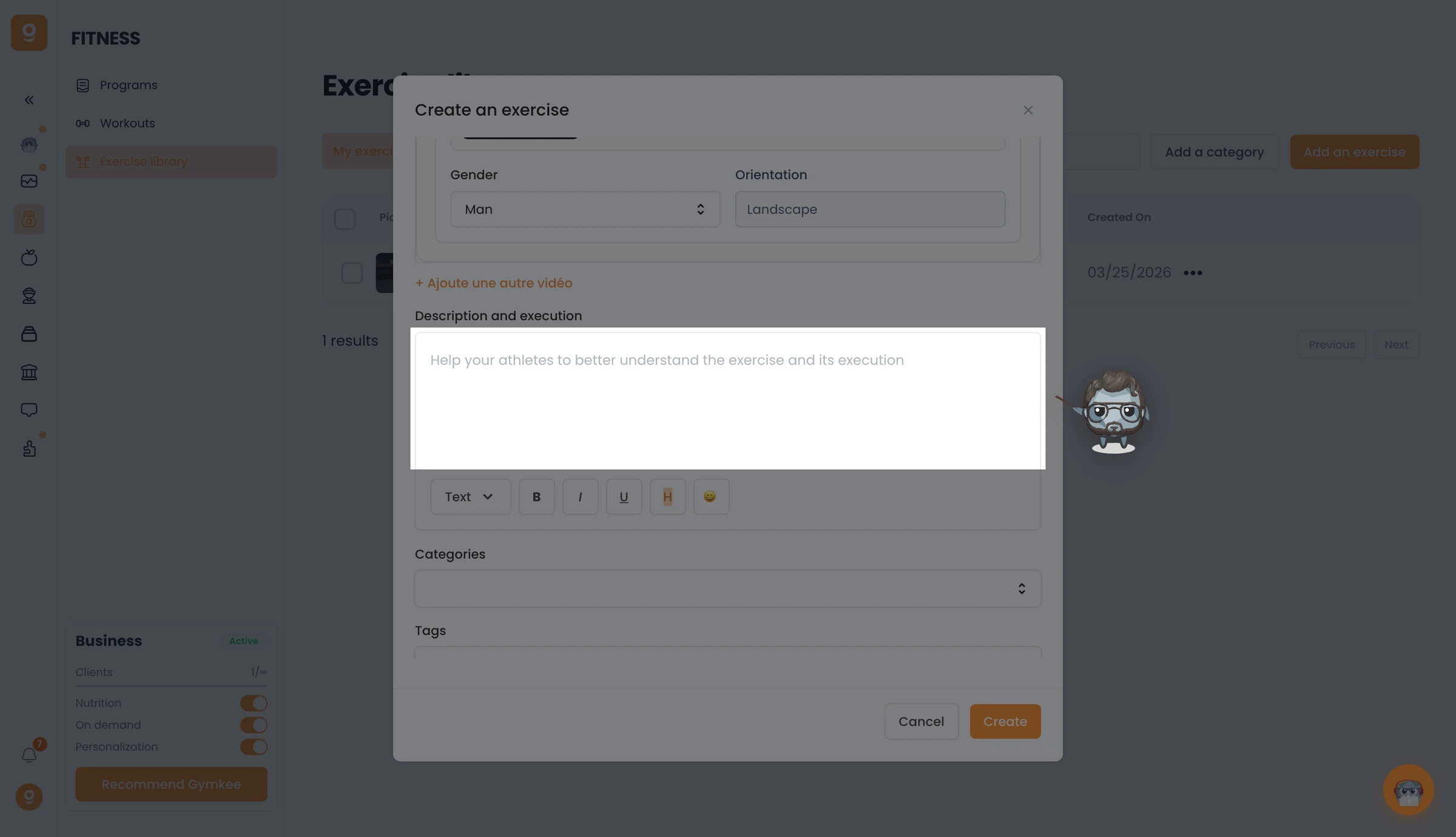
Set the model and orientation, then write a description & execution to guide your clients through the movement.

在 Gymkee 上添加您自己的锻炼视频 — screenshot 4

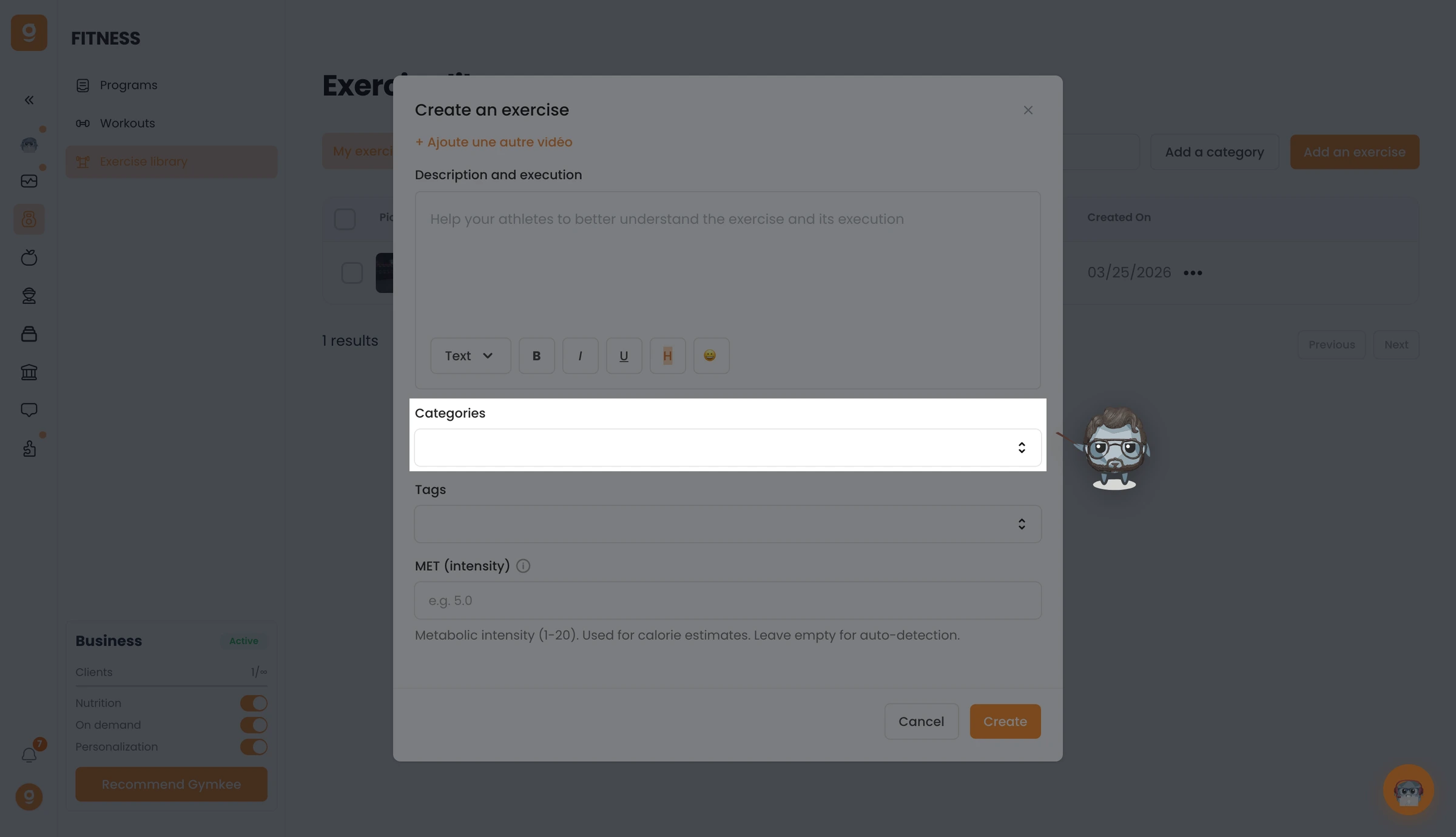
Pick the Categories — every muscle group the exercise targets, primary and secondary — add Tags to organize it, and optionally a MET value for calorie estimates.

在 Gymkee 上添加您自己的锻炼视频 — screenshot 5

When everything's set, click Create. Your exercise is added to your library, ready to drop into any program.

在 Gymkee 上添加您自己的锻炼视频 — screenshot 6

Once you've added your own exercises, you can also hide the Gymkee library so clients see only yours — see Hide the Gymkee exercise library.

If you need anything, reach us via the in-app chat at the bottom right 😉

Great coaching & take care of yourself ❤️

这篇文章对你有帮助吗?

还需要帮助吗?

我们的团队和 Gymkee AI 助手 Dwayne 随时为你服务。

询问 Dwayne