

How to delete an exercise video from Gymkee
On Gymkee you can add your own exercise videos.
You can check out this article to learn how:
Adding means... deleting too.
Here's how to simply delete an exercise from your exercise video library.
First, go to your exercise library by clicking on "Exercise Videos" in the navigation bar.
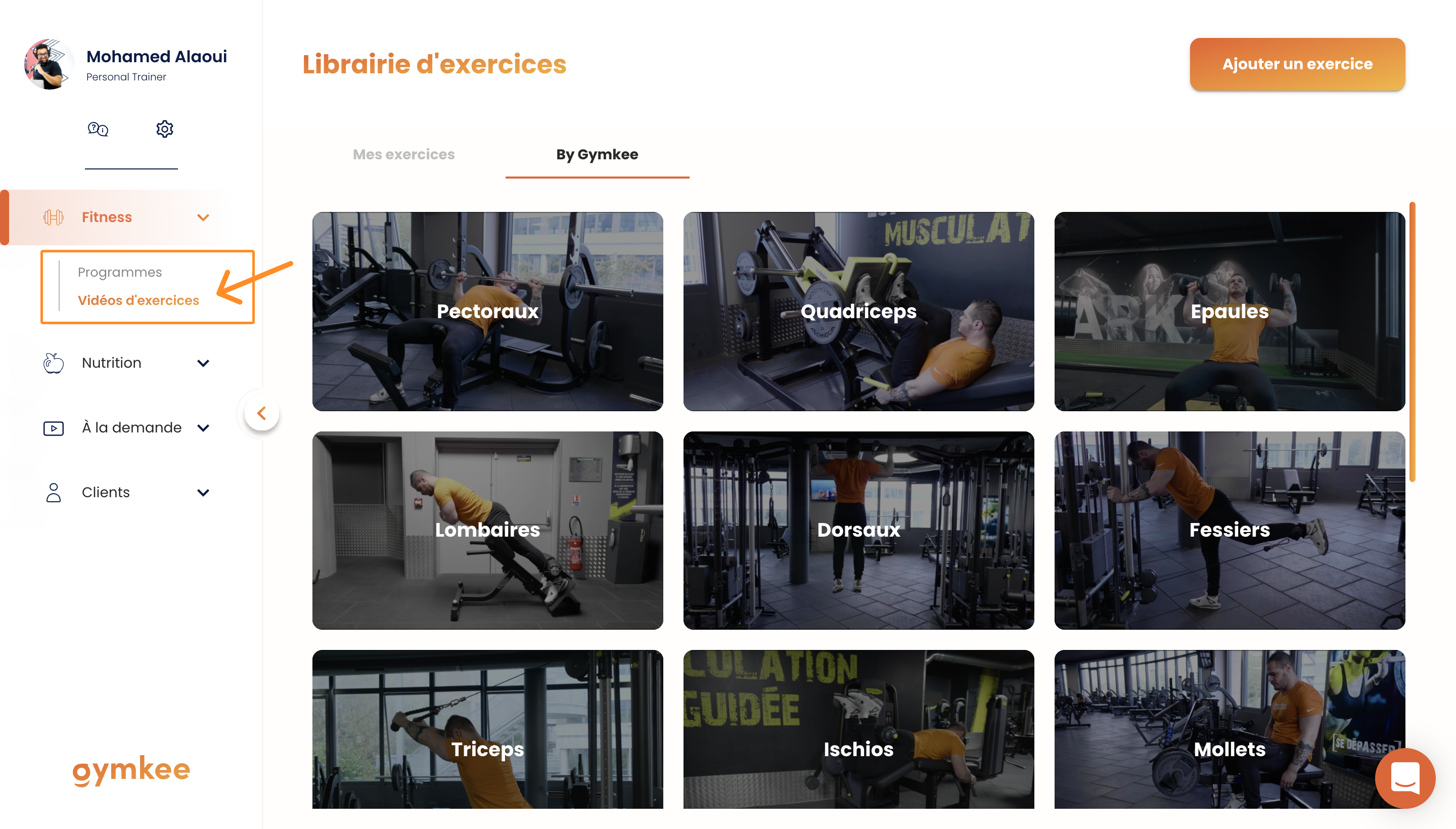
Then, go to "My Exercises".
You can only delete your own exercises. Gymkee's exercises are shared across all coaches.
What you can do, though, is hide the Gymkee library so your clients don't see the default exercises.
To do that, check out this article:
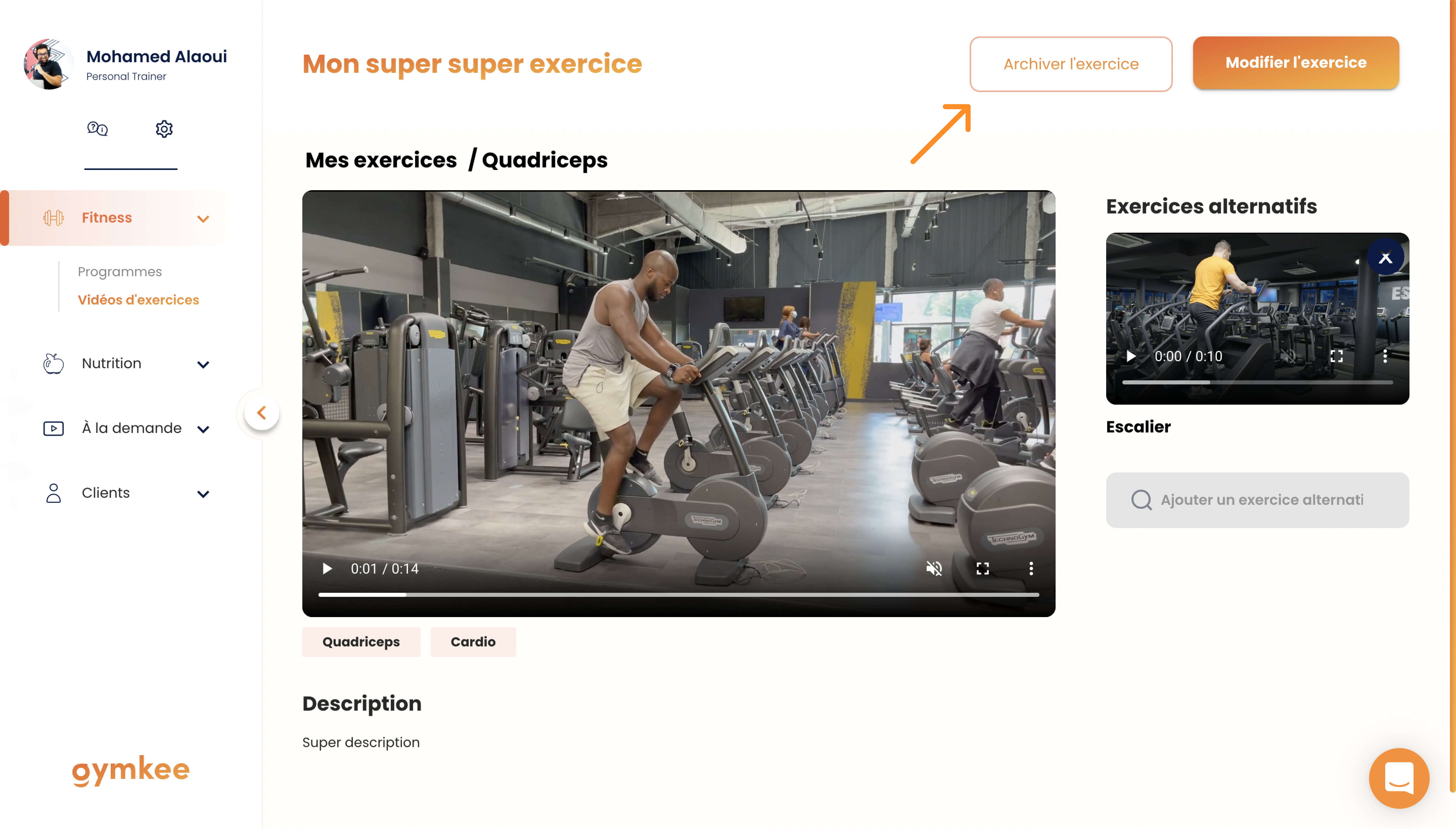
Once you're in your exercise library, click on the exercise you want to delete and then click the "Archive exercise" button.
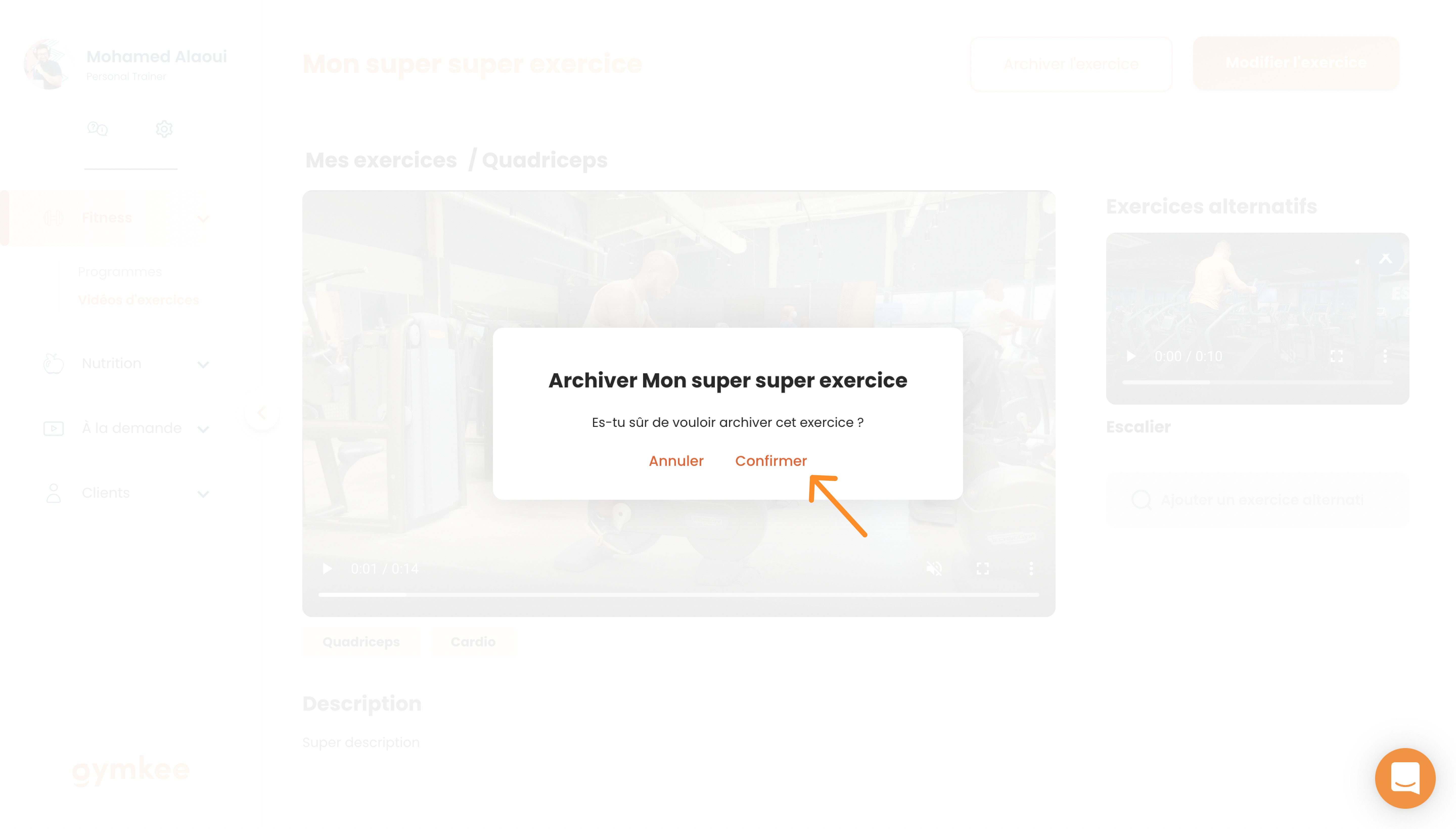
There you go! Now you know how to delete an exercise from your Gymkee exercise library.
如果你需要任何帮助,请随时通过应用内右下角的聊天功能联系我们。
祝教练工作顺利 & 照顾好自己
