

Sobald du deinen ersten Tag erstellt hast, kannst du den Rest der Woche schnell befüllen, ohne jede Mahlzeit neu aufzubauen.
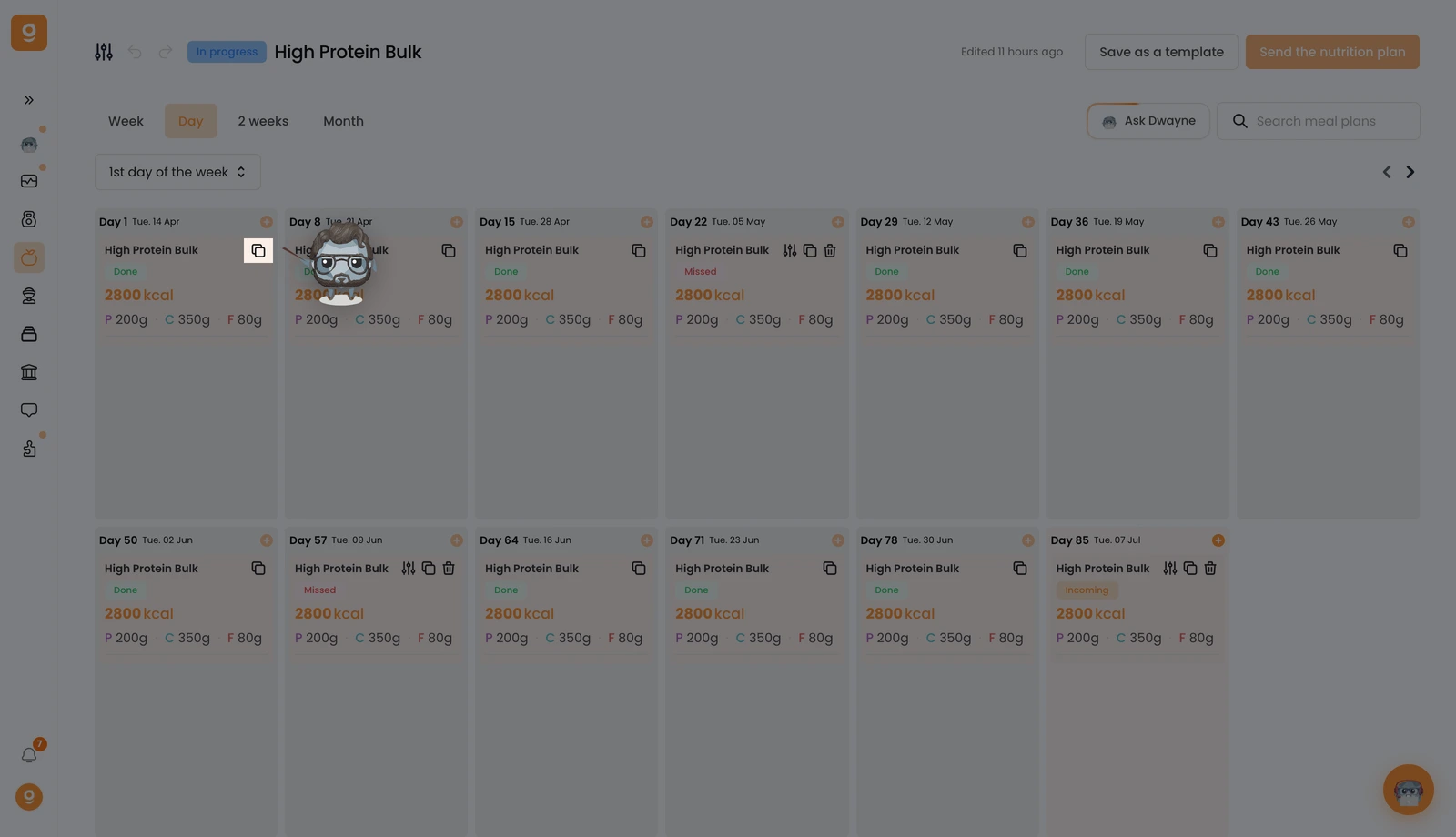
Wechsle an dem Tag, den du wiederverwenden möchtest, zur Tages-Ansicht und klicke auf das Kopieren-Symbol.
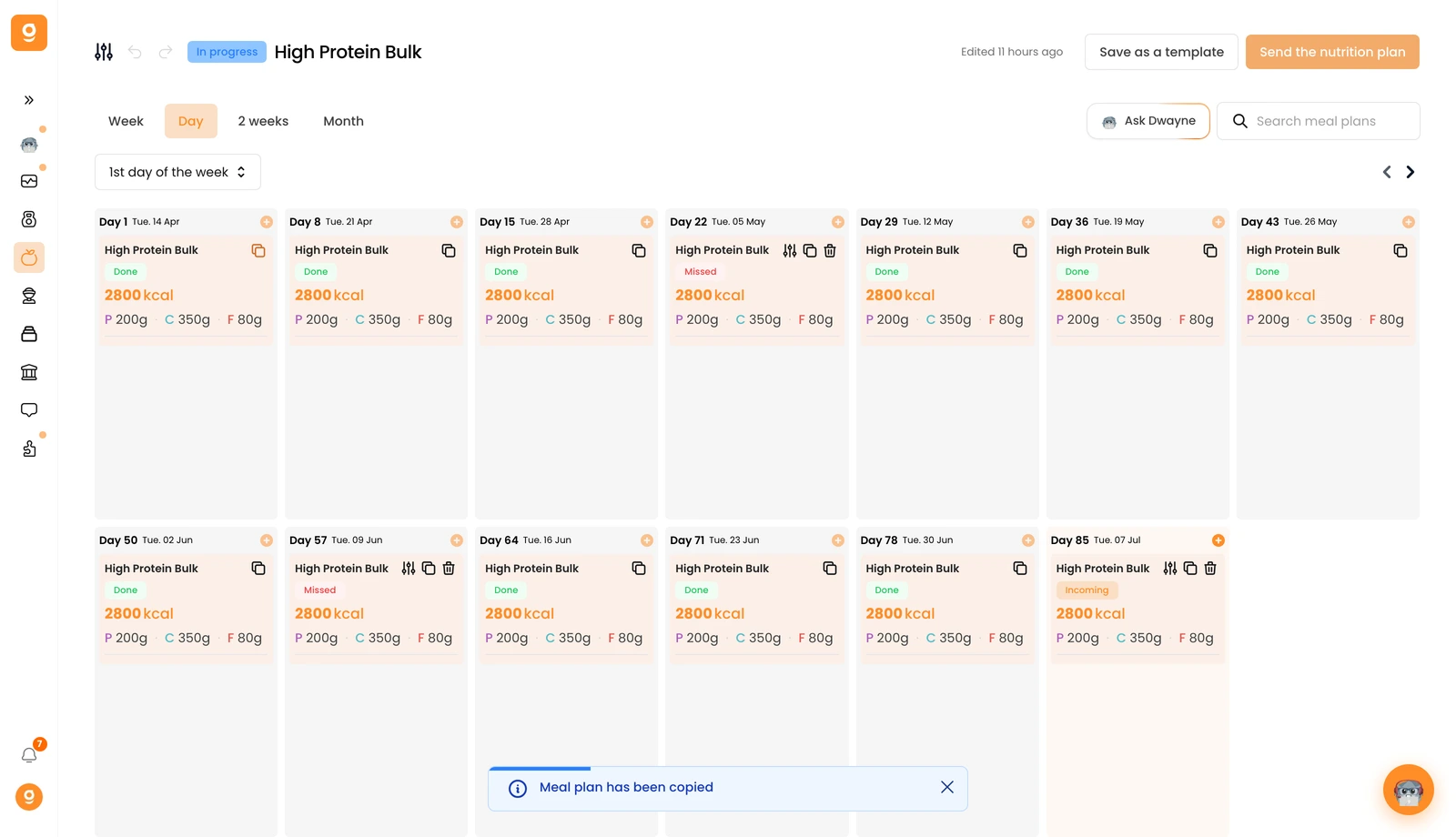
Du siehst unten auf dem Bildschirm eine Bestätigung „Ernährungsplan wurde kopiert".
Fahre nun mit der Maus über den Tag, an dem du ihn einfügen möchtest, und klicke auf Ernährungsplan einfügen. Alles wird übernommen: der Name, die Beschreibung, das Vorschaubild, alle Mahlzeiten und sogar die Mahlzeiten-Alternativen.
