

On Gymkee you can do everything… you can easily create supersets, trisets, or circuits.
SUPERSET
To create a superset, simply drag one exercise onto another.
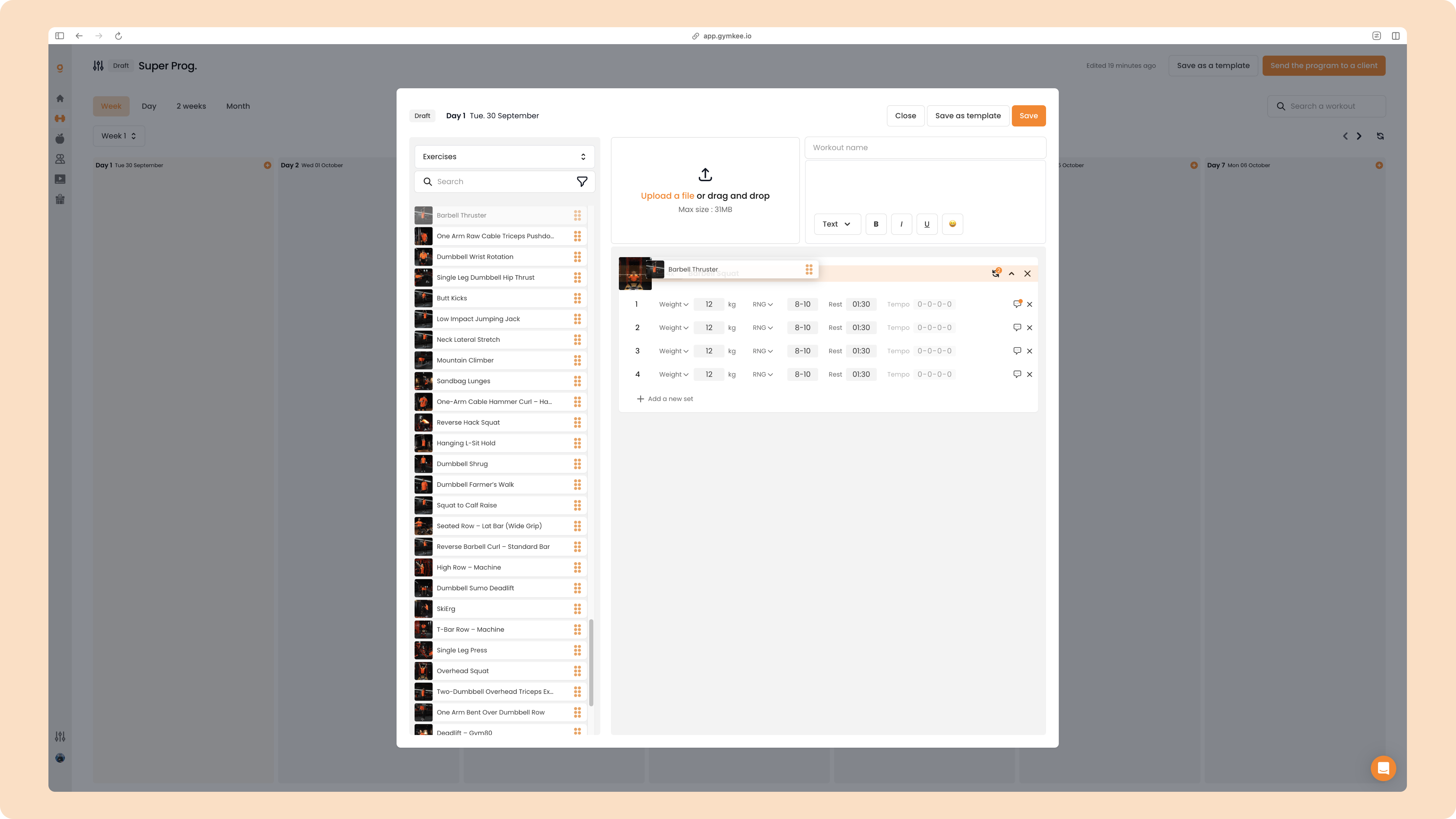
Voilà, you just created a superset.
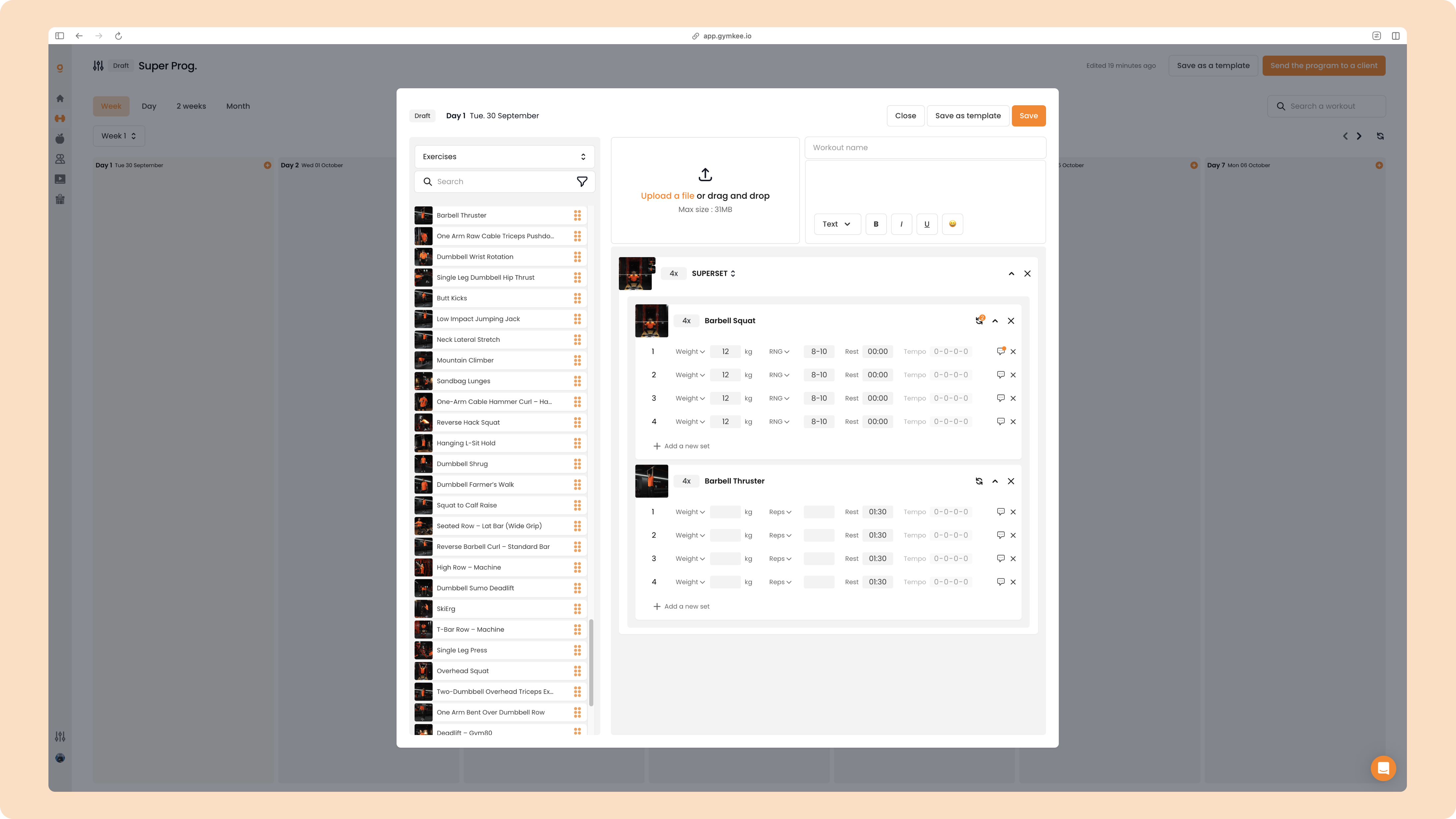
Automatically, the rest time for all sets of the first exercise is set to 0, and the second exercise takes the rest time in the superset.
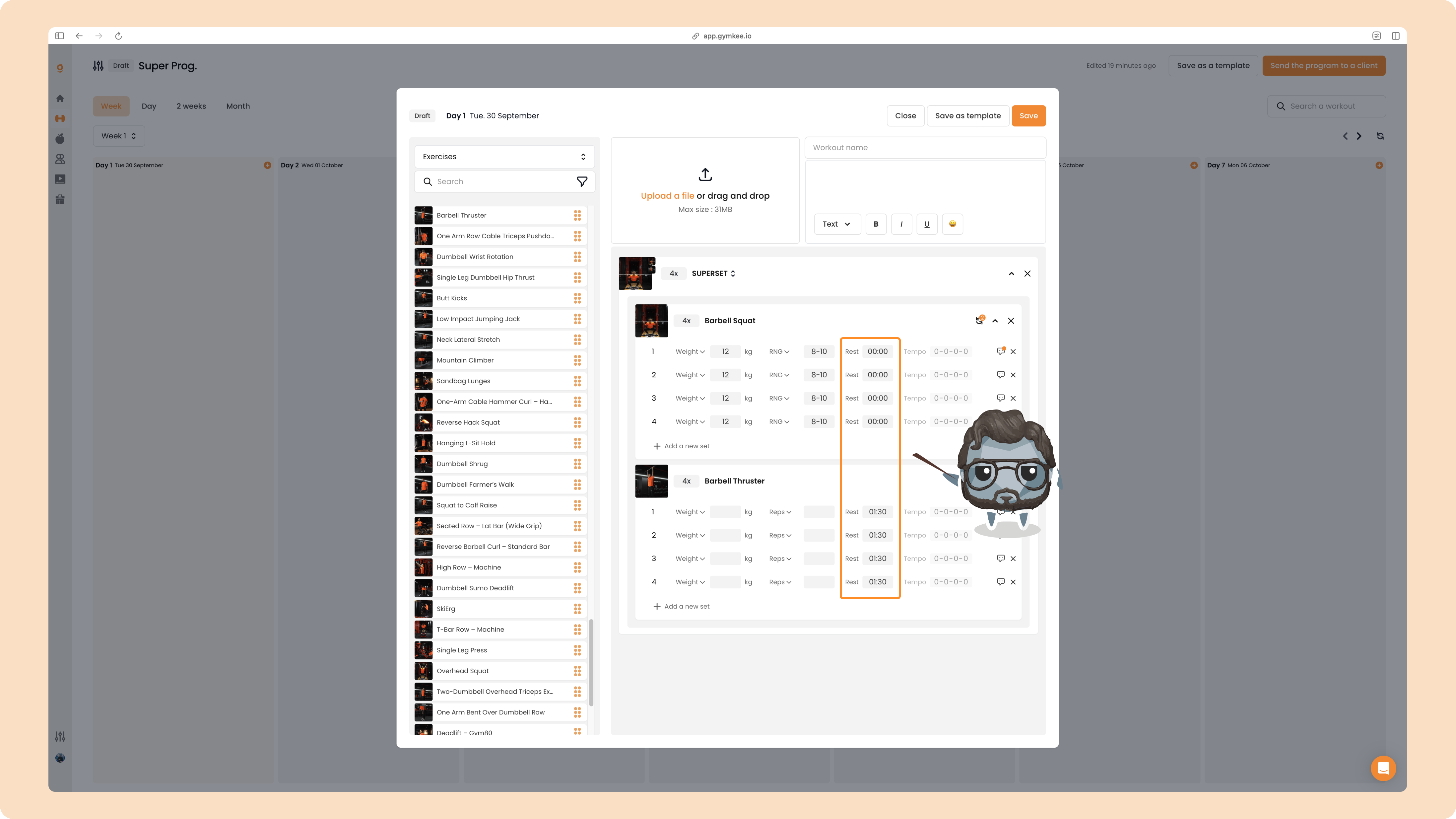
Here’s what happens in the client app:
- Client finishes 1st set of exercise 1
- The app immediately moves to set 1 of exercise 2
- Client completes set 1 of exercise 1
- Rest time begins
- The app asks for feedback for set 1 of exercise 1
- The app asks for feedback for set 1 of exercise 2
All of this happens automatically.
TRISET
To make a triset, drag a third exercise onto a superset:
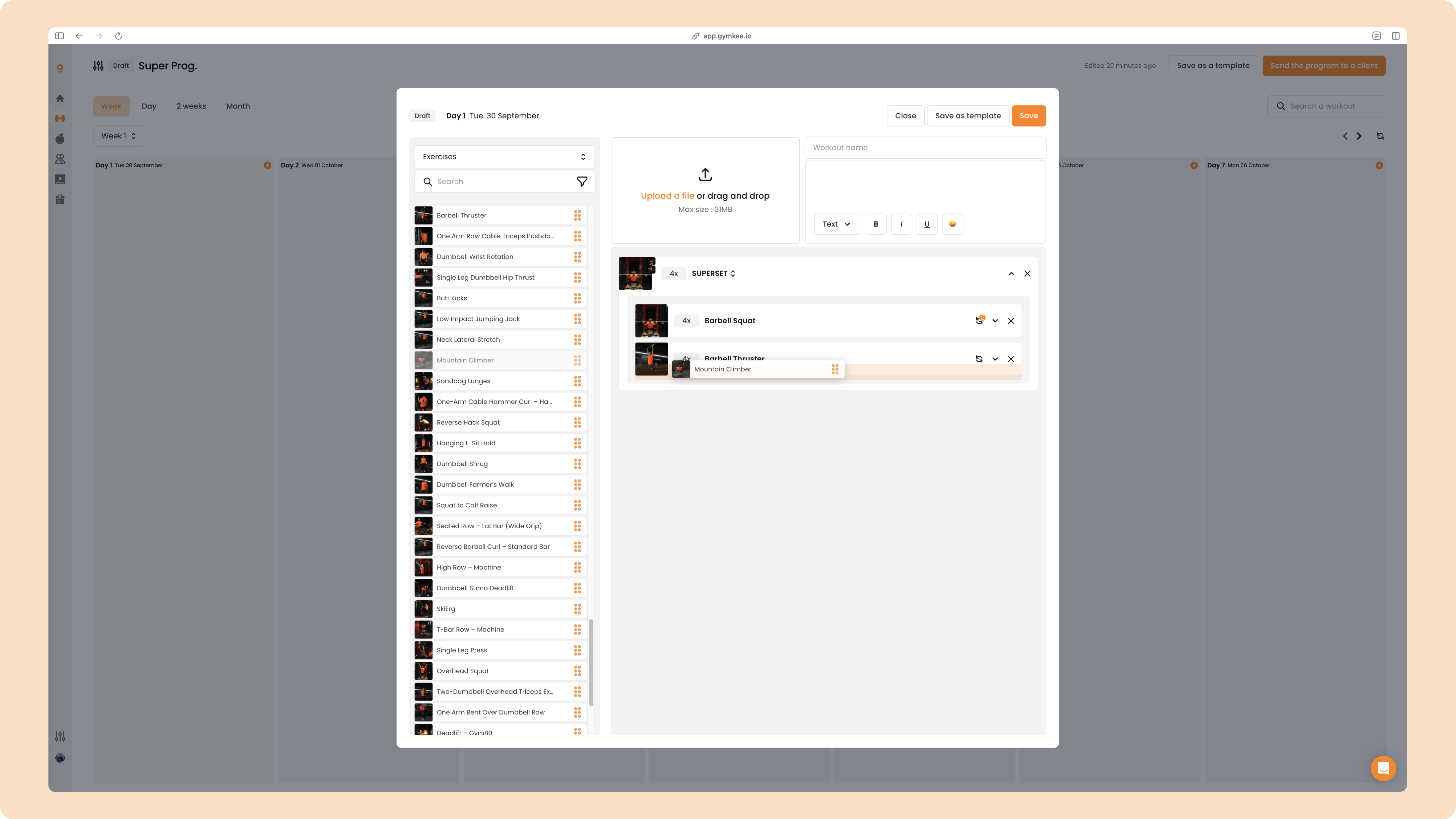
Same rule: rest time of first two exercises becomes 0, and the third takes rest time between sets.
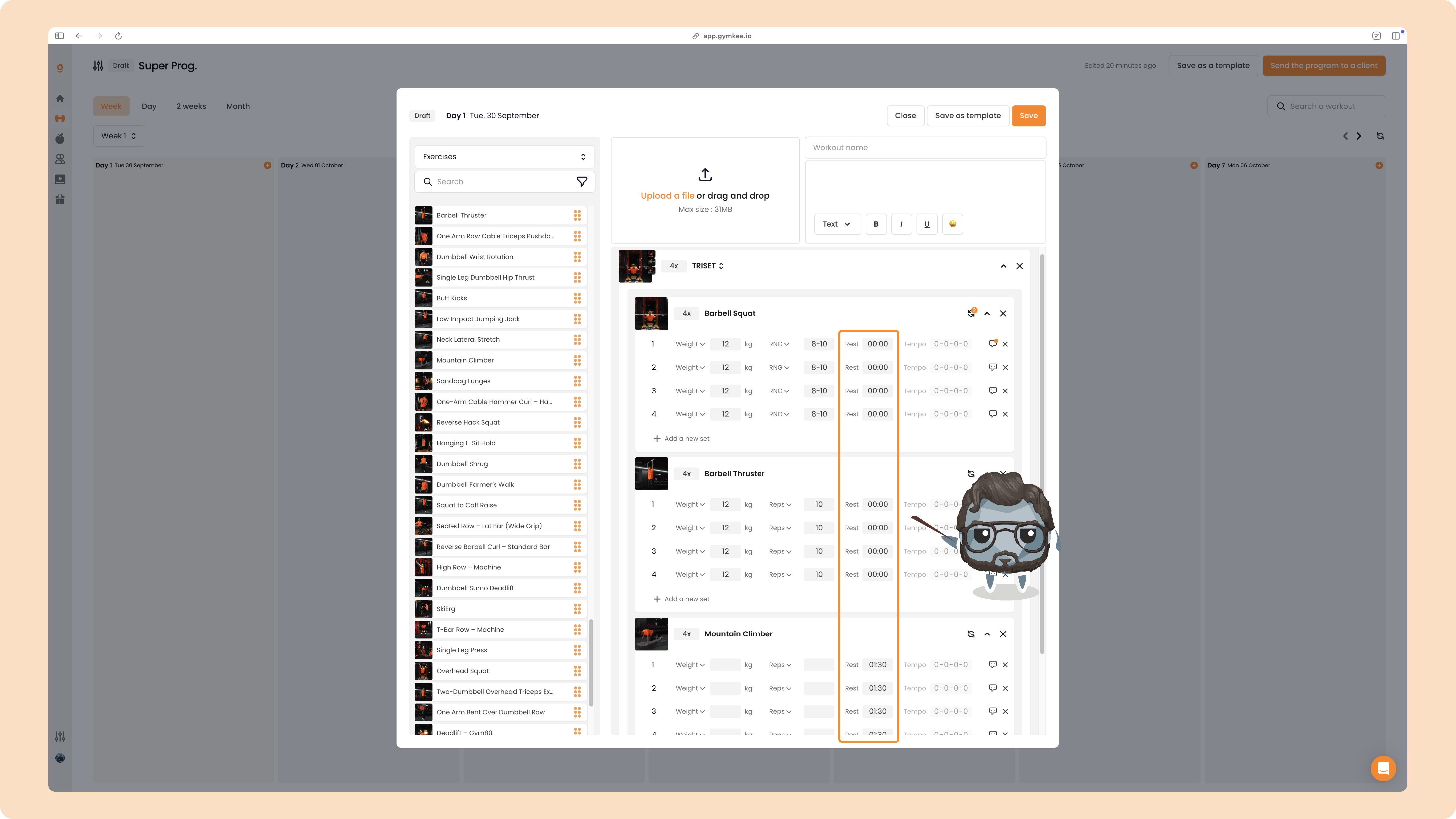
You can change rest times or reorder exercises anytime.
CIRCUITS
To create a circuit, drag a fourth exercise onto/in a triset.
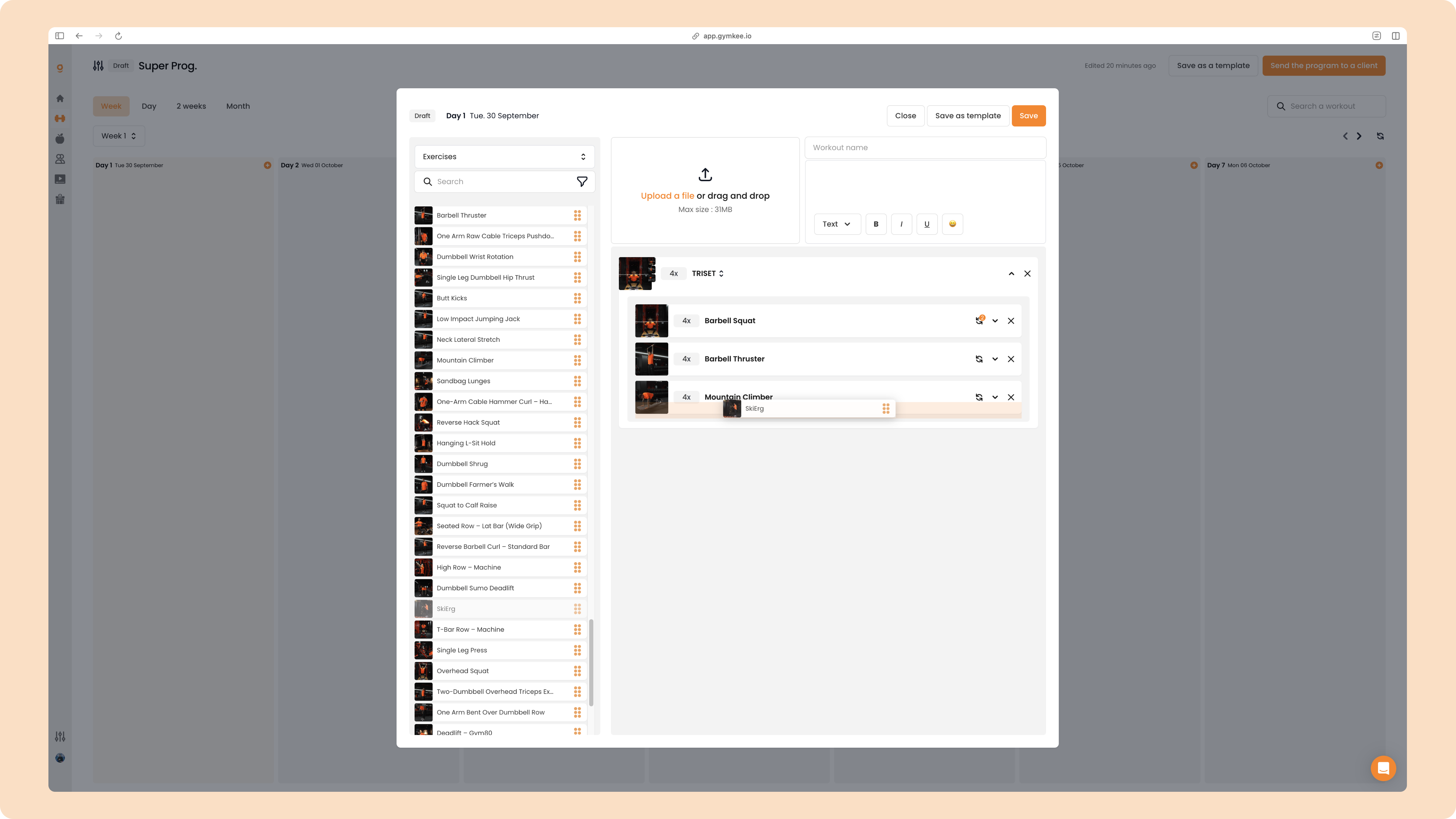
Same principle: first exercises are default to 0 rest, and the last exercise takes the circuit rest time.
Create AMRAP, Tabata & EMOM on Gymkee
Beyond simple circuits, you can create AMRAP, TABATA and EMOM directly in the builder.
Click “SUPERSET,” “TRISET” or “CIRCUIT” depending on what you already have.
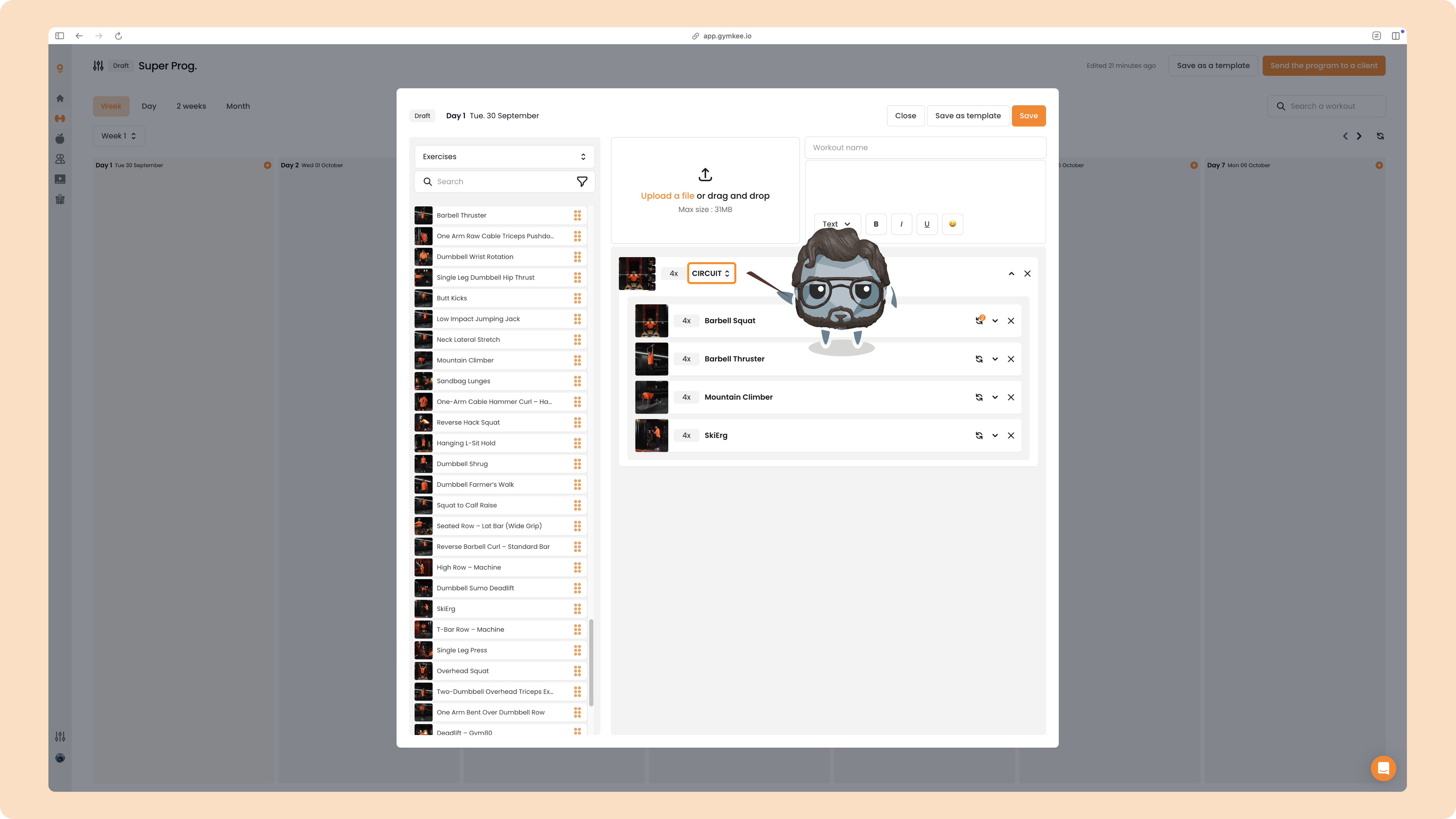
You’ll see a dropdown with all the possibilities:
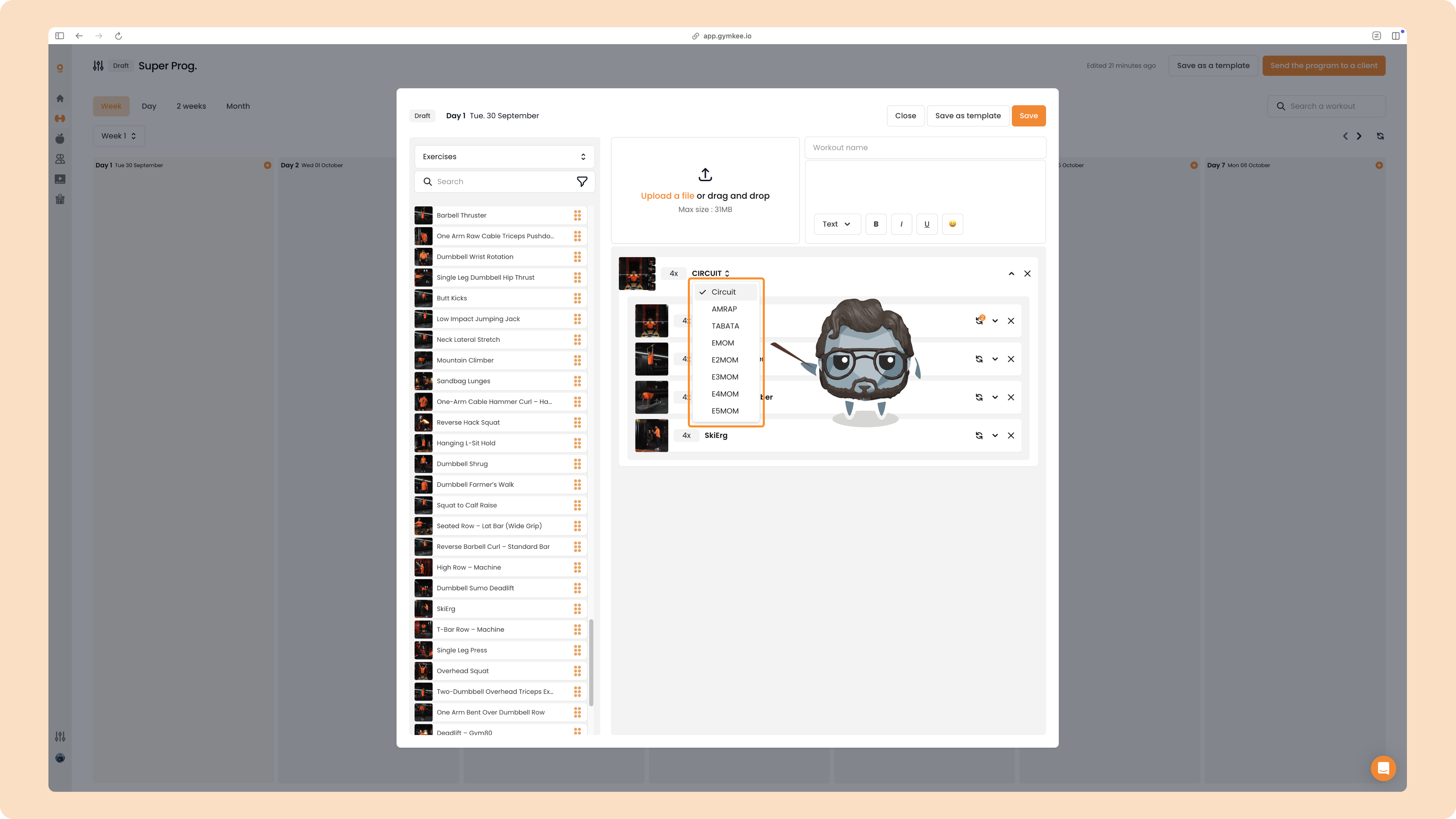
AMRAP
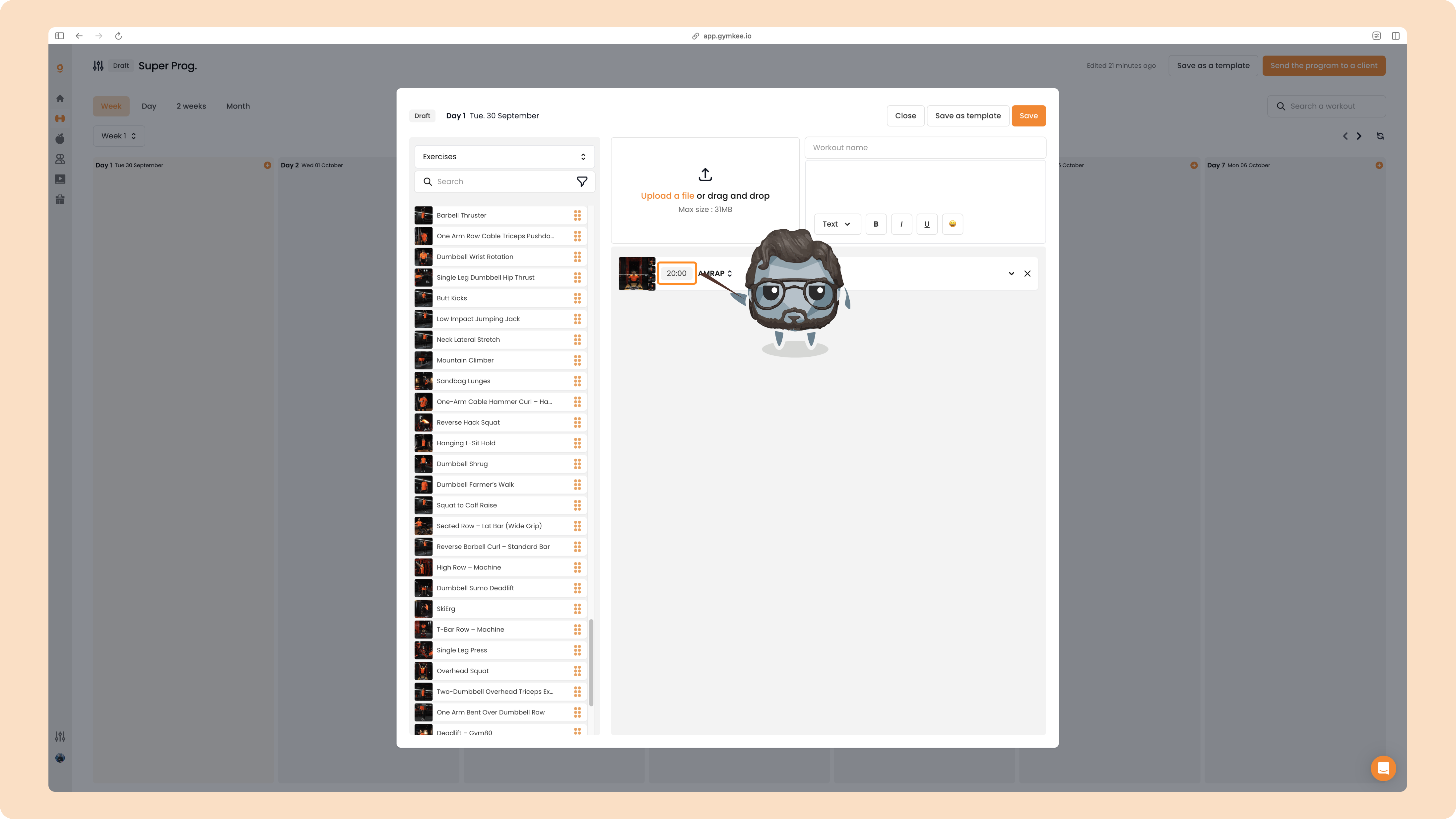
Click AMRAP to set the total time.
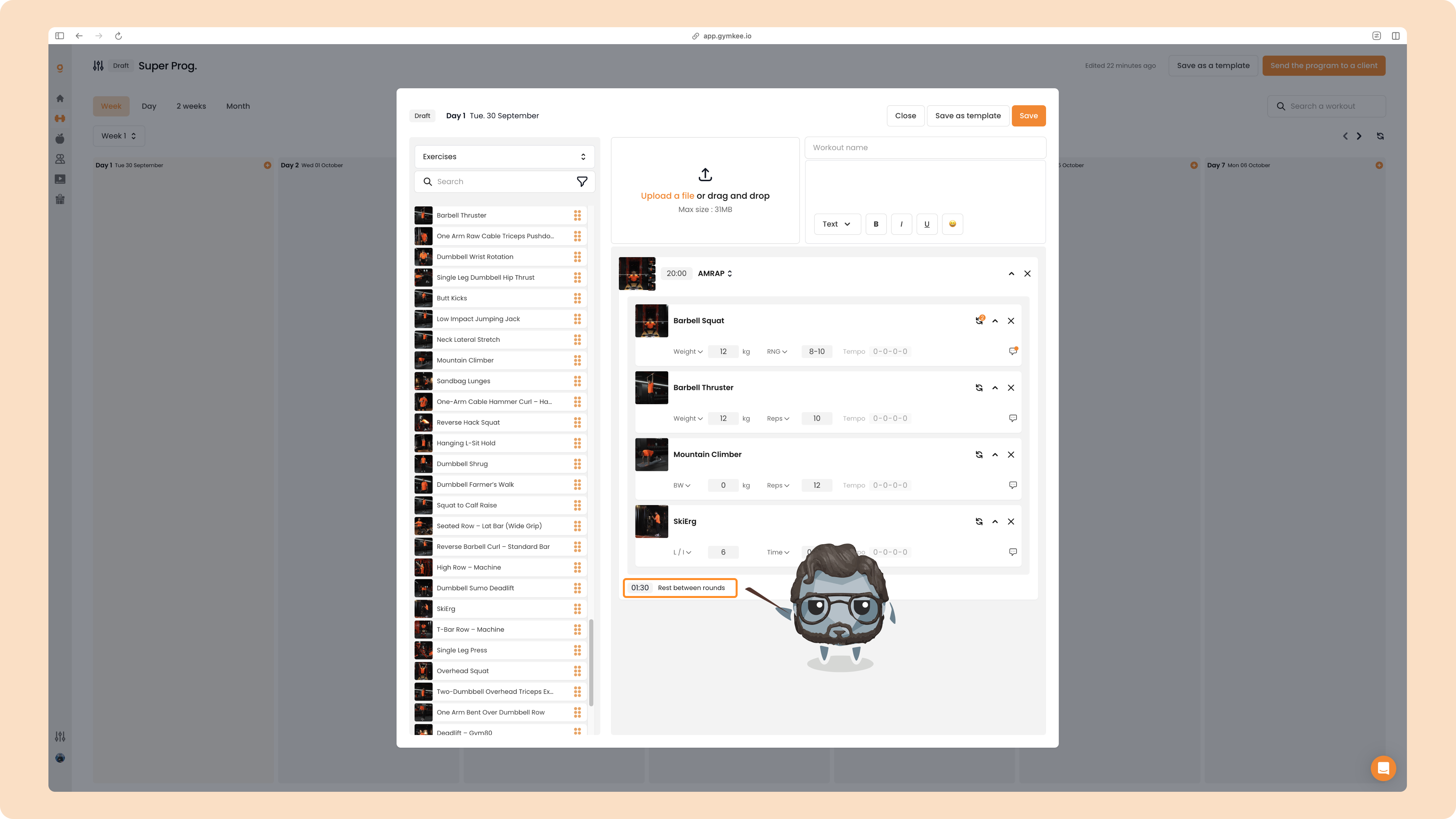
When you select AMRAP, you can configure instructions for each exercise and the rest time between each round.
TABATA
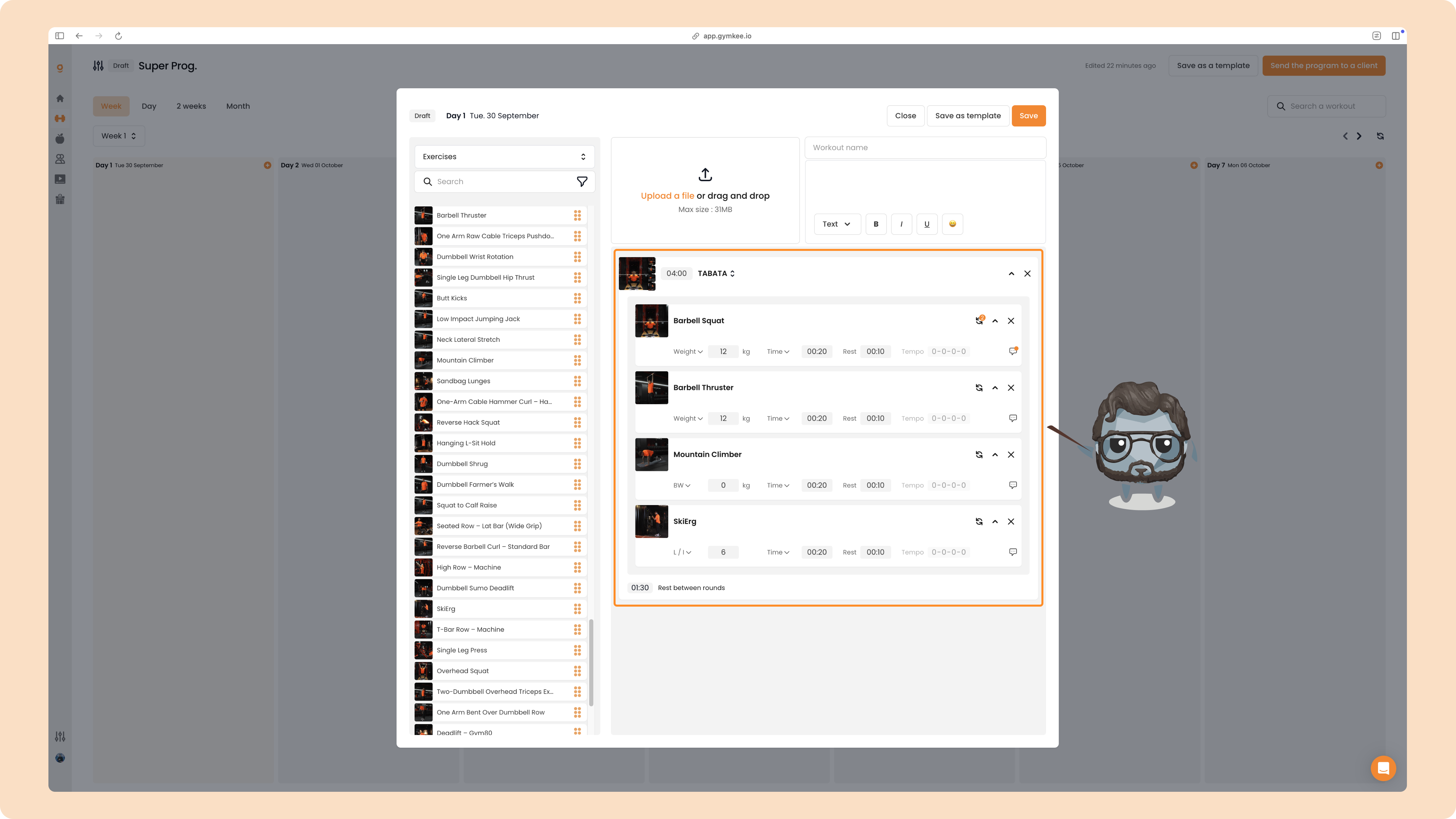
Click TABATA, Gymkee will auto-configure the standard Tabata times (modifiable) and assign execution time and rest time (20s work, 10s rest) which you can also adjust.
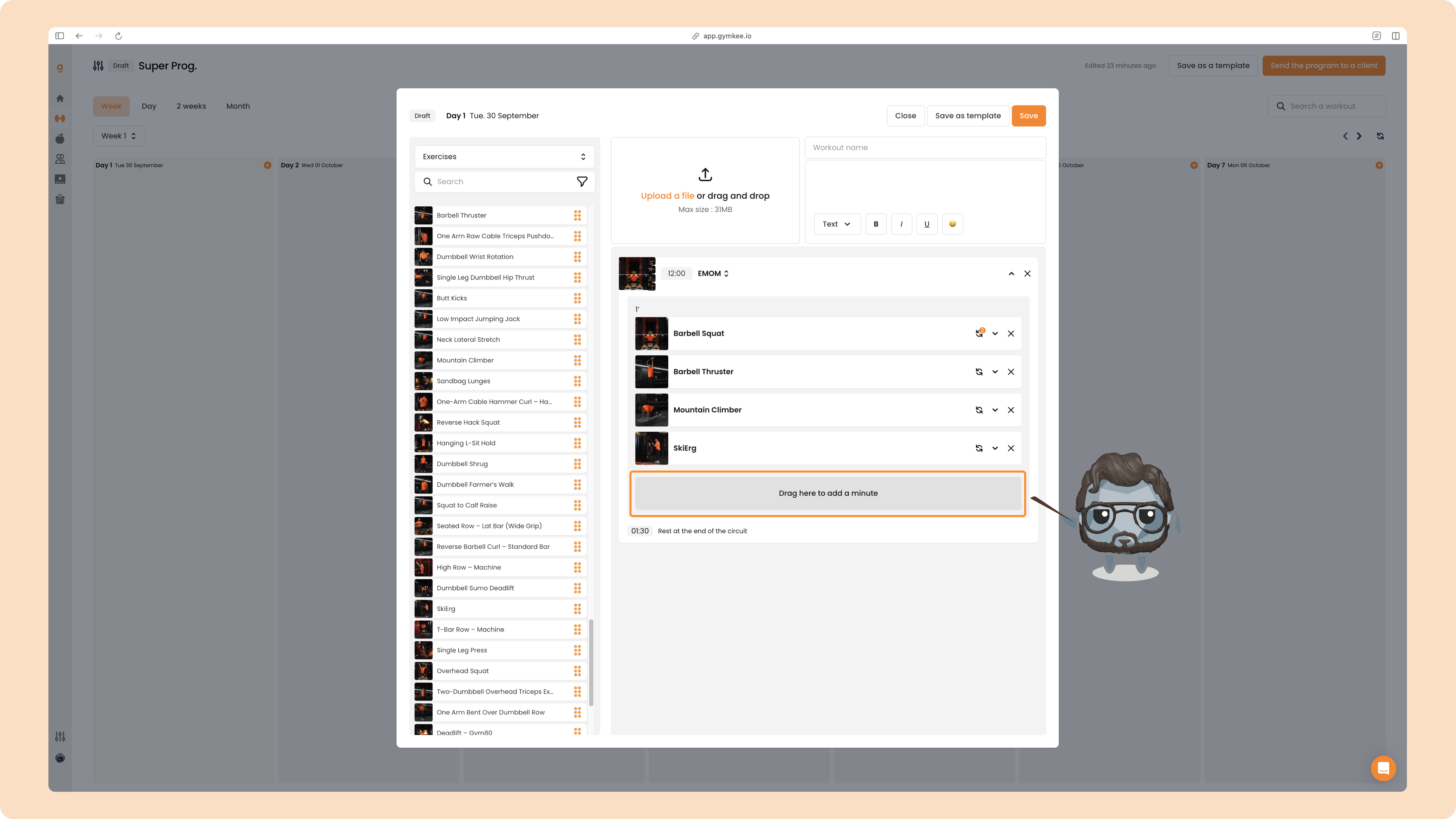
EMOM
Click EMOM, it opens the EMOM menu with a default duration (12 minutes by default, adjustable) and lets you configure the exercises.
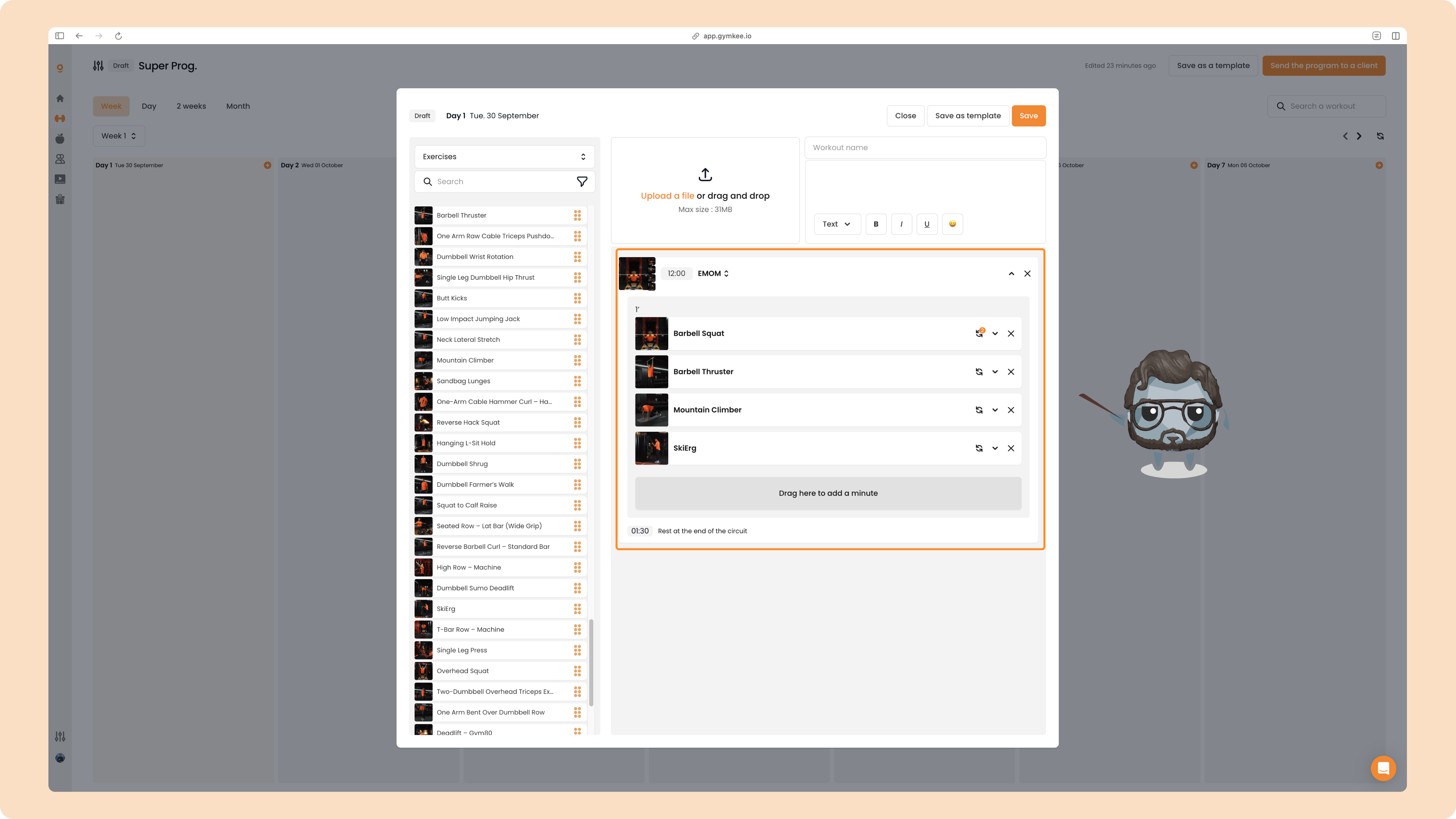
Drag exercises into each minute section to create a new minute block.
Now that you’ve got all that, we can show you how to save a huge amount of time when creating your workout programs on Gymkee.
