

On Gymkee you can build advanced workout structures in seconds. Supersets, trisets, circuits, AMRAP, TABATA and EMOM are all created right inside the workout builder.
SUPERSET
To create a superset, drag one exercise onto another.
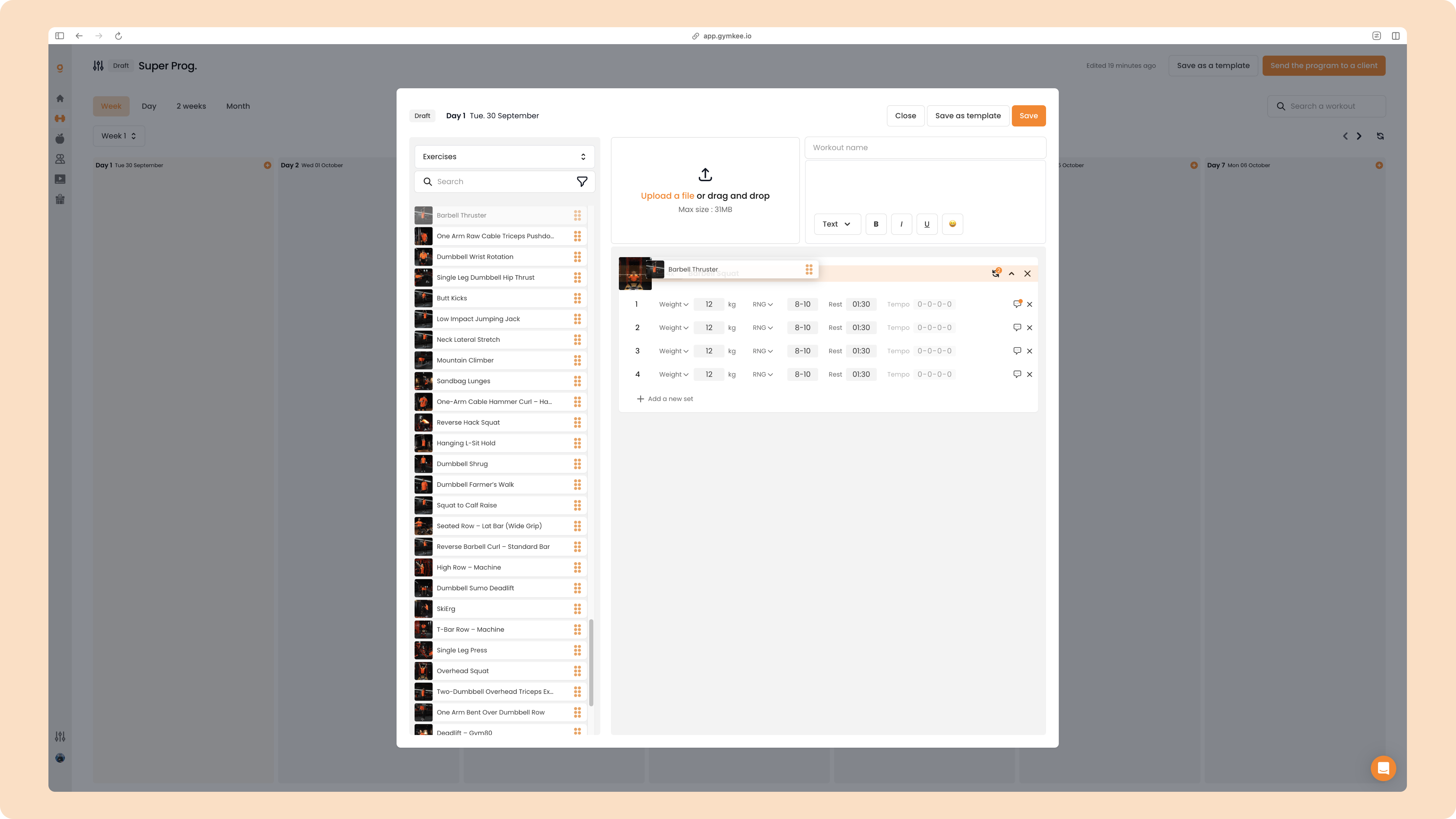
That's it, you just built a superset with the two exercises.
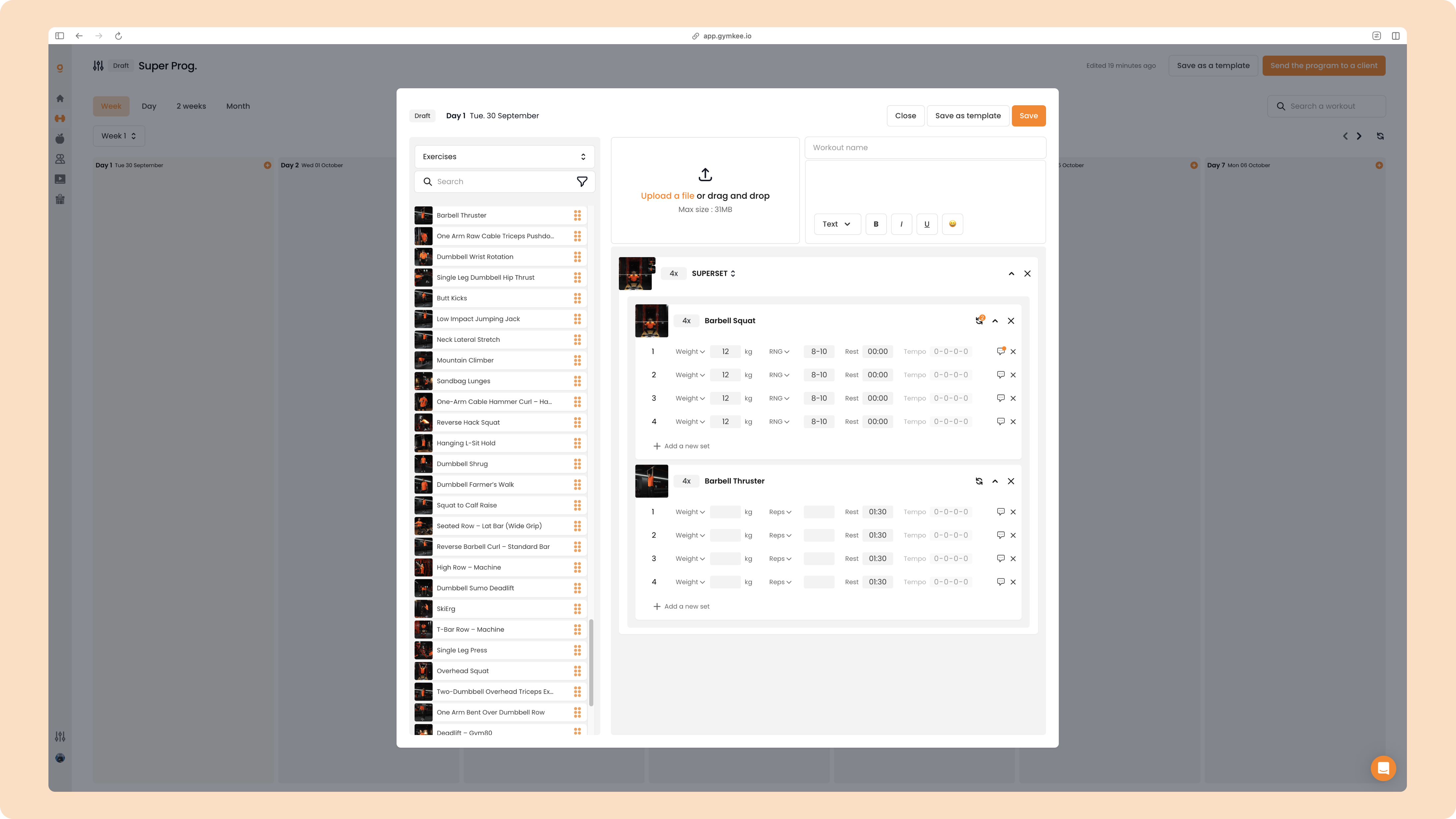
Gymkee handles the rest times for you. The rest of every set of the first exercise is set to 0, and the rest stays on the last exercise of the group.
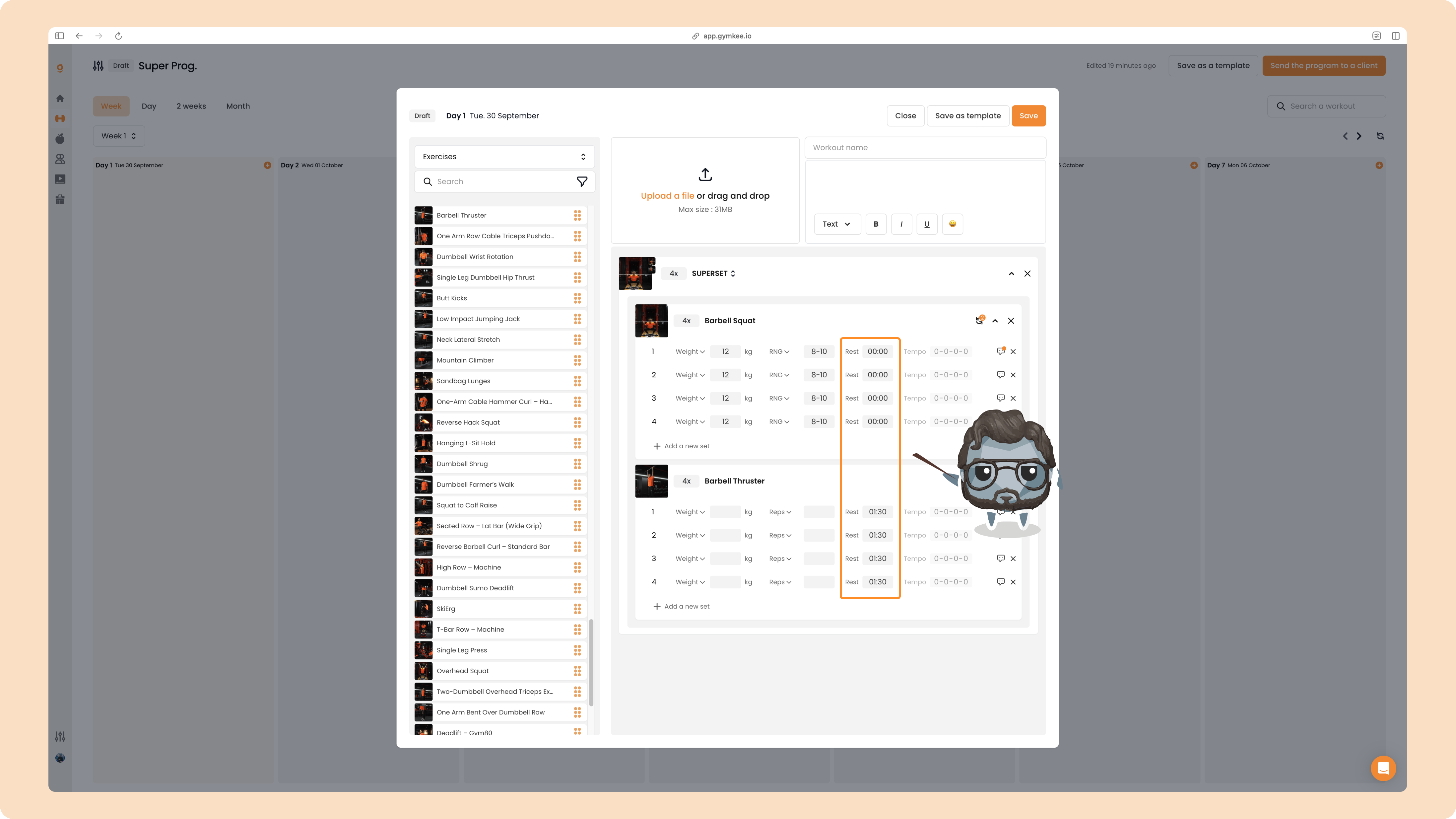
In the client app, this means your client goes straight from the first exercise to the second with no rest in between, and only rests once they've finished the second exercise. Then Gymkee moves on to the next round. It all happens automatically.
TRISET
To turn a superset into a triset, drag a third exercise onto it.
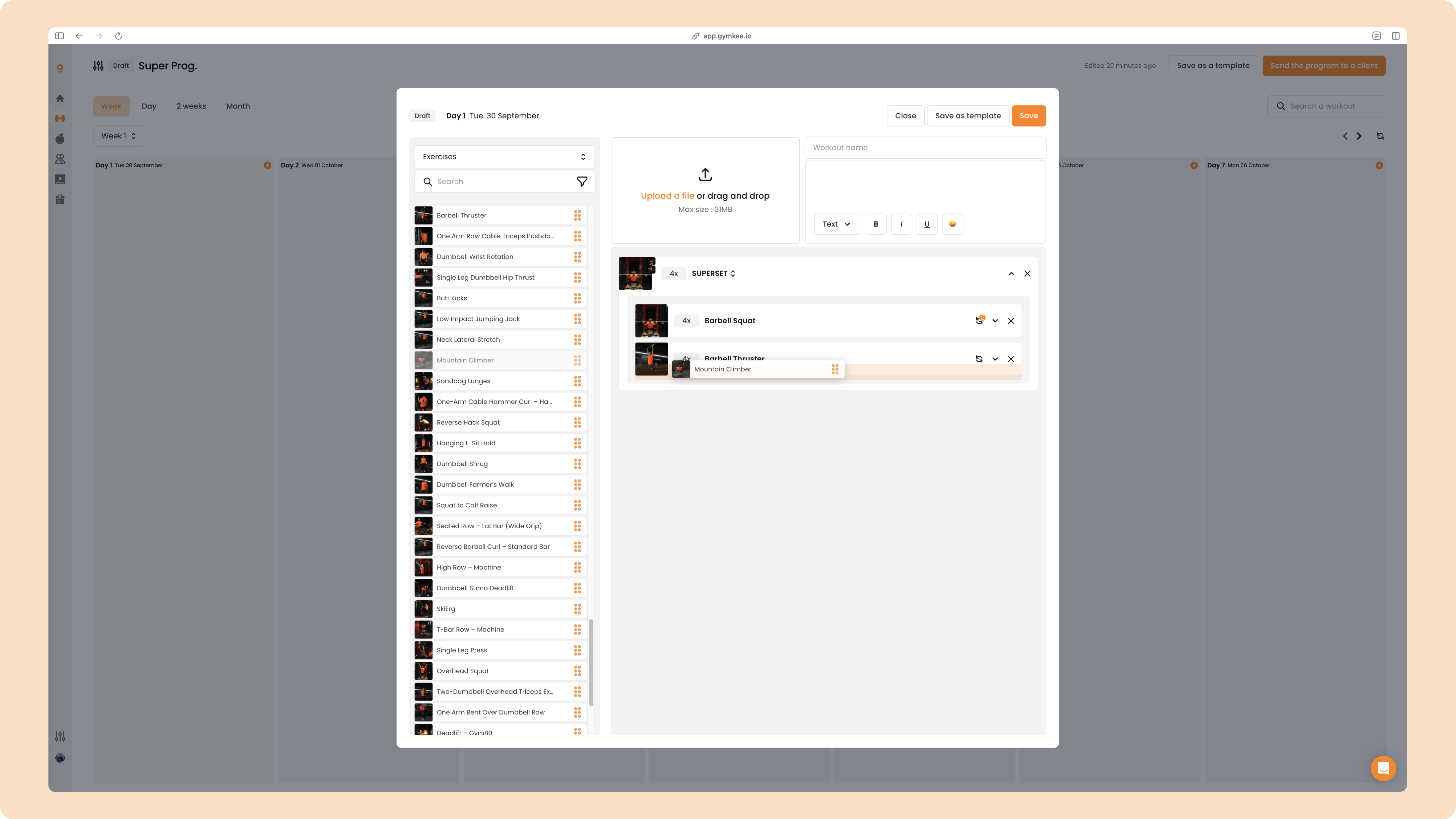
Same logic: the rest of the first two exercises is set to 0, and only the last exercise keeps a rest between rounds.
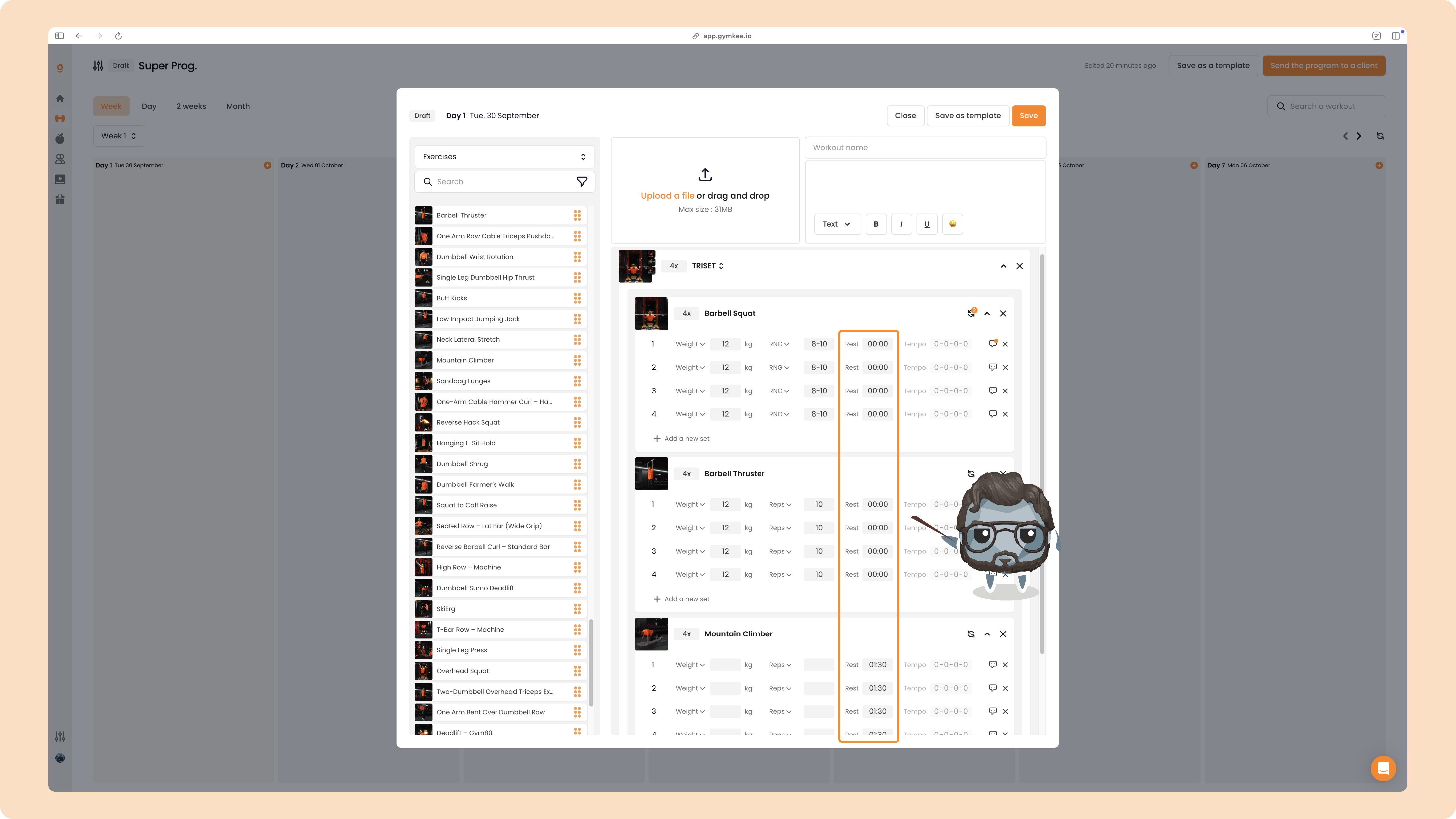
You can adjust any rest time or reorder the exercises whenever you want.
CIRCUIT
To build a circuit, drag a fourth exercise onto the triset.
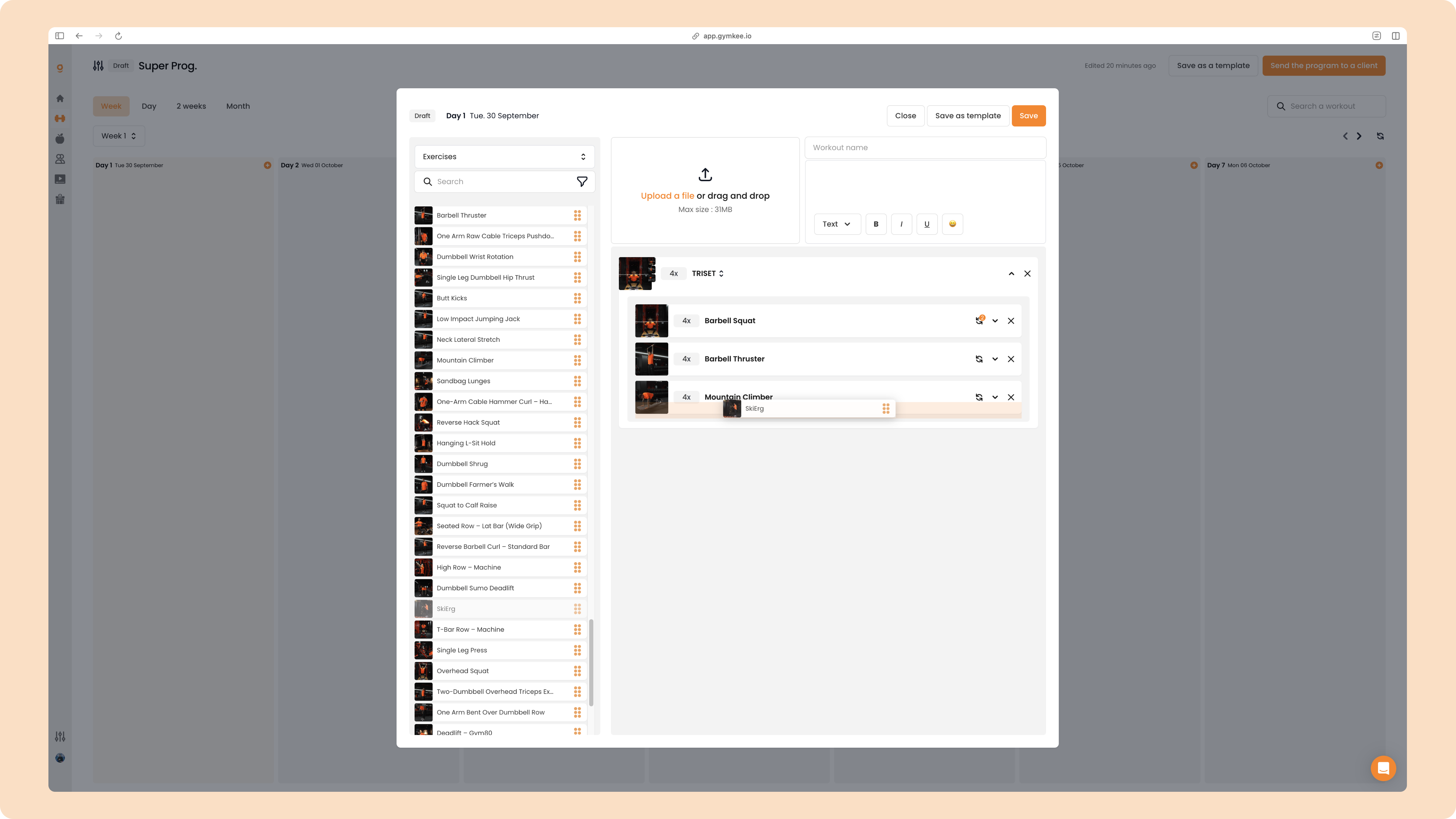
Same principle again: every exercise runs at 0 rest and the rest between rounds sits on the last one. The group is now labeled CIRCUIT.
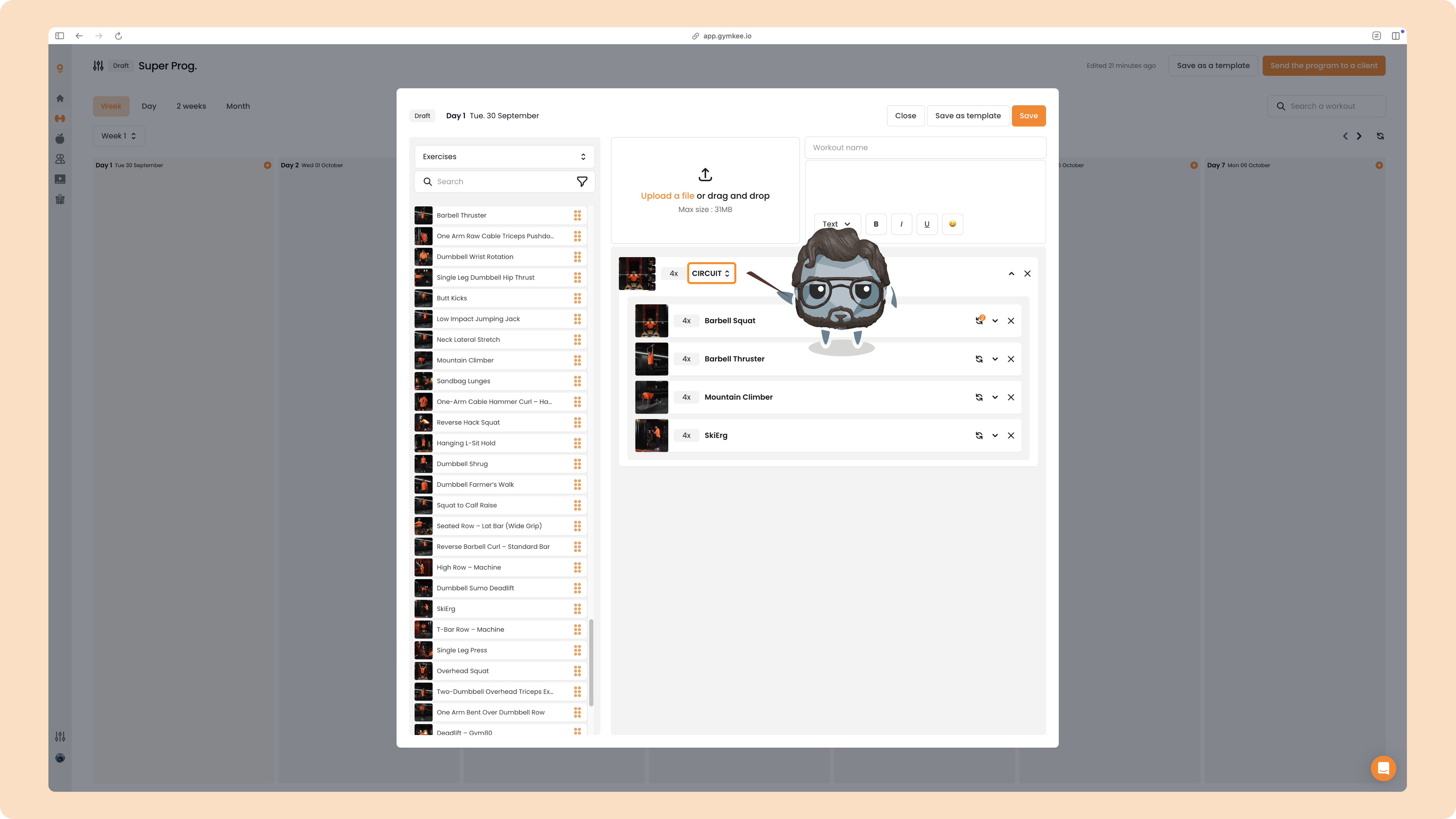
The label at the top of the group (SUPERSET, TRISET or CIRCUIT) updates automatically based on how many exercises it contains.
Create AMRAP, TABATA and EMOM on Gymkee
Beyond supersets and circuits, Gymkee lets you turn any group into an AMRAP, TABATA or EMOM.
Click the type label at the top of the group (SUPERSET, TRISET or CIRCUIT, depending on what you already have) to open the dropdown.
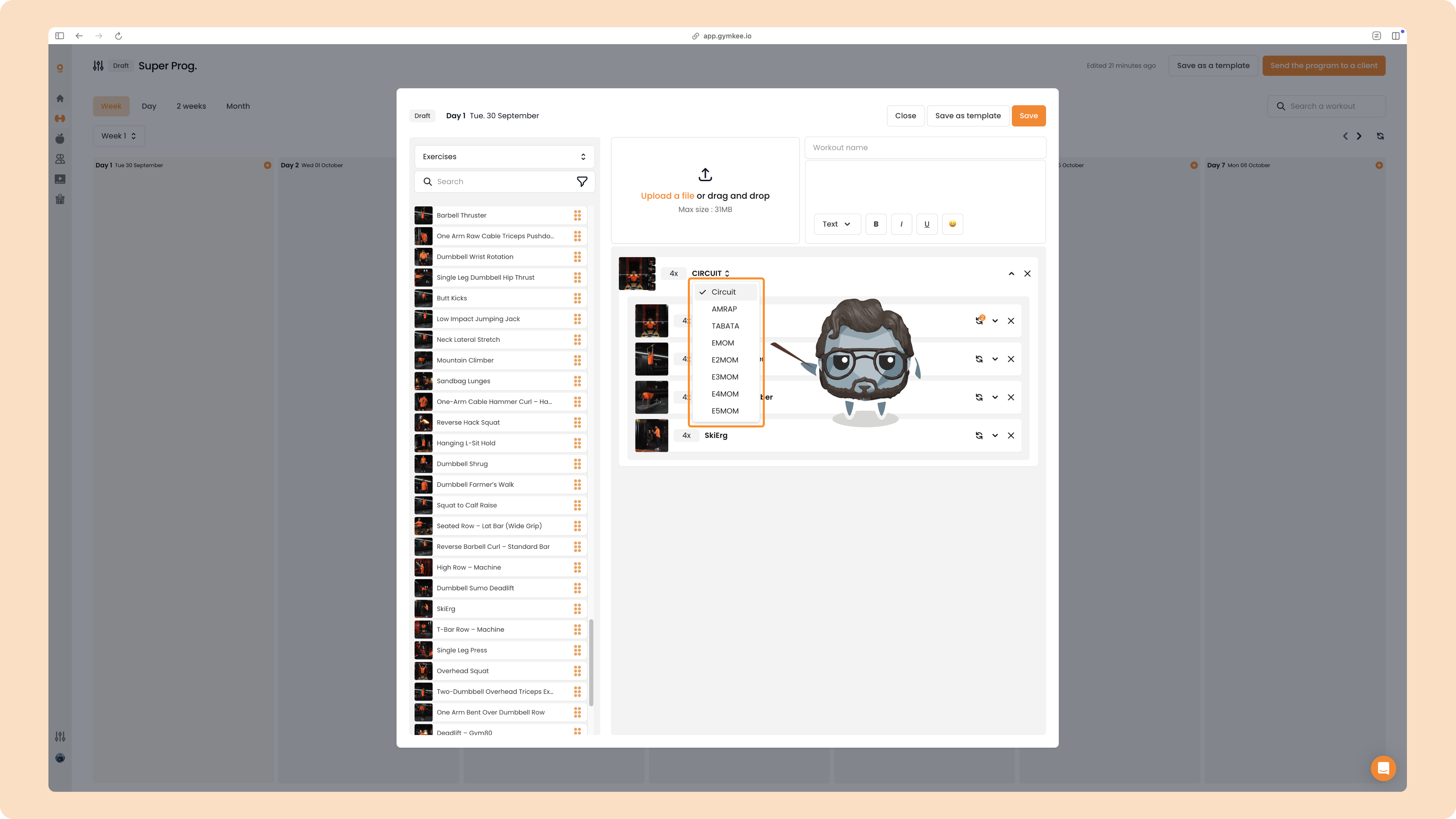
You'll see every format you can pick: Circuit, AMRAP, TABATA, EMOM, and the timed EMOM variants E2MOM, E3MOM, E4MOM and E5MOM (a round every 2, 3, 4 or 5 minutes).
AMRAP
Select AMRAP, then set the total time of the block (20 minutes by default).
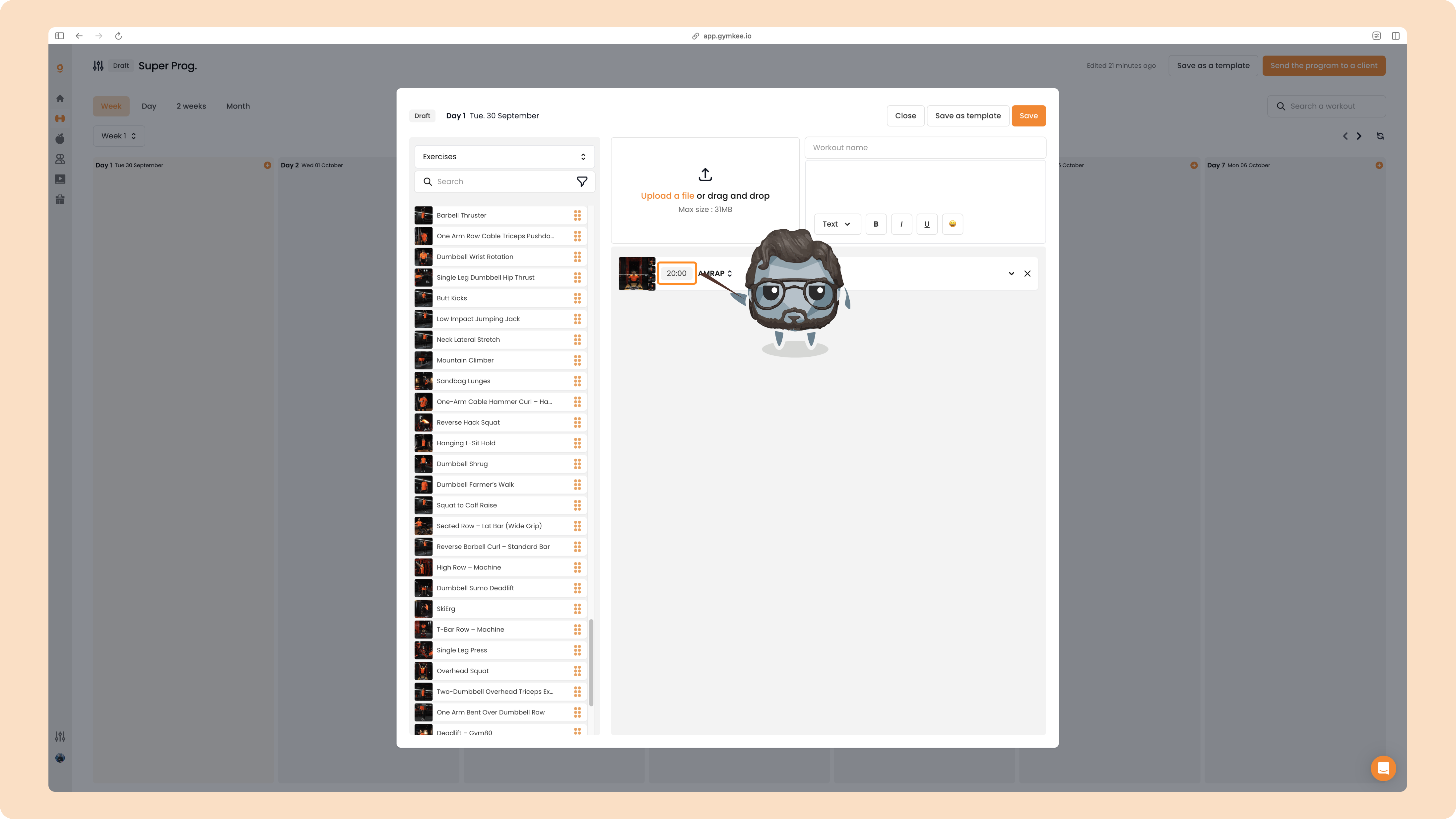
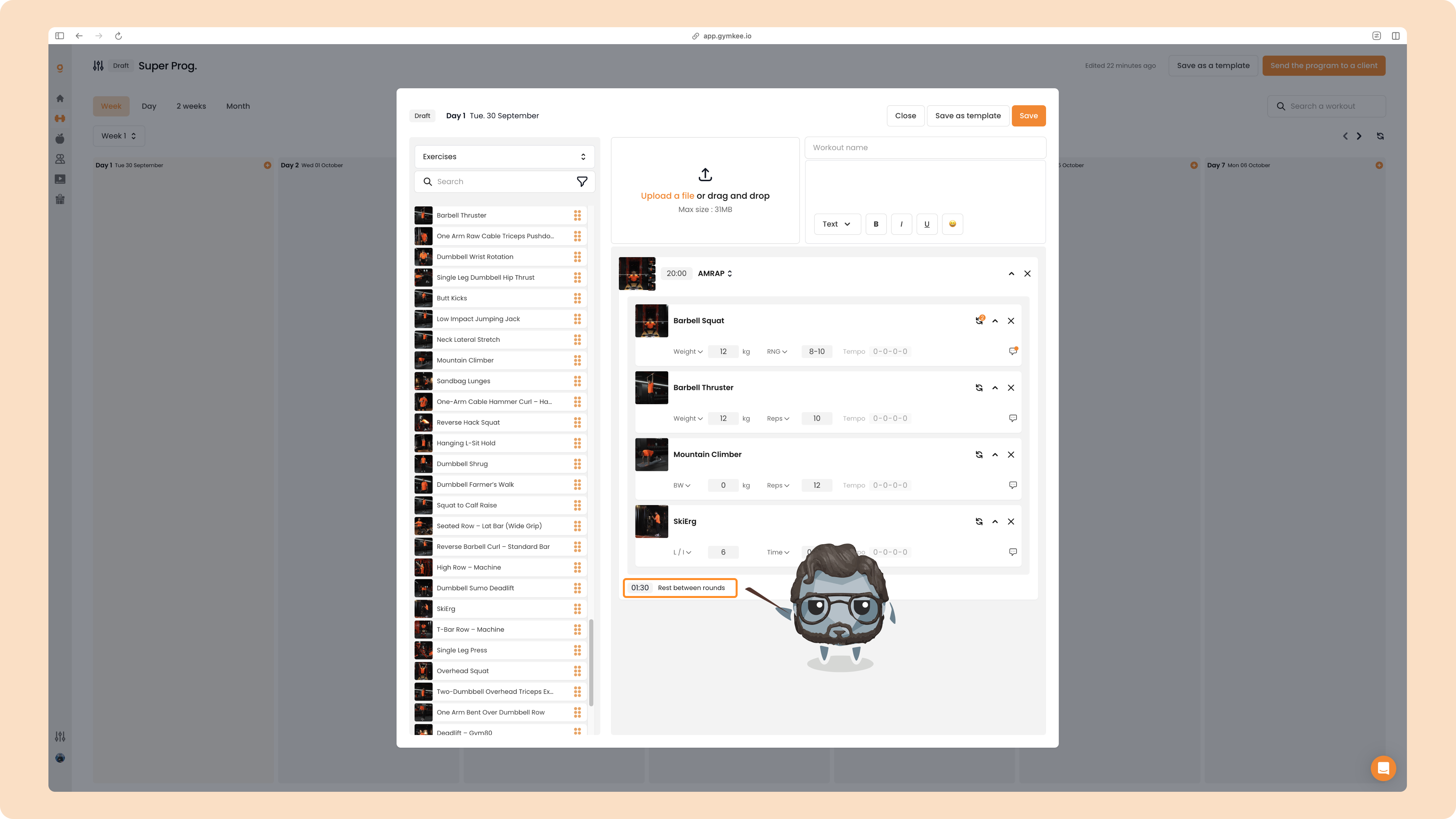
You can then set the target reps or effort for each exercise, plus the rest between rounds. By default an AMRAP runs straight through with no rest, so your client does as many rounds as possible in the time you set.
TABATA
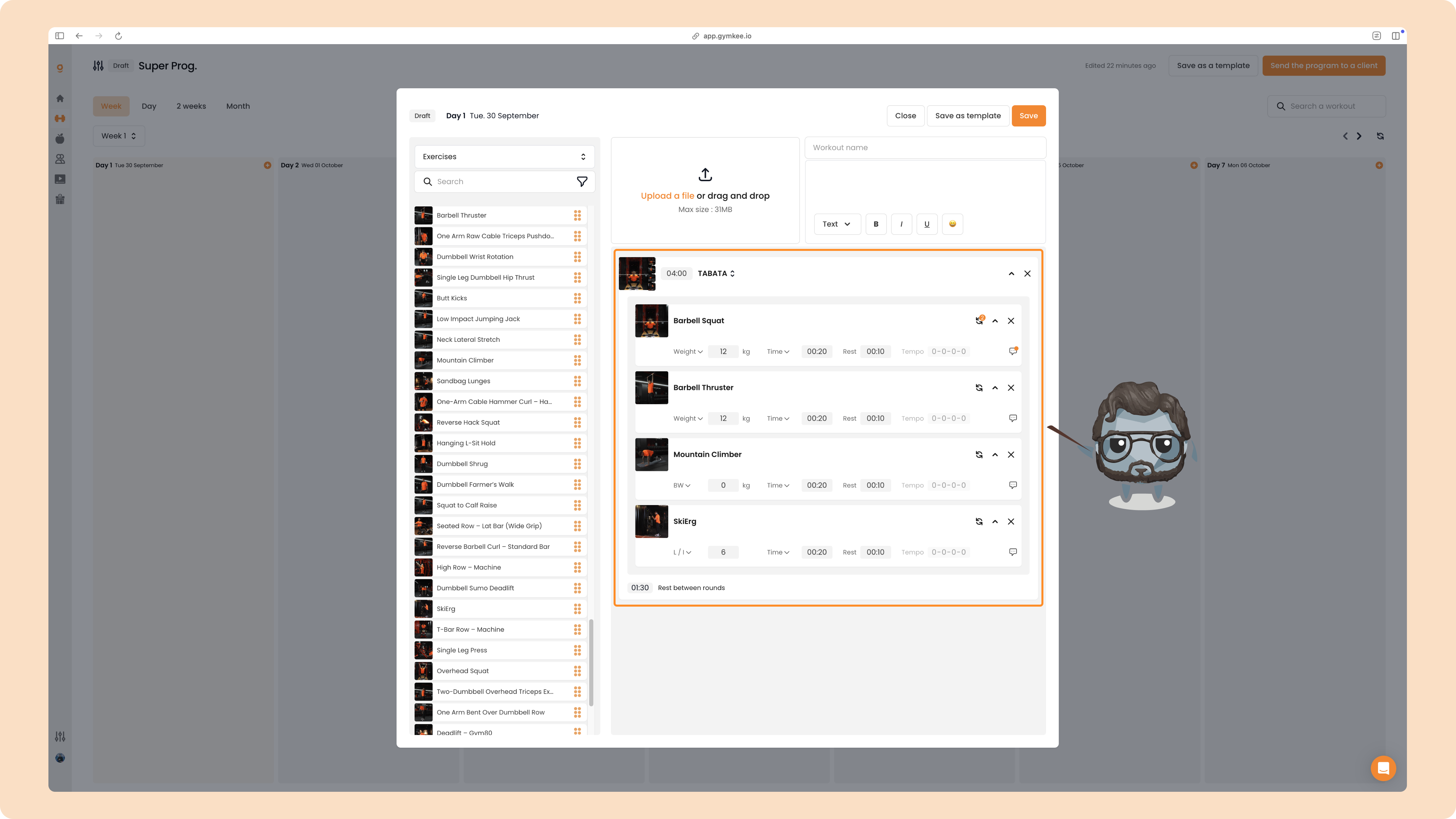
Select TABATA and Gymkee auto-configures the standard Tabata timing for you: 20 seconds of work and 10 seconds of rest on every exercise, for a 4-minute block. You can adjust any of these values.
EMOM
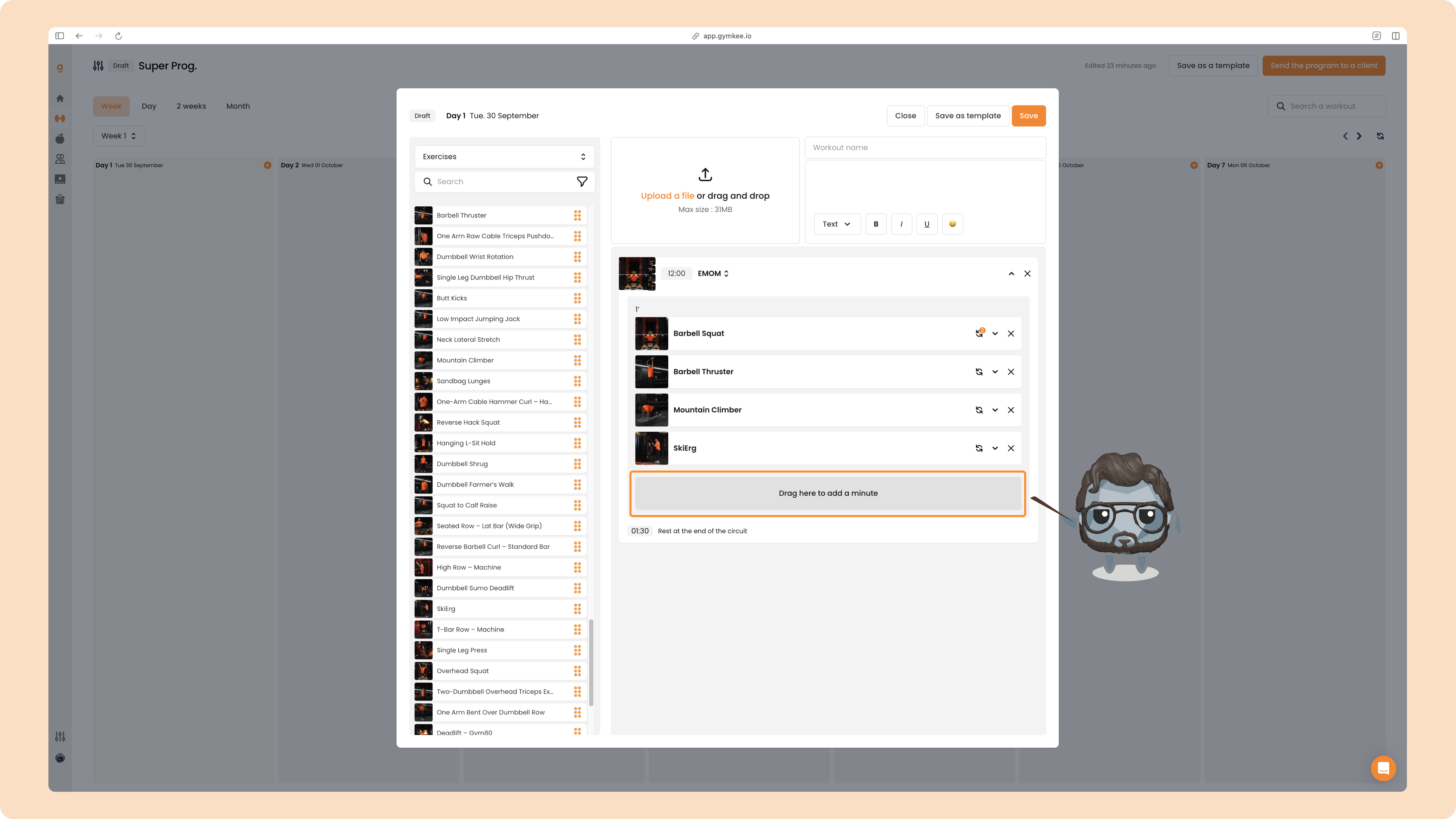
Select EMOM to open the EMOM view. It comes with a default duration of 12 minutes (adjustable) and a first minute block holding your exercises.
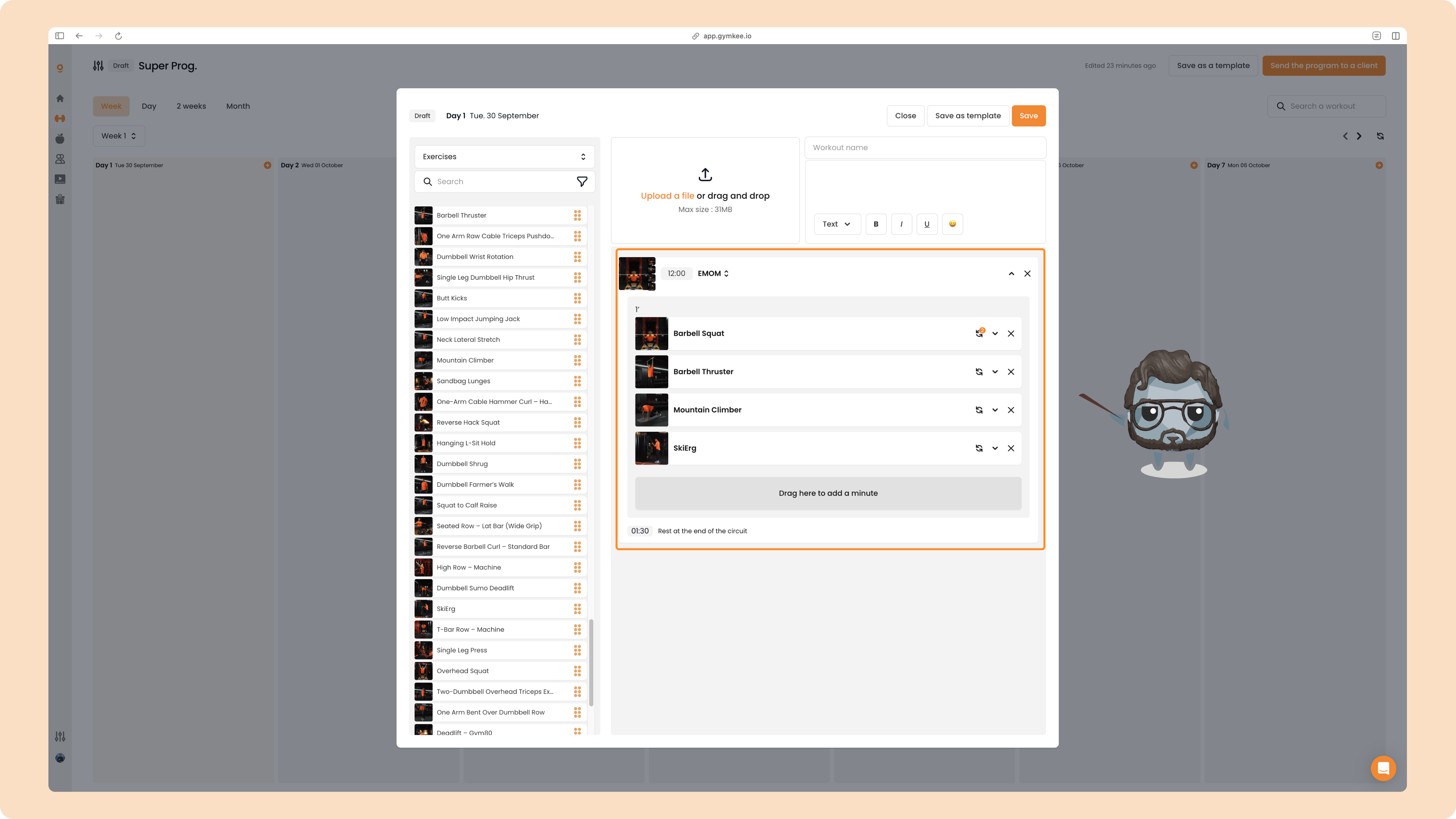
To add another minute, drag an exercise into the Drag here to add a minute zone. Each drop creates a new minute block.
And that's everything you need to build supersets, trisets, circuits, AMRAP, TABATA and EMOM on Gymkee. If you ever get stuck, reach out in the chat, we're always happy to help. ❤️
