

Innerhalb einer Trainingseinheit kannst du alternative Übungen hinzufügen, damit deine Kunden flexibel bleiben – falls ein Gerät besetzt ist oder eine Übung nicht zu ihnen passt, können sie zu einer von dir freigegebenen wechseln.
Klicke bei der gewünschten Übung auf das Wechseln-Symbol (die beiden kreisförmigen Pfeile). Hat sie bereits Alternativen, siehst du daran ein kleines Zahlenabzeichen.
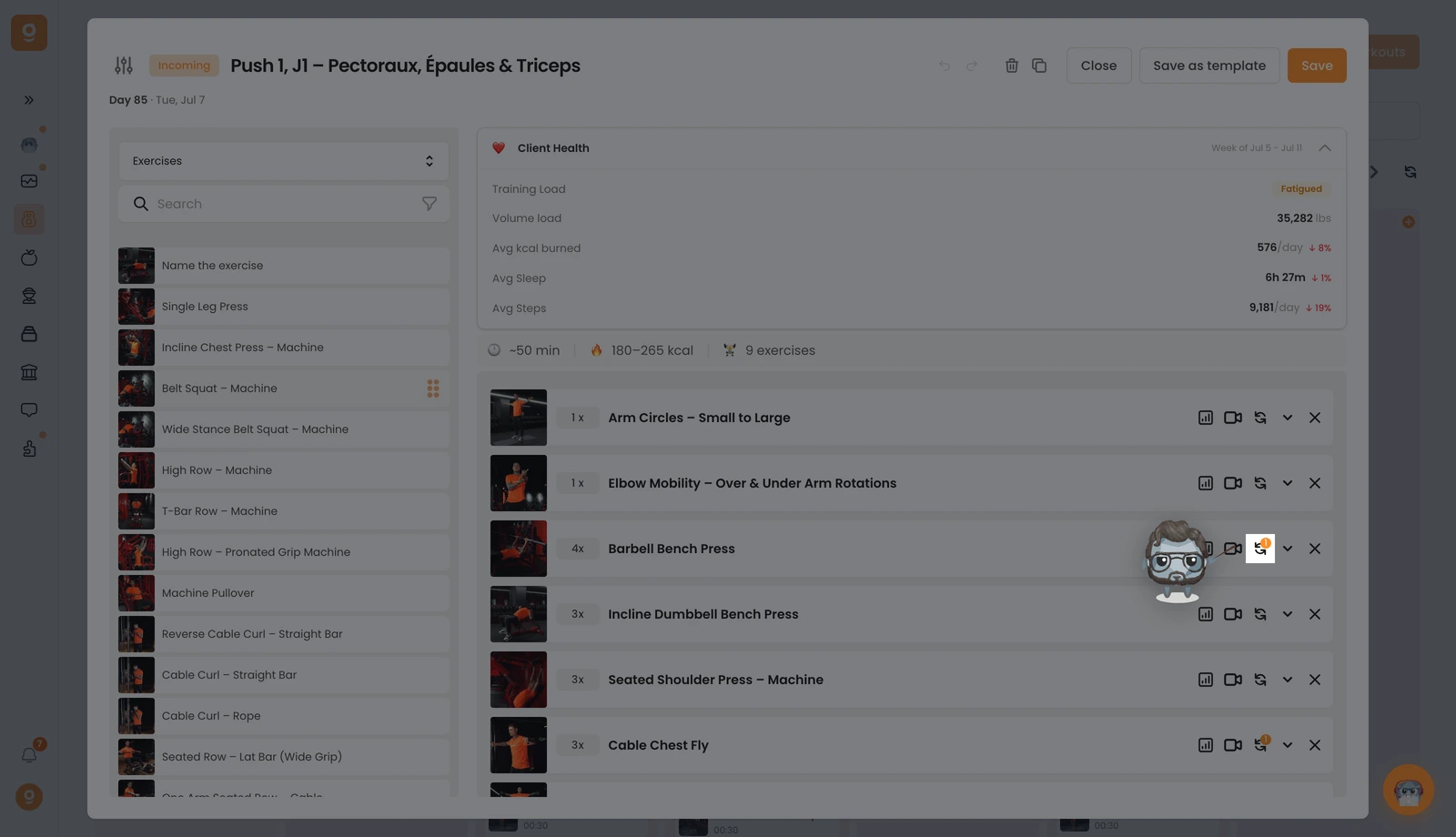
Ein Panel öffnet sich. Es startet bei Alternativvorlagen (gespeicherte Sätze, die du wiederverwenden kannst) – da du noch keine hast, öffne oben links das Dropdown und wechsle zu Übungen. Jetzt erhältst du die vollständige Übungsbibliothek mit einer Suchleiste. Suche die gewünschte Übung und ziehe sie in den Slot „Zum Hinzufügen einer Option klicken oder hierher ziehen" auf der rechten Seite, neben deine Basisübung. Füge so viele hinzu, wie du möchtest, nutze Anweisungen bearbeiten bei jeder einzelnen, um deinem Kunden zu sagen, wann und warum er sie nutzen soll, und klicke dann auf Speichern.
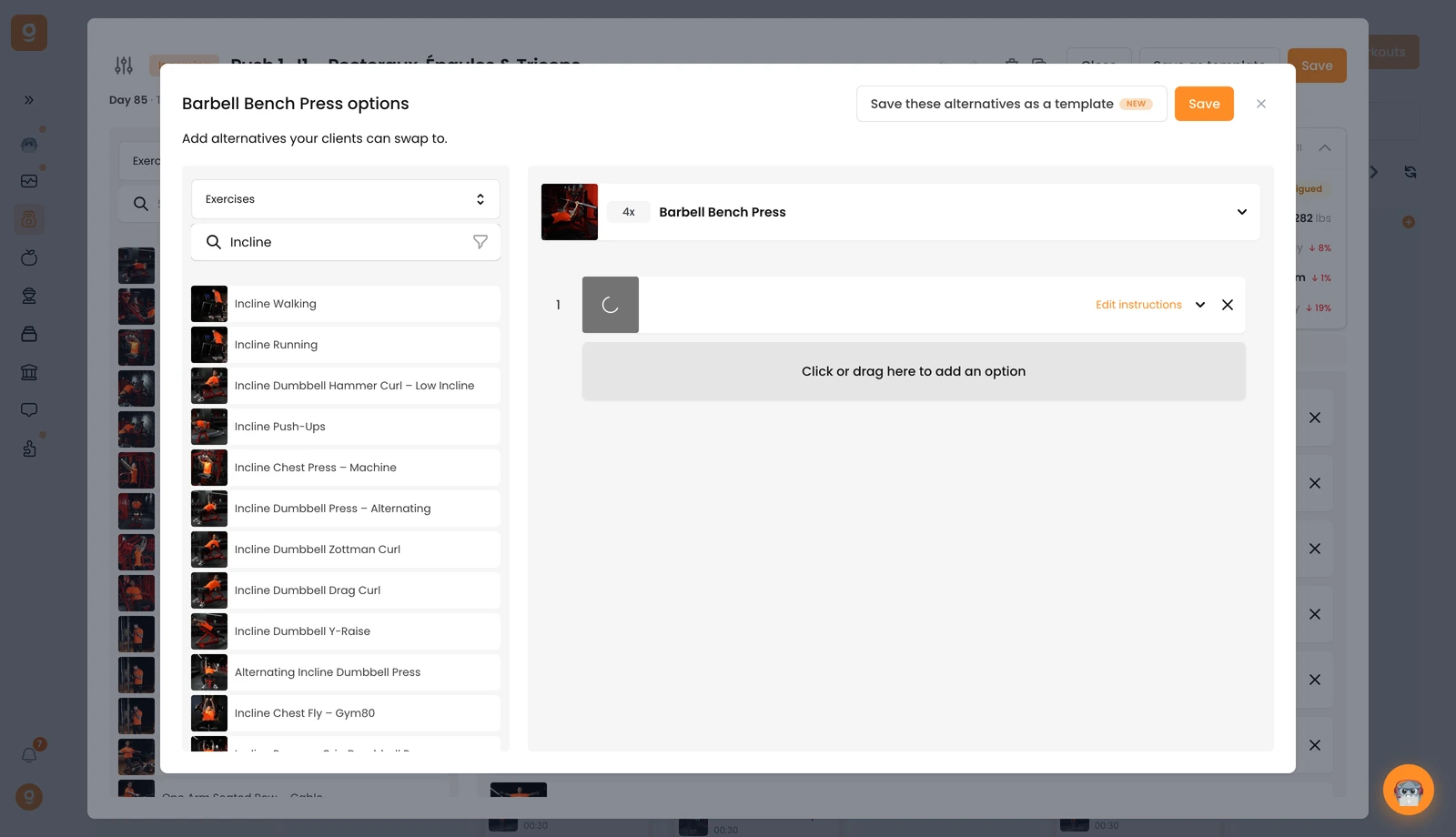
Dein Kunde kann dann während der Trainingseinheit direkt in seiner App zu jeder dieser Alternativen wechseln.
