

In een training kun je alternatieve oefeningen toevoegen zodat je klanten flexibiliteit hebben. Is een machine bezet of past een oefening niet bij ze? Dan kunnen ze wisselen naar een alternatief dat jij hebt goedgekeurd.
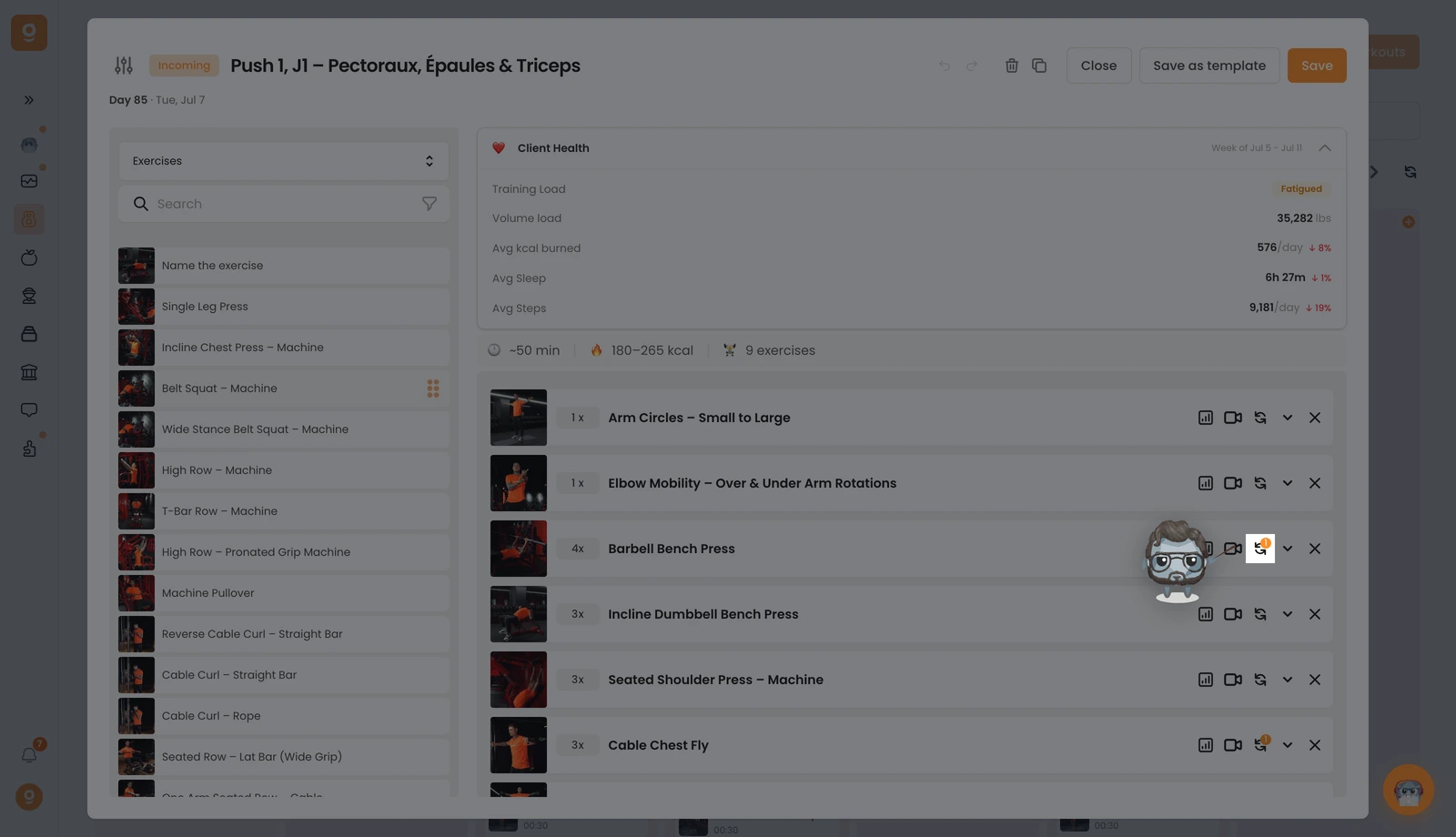
Klik bij de gewenste oefening op het wissel-icoon (de twee ronddraaiende pijlen). Heeft de oefening al alternatieven, dan zie je er een klein cijferbadge op staan.
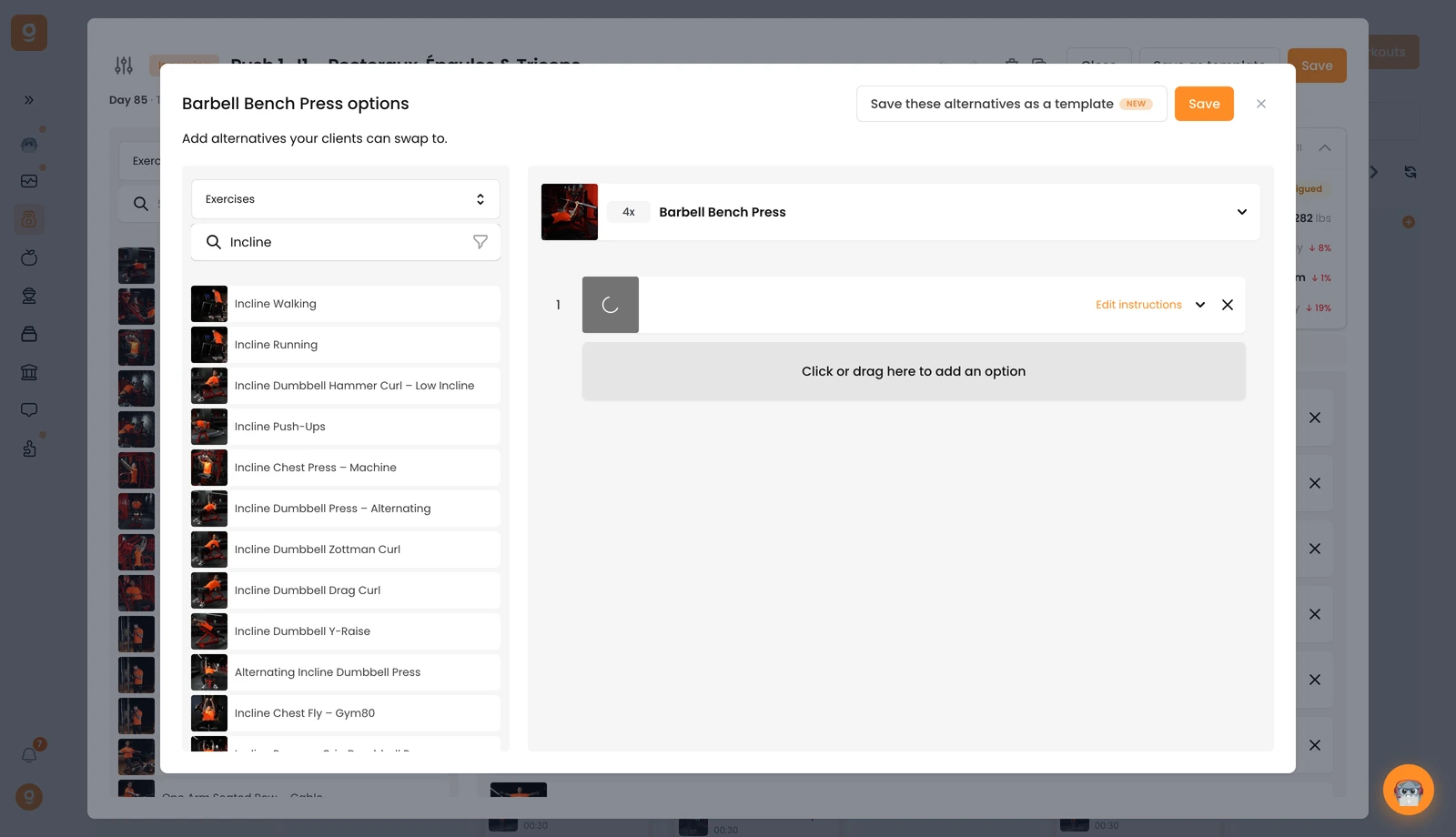
Er opent een paneel. Het start op Alternatieve sjablonen (opgeslagen sets die je opnieuw kunt gebruiken). Omdat je die nog niet hebt, open je linksboven dat dropdownmenu en zet je het op Oefeningen. Nu krijg je de volledige oefeningenbibliotheek met een zoekbalk. Zoek de gewenste oefening en sleep die naar het vak "Klik of sleep hier om een optie toe te voegen" aan de rechterkant, naast je basisoefening. Voeg er zoveel toe als je wilt, gebruik bij elke oefening Instructies bewerken om je klant te vertellen wanneer en waarom hij die moet gebruiken, en klik daarna op Opslaan.
Je klant kan dan tijdens de training vanuit zijn app naar elk van deze alternatieven wisselen.
