

在一次锻炼里,你可以添加替代动作,让客户拥有灵活性,如果某台器械被占用,或者某个动作不适合他们,他们就能换成一个你认可的动作。
在你想要的动作上,点击 swap(替换) 图标(那两个环形箭头)。如果它已经有替代动作了,你会在上面看到一个小数字标记。
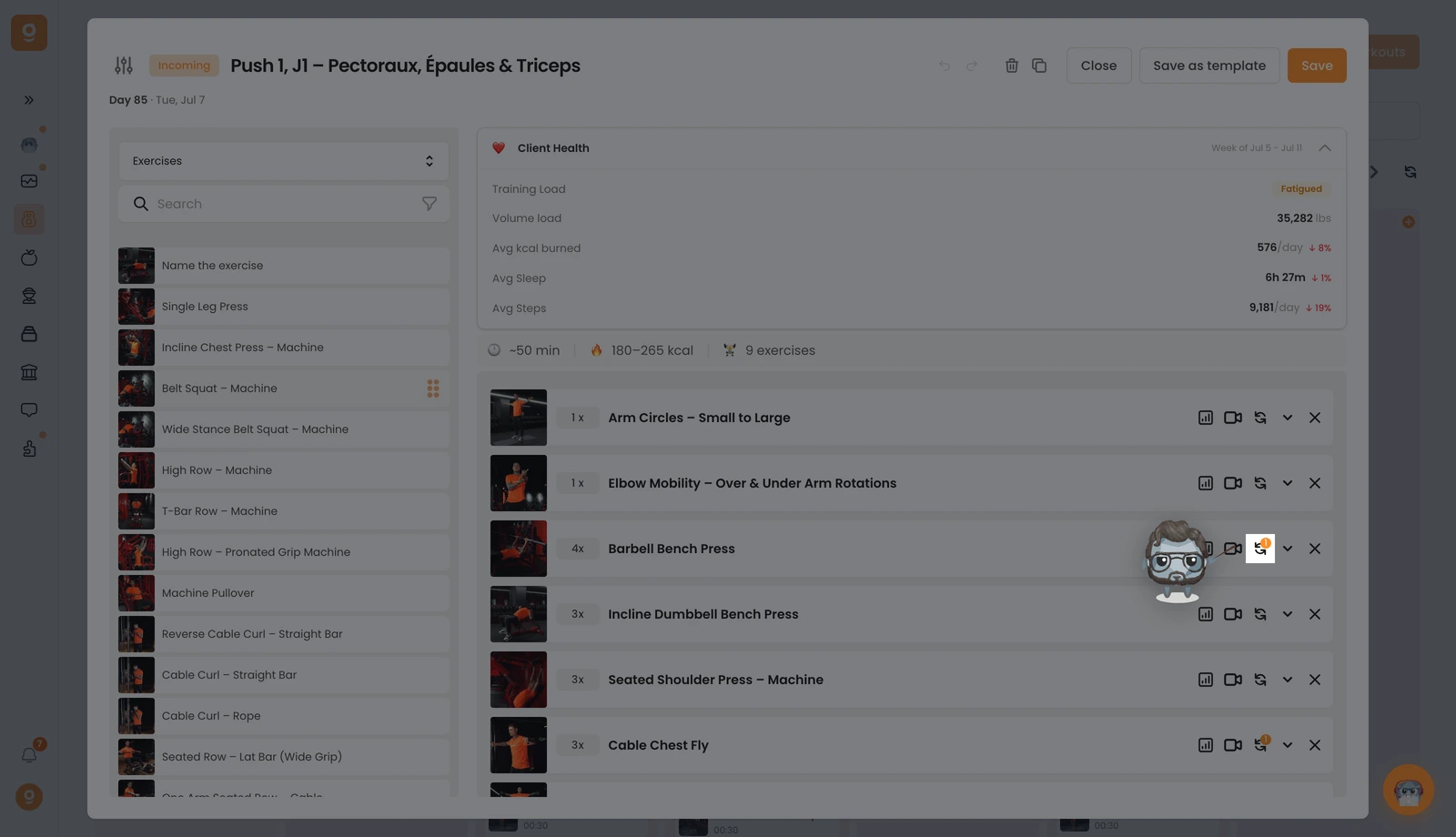
会打开一个面板。它默认停在 Alternative templates(替代模板)(你可以复用的已保存组合),由于你还没有任何模板,请打开左上角的那个下拉菜单,把它切换到 Exercises(动作)。现在你会看到带有搜索栏的完整动作库。搜索你想要的动作,然后 把它拖到右侧、你基础动作旁边的 "Click or drag here to add an option(点击或拖到此处添加一个选项)" 位置。你想加多少个都可以,用每个动作上的 Edit instructions(编辑说明) 来告诉客户何时以及为什么使用它,然后点击 Save(保存)。
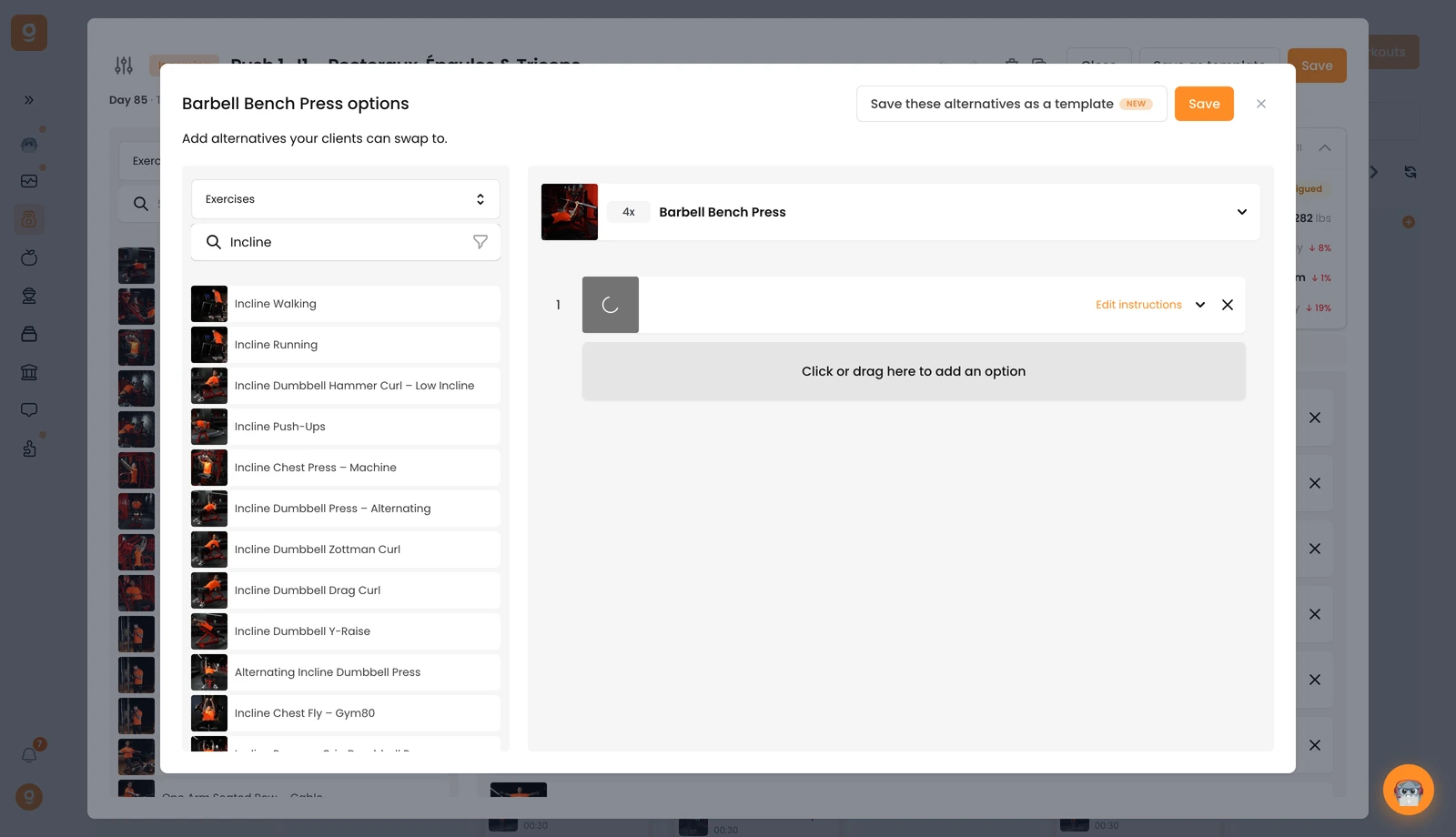
之后,你的客户就能在锻炼过程中,直接从他们的应用里换成这些替代动作中的任意一个。
