

Dentro de um treino, podes adicionar exercícios alternativos para dar flexibilidade aos teus clientes, se uma máquina estiver ocupada ou um exercício não lhes convier, podem trocar por um que tu aprovaste.
No exercício pretendido, clica no ícone de troca (as duas setas circulares). Se já tiver alternativas, vais ver um pequeno número em destaque nele.
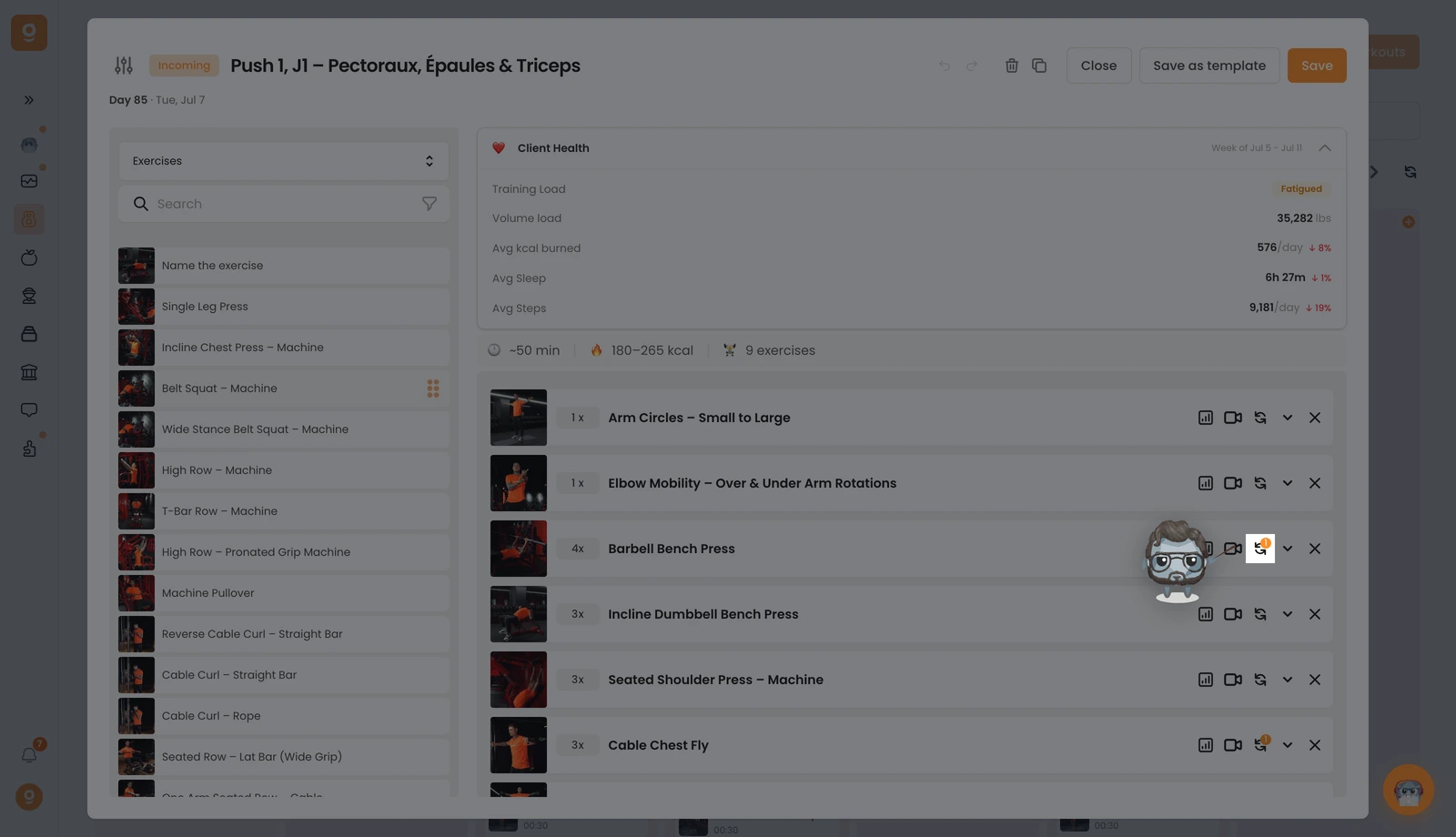
Abre-se um painel. Começa em Modelos de alternativas (conjuntos guardados que podes reutilizar), como ainda não tens nenhum, abre esse menu no canto superior esquerdo e muda-o para Exercícios. Agora tens acesso à biblioteca completa de exercícios com uma barra de pesquisa. Pesquisa o exercício pretendido e arrasta-o para o espaço "Clica ou arrasta aqui para adicionar uma opção" à direita, ao lado do teu exercício base. Adiciona quantos quiseres, usa Editar instruções em cada um para dizeres ao teu cliente quando e porquê usá-lo, e depois clica em Guardar.
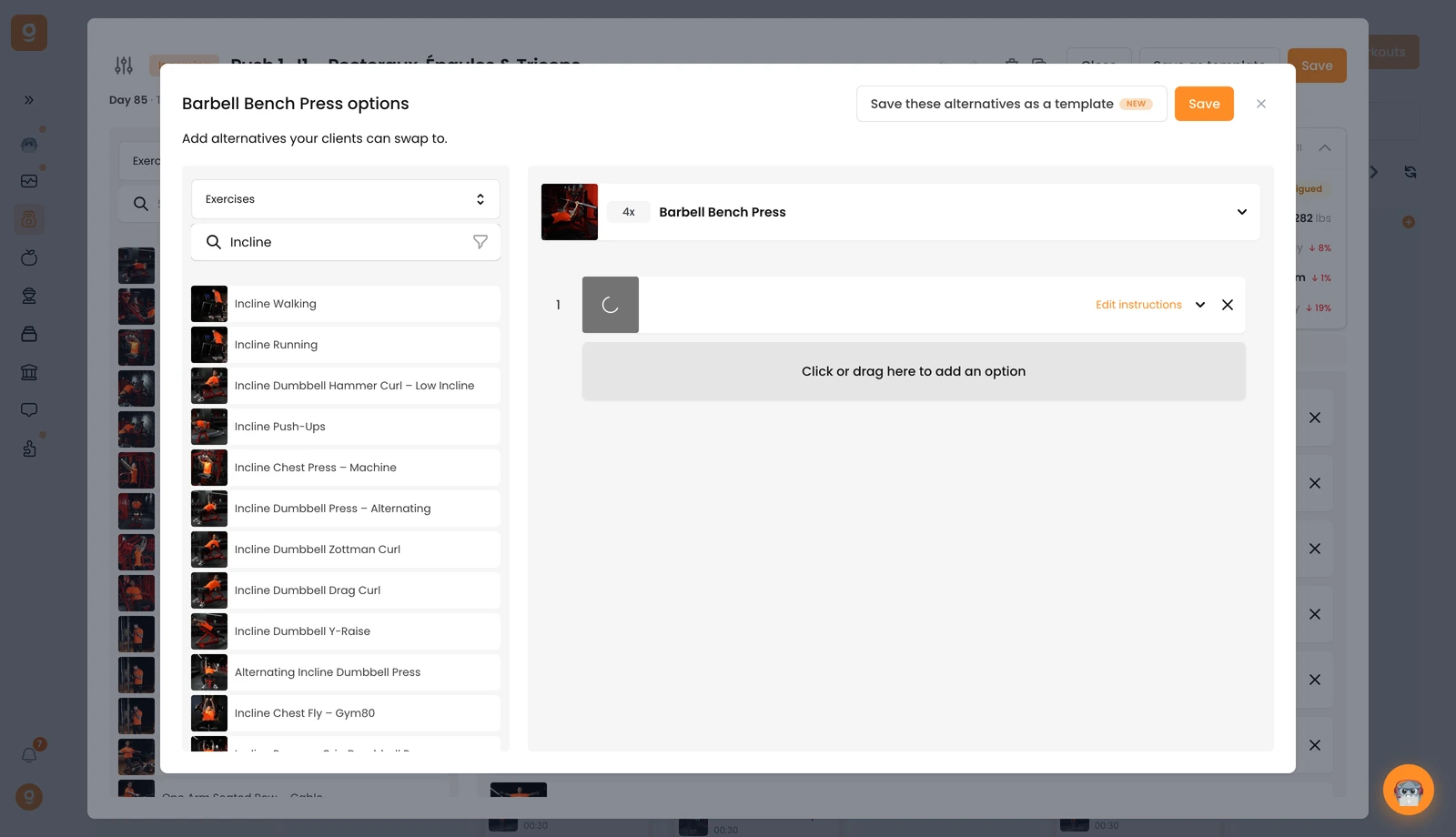
O teu cliente poderá então trocar por qualquer uma destas alternativas diretamente na aplicação dele durante o treino.
