

Bevor du einem Kunden ein Programm senden kannst, musst du ihn in Gymkee hinzufügen. So geht's.
Öffne den Tab Kunden und klicke auf Kunde einladen (oben rechts). Trage Vorname, Nachname, E-Mail und Sprache des Kunden ein.
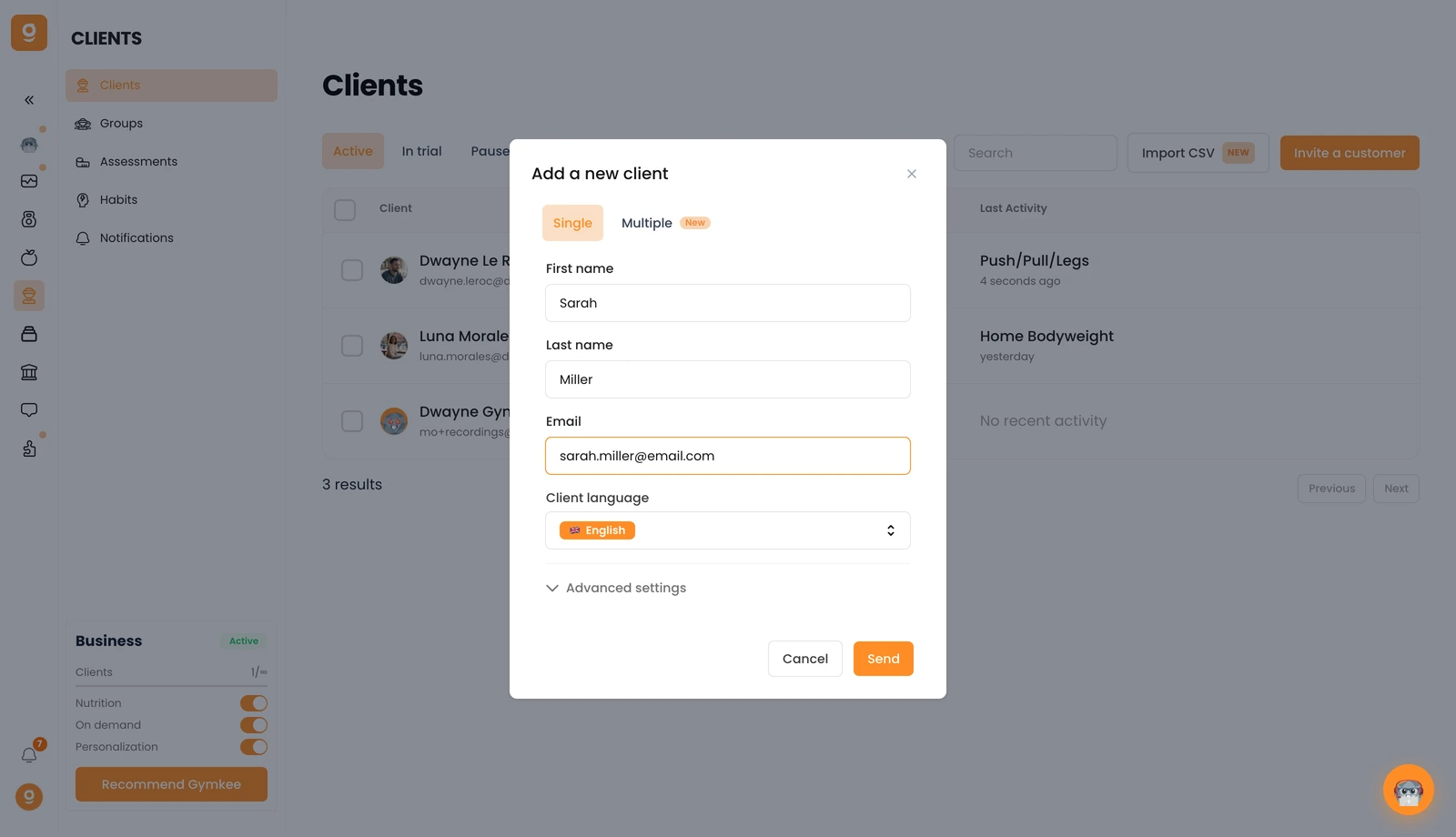
Möchtest du mehrere Personen auf einmal hinzufügen? Wechsle zum Tab Mehrere. Und unter Erweiterte Einstellungen kannst du der Einladung des Kunden ein Abo zuweisen, wenn du Gymkee Pay verwendest.
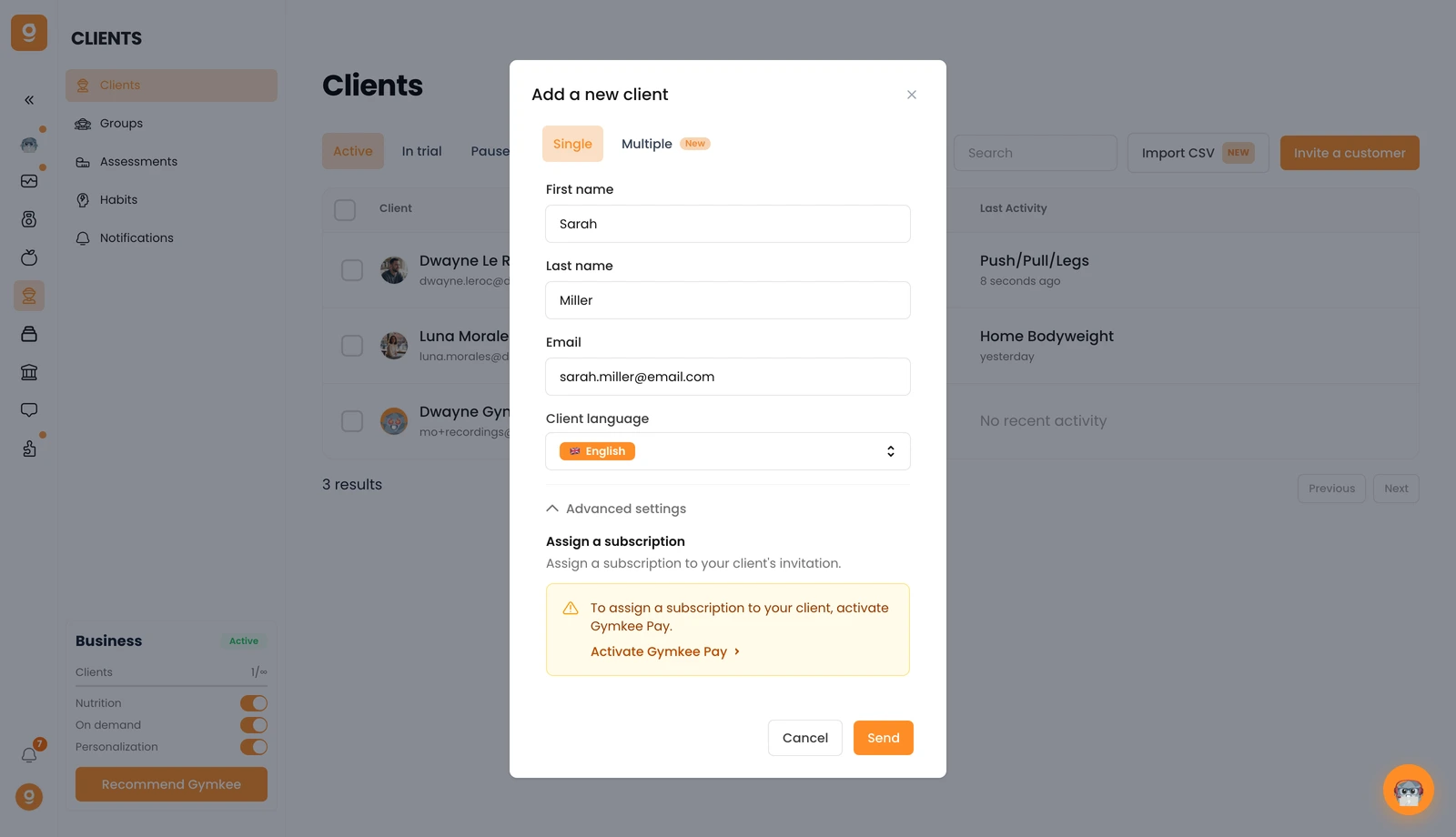
Klicke auf Senden und dein Kunde erhält eine E-Mail-Einladung, um sein Gymkee-Konto zu erstellen. Sobald er es erstellt hat, erscheint er in deiner Kundenliste – falls er nicht sofort auftaucht, aktualisiere einfach die Seite.
Wenn du etwas brauchst, schreib uns über den In-App-Chat unten rechts 😉
Gutes Coaching & pass gut auf dich auf ❤️
