添加你的第一批客户

将你的第一批客户添加到 Gymkee。

Before you can send a program to a client, you need to add them on Gymkee. Here's how.

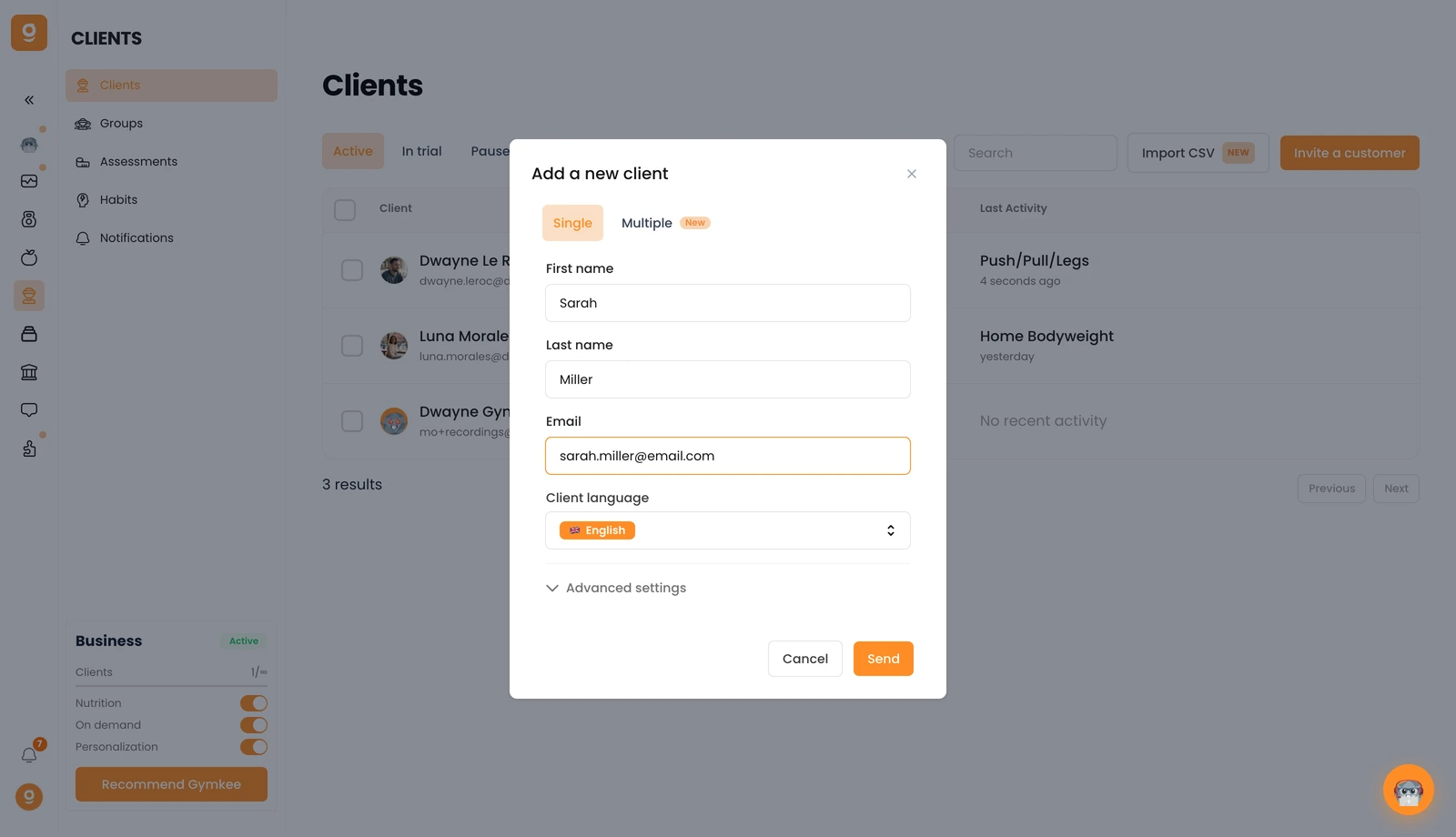
Open the Clients tab and click Invite a customer (top right). Fill in their first name, last name, email, and client language.

添加你的第一批客户 — screenshot 1

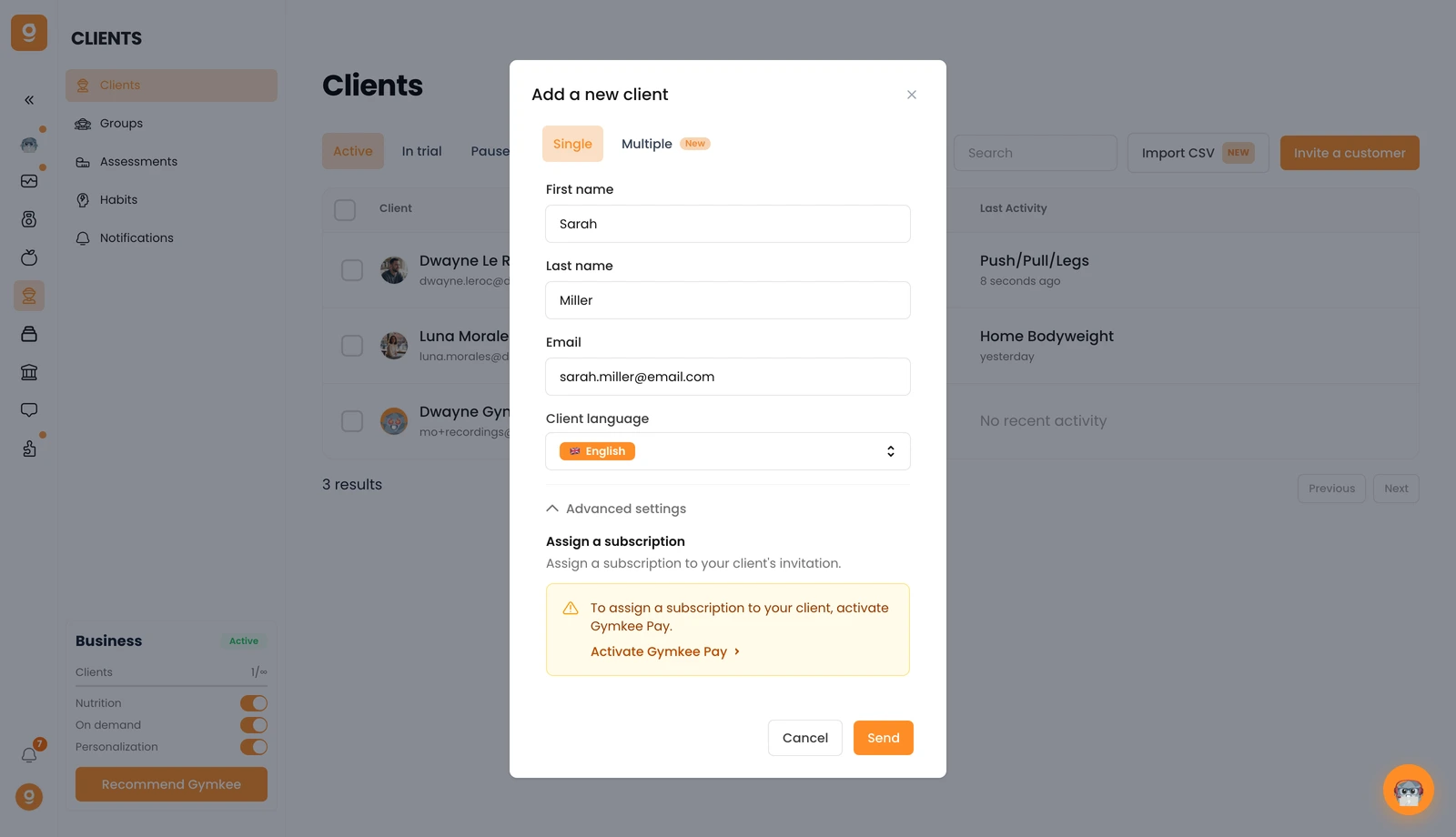
Need to add several people at once? Switch to the Multiple tab. And under Advanced settings, you can assign a subscription to the client's invitation if you use Gymkee Pay.

添加你的第一批客户 — screenshot 2

Click Send and your client gets an email invitation to create their Gymkee account. Once they've created it, they'll appear in your Clients list — if they don't show up right away, just refresh the page.

If you need anything, message us via the in-app chat at the bottom right 😉

Good coaching & take care of yourself ❤️

这篇文章对你有帮助吗?

还需要帮助吗?

我们的团队和 Gymkee AI 助手 Dwayne 随时为你服务。

询问 Dwayne