

Before you can send a program to a client, you need to add them on Gymkee. Here's how.
Open the Clients tab and click Invite a customer (top right). Fill in their first name, last name, email, and client language.
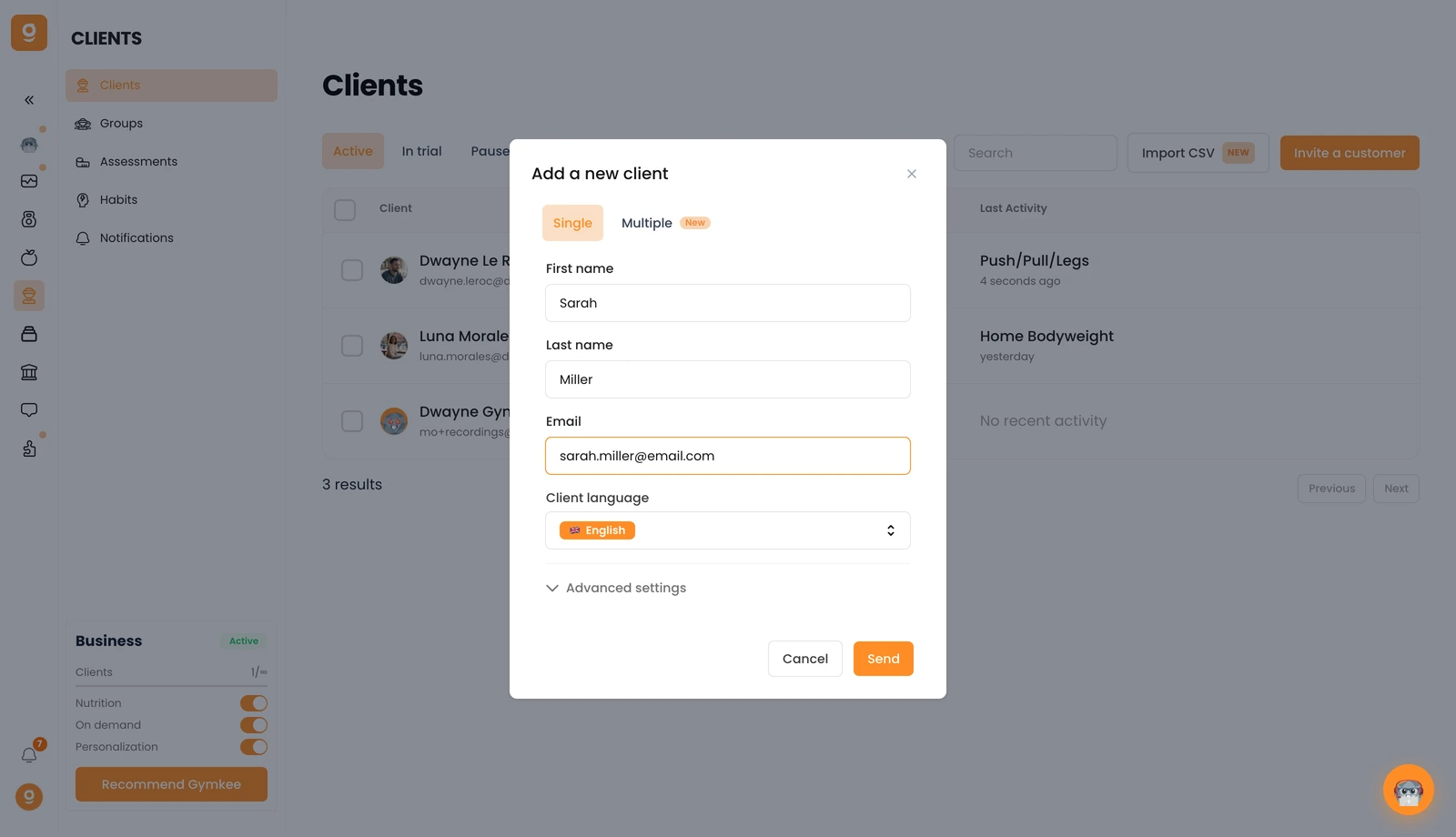
Need to add several people at once? Switch to the Multiple tab. And under Advanced settings, you can assign a subscription to the client's invitation if you use Gymkee Pay.
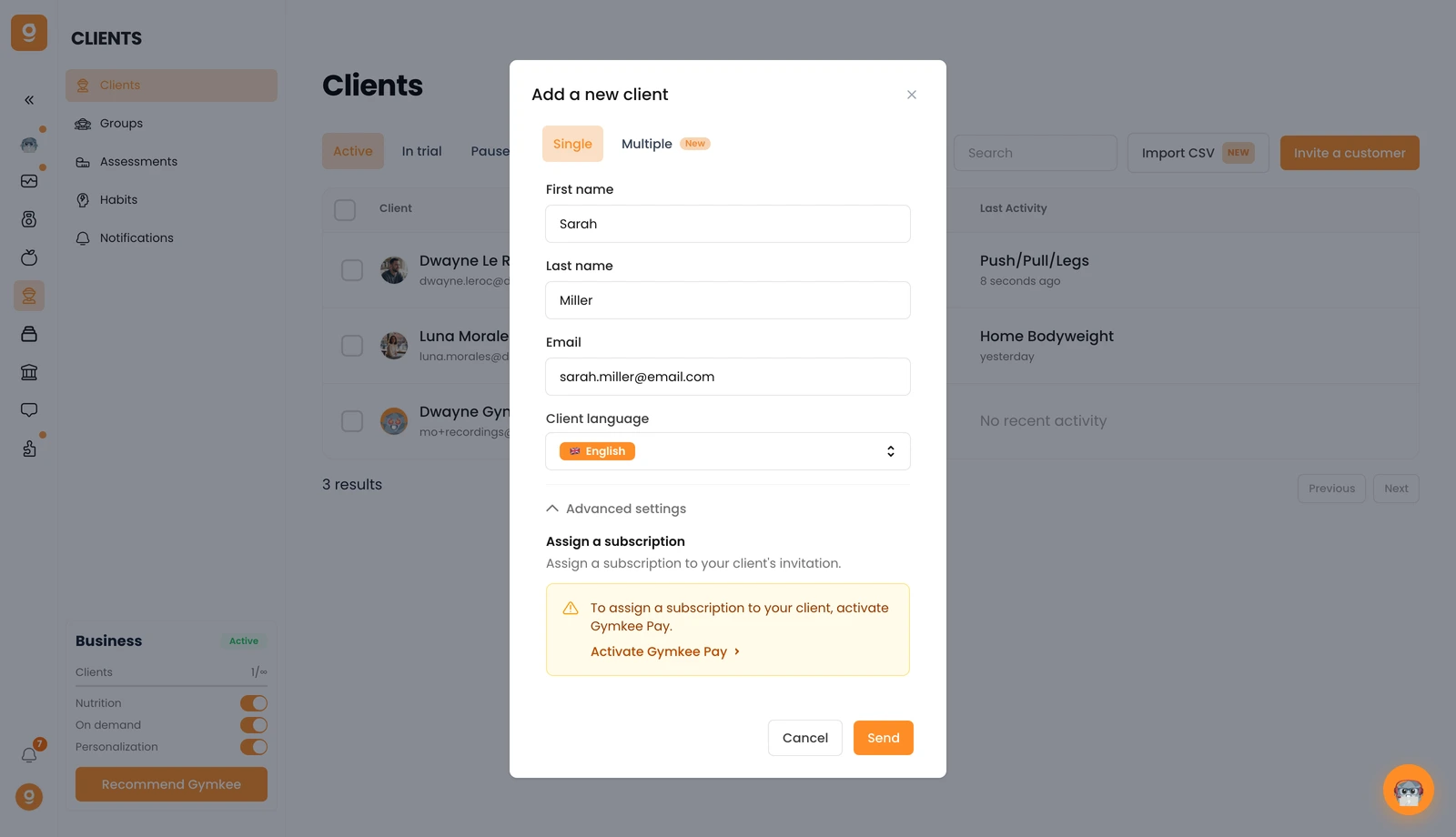
Click Send and your client gets an email invitation to create their Gymkee account. Once they've created it, they'll appear in your Clients list, if they don't show up right away, just refresh the page.
If you need anything, message us via the in-app chat at the bottom right 😉
Good coaching & take care of yourself ❤️
