

クライアントにプログラムを送る前に、まずGymkeeでクライアントを追加する必要があります。その方法をご紹介します。
Clients(クライアント)タブを開き、右上のInvite a customer(顧客を招待)をクリックします。クライアントのfirst name(名)、last name(姓)、email(メールアドレス)、client language(クライアントの言語)を入力します。
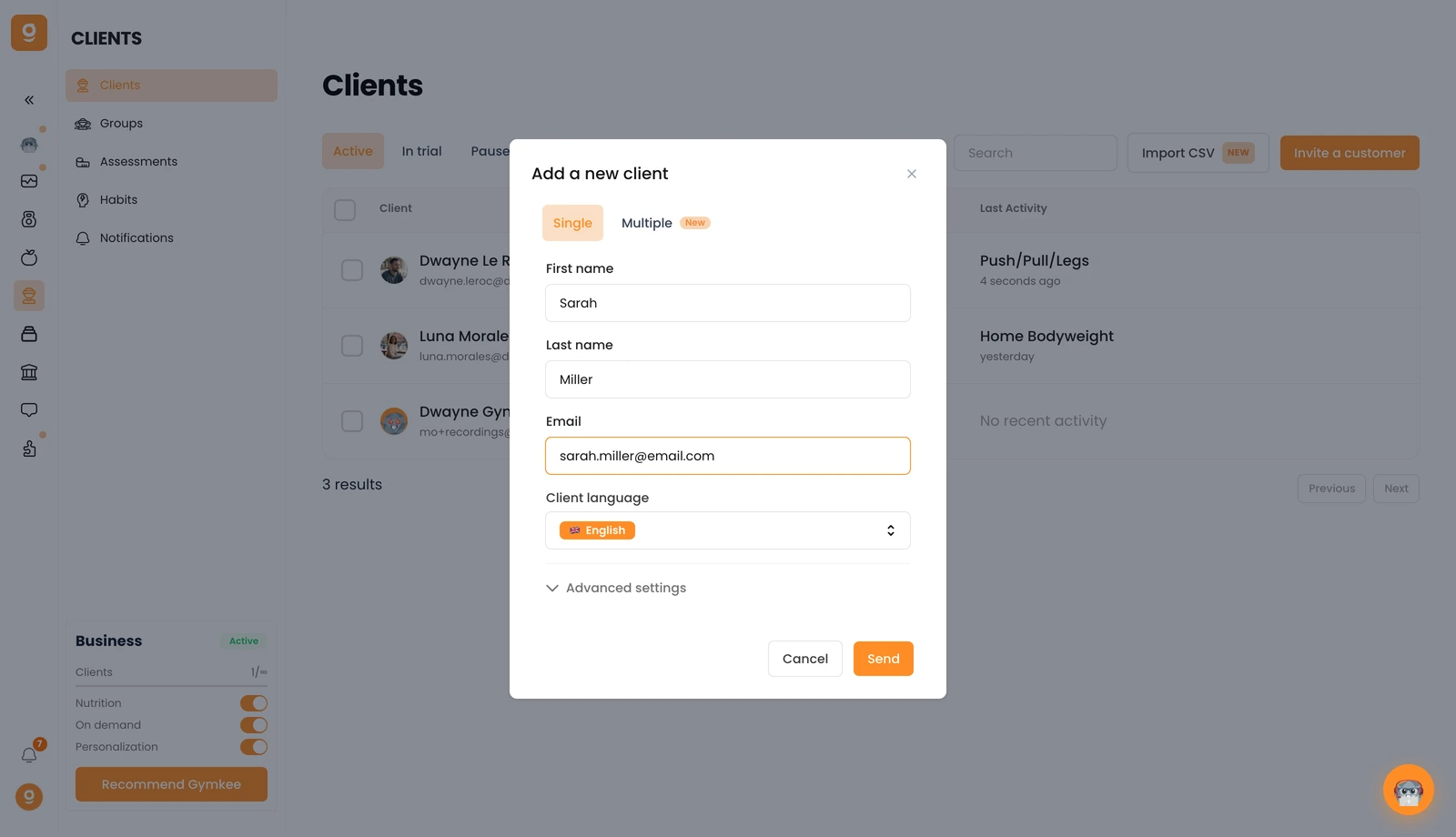
一度に複数人を追加したいですか?Multiple(複数)タブに切り替えてください。また、Gymkee Payを利用している場合は、Advanced settings(詳細設定)でクライアントの招待にサブスクリプションを割り当てることができます。
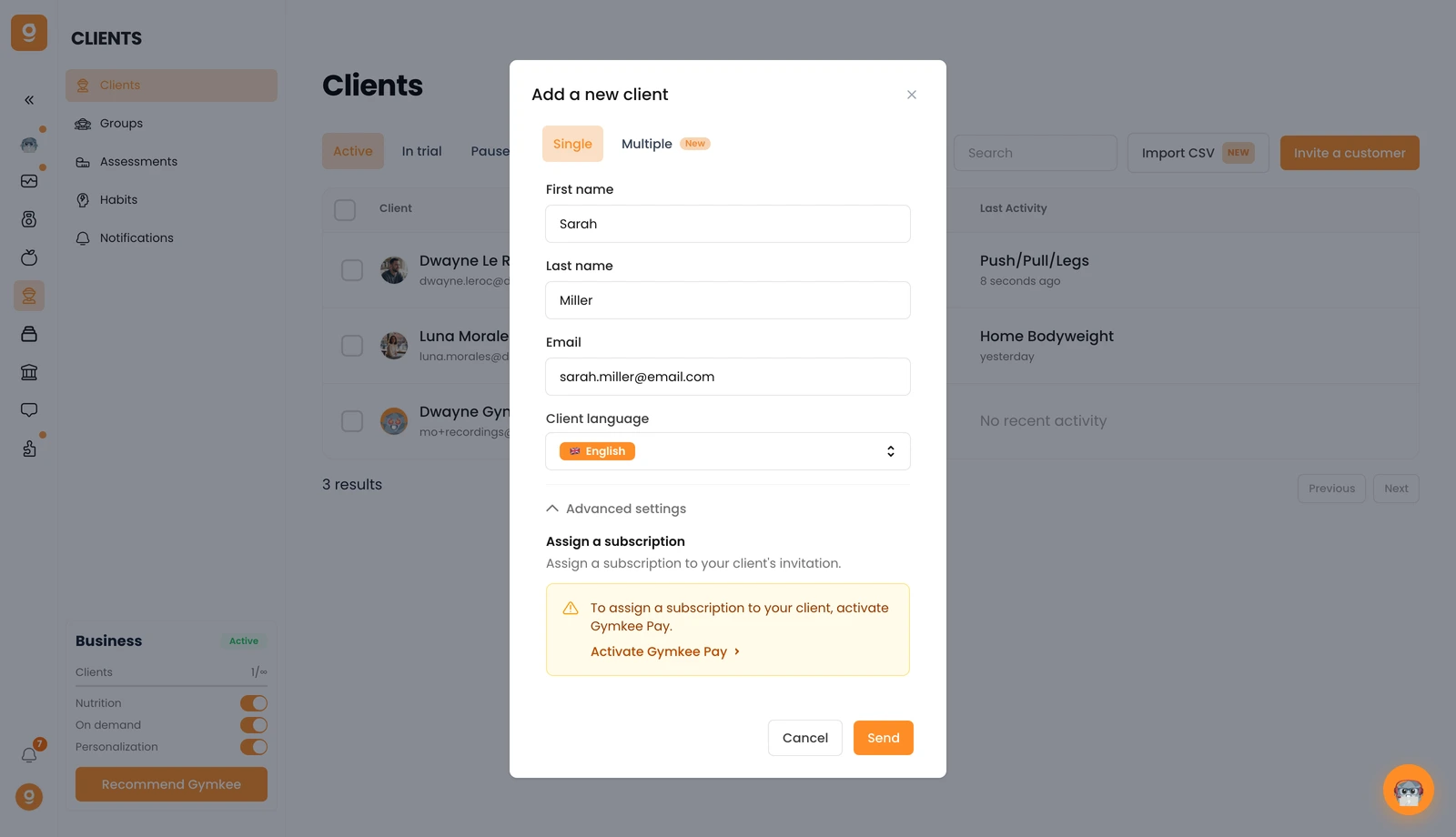
Send(送信)をクリックすると、クライアントにGymkeeアカウントを作成するための招待メールが届きます。アカウントを作成すると、クライアントリストに表示されます。すぐに表示されない場合は、ページを再読み込みしてください。
ご不明な点があれば、画面右下のアプリ内チャットからいつでもお気軽にお問い合わせください 😉
素晴らしいコーチングを、そしてご自身の体も大切に ❤️
