

Voordat je een programma naar een klant kunt sturen, moet je hem toevoegen op Gymkee. Zo doe je dat.
Open het tabblad Klanten en klik op Een klant uitnodigen (rechtsboven). Vul zijn voornaam, achternaam, e-mailadres en taal van de klant in.
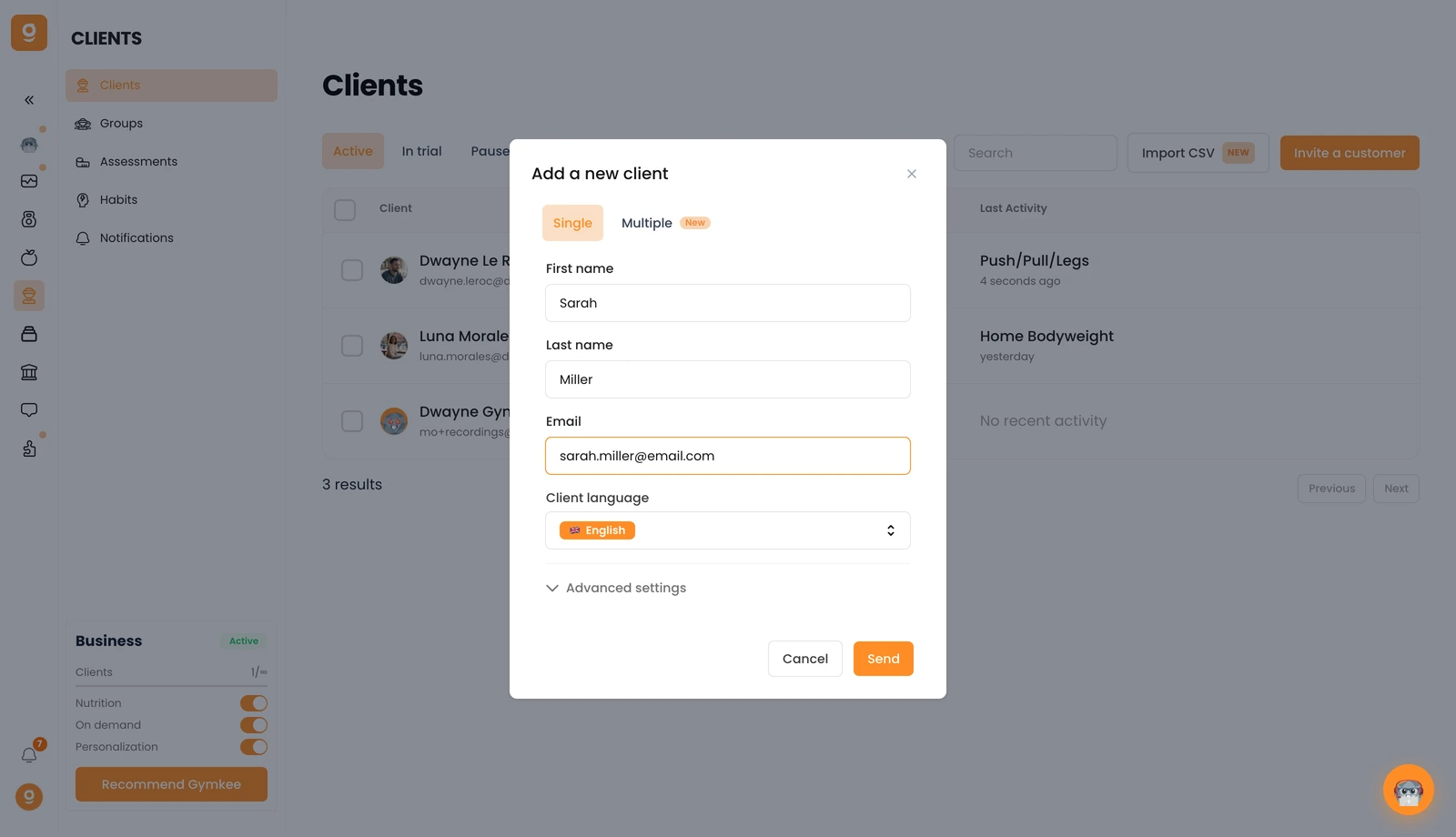
Wil je meerdere personen tegelijk toevoegen? Ga dan naar het tabblad Meerdere. En onder Geavanceerde instellingen kun je een abonnement koppelen aan de uitnodiging van de klant als je Gymkee Pay gebruikt.
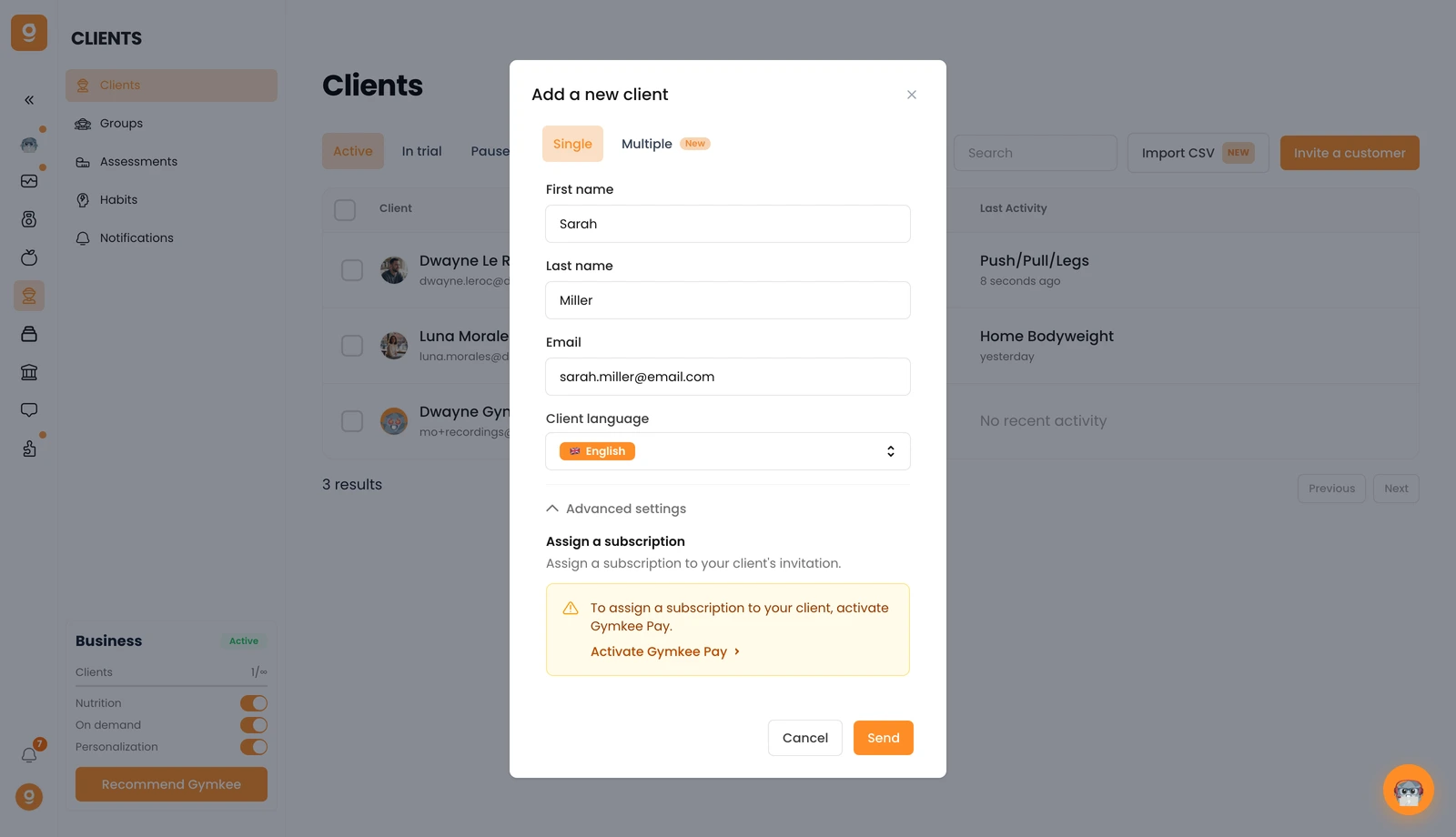
Klik op Verzenden en je klant krijgt een e-mailuitnodiging om zijn Gymkee-account aan te maken. Zodra hij dat heeft gedaan, verschijnt hij in je klantenlijst; als hij niet meteen verschijnt, vernieuw dan even de pagina.
Heb je ergens hulp bij nodig? Bereik ons via de chat rechtsonder in de app 😉
Veel succes met coachen en zorg goed voor jezelf ❤️
