Gymkeeでオリジナルのワークアウトテンプレートを作成する

ワークアウトを一度作成して、複数のプログラムやクライアントで無限に再利用しましょう。

Built the perfect workout? Save it as a template so you can reuse it across programs without starting from scratch.

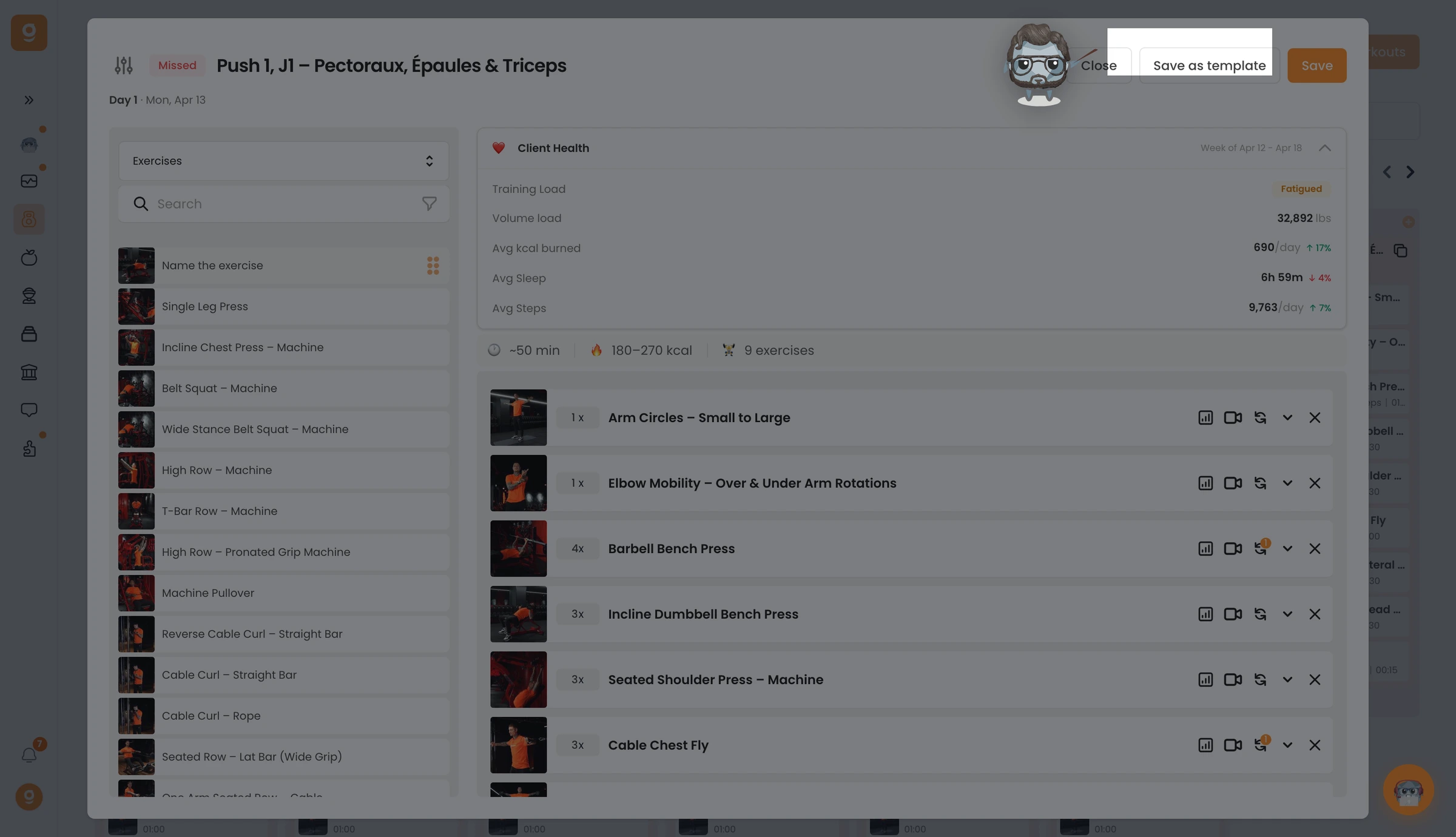
In the workout editor, click Save as template at the top right. You'll get a confirmation that it's saved. (Tip: rename the workout first so it's easy to find later.)

Gymkeeでオリジナルのワークアウトテンプレートを作成する — screenshot 1

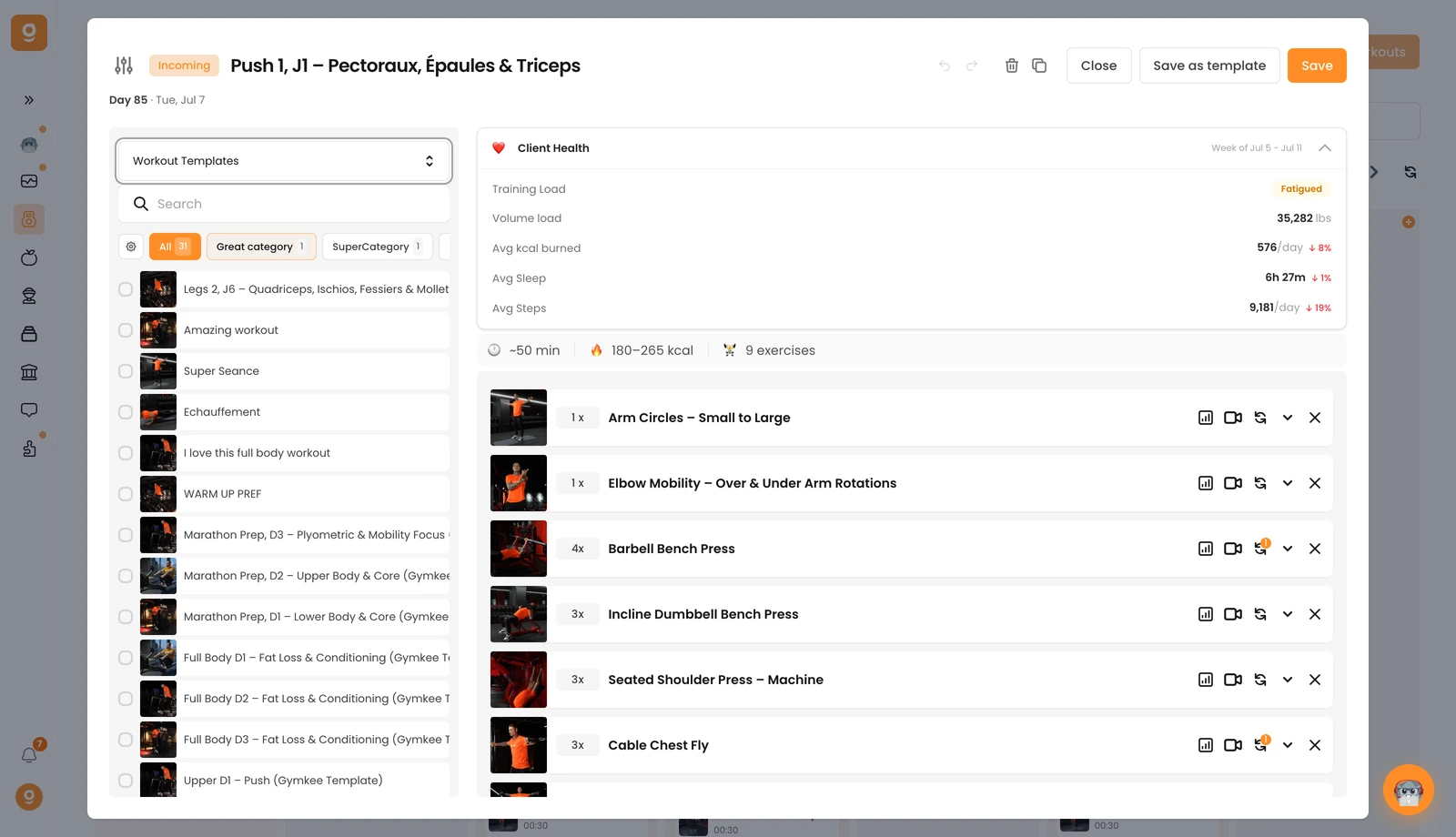
To reuse it, open the source dropdown in the workout editor and switch to Workout templates — your saved workout appears at the top of the list, keeping its name.

Gymkeeでオリジナルのワークアウトテンプレートを作成する — screenshot 2

この記事は役に立ちましたか?

まだサポートが必要ですか?

私たちのチームとGymkeeのAIアシスタントDwayneがサポートします。

Dwayneに聞く