
搭建好了一套完美的锻炼?把它保存为模板,这样你就能在各个计划里复用它,而不用每次从头开始。
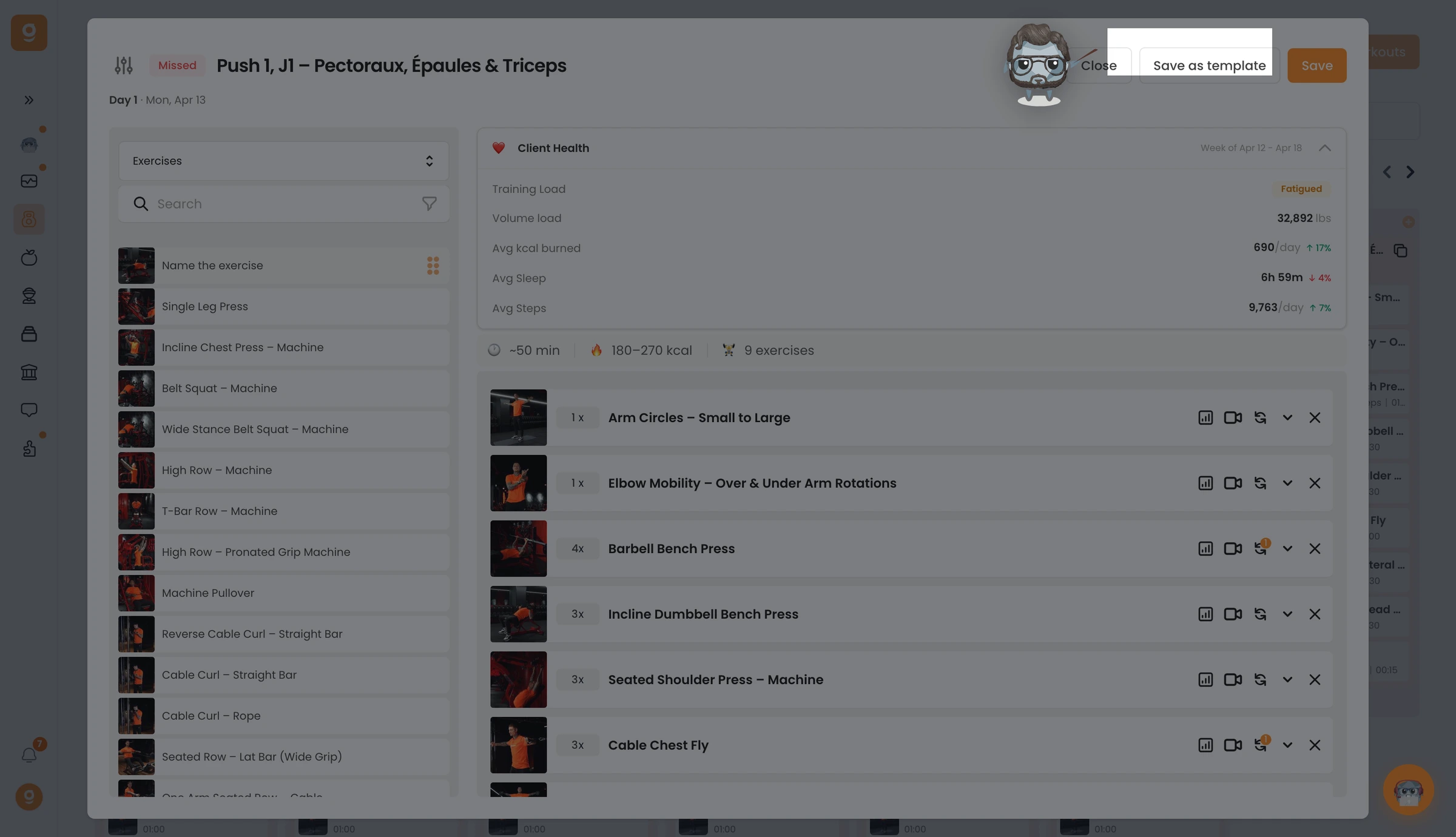
在锻炼编辑器里,点击右上角的 Save as template(保存为模板)。你会收到一条已保存的确认。(小贴士:先给这套锻炼重命名,方便日后查找。)
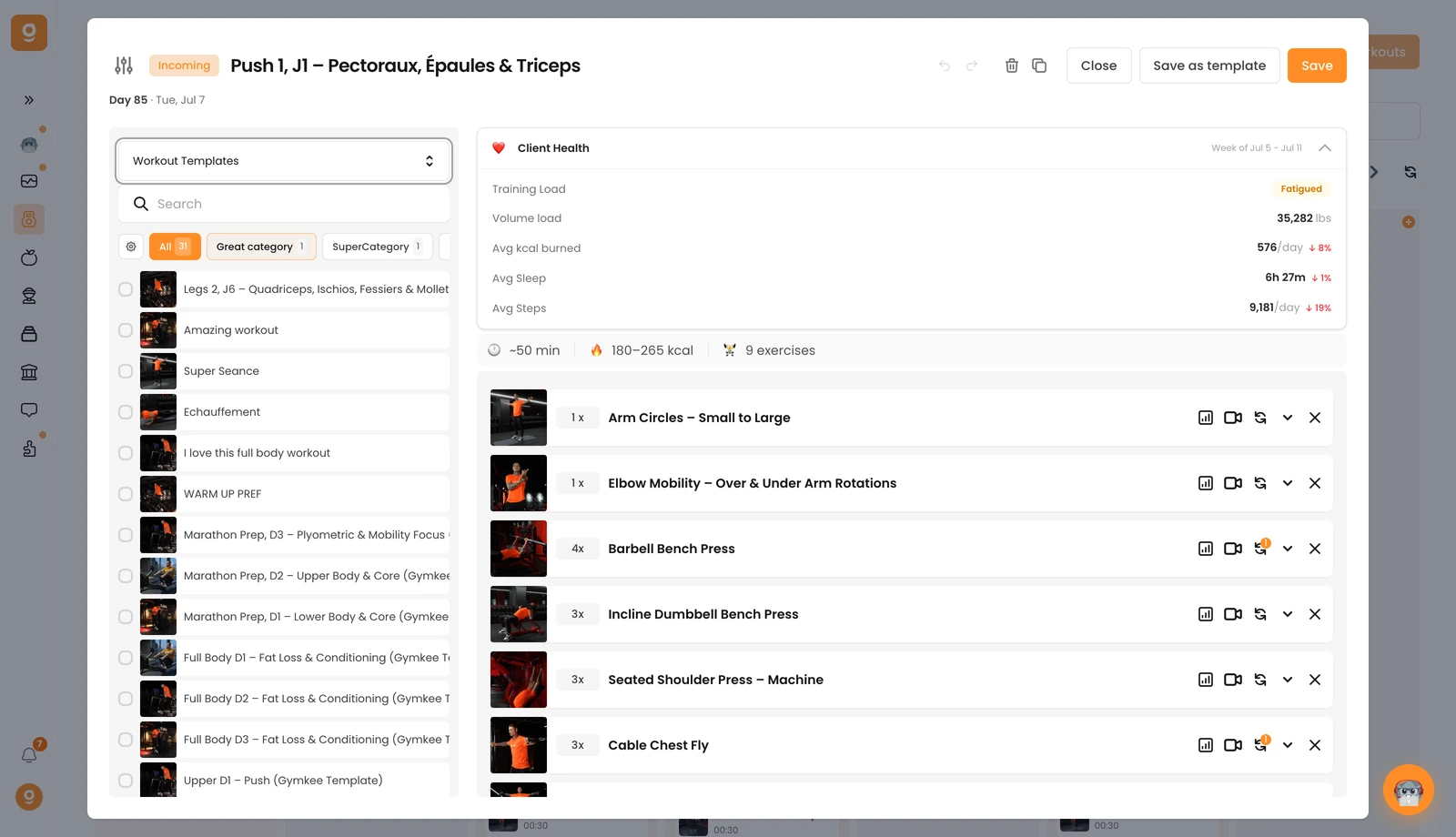
要复用它,在锻炼编辑器里打开来源下拉菜单,切换到 Workout templates(锻炼模板),你保存的那套锻炼会出现在列表顶部,并保留它的名称。
未找到结果
请尝试其他搜索,浏览下方热门文章,或联系我们。
创建一次训练,然后在多个程序和客户中无限重复使用。

搭建好了一套完美的锻炼?把它保存为模板,这样你就能在各个计划里复用它,而不用每次从头开始。
在锻炼编辑器里,点击右上角的 Save as template(保存为模板)。你会收到一条已保存的确认。(小贴士:先给这套锻炼重命名,方便日后查找。)
要复用它,在锻炼编辑器里打开来源下拉菜单,切换到 Workout templates(锻炼模板),你保存的那套锻炼会出现在列表顶部,并保留它的名称。
这篇文章对你有帮助吗?
感谢你的反馈!
抱歉。想和我们聊聊吗?
我们的团队和 Gymkee AI 助手 Dwayne 随时为你服务。
