영양 플랜 1주일을 2번 클릭으로 여러 주에 복제하기

1주일 분량의 영양 계획을 여러 주에 복사하세요.

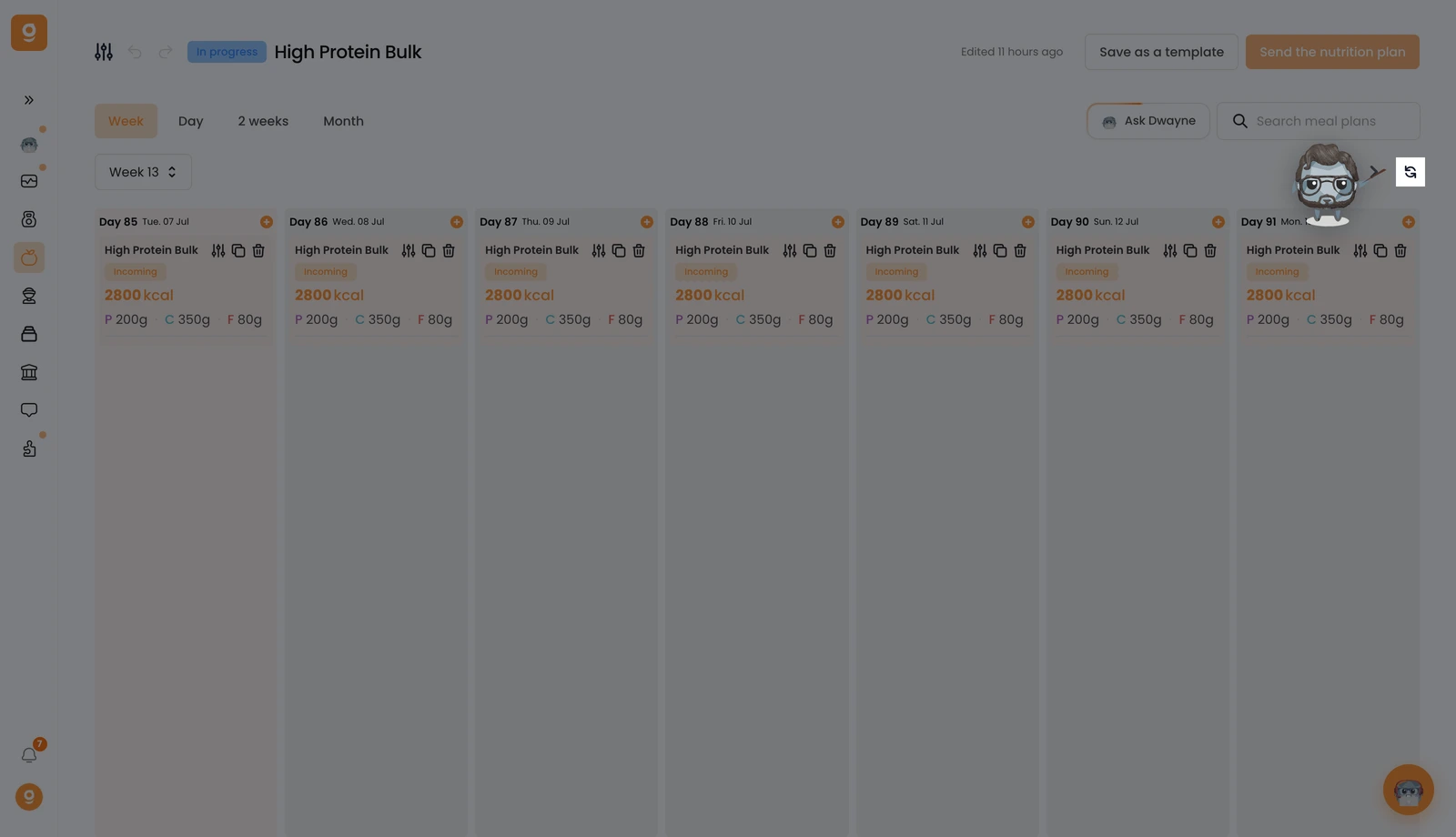
Here I have my first week:

Here I have the 2nd one, which is empty:

To duplicate my first week to the other weeks of the program, I can click on the "Repeat" button right here:

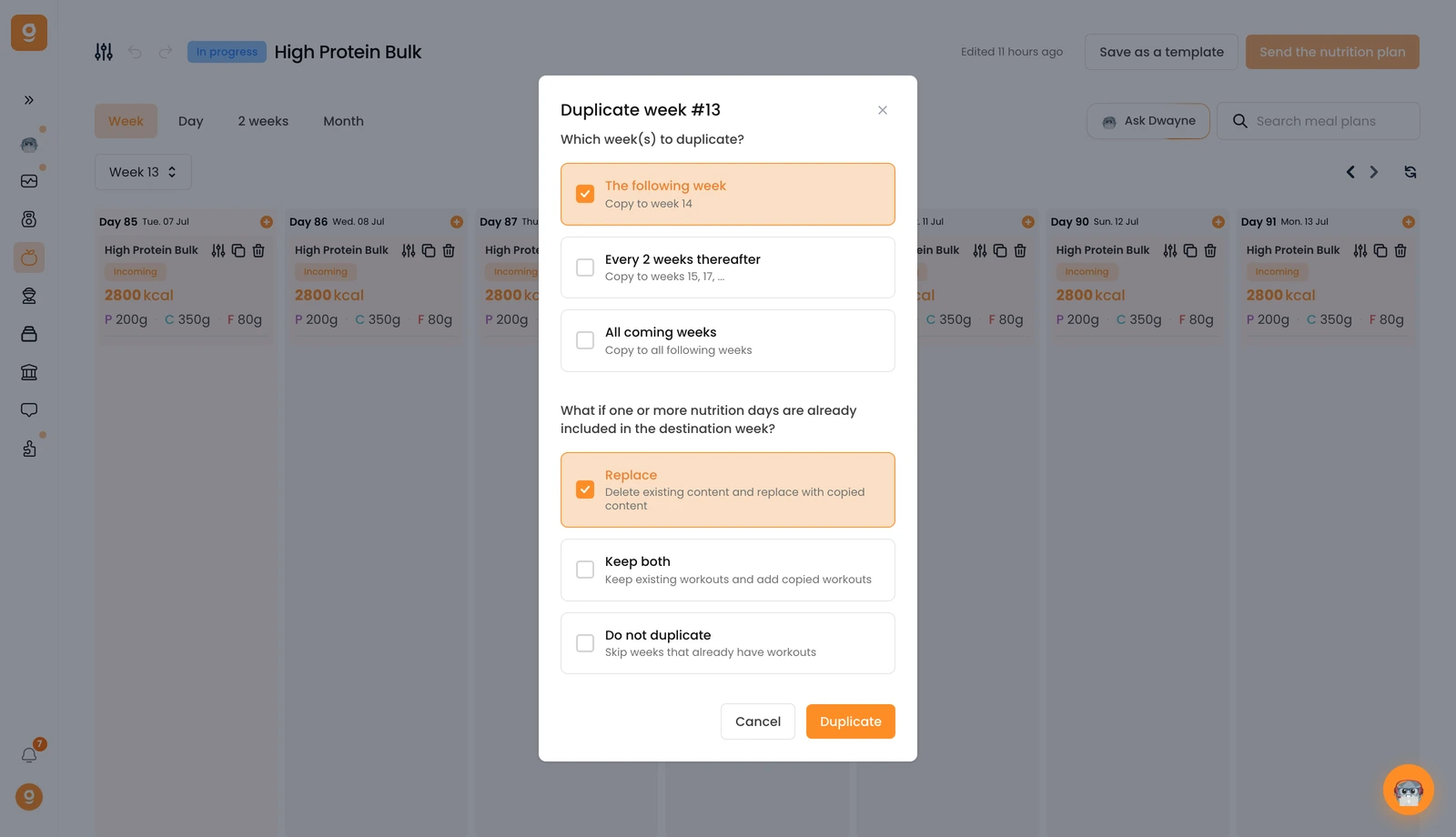
You’ll see a pop-up open that will let you set up your duplication with the frequency of duplication as well as the action to take in case there are already meal plans present:

You can duplicate your week:

  1. The following week: your week will only be duplicated onto the next week
  2. Every 2 weeks: your week will be duplicated on 1 week out of 2 (1, 3, 5, 7, etc.)
  3. All the upcoming weeks: your week will be duplicated on all the weeks of your program (ex: if 12 weeks, across 12 weeks)

Then, you’ll need to choose what Gymkee should do if meal plans are already present in the destination weeks.

The choices you have:

  1. Replace: if a meal plan is already there, it will be deleted and replaced by the one you’re duplicating now
  2. Keep both: if a meal plan is already there, it won’t be replaced and the new meal plan will be added (there will be 2)
  3. Do not duplicate: if a meal plan is already there, the new meal plan will not be added

이 문서가 도움이 되었나요?

아직 도움이 필요하세요?

저희 팀과 Gymkee AI 어시스턴트 Dwayne가 도와드립니다.

Dwayne에게 물어보기