
除了复制单独的一天,你还可以把一整周的营养计划克隆到计划的其他周里,只需两次点击。
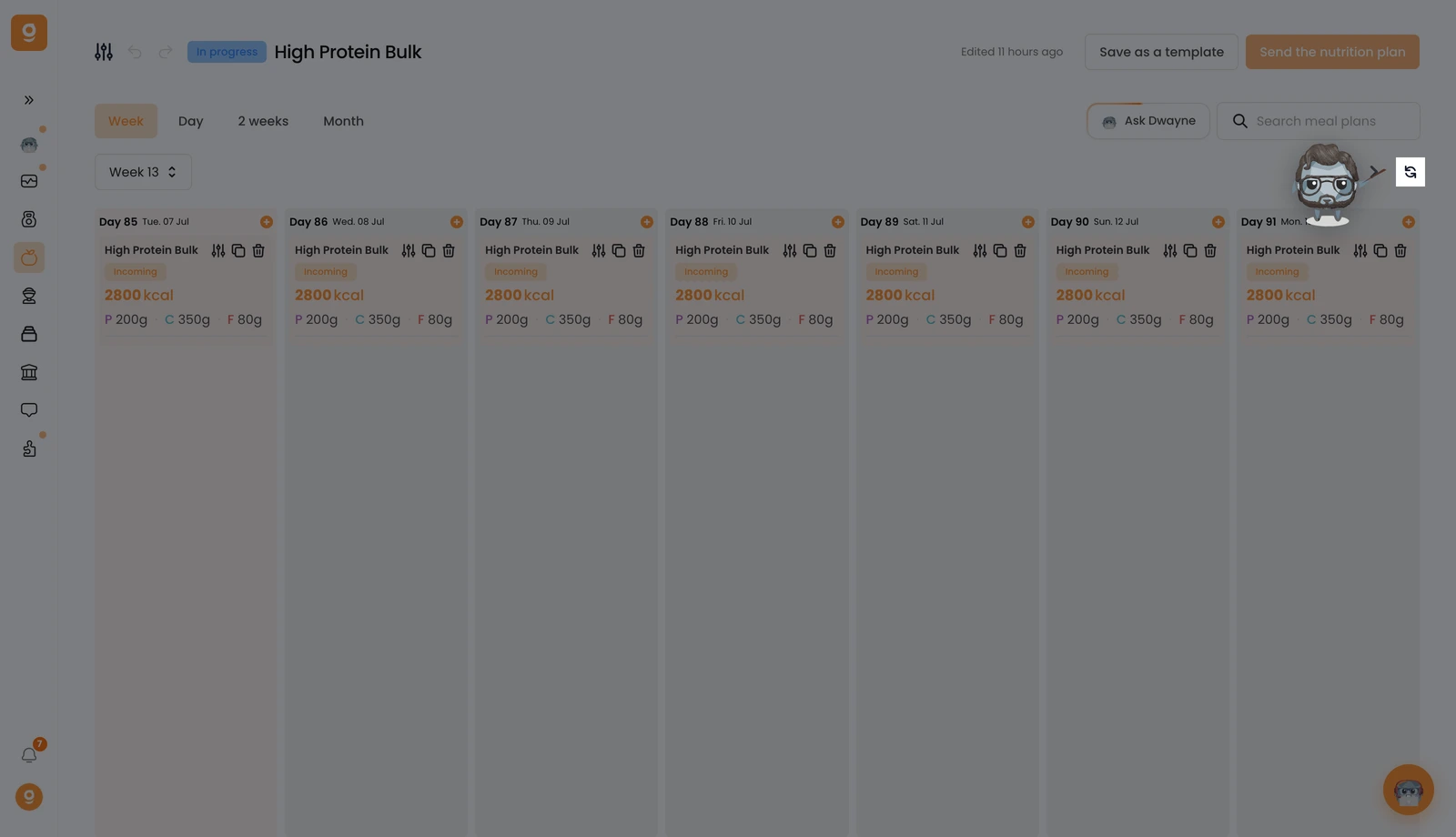
在 Week(周) 视图中,点击周导航箭头旁边的 Duplicate(克隆) 按钮。
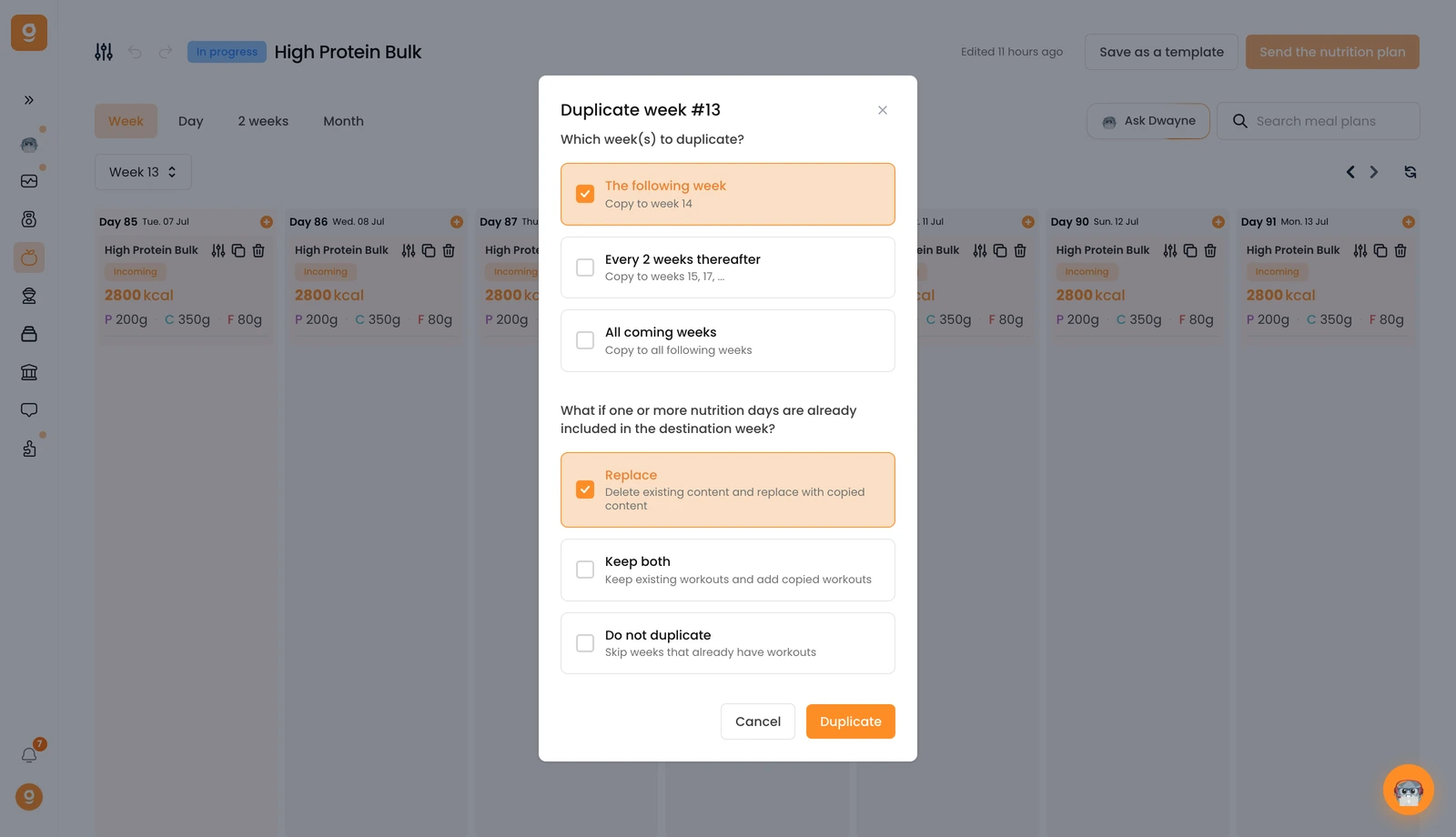
一个弹窗让你在一处完成配置。首先,选择要复制到哪些周:下一周、每隔 2 周,或所有即将到来的周。然后选择如果某一周已经有餐食计划该怎么办:替换它们、两者都保留,或跳过。点击 Duplicate(克隆),就完成了。
就这样,一整周的营养计划被复制到了你的整个计划中,无需重做任何东西。
未找到结果
请尝试其他搜索,浏览下方热门文章,或联系我们。
将一整周营养规划复制到多周,节省时间。

除了复制单独的一天,你还可以把一整周的营养计划克隆到计划的其他周里,只需两次点击。
在 Week(周) 视图中,点击周导航箭头旁边的 Duplicate(克隆) 按钮。
一个弹窗让你在一处完成配置。首先,选择要复制到哪些周:下一周、每隔 2 周,或所有即将到来的周。然后选择如果某一周已经有餐食计划该怎么办:替换它们、两者都保留,或跳过。点击 Duplicate(克隆),就完成了。
就这样,一整周的营养计划被复制到了你的整个计划中,无需重做任何东西。
这篇文章对你有帮助吗?
感谢你的反馈!
抱歉。想和我们聊聊吗?
我们的团队和 Gymkee AI 助手 Dwayne 随时为你服务。
