Duplicate a week of Nutrition Plan to multiple weeks of the program in 2 clicks

Learn how to complete weeks of programming in 2 clicks

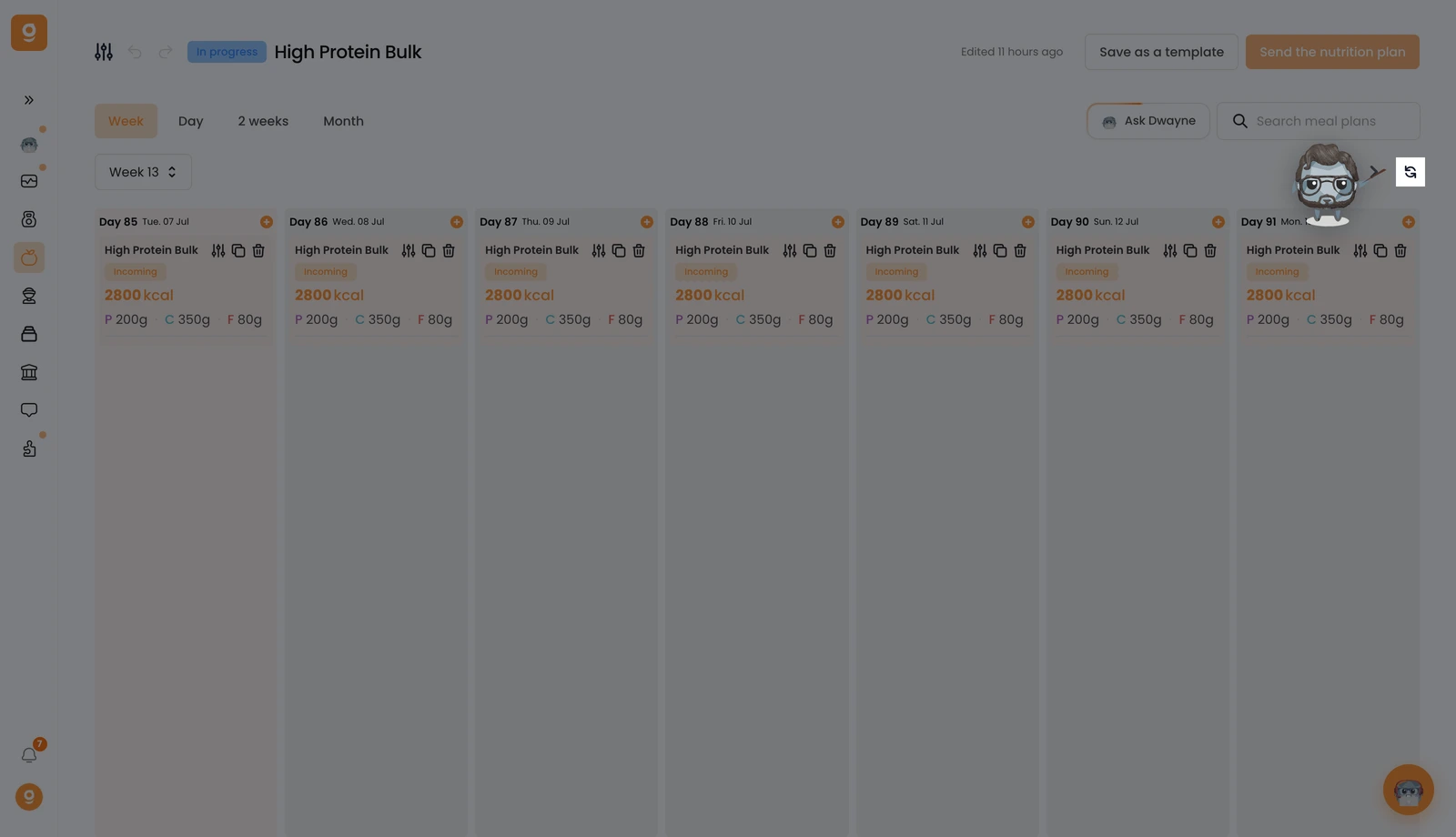
Here I have my first week:

Here I have the 2nd one, which is empty:

To duplicate my first week to the other weeks of the program, I can click on the "Repeat" button right here:

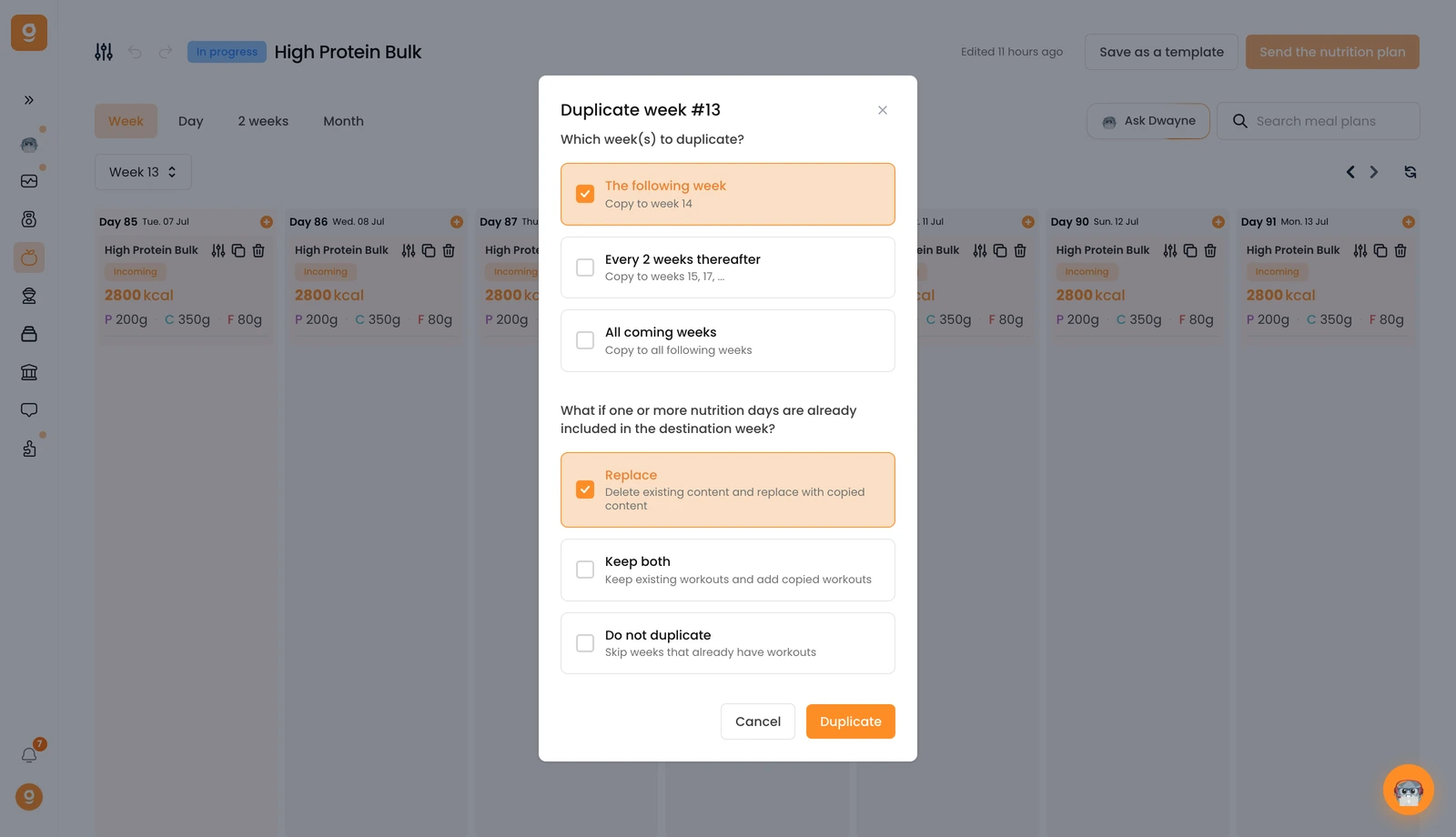
You’ll see a pop-up open that will let you set up your duplication with the frequency of duplication as well as the action to take in case there are already meal plans present:

You can duplicate your week:

  1. The following week: your week will only be duplicated onto the next week
  2. Every 2 weeks: your week will be duplicated on 1 week out of 2 (1, 3, 5, 7, etc.)
  3. All the upcoming weeks: your week will be duplicated on all the weeks of your program (ex: if 12 weeks, across 12 weeks)

Then, you’ll need to choose what Gymkee should do if meal plans are already present in the destination weeks.

The choices you have:

  1. Replace: if a meal plan is already there, it will be deleted and replaced by the one you’re duplicating now
  2. Keep both: if a meal plan is already there, it won’t be replaced and the new meal plan will be added (there will be 2)
  3. Do not duplicate: if a meal plan is already there, the new meal plan will not be added

Was this article helpful?

Still need help?

Our team and Dwayne, the Gymkee AI assistant, are here for you.

Ask Dwayne