

Programları daha hızlı oluşturmana yardımcı olmak için, Gymkee antrenman oluşturucuda bir kademeli (cascade) sistem kullanır. Her seti tek tek doldurmak yerine, bir seti doldurursun ve Gymkee değerlerini altındaki setlere kopyalar.
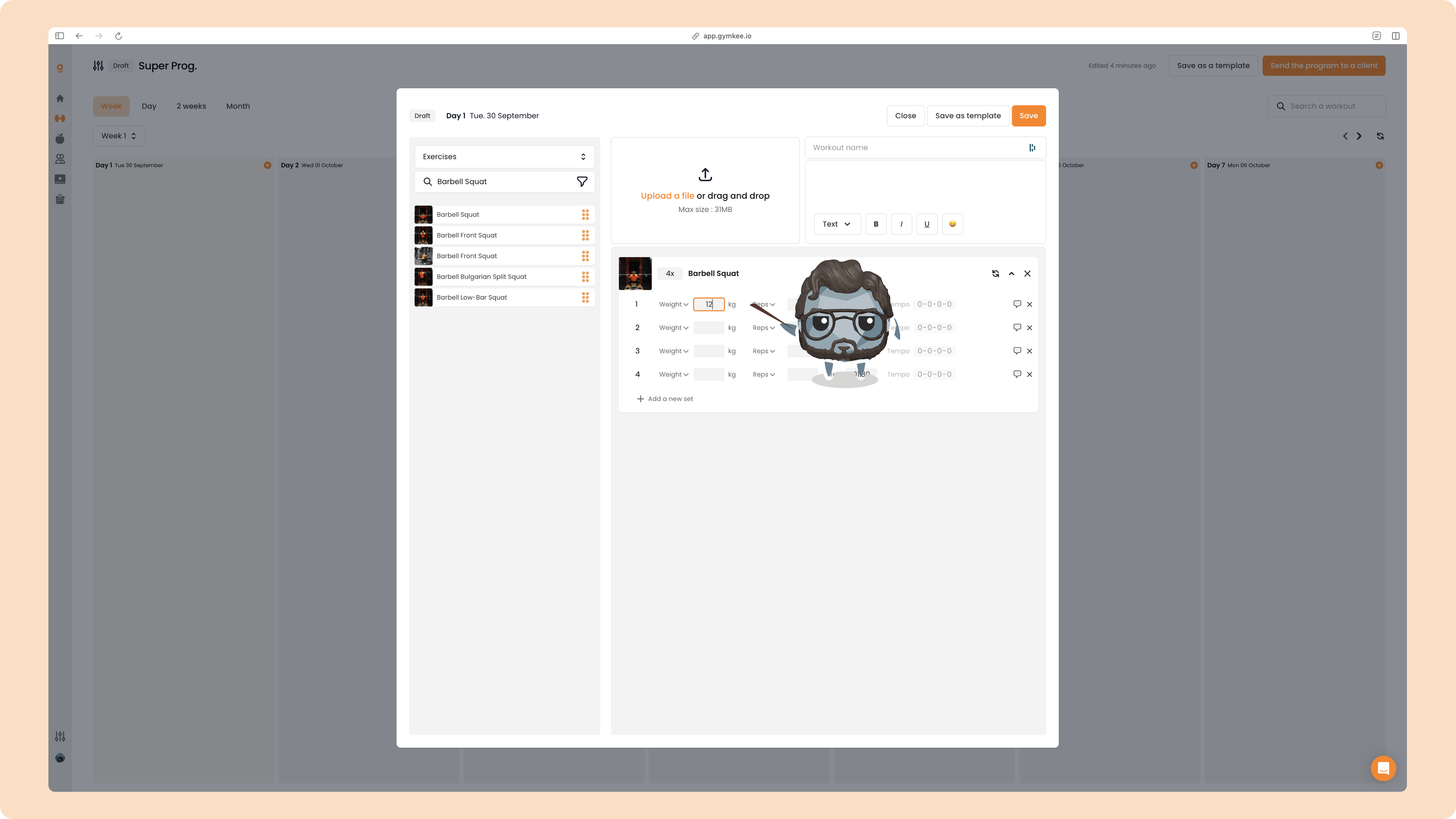
Diyelim ki 4 setli bir Barbell Squat ayarlıyorsun. Değeri set 1'e yazarak başlarsın (burada, 12 kg'lık bir Ağırlık):
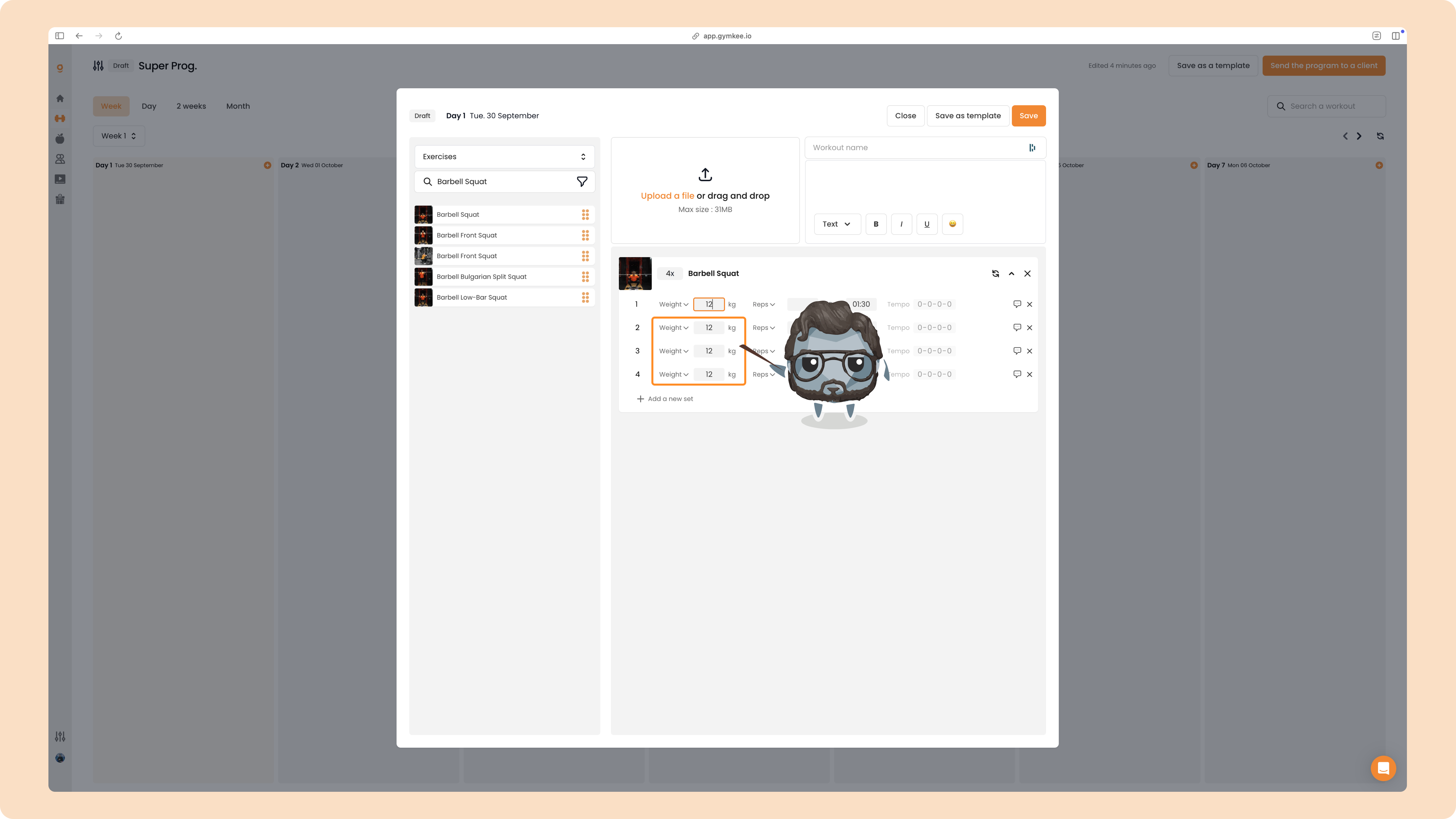
Onu girer girmez, altındaki her set aynı değerle otomatik olarak doldurulur. Tek giriş, dört setin hepsi tamam:
Kural: değişiklikler yukarıdan aşağıya akar
Kademe her zaman yalnızca aşağı doğru hareket eder. Bir seti düzenlediğinde, Gymkee o seti ve altındaki her seti günceller, üstündeki setlere dokunmaz.
Örneğin, set 3'ü 14'e değiştirirsen, yalnızca set 3 ve 4 değişir. Set 1 ve 2 değerlerini korur:
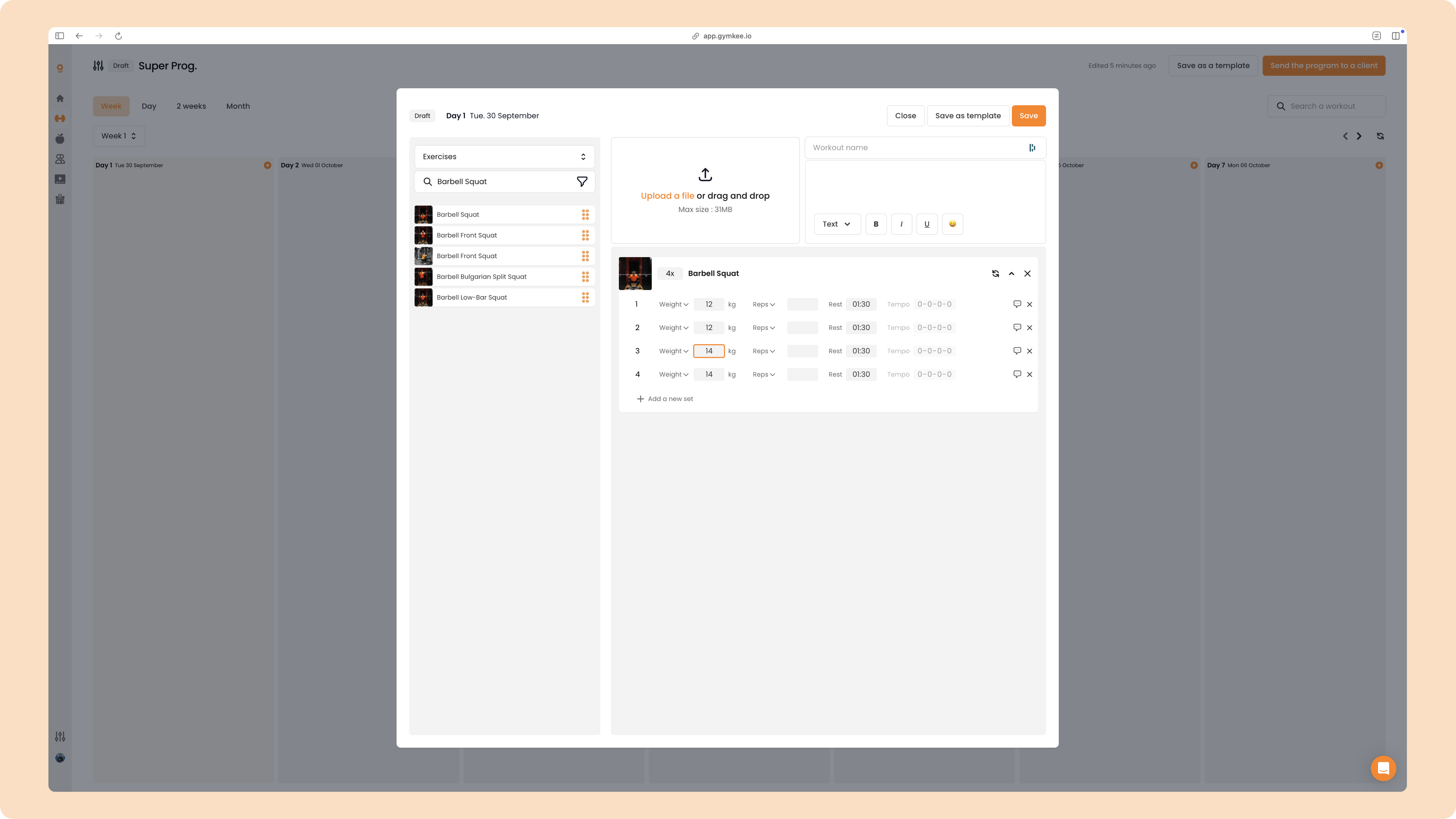
Yani set 3'ü düzenledikten sonra elinde şu var:
1 = 12 2 = 12 3 = 14 4 = 14
Şimdi geri dönüp set 1'i 20'ye değiştirirsen, kademe yukarıdan tekrar çalışır ve altındaki her şeyi yeniden yazar:
1 = 20 2 = 20 3 = 20 4 = 20
Bir kez gördükten sonra anlaması kolay. İlk seferinde yanlışlıkla bir setin üzerine yazabilirsin, ve bu tamamen normal, sadece değeri doğru sete yeniden gir.
Neler kademelenir
Kademe, bir setin temel değerlerine uygulanır: Ağırlık, Tekrar, Dinlenme ve Tempo. Set başına notlar, sesli notlar ve video istekleri, onları eklediğin tam sette kalır, bu yüzden asla aşağıya kopyalanmazlar.
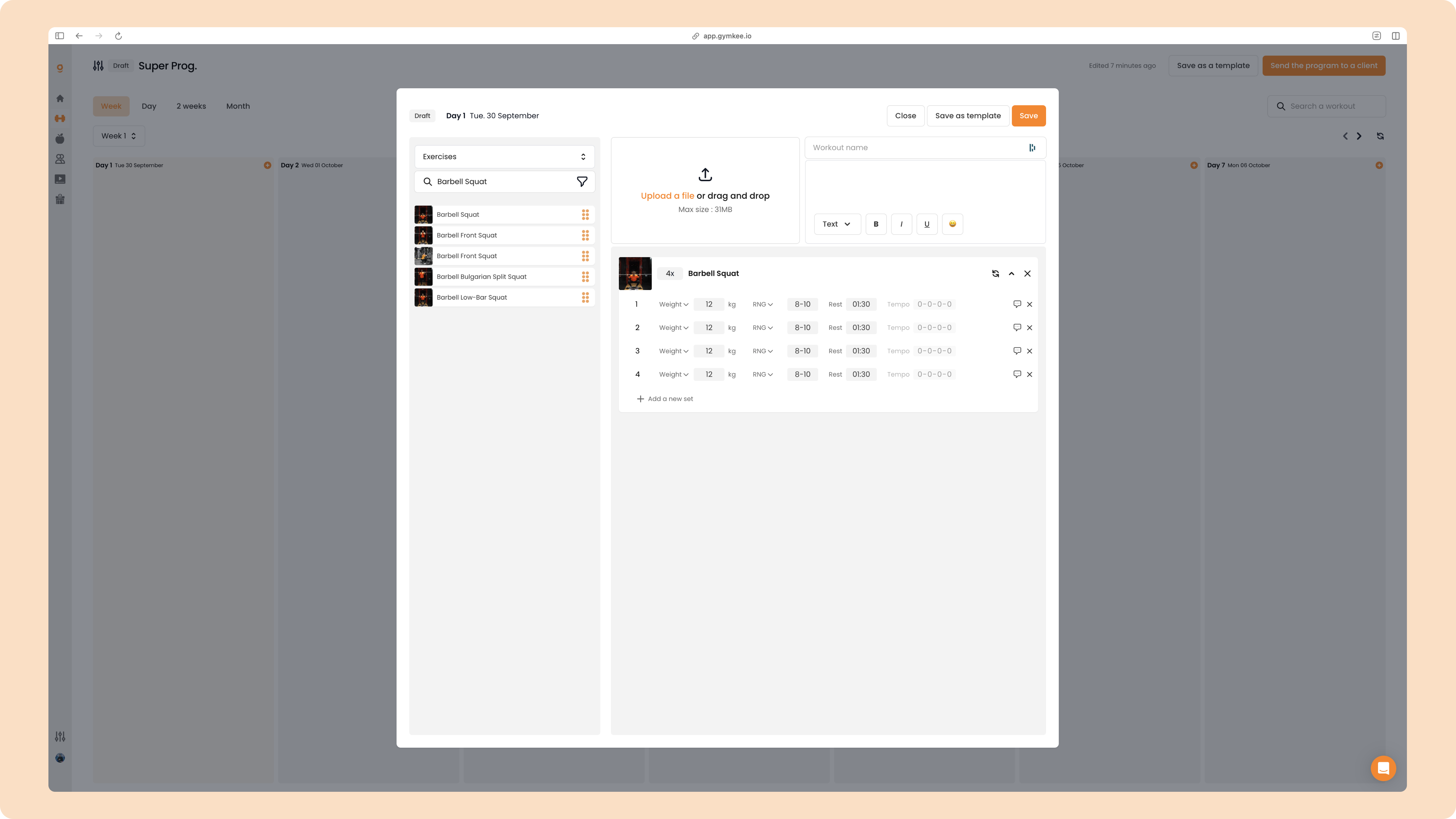
Her alan doldurulduğunda, tamamlanmış bir egzersiz şöyle görünür:
Bir tempo ekleme
Egzersizlerin için bir Tempo da reçete edebilirsin. Onu açmak için, ilk setteki tempo kutusunu düzenle, ve her şey gibi, o da altındaki setlere kademelenir:
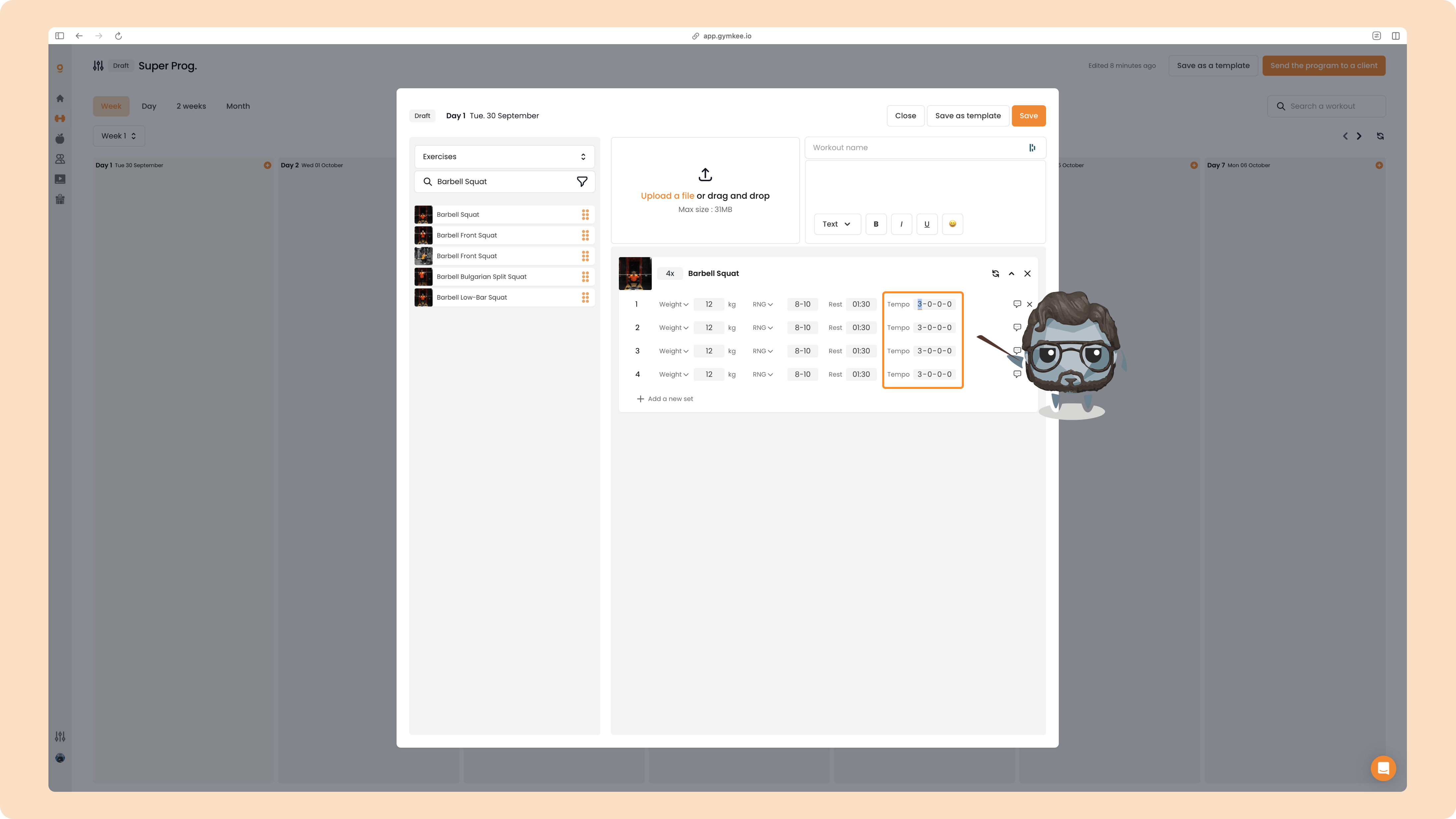
Tempoyu tekrar kapatmak için, değerlerini 0-0-0-0 olarak ayarla.
İşte tüm kademe sistemi bu. İlk setini doldur, gerisini Gymkee'ye bırak ve ihtiyacın olduğunda herhangi bir seti yukarıdan aşağıya ince ayarla. İyi programlamalar!
