

On Gymkee, to simplify your workflow and save as much time as possible, we implemented a cascade system.
When you complete the first set of an exercise:
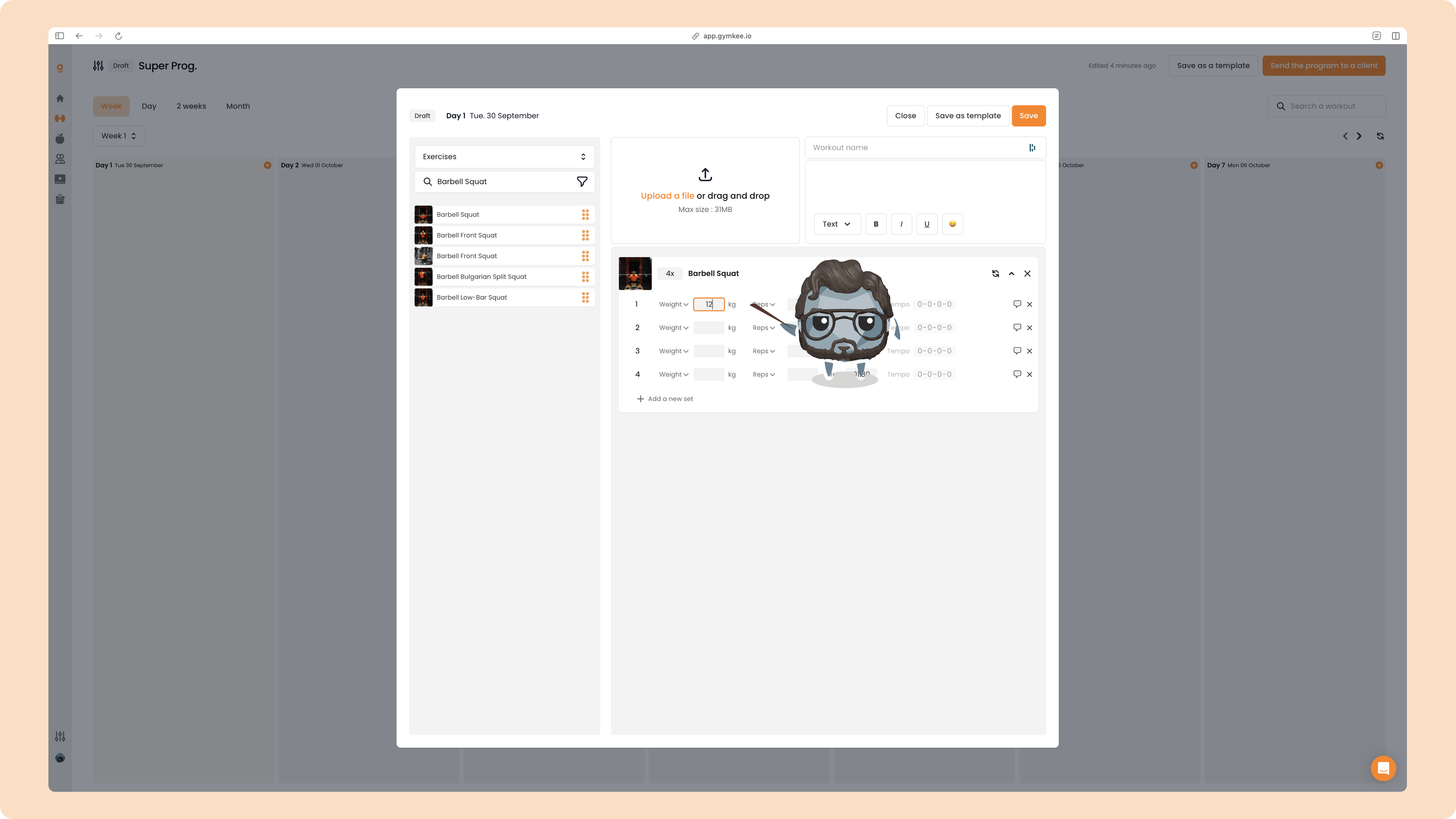
All subsequent sets below the one you’re editing will be auto-filled.
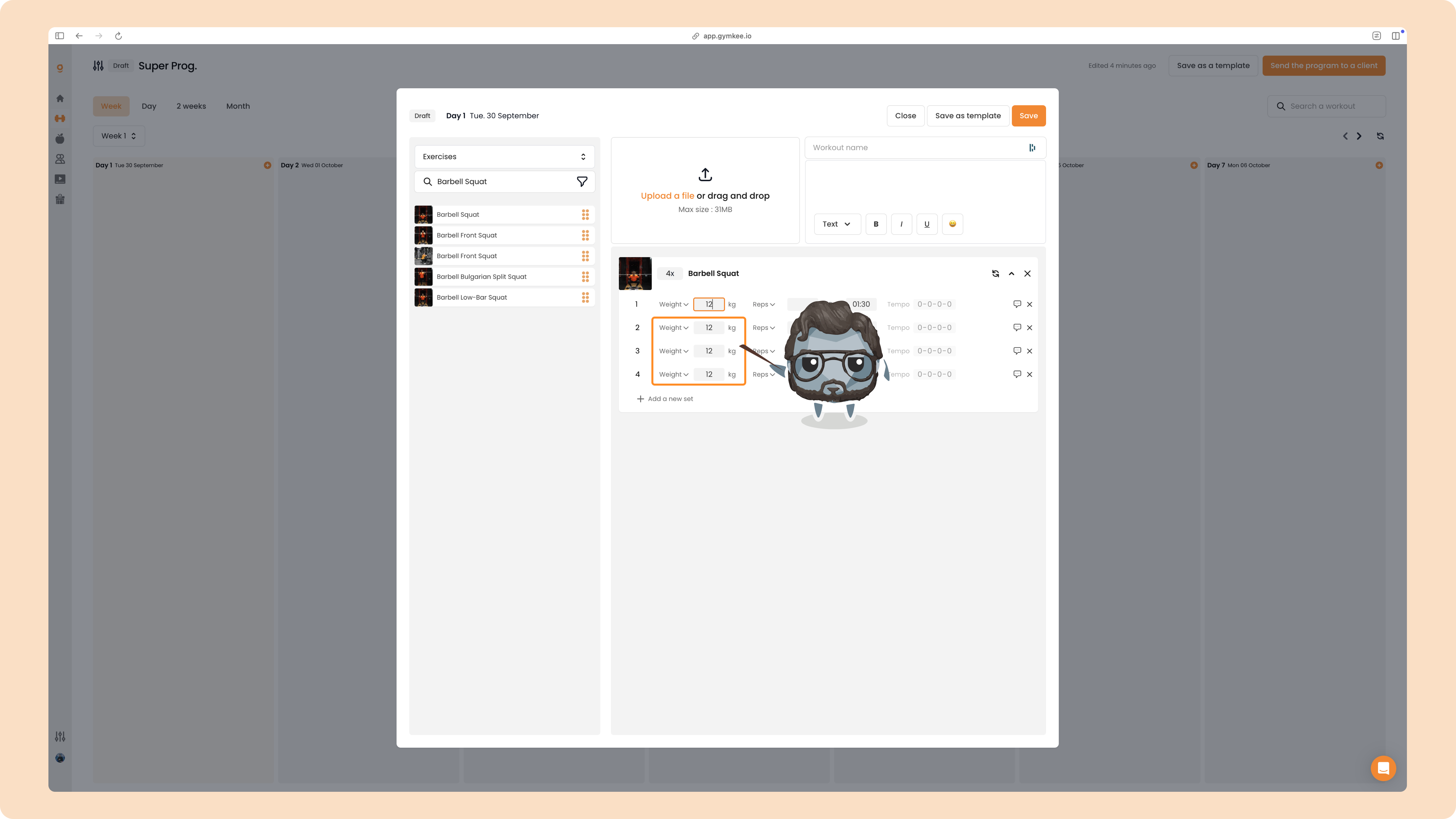
By completing one set, you automatically fill all the ones below it.
Modifications cascade top to bottom.
For example, if you modify set 3, it only changes sets 3 and 4, not the ones above.
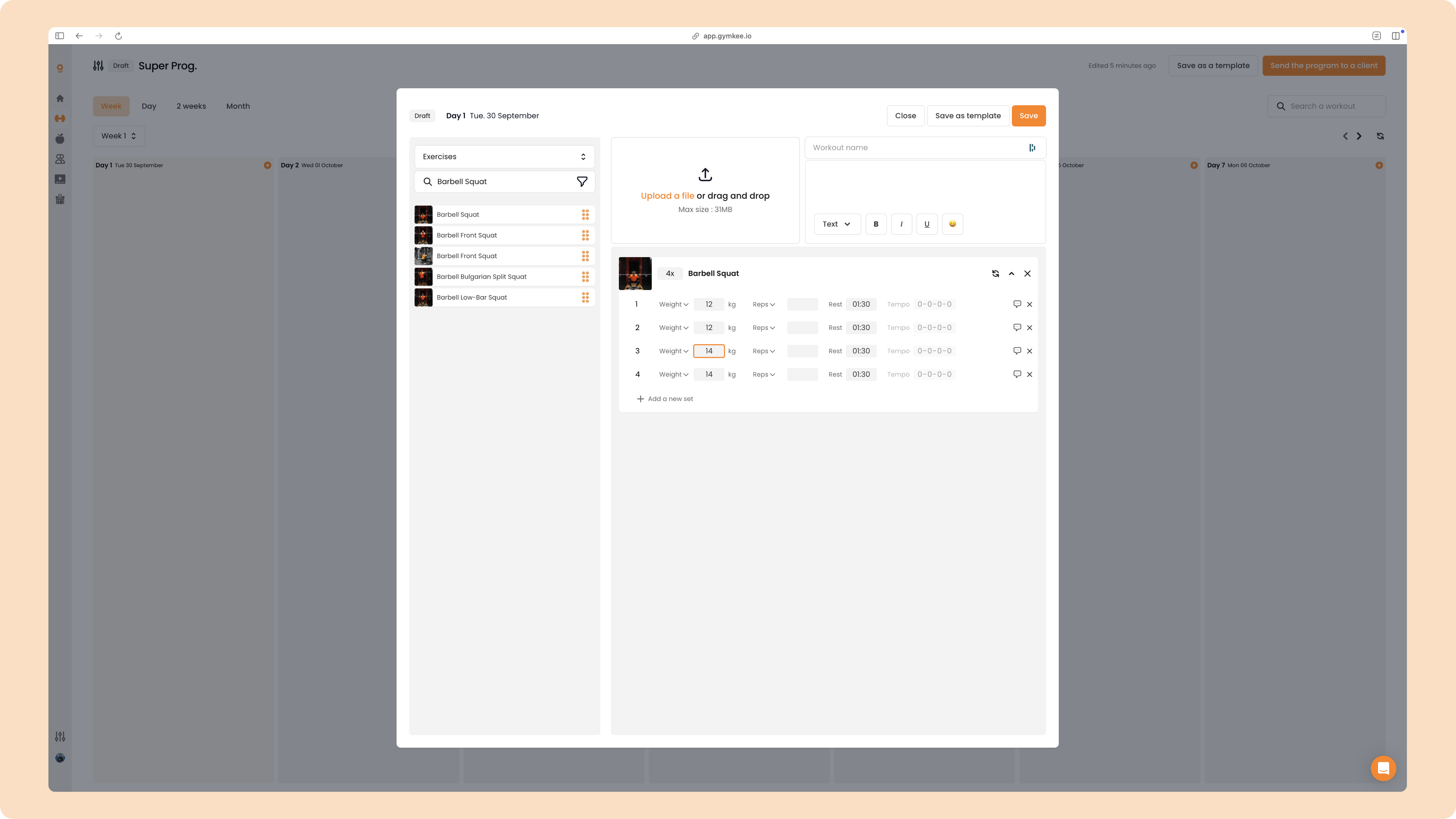
However, if after modifying set 3 to 14, giving:
1 = 12
2 = 12
3 = 14
4 = 14
And then you change set 1 to 20, you’ll get:
1 = 20
2 = 20
3 = 20
4 = 20
It’s simple to understand, you may make the mistake at least once, and that’s OK!
That’s what a completed exercise looks like:
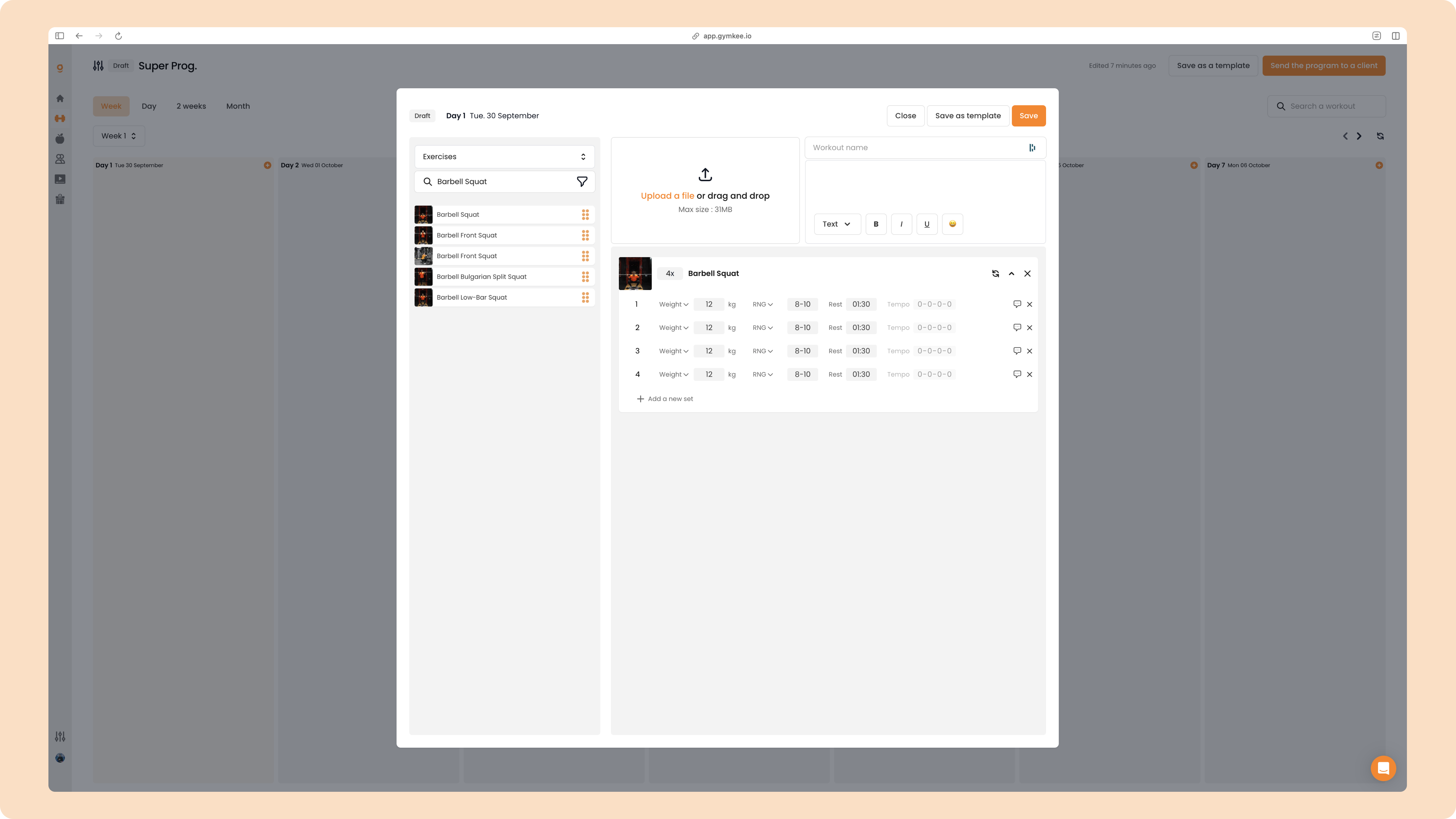
You also have the option to add TEMPO to your exercises.
To do it, just modify the first instruction box to activate it.
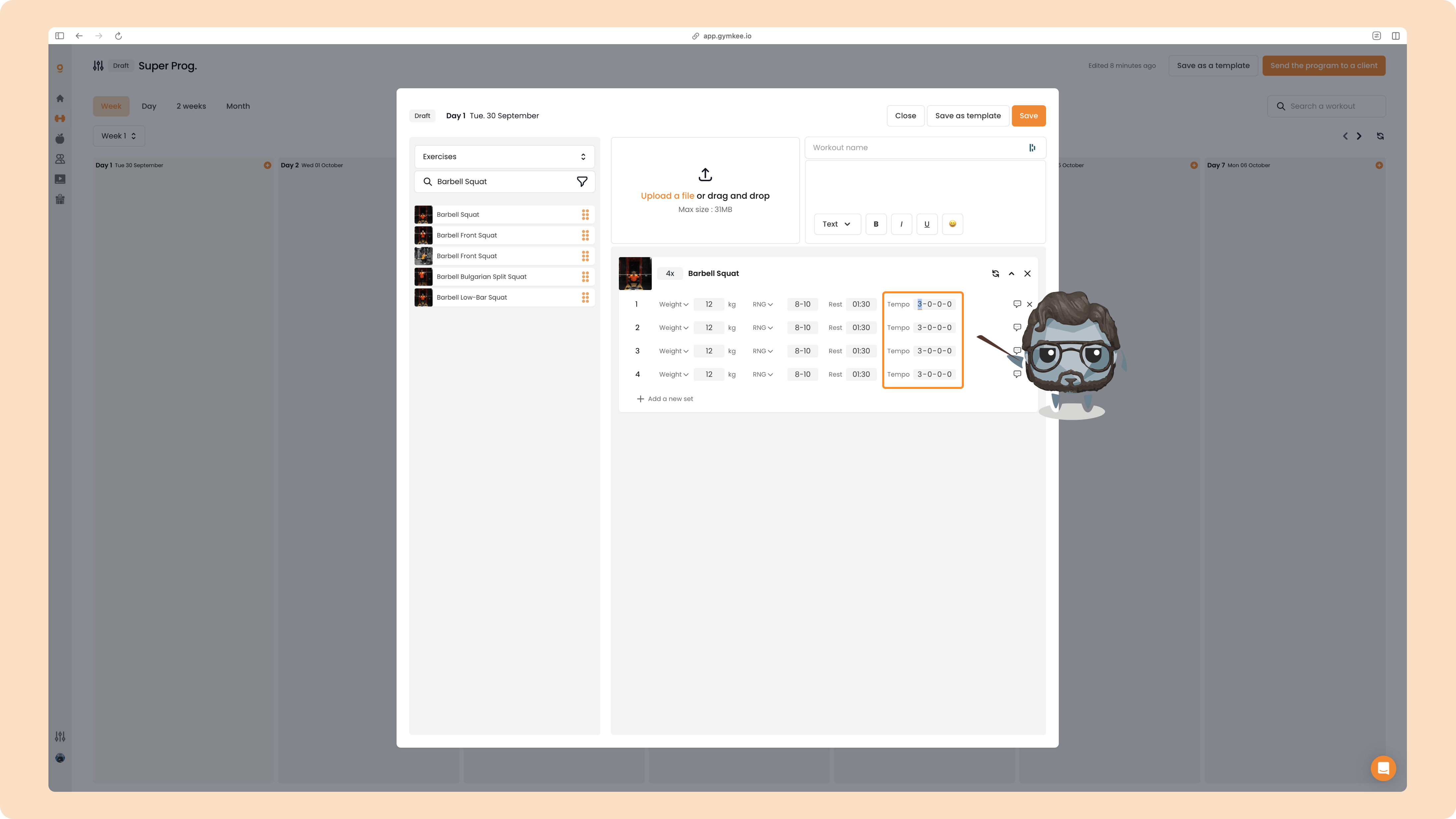
If you want to disable TEMPO, set all its values to 0-0-0-0.
