

To help you build programs faster, Gymkee uses a cascade system in the workout builder. Instead of filling in every set one by one, you fill one set and Gymkee copies your values down to the sets below it.
Say you're setting up a Barbell Squat with 4 sets. You start by typing the value into set 1 (here, a Weight of 12 kg):
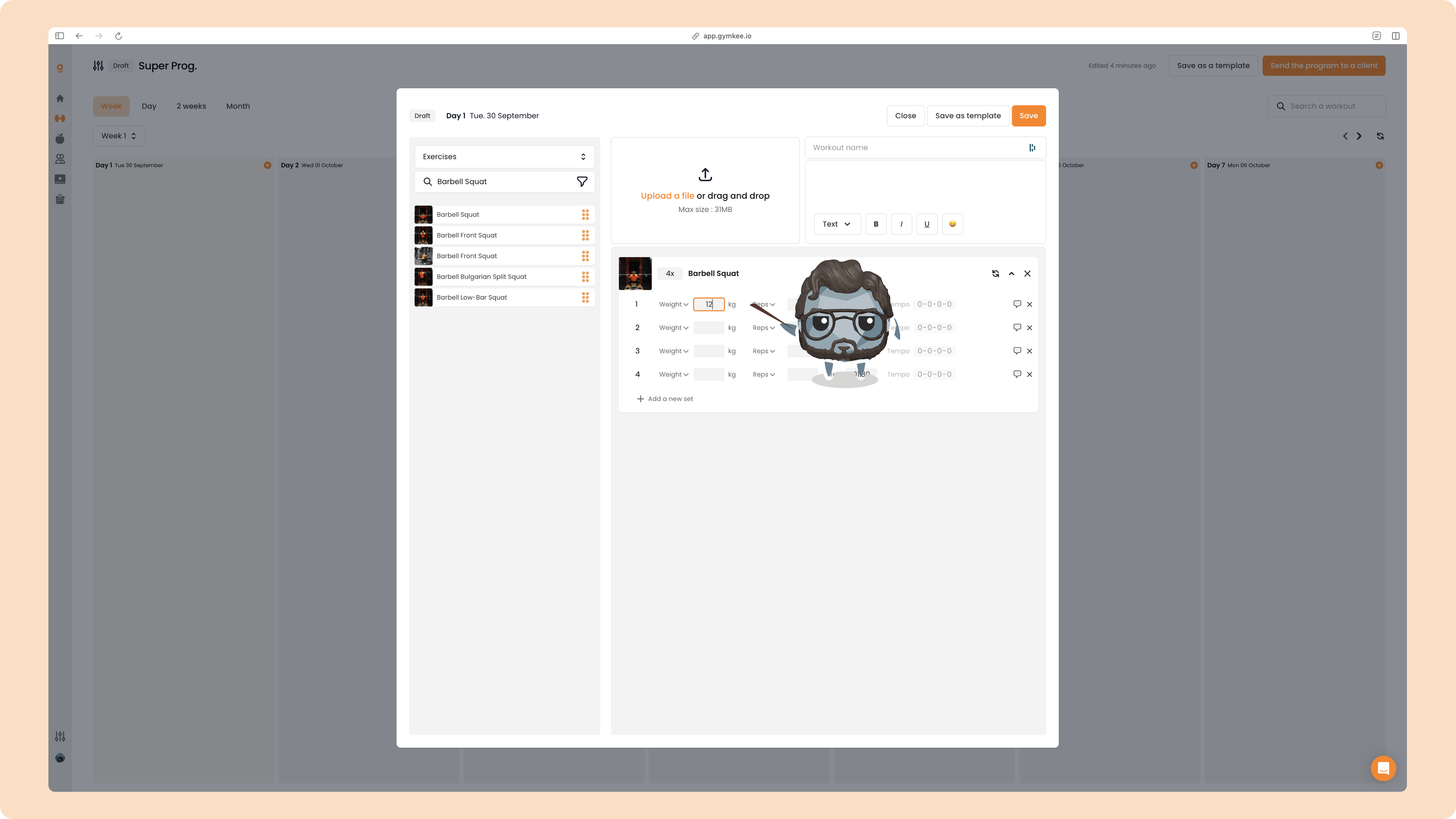
As soon as you enter it, every set below is auto-filled with the same value. One entry, all four sets done:
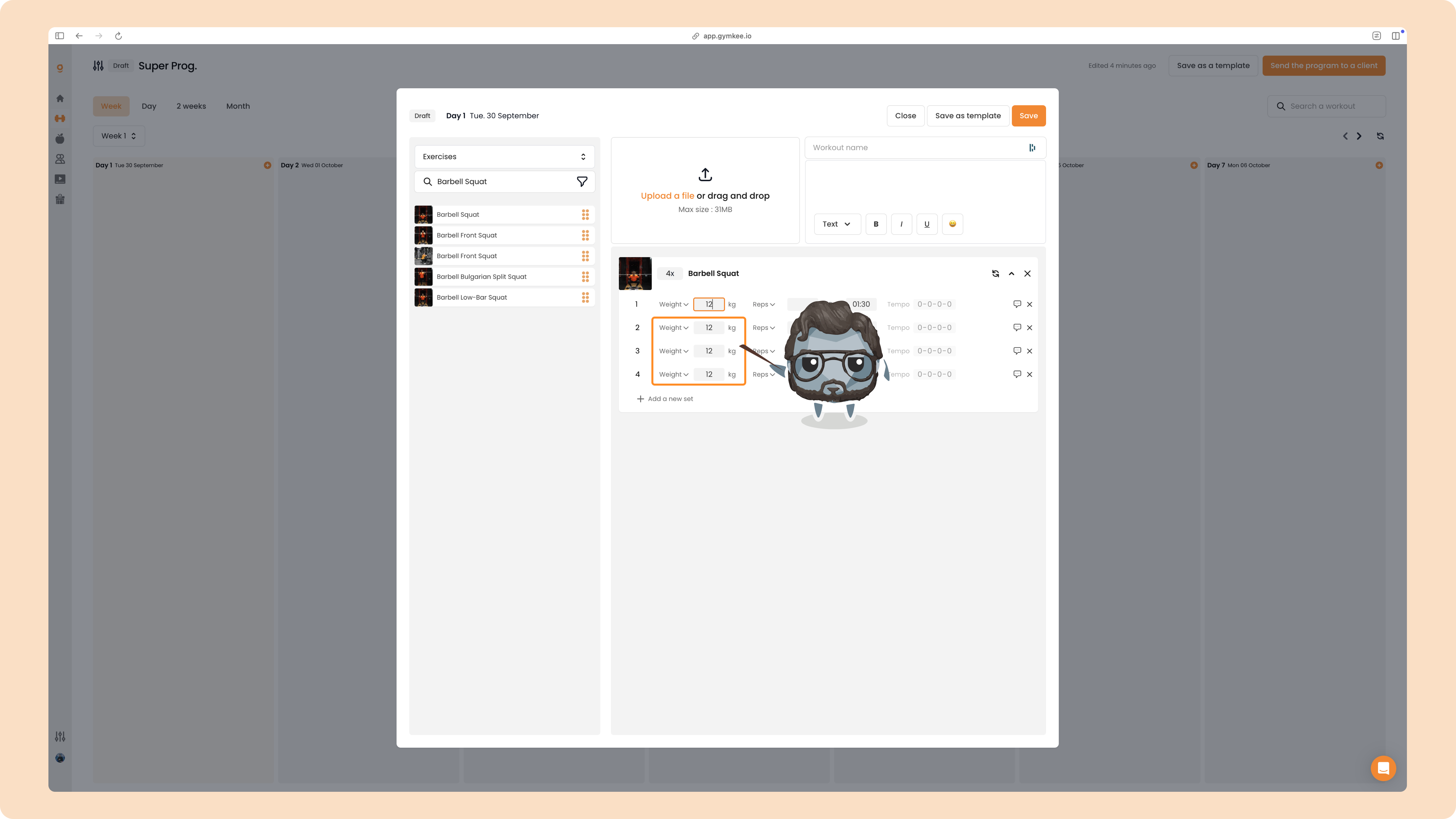
The rule: changes flow top to bottom
The cascade only ever moves downward. When you edit a set, Gymkee updates that set and every set below it, and leaves the sets above it untouched.
For example, if you change set 3 to 14, only sets 3 and 4 change. Sets 1 and 2 keep their value:
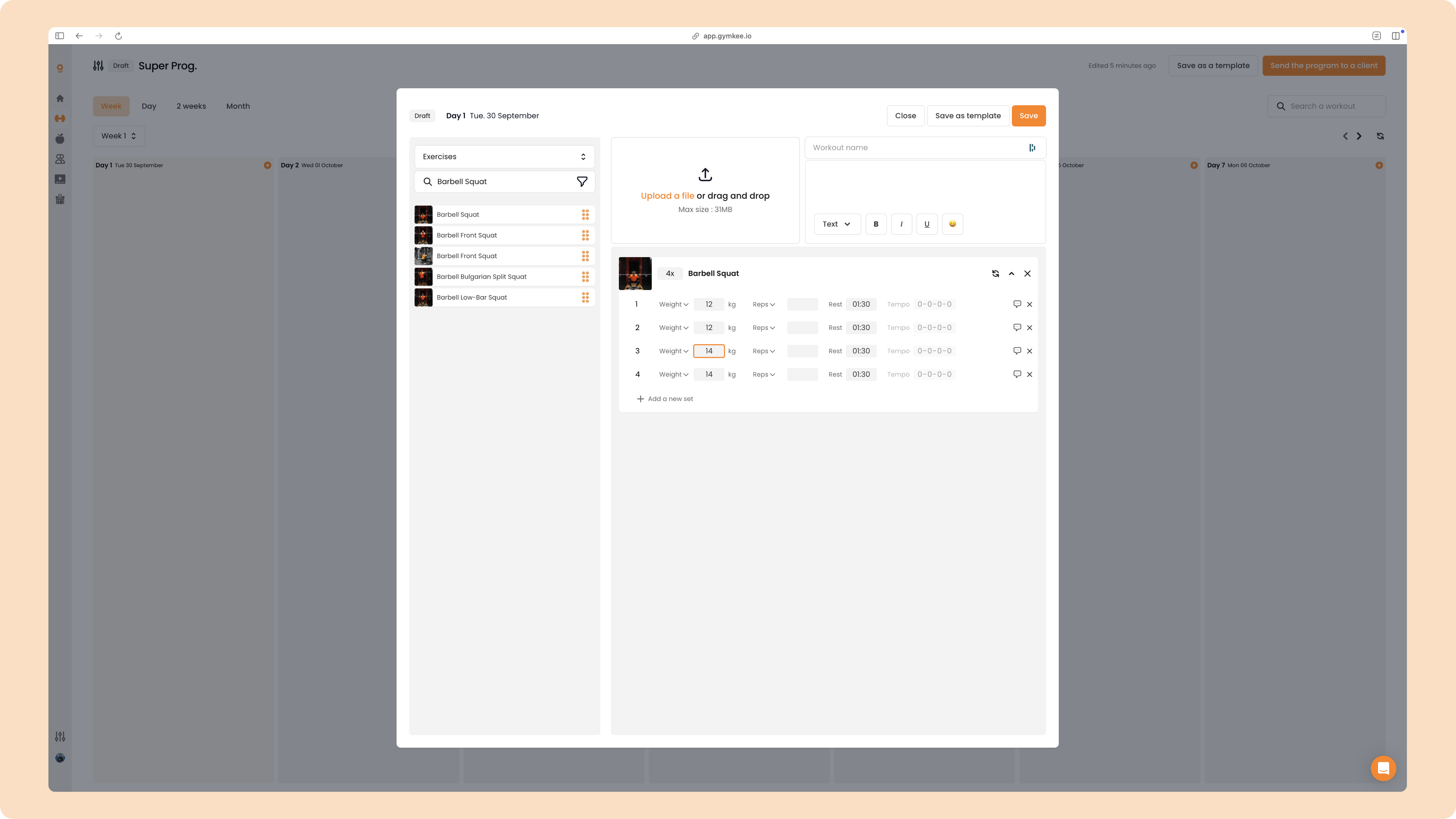
So after editing set 3 you have:
1 = 12 2 = 12 3 = 14 4 = 14
Now if you go back and change set 1 to 20, the cascade runs from the top again and rewrites everything below it:
1 = 20 2 = 20 3 = 20 4 = 20
It's easy to get once you've seen it. You might overwrite a set by accident the first time, and that's completely fine, just re-enter the value on the right set.
What cascades
The cascade applies to a set's core values: Weight, Reps, Rest and Tempo. Per-set notes, voice memos and video requests stay on the exact set you add them to, so they never get copied down.
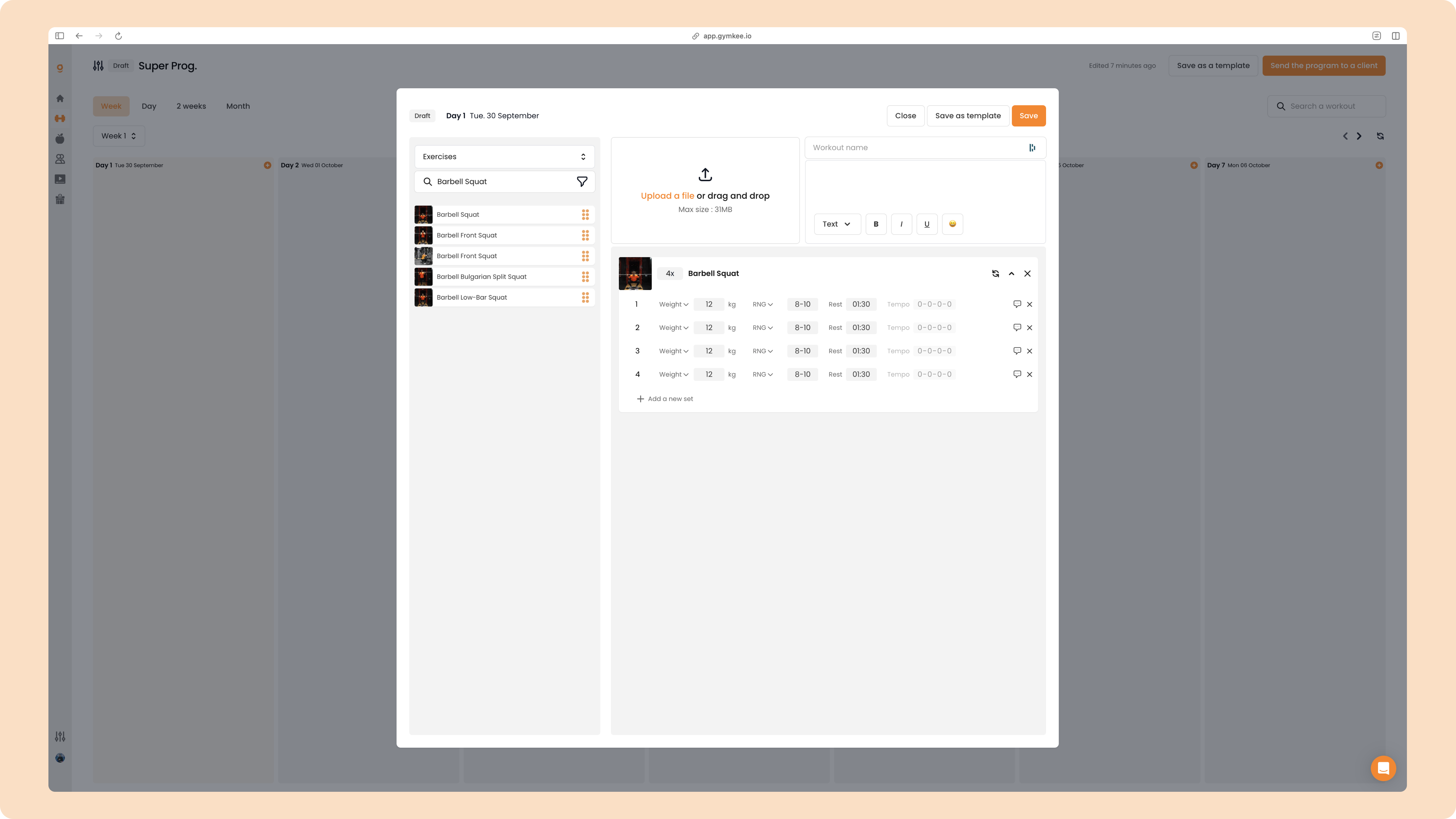
Once every field is filled, a finished exercise looks like this:
Adding a tempo
You can also prescribe a Tempo for your exercises. To turn it on, just edit the tempo box on the first set, and like everything else, it cascades down to the sets below:
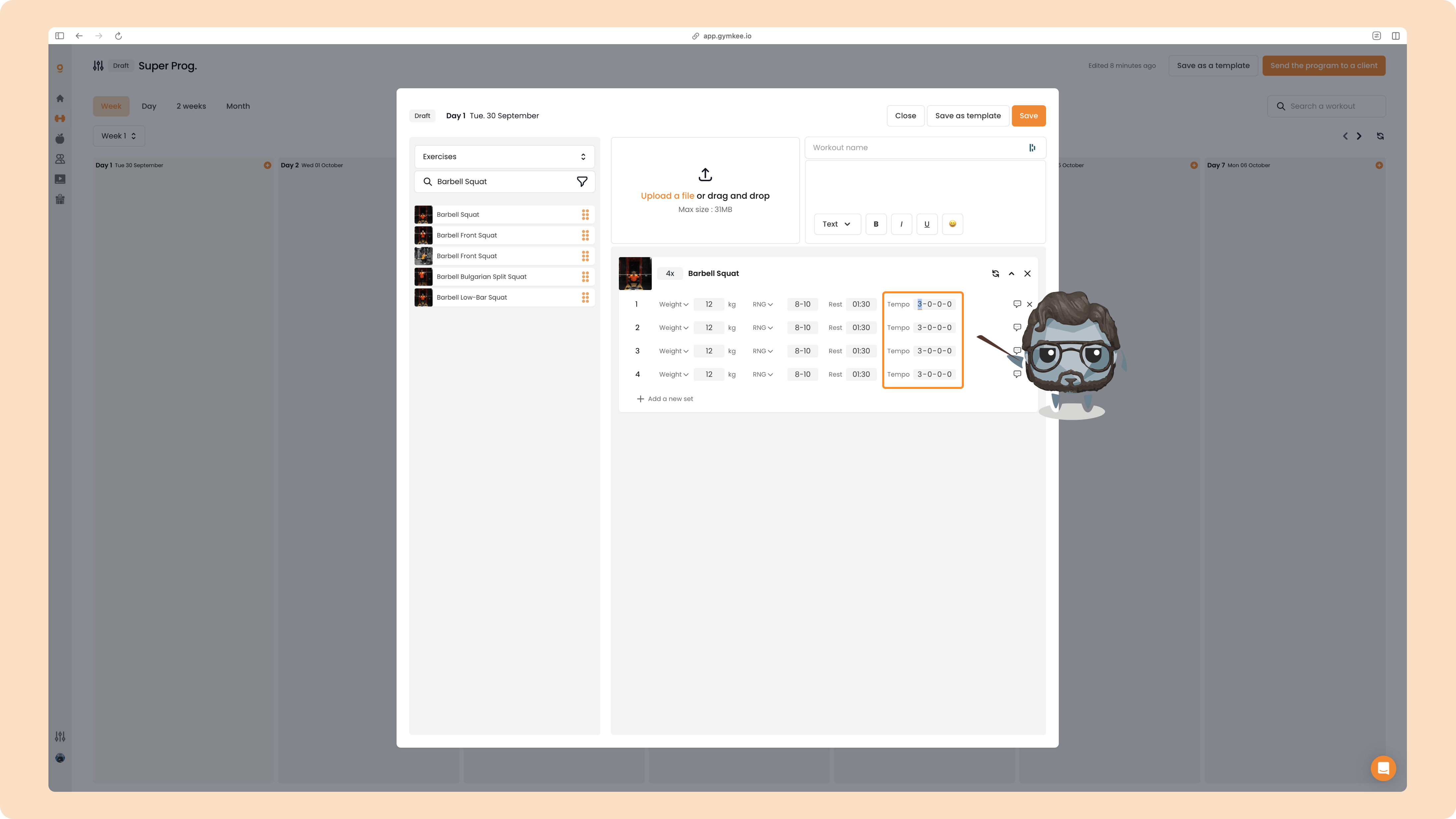
To turn tempo back off, set its values to 0-0-0-0.
That's the whole cascade system. Fill your first set, let Gymkee handle the rest, and tweak any set from the top down whenever you need to. Happy programming!
