
一旦你搭好了一次锻炼,就不必为每一天都重新搭建,你可以两次点击完成复制粘贴。
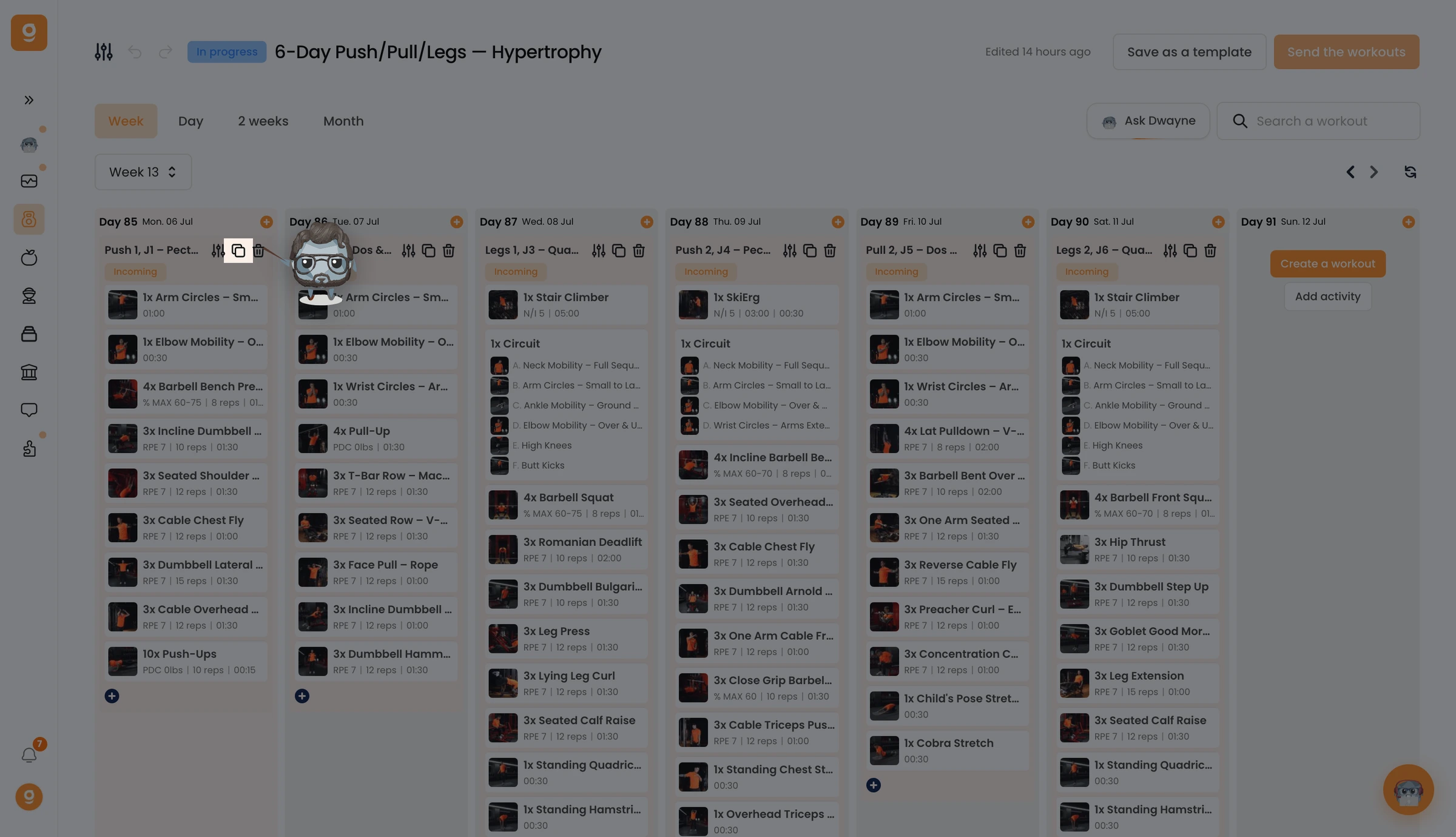
在你想复用的锻炼上,点击 Copy(复制) 图标。
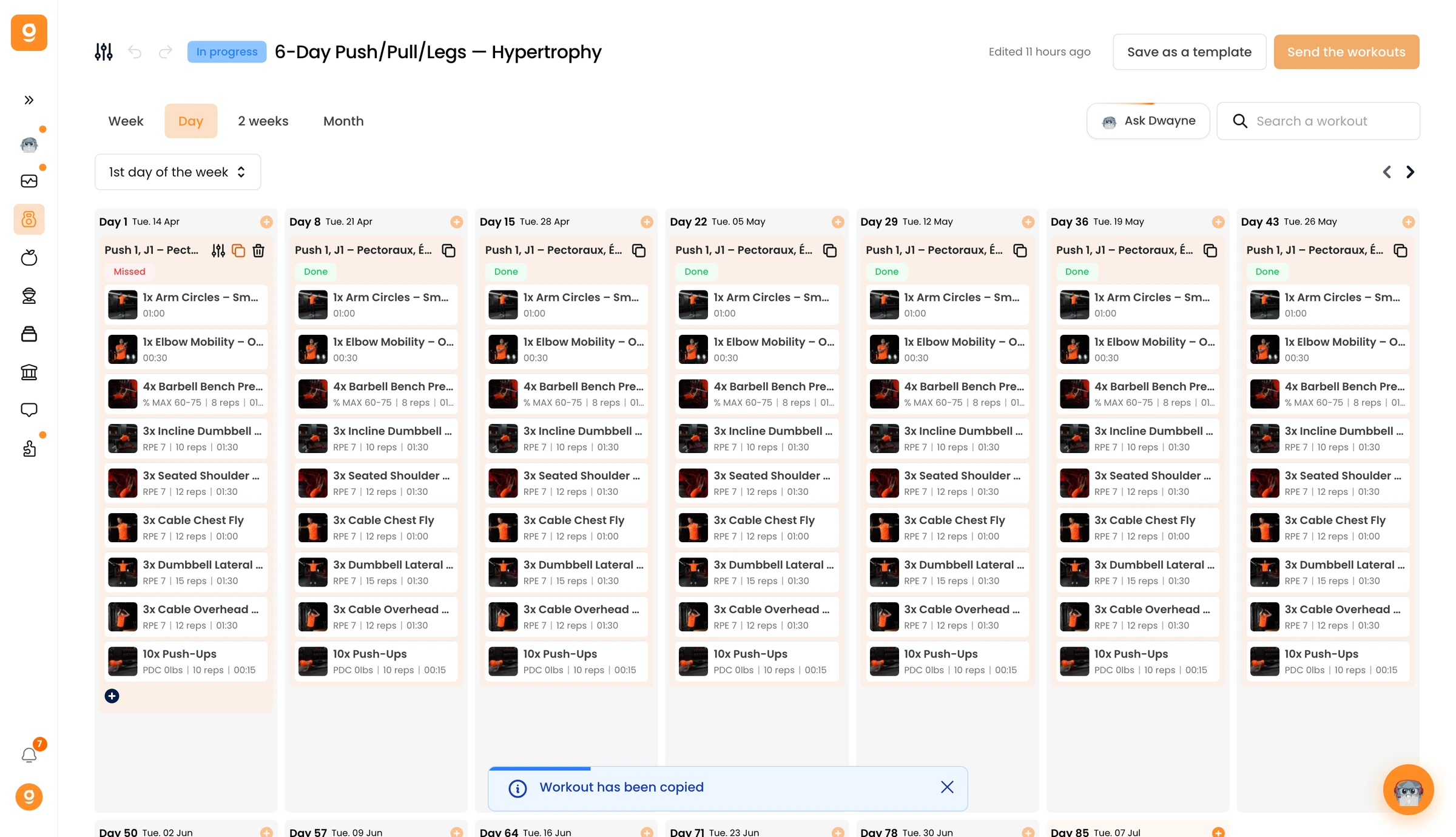
你会在屏幕底部看到一条 "Workout has been copied(锻炼已复制)" 的确认提示。
现在把鼠标悬停在你想放置它的那一天,点击 Paste workout(粘贴锻炼)。完整的锻炼会在那一天被重建,你想在多少天上重复都可以,然后打开任意一个粘贴好的锻炼来做调整。
未找到结果
请尝试其他搜索,浏览下方热门文章,或联系我们。
在不同天之间快速复制训练。

一旦你搭好了一次锻炼,就不必为每一天都重新搭建,你可以两次点击完成复制粘贴。
在你想复用的锻炼上,点击 Copy(复制) 图标。
你会在屏幕底部看到一条 "Workout has been copied(锻炼已复制)" 的确认提示。
现在把鼠标悬停在你想放置它的那一天,点击 Paste workout(粘贴锻炼)。完整的锻炼会在那一天被重建,你想在多少天上重复都可以,然后打开任意一个粘贴好的锻炼来做调整。
这篇文章对你有帮助吗?
感谢你的反馈!
抱歉。想和我们聊聊吗?
我们的团队和 Gymkee AI 助手 Dwayne 随时为你服务。
