
想更换你的头像吗?其实很快就能搞定。
打开左侧菜单里的 Settings(设置),进入 Personal Infos(个人信息),在照片旁边点击 Change Picture(更换照片)(或者点 Remove Picture(移除照片) 来清除它)。
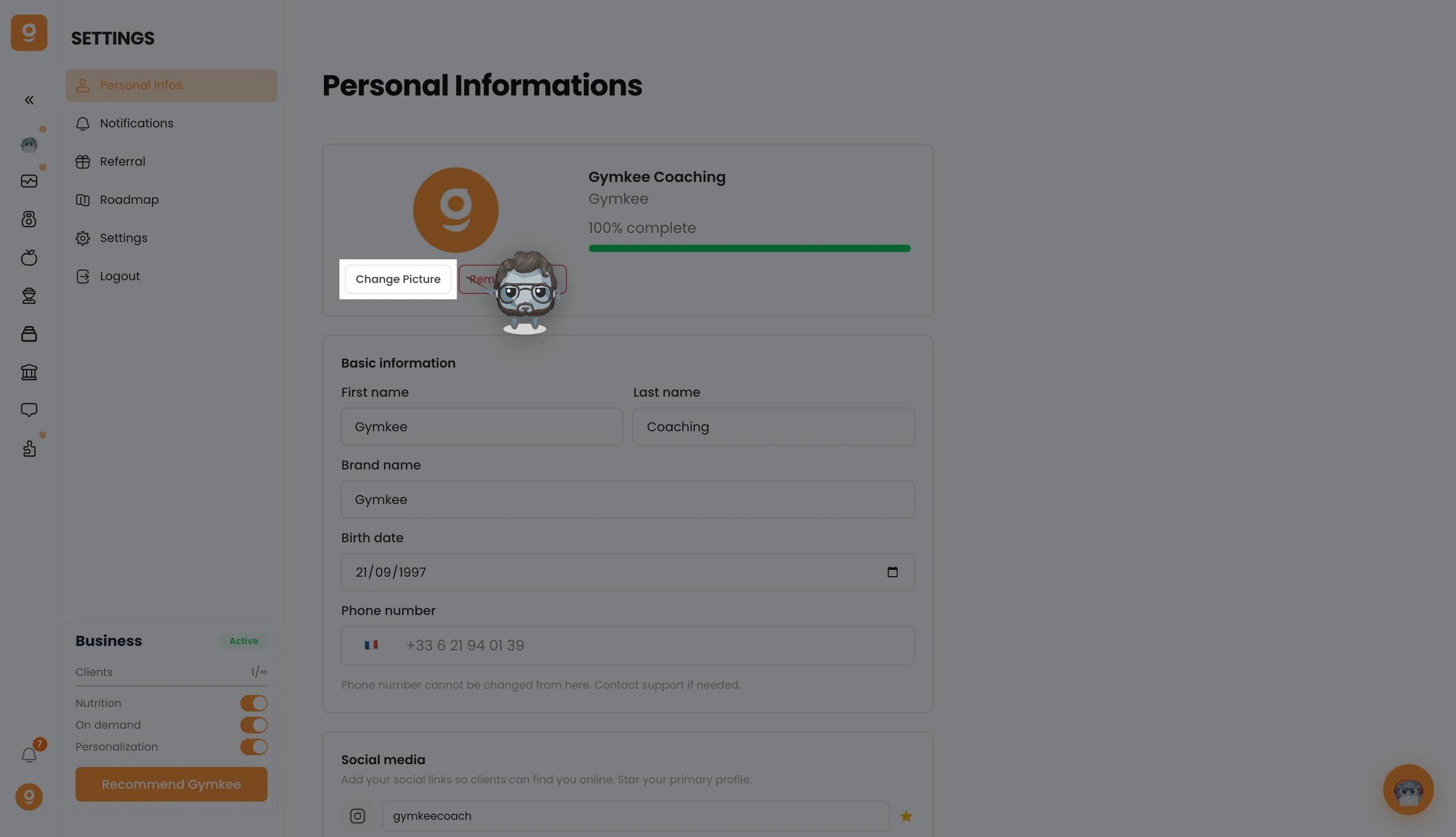
从你的电脑里选一张新照片,它会立刻更新。
有任何需要,我们都在你身边!
祝你训练愉快,也要好好照顾自己 ❤️
未找到结果
请尝试其他搜索,浏览下方热门文章,或联系我们。
Cheeeeeeeeese 📸

想更换你的头像吗?其实很快就能搞定。
打开左侧菜单里的 Settings(设置),进入 Personal Infos(个人信息),在照片旁边点击 Change Picture(更换照片)(或者点 Remove Picture(移除照片) 来清除它)。
从你的电脑里选一张新照片,它会立刻更新。
有任何需要,我们都在你身边!
祝你训练愉快,也要好好照顾自己 ❤️
这篇文章对你有帮助吗?
感谢你的反馈!
抱歉。想和我们聊聊吗?
我们的团队和 Gymkee AI 助手 Dwayne 随时为你服务。
