

Once you've built a workout, you don't need to rebuild it for every day, you can copy and paste it in two clicks.
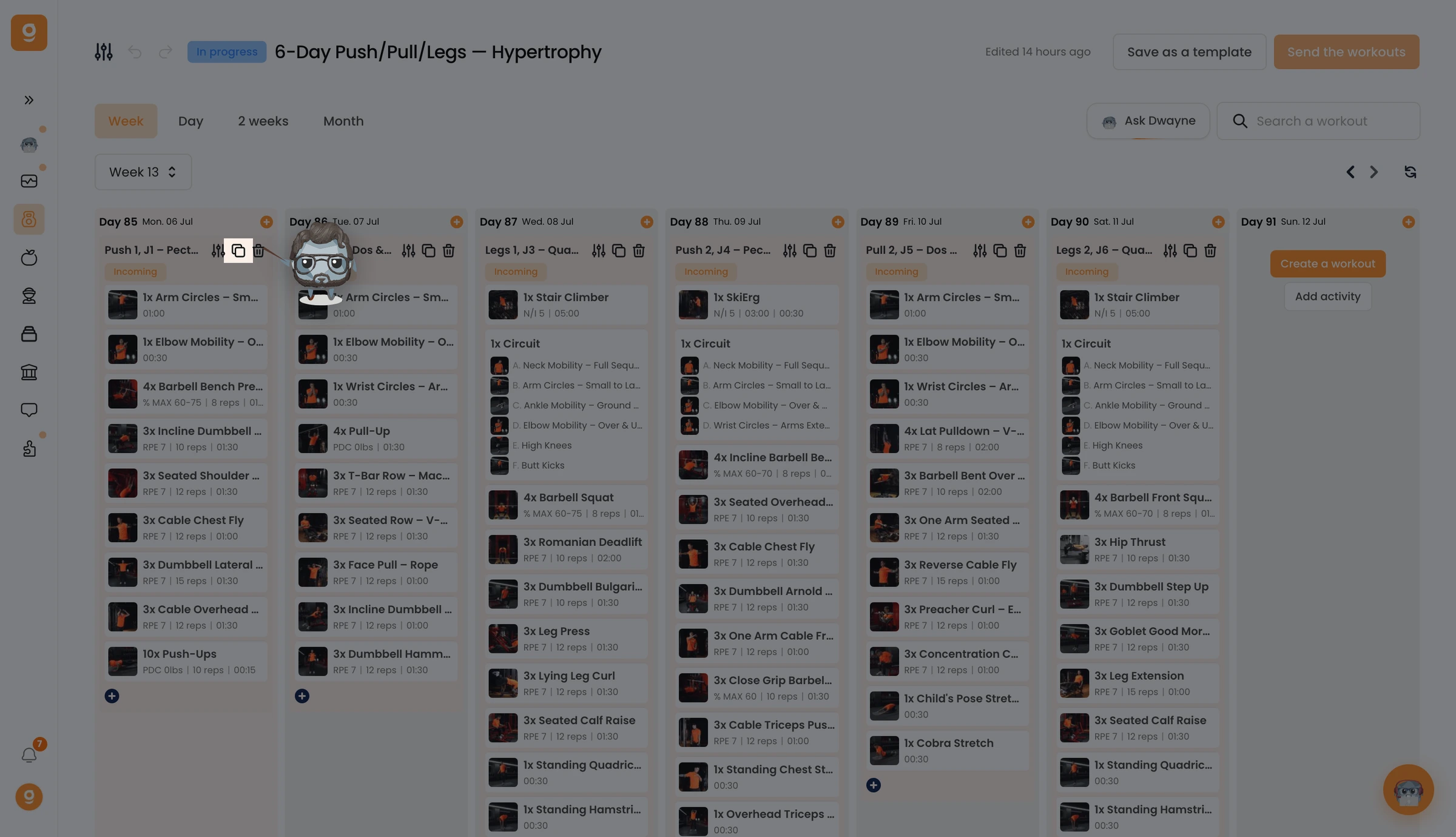
On the workout you want to reuse, click the Copy icon.
You'll see a "Workout has been copied" confirmation at the bottom of the screen.
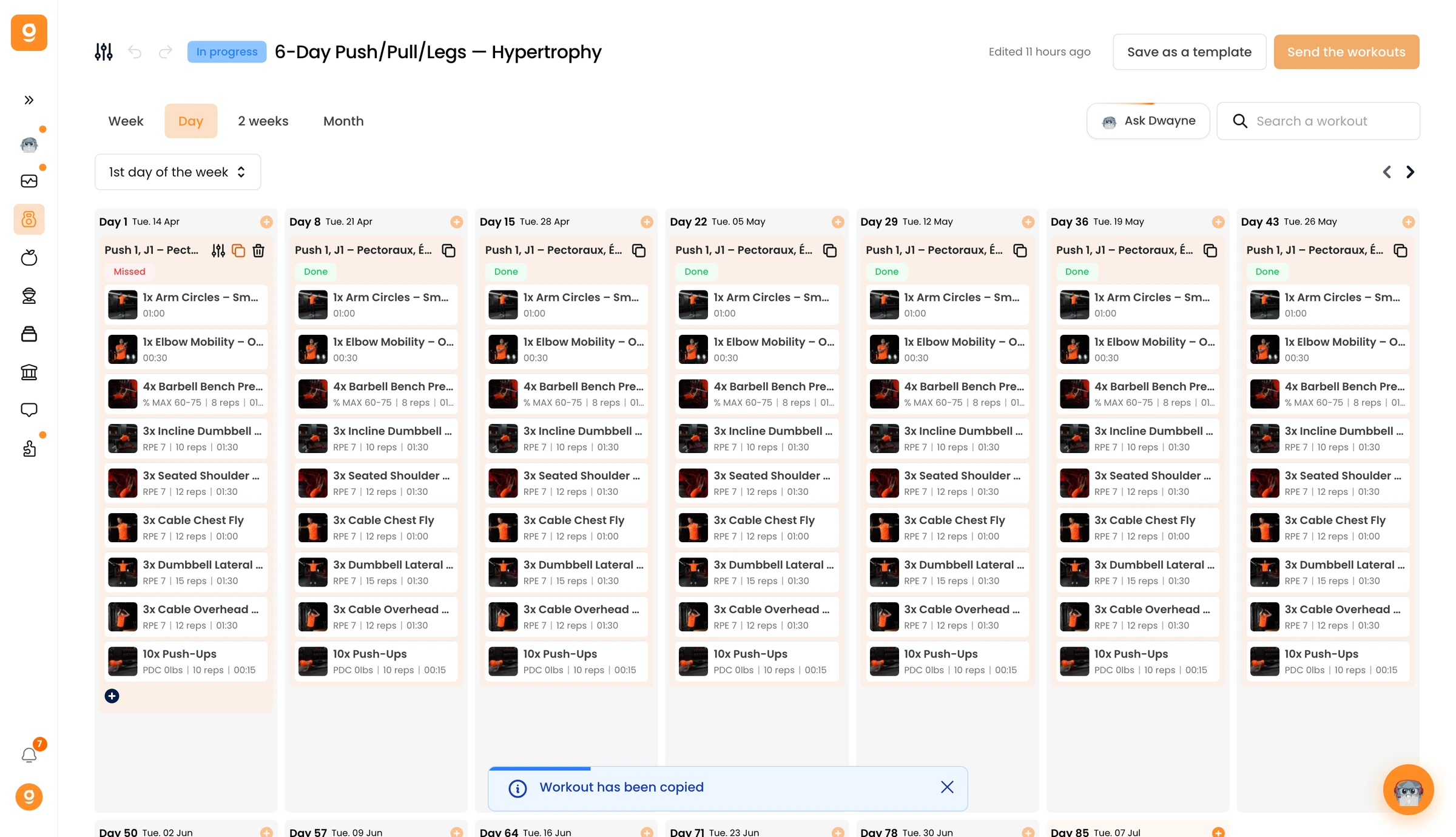
Now hover over the day where you want it and click Paste workout. The full workout is recreated on that day, repeat on as many days as you like, then open any pasted workout to adapt it.
