

Want to delete a fitness program? You can't delete one while it's still in progress, you first have to finish it, then delete it from your Done programs.
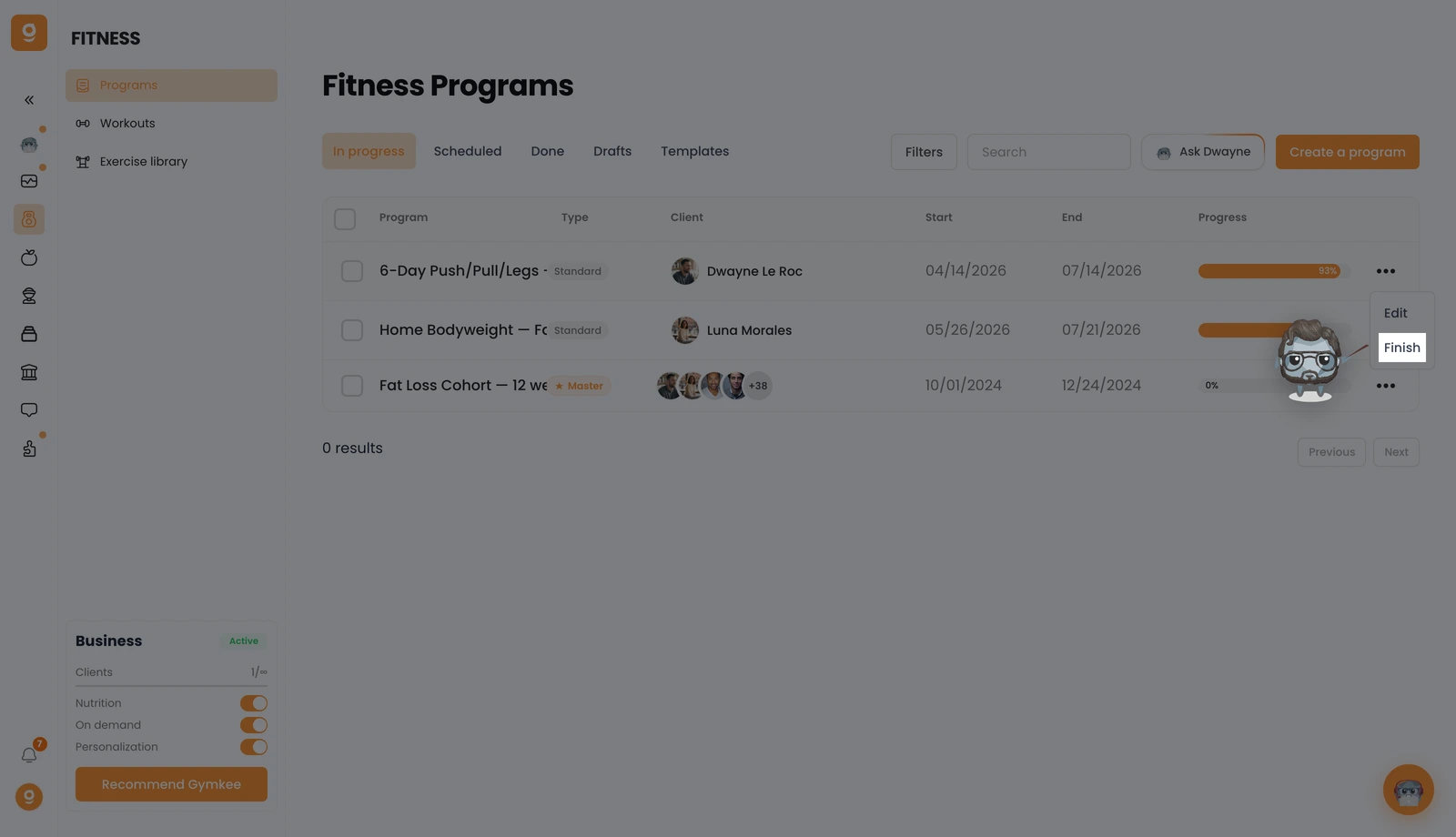
Open Fitness → Programs, and on the In progress tab, click the "..." menu on the program you want, then click Finish. This ends the program and moves it to your Done list.
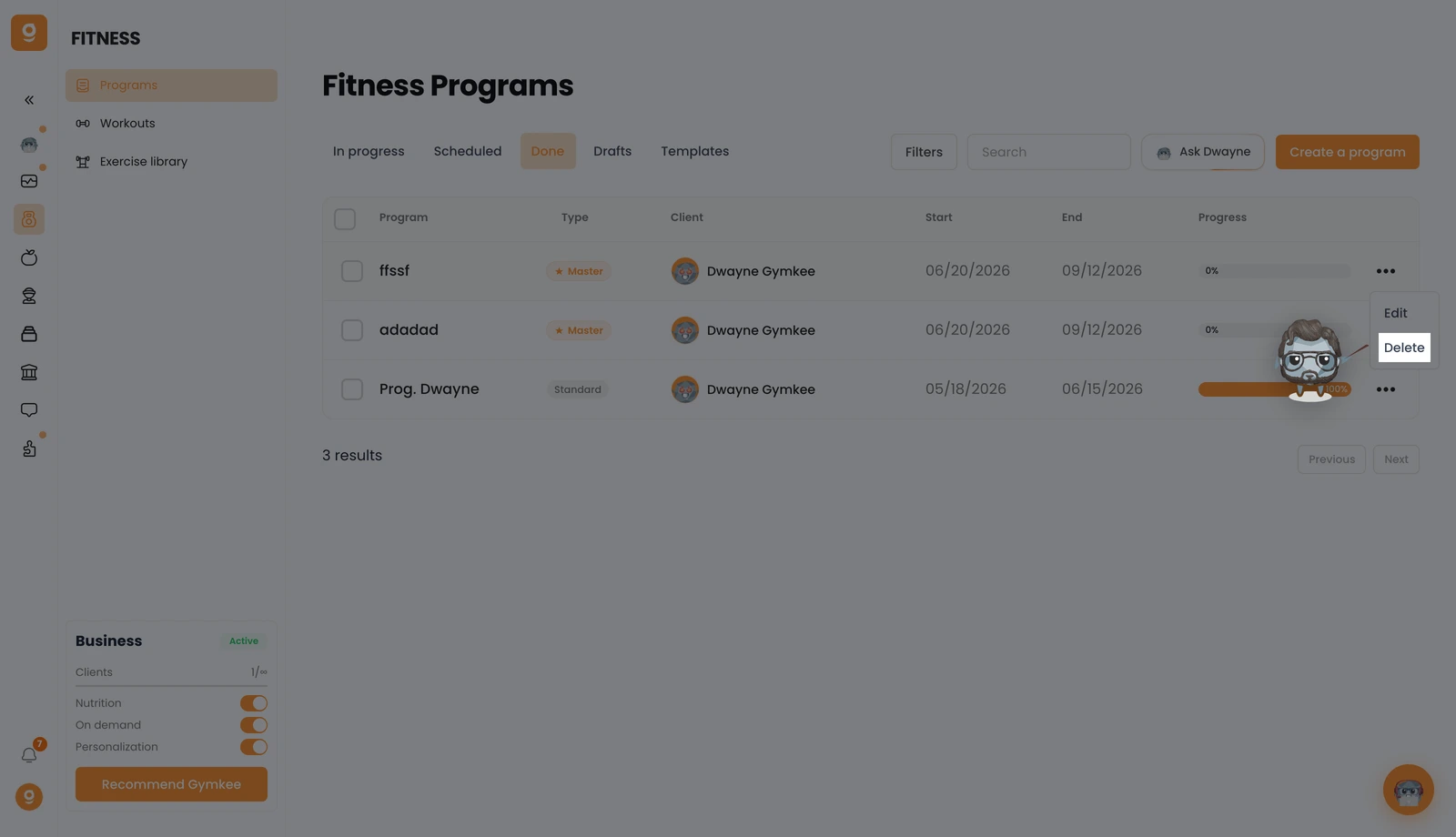
Now open the Done tab, click the "..." menu on that program, and click Delete. Confirm, and the program is permanently removed.
If you need anything, message us via the in-app chat at the bottom right 😉
Good coaching & take care of yourself ❤️
