

Bir fitness programını silmek mi istiyorsun? Bir program hâlâ devam ederken silemezsin, önce onu bitirmen, sonra Tamamlanan programlarından silmen gerekir.
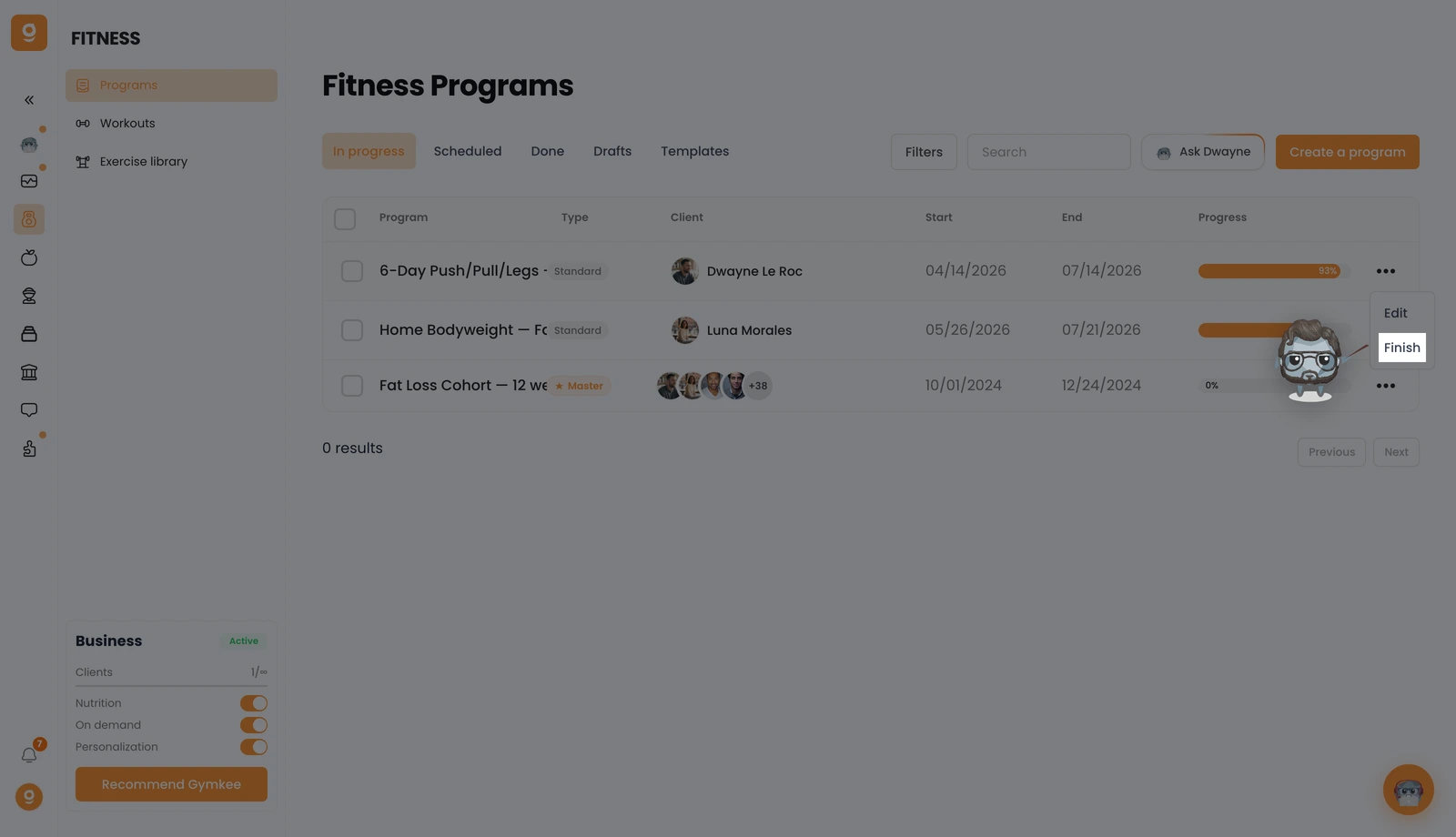
Fitness → Programlar'ı aç ve Devam ediyor sekmesinde, istediğin programın "..." menüsüne tıkla, ardından Bitir'e tıkla. Bu, programı sonlandırır ve Tamamlananlar listene taşır.
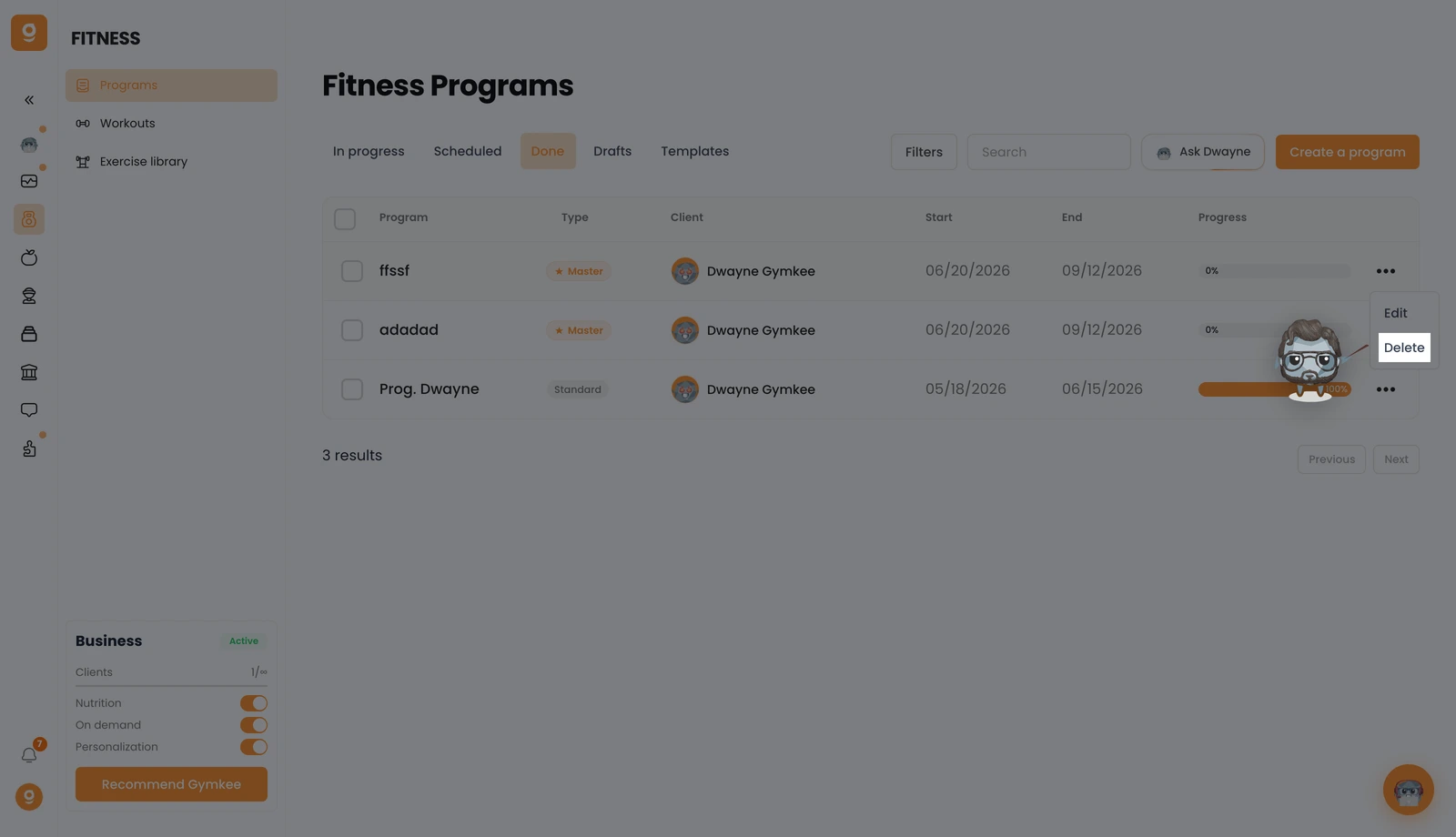
Şimdi Tamamlananlar sekmesini aç, o programın "..." menüsüne tıkla ve Sil'e tıkla. Onayla, program kalıcı olarak kaldırılır.
Bir şeye ihtiyacın olursa, sağ alttaki uygulama içi sohbet üzerinden bize yaz 😉
İyi koçluklar & kendine iyi bak ❤️
