

フィットネスプログラムを削除したいですか?進行中のプログラムはそのままでは削除できません。まずプログラムを終了させてから、Done(完了)のプログラム一覧から削除する必要があります。
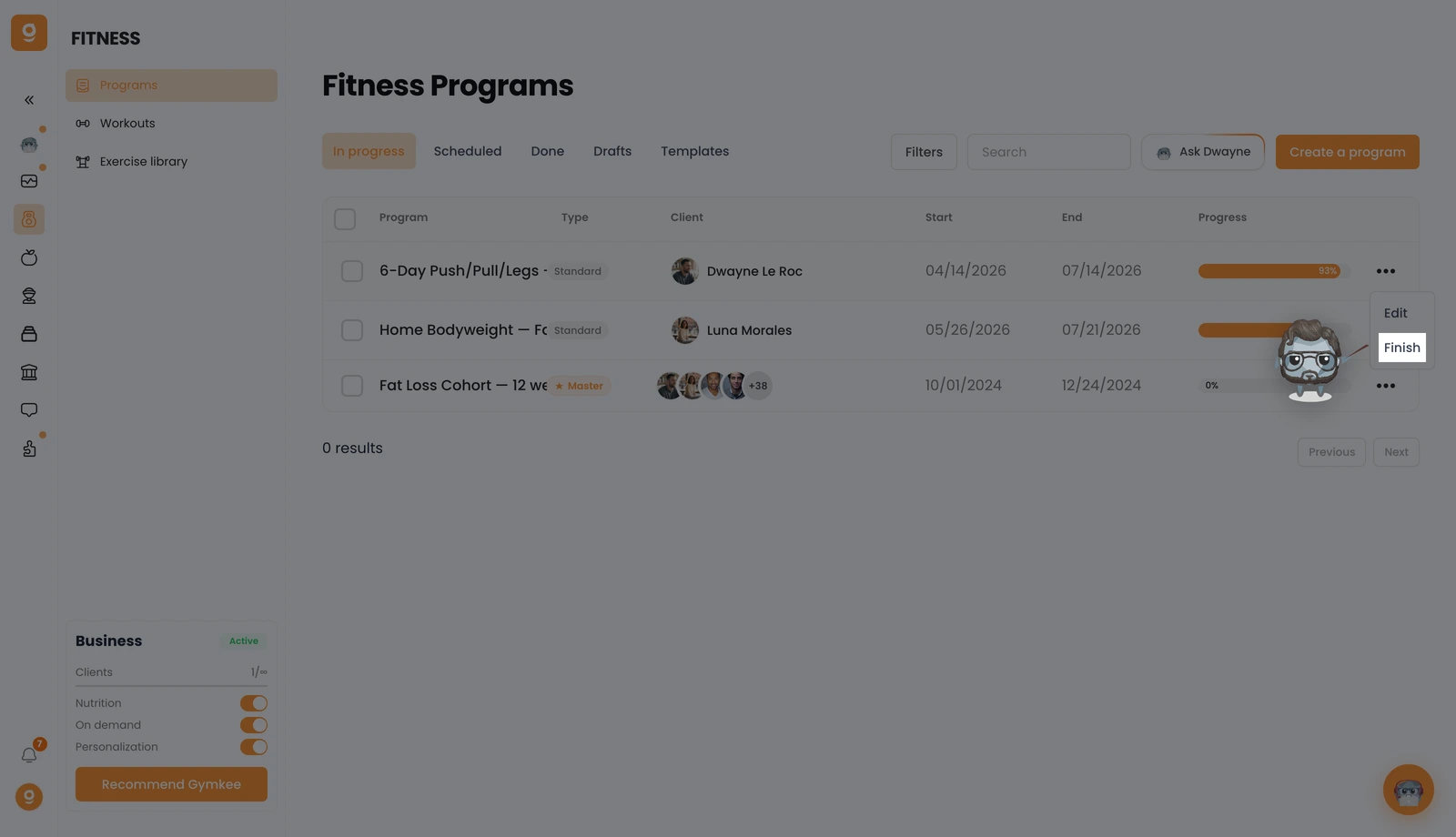
Fitness → Programs(フィットネス → プログラム)を開き、In progress(進行中)タブで削除したいプログラムの**「...」**メニューをクリックし、Finish(終了)をクリックします。これでプログラムが終了し、Done(完了)の一覧に移動します。
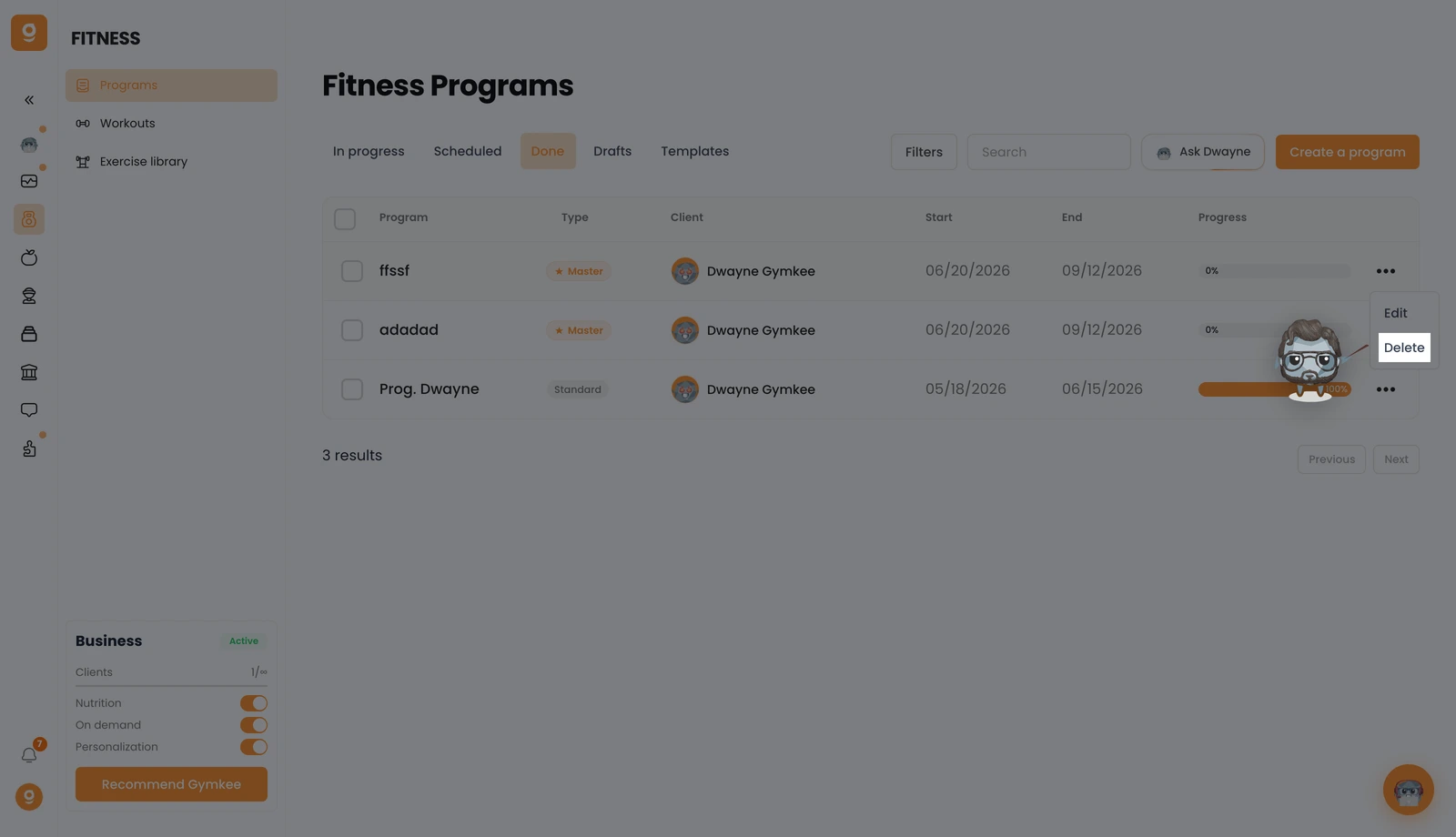
続いてDone(完了)タブを開き、そのプログラムの**「...」**メニューをクリックして、Delete(削除)をクリックします。確認すると、プログラムが完全に削除されます。
何かお困りのことがあれば、画面右下のアプリ内チャットからお気軽にメッセージをお送りください 😉
よいコーチングを、そしてご自身の健康も大切に ❤️
