删除健身计划

如何删除客户的计划?

How to remove a client's program?

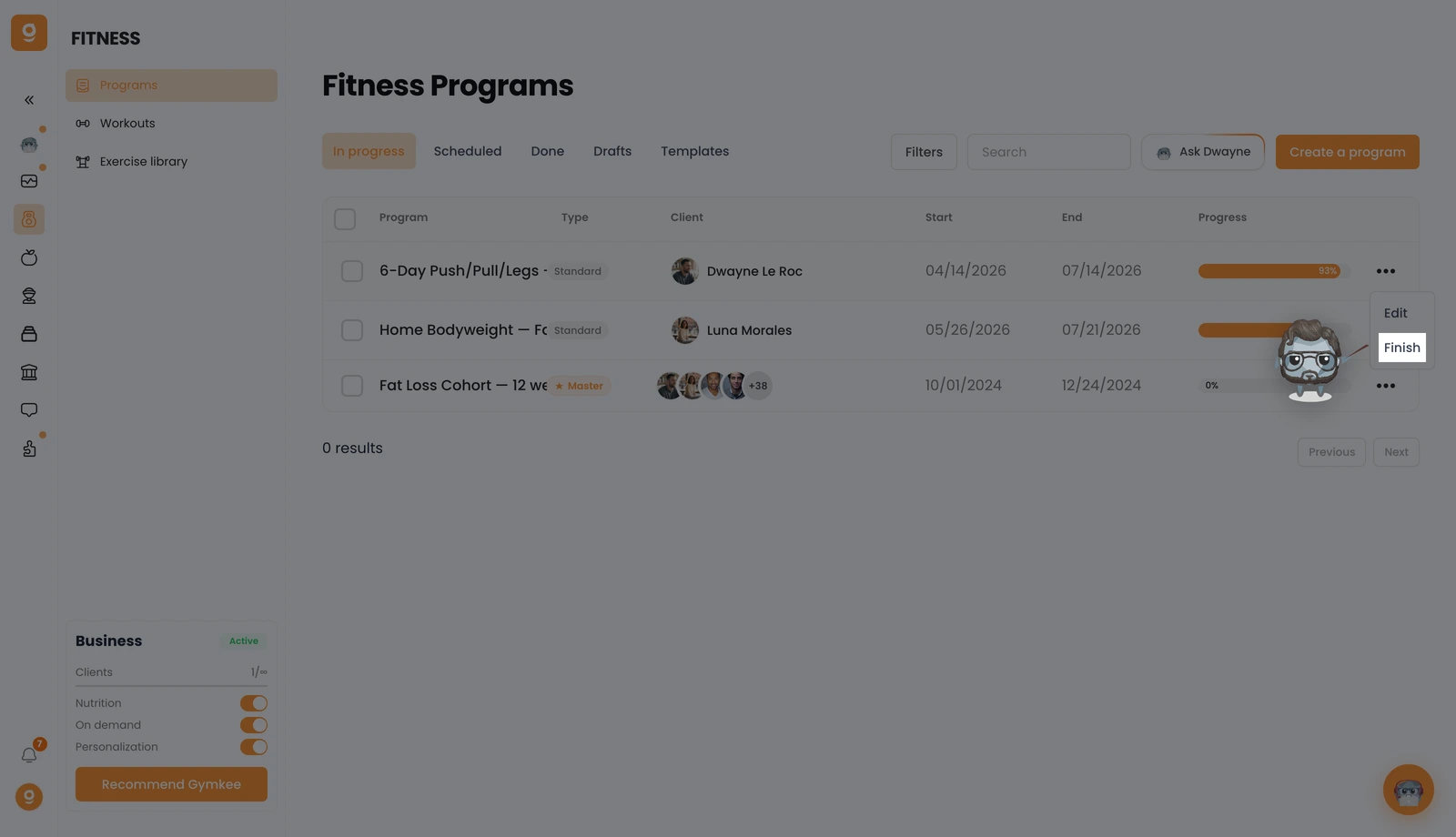
It's very simple... first, go to the "Programs" category on your navigation bar on the left side.

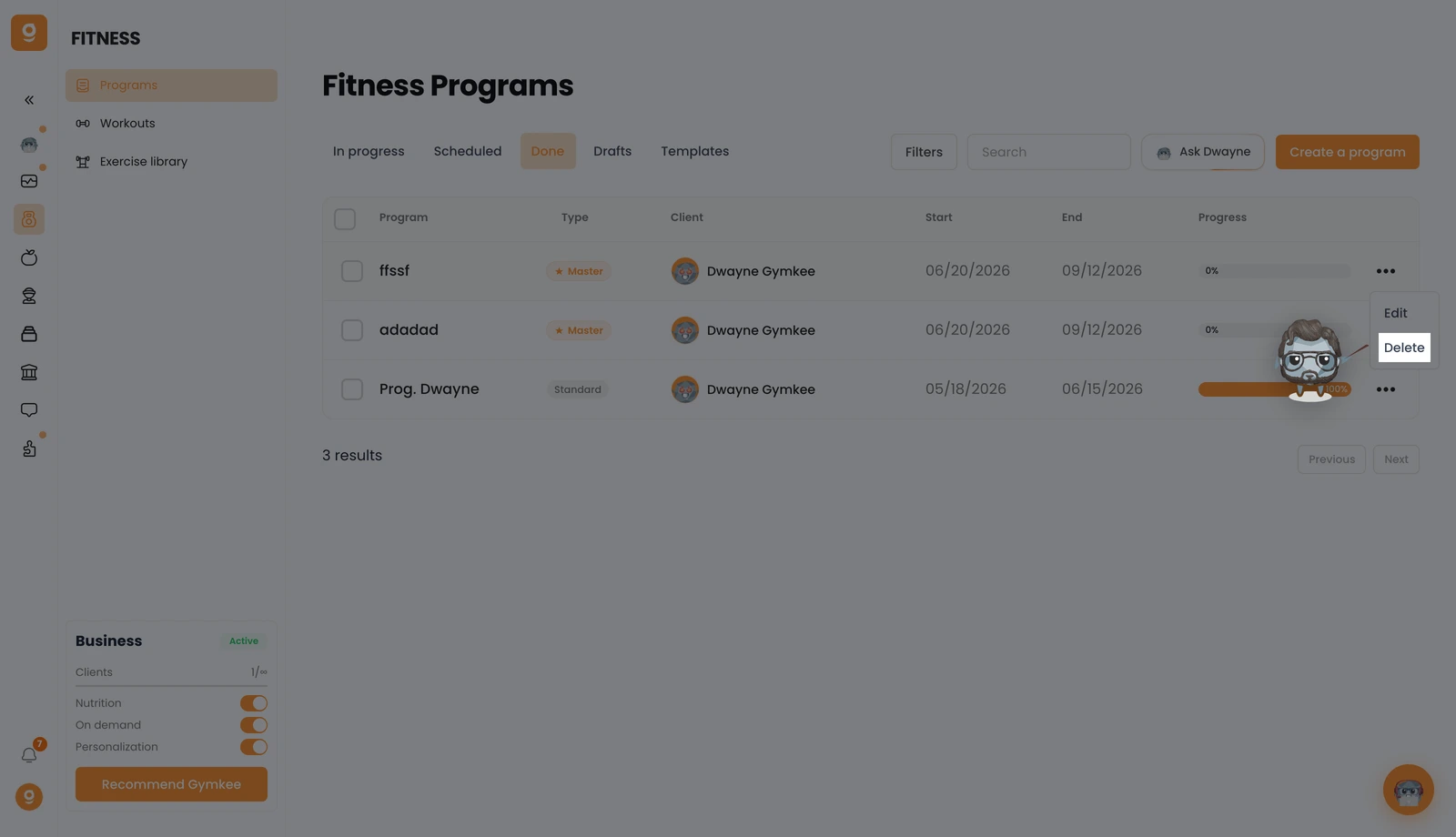
Once on your program page, on the right side of the program you want to delete you have 3 little dots "...".

Click on the 3 small dots and click on "Delete".

Before deleting your program, I invite you to check that it is the right one that you are deleting.

A deleted program cannot be recovered.

Now you know how to delete a sports program in progress! Whether it's a fitness program or a food program, they both work the same way :)

If you need anything, feel free to contact us via the internal app chat on the bottom right 😉

Good coaching & take care of yourself ❤️

这篇文章对你有帮助吗?

还需要帮助吗?

我们的团队和 Gymkee AI 助手 Dwayne 随时为你服务。

询问 Dwayne