

Wil je een fitnessprogramma verwijderen? Je kunt een programma niet verwijderen zolang het nog loopt, je moet het eerst afronden en het dan verwijderen uit je Afgeronde programma's.
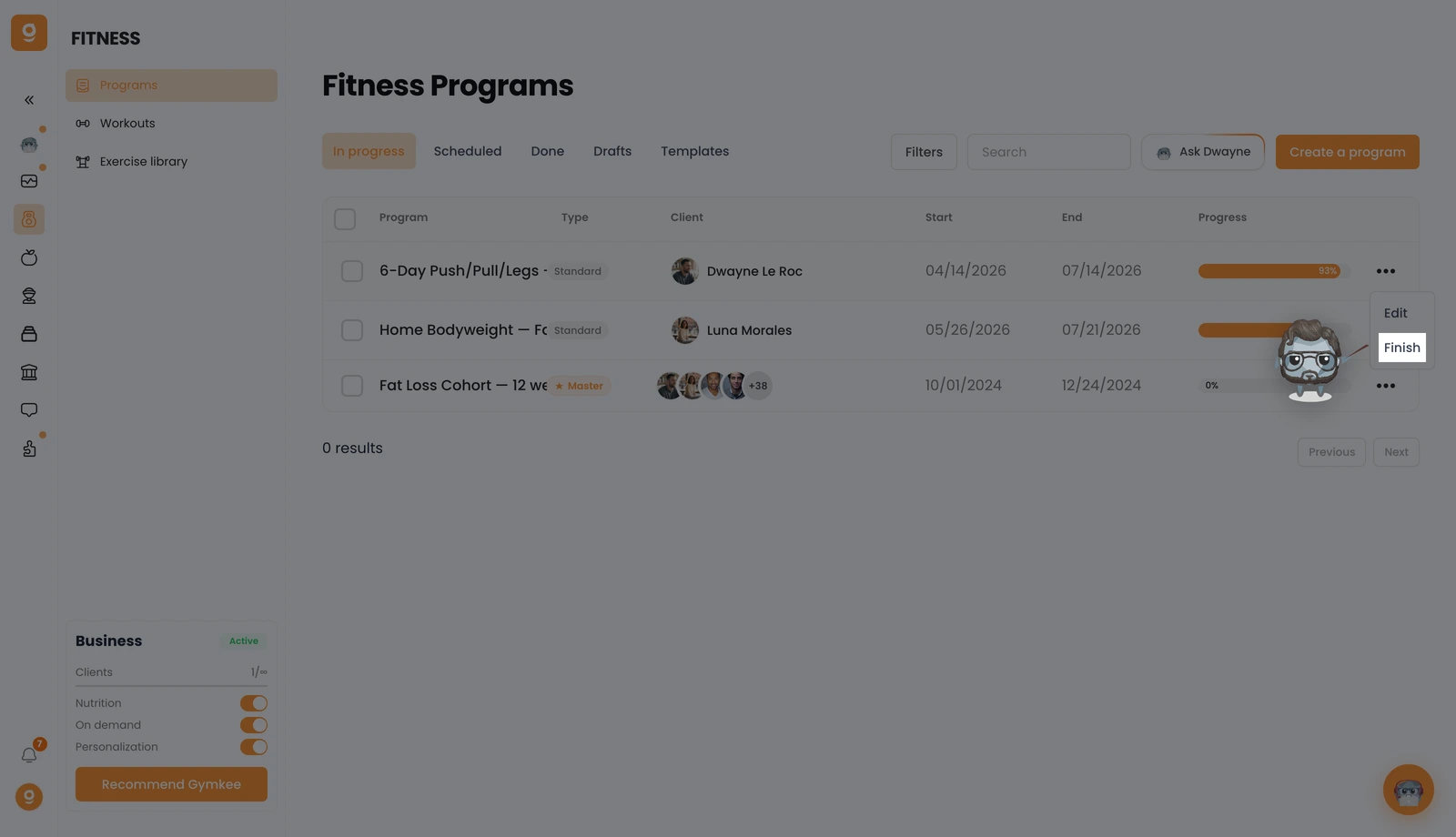
Open Fitness → Programma's en klik op het tabblad Lopend op het "..."-menu bij het programma dat je wilt, en klik dan op Afronden. Hiermee beëindig je het programma en verplaats je het naar je lijst met Afgeronde programma's.
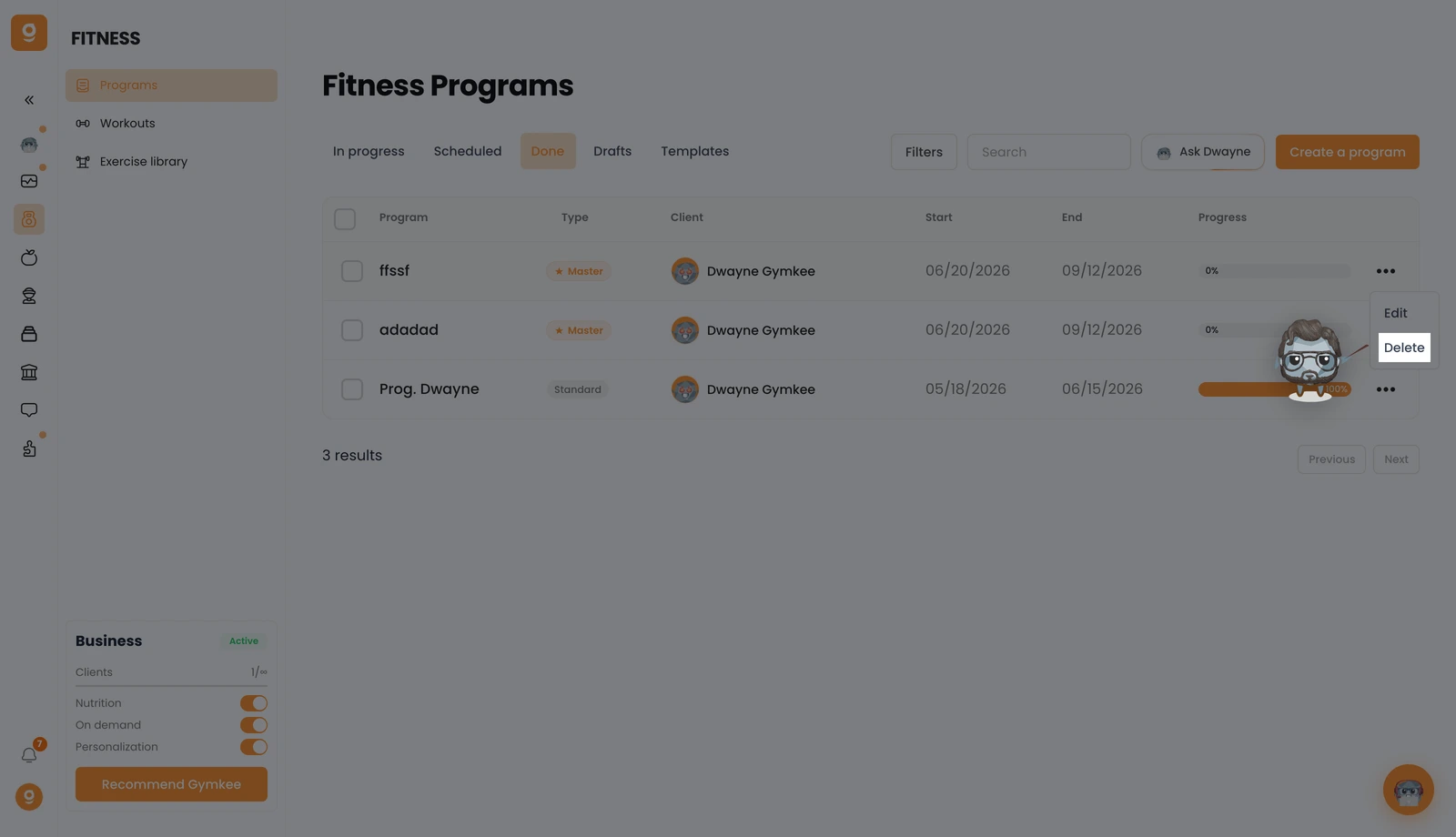
Open nu het tabblad Afgerond, klik op het "..."-menu bij dat programma en klik op Verwijderen. Bevestig, en het programma wordt definitief verwijderd.
Heb je ergens hulp bij nodig? Stuur ons een bericht via de chat rechtsonder in de app 😉
Veel succes met coachen en zorg goed voor jezelf ❤️
