

Naast het kopiëren van één enkele training kun je een hele week programmering naar andere weken dupliceren, in slechts twee klikken.
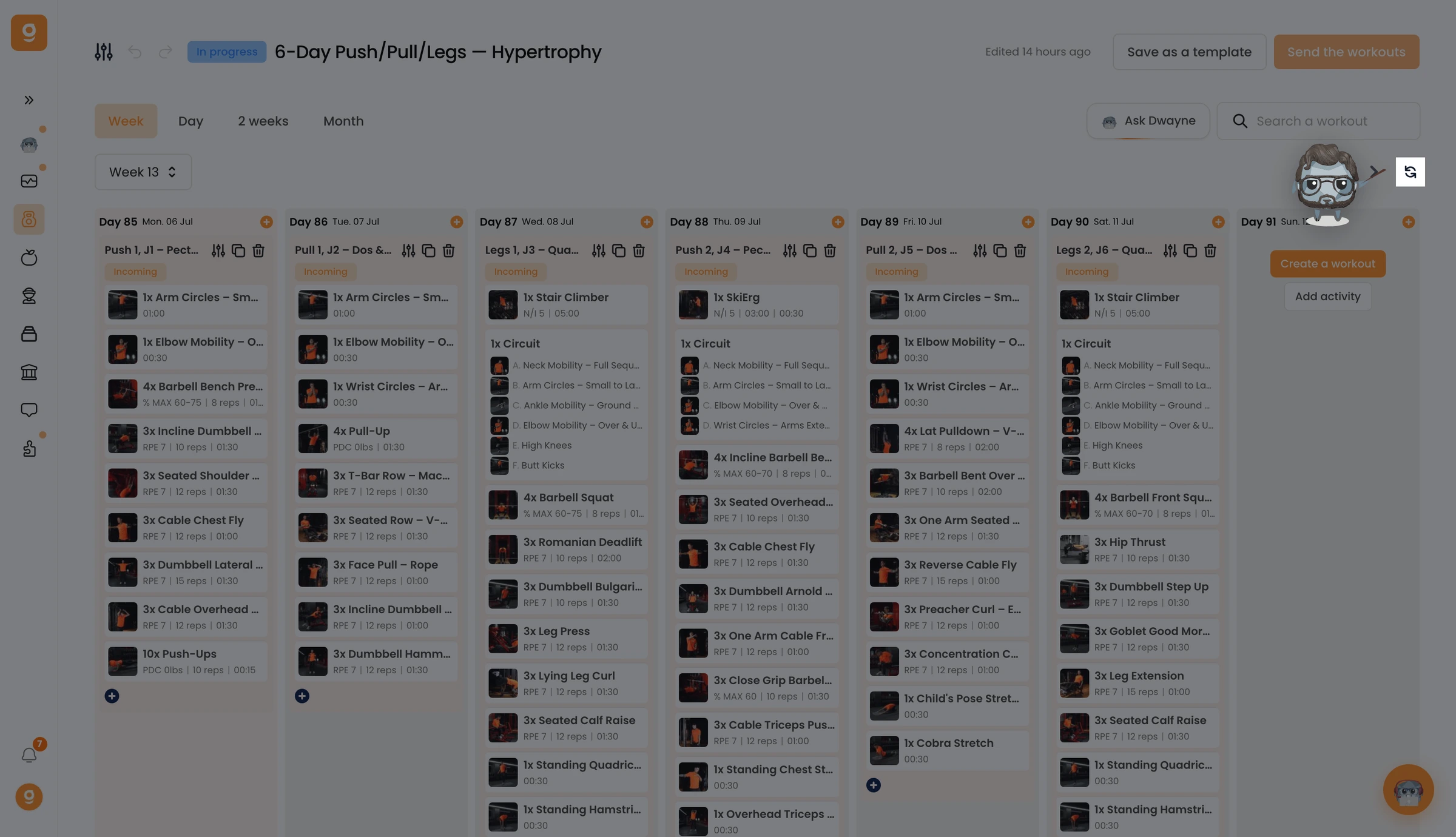
Klik in de programmabouwer op de knop Dupliceren naast de navigatiepijlen van de week.
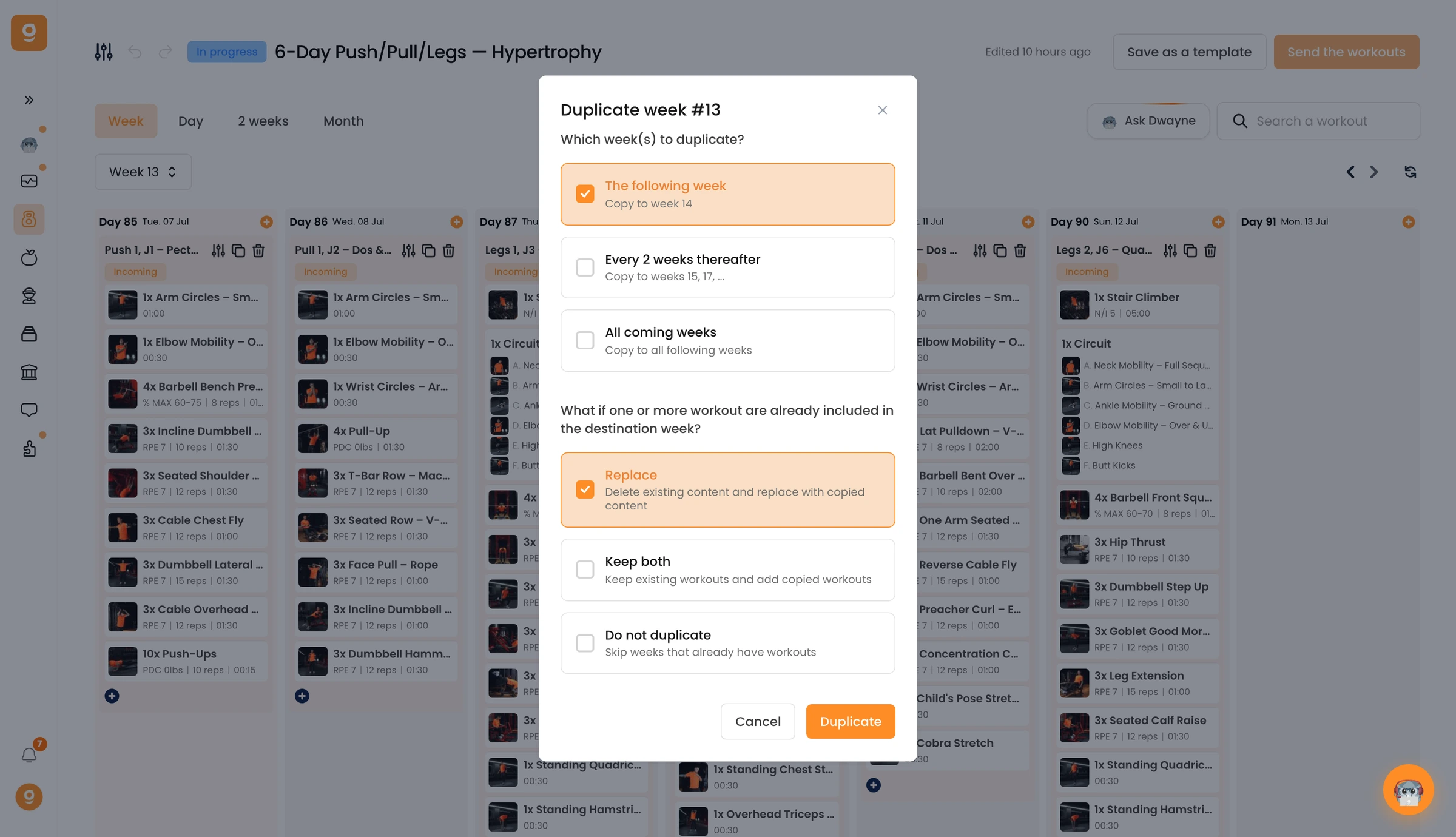
Met een pop-up stel je alles op één plek in. Kies eerst naar welke weken je kopieert: de volgende week, elke 2 weken of alle komende weken. Kies daarna wat er gebeurt als een doelweek al trainingen bevat: vervangen, allebei behouden of overslaan. Klik op Dupliceren en je bent klaar.
Dat is alles: een volledige week gekopieerd door je hele programma zonder iets opnieuw te doen.
