

Du coachst einen Kunden nicht mehr und möchtest ihn entfernen? So geht's. Aber wisse zuerst: Das Entfernen eines Kunden löscht dauerhaft all seine Daten: Training, Messungen, Bewertungen und Statistiken.
Handelt es sich nur um eine vorübergehende Pause, pausiere den Kunden stattdessen. Sieh dir unseren Leitfaden an: Einen Kunden pausieren.
Öffne Kunden im linken Menü und klicke auf den Kunden, den du entfernen möchtest, um sein Profil zu öffnen.
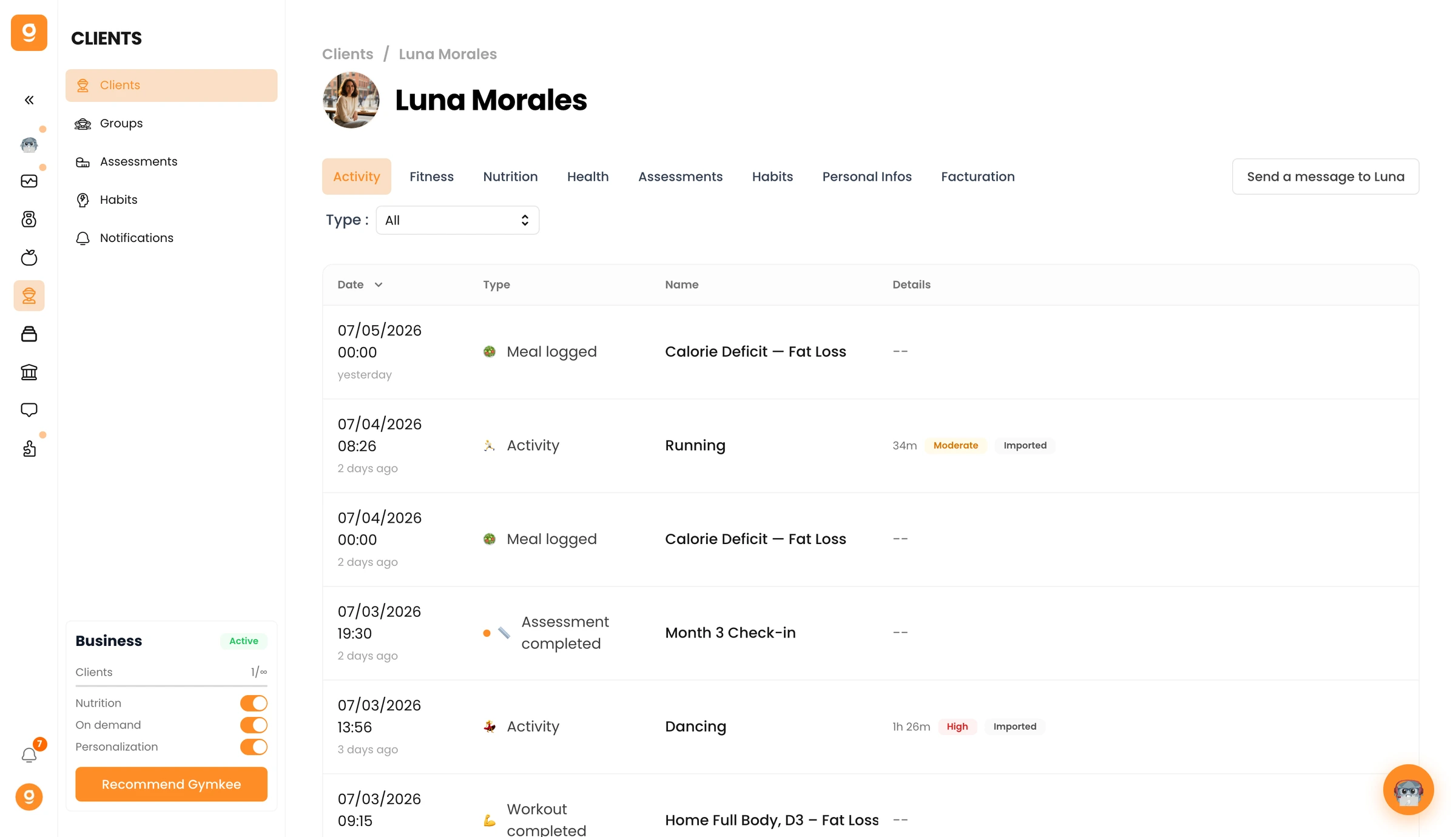
Gehe zum Reiter Persönliche Infos und scrolle nach unten zur Gefahrenzone. Klicke auf [Kundenname] entfernen und bestätige anschließend.
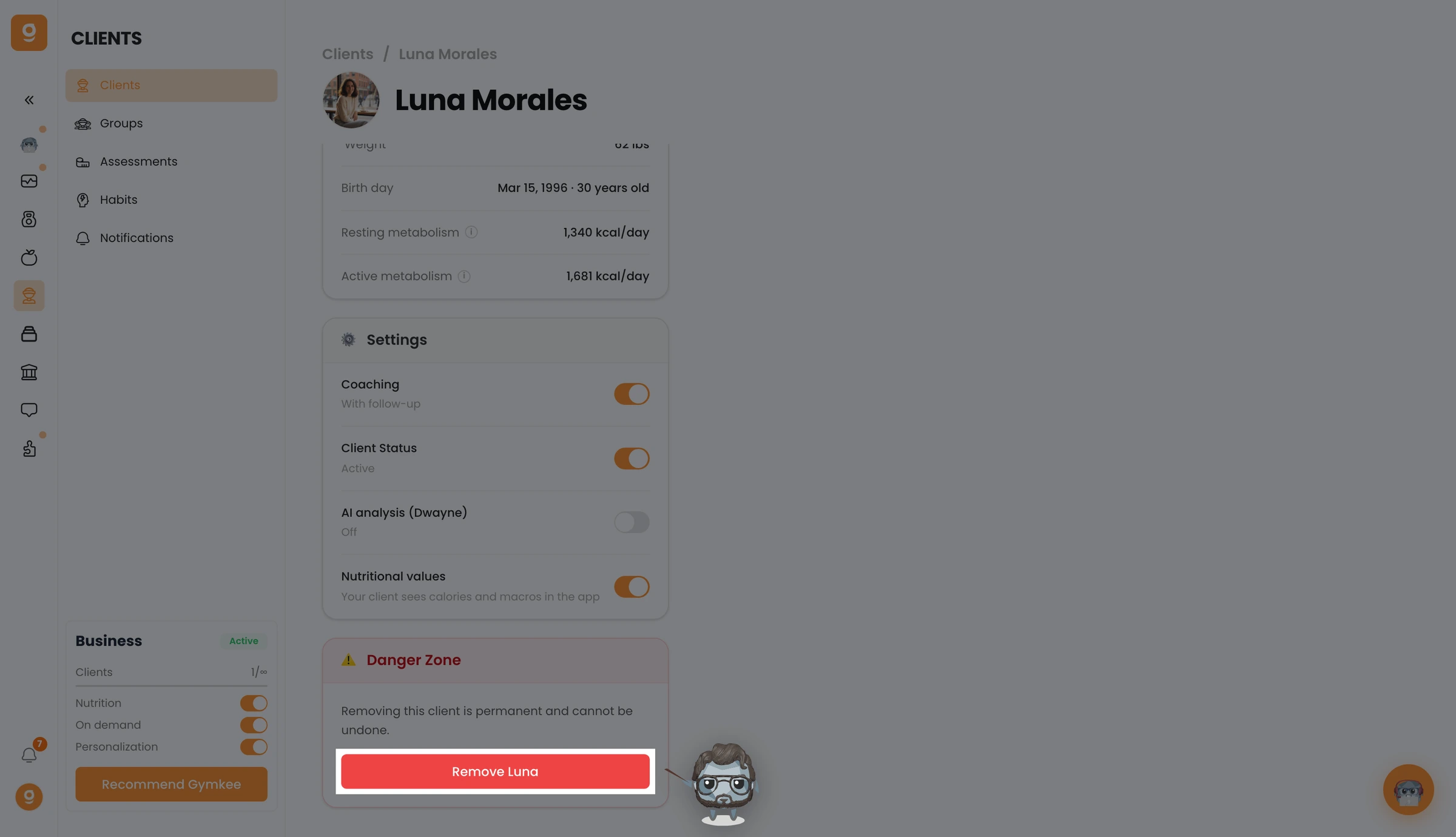
Dein Kunde ist jetzt entfernt und verliert den Zugang zu Gymkee. Um ihn später wieder hinzuzufügen, musst du ihn von Grund auf neu einladen.
Falls du etwas brauchst, kontaktiere uns über den In-App-Chat unten rechts 😉
Viel Erfolg beim Training und pass gut auf dich auf ❤️
