

Já não treinas um cliente e queres removê-lo? Aqui está como, mas primeiro, fica a saber que remover um cliente apaga permanentemente todos os seus dados: treinos, medições, avaliações e estatísticas.
Se for apenas uma pausa temporária, coloca antes o cliente em pausa. Vê o nosso guia: Colocar um cliente em pausa.
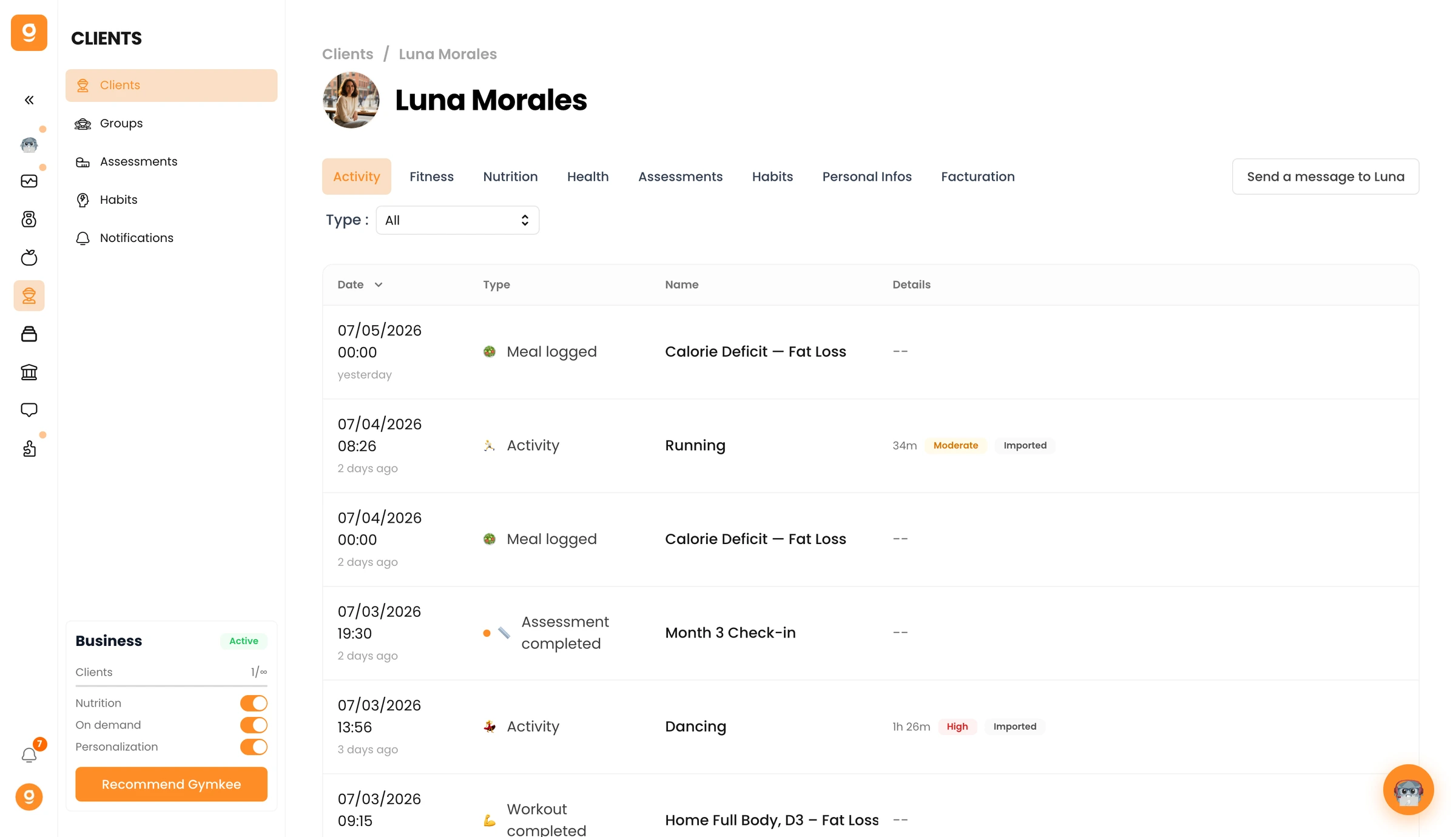
Abre Clientes no menu à esquerda e clica no cliente que queres remover para abrir o seu perfil.
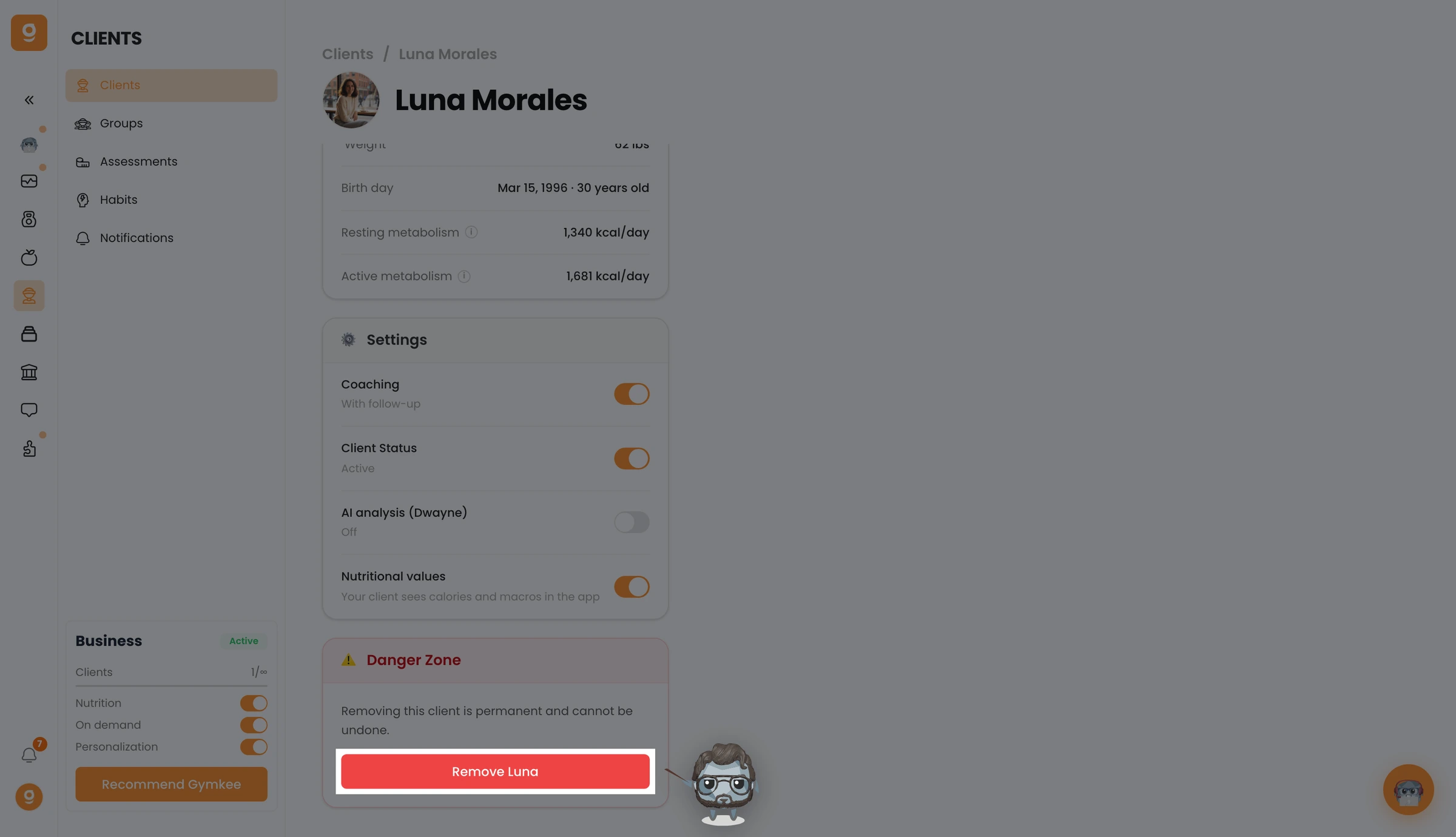
Vai ao separador Informações pessoais e desce até à Zona de perigo. Clica em Remover [nome do cliente] e depois confirma.
O teu cliente está agora removido e perde o acesso ao Gymkee. Para o adicionares novamente mais tarde, terás de o convidar outra vez de raiz.
Se precisares de alguma coisa, contacta-nos através do chat na aplicação, no canto inferior direito 😉
Bons treinos & cuida de ti ❤️
