

Inside a workout, you can add alternative exercises so your clients have flexibility — if a machine is taken or an exercise doesn't suit them, they can swap to one you approved.
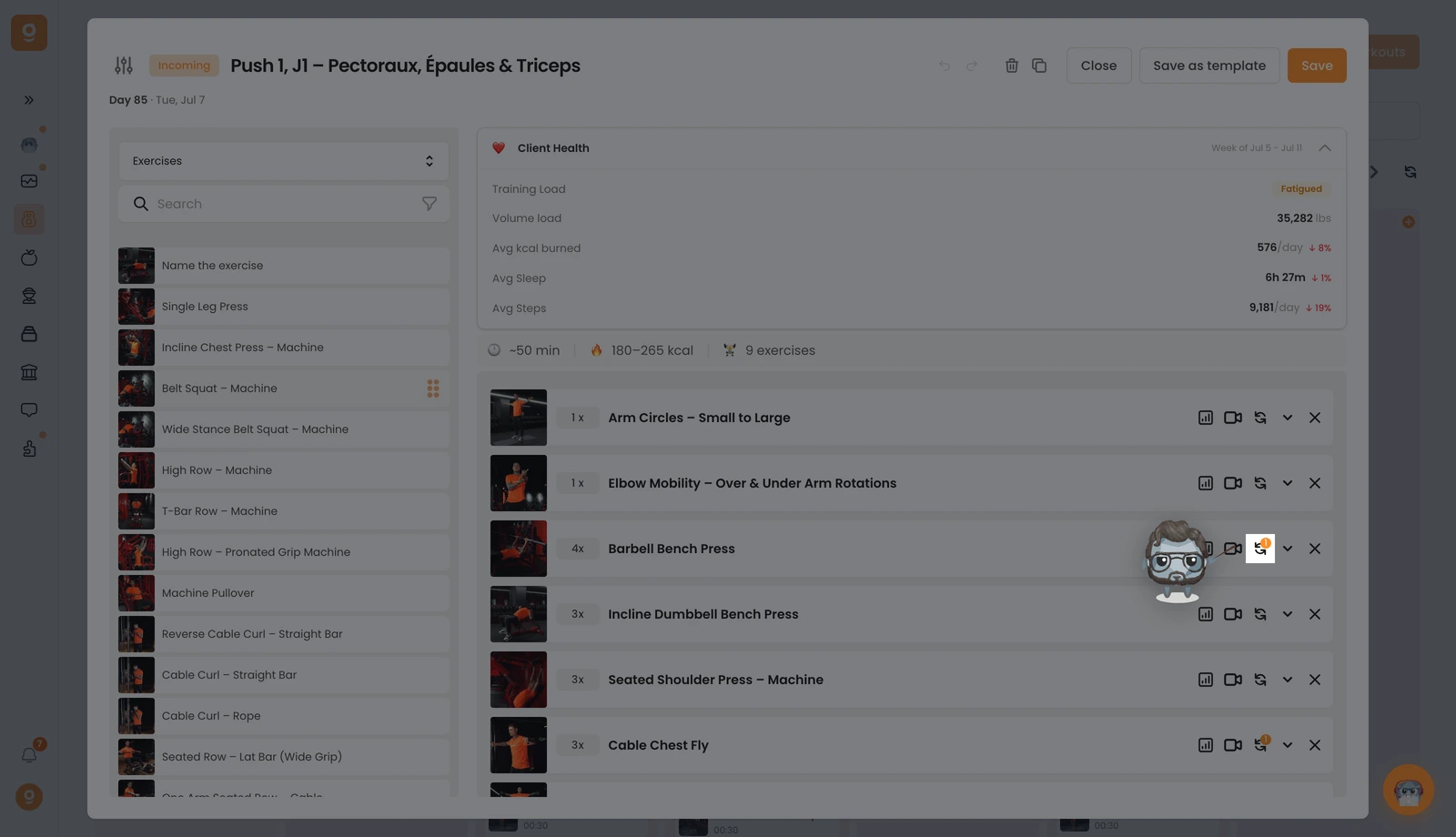
On the exercise you want, click the swap icon (the two circular arrows). If it already has alternatives, you'll see a small number badge on it.
A panel opens. It starts on Alternative templates (saved sets you can reuse) — since you don't have any yet, open that dropdown at the top left and switch it to Exercises. Now you get the full exercise library with a search bar. Search the exercise you want and drag it into the "Click or drag here to add an option" slot on the right, next to your base exercise. Add as many as you like, use Edit instructions on each one to tell your client when and why to use it, then click Save.
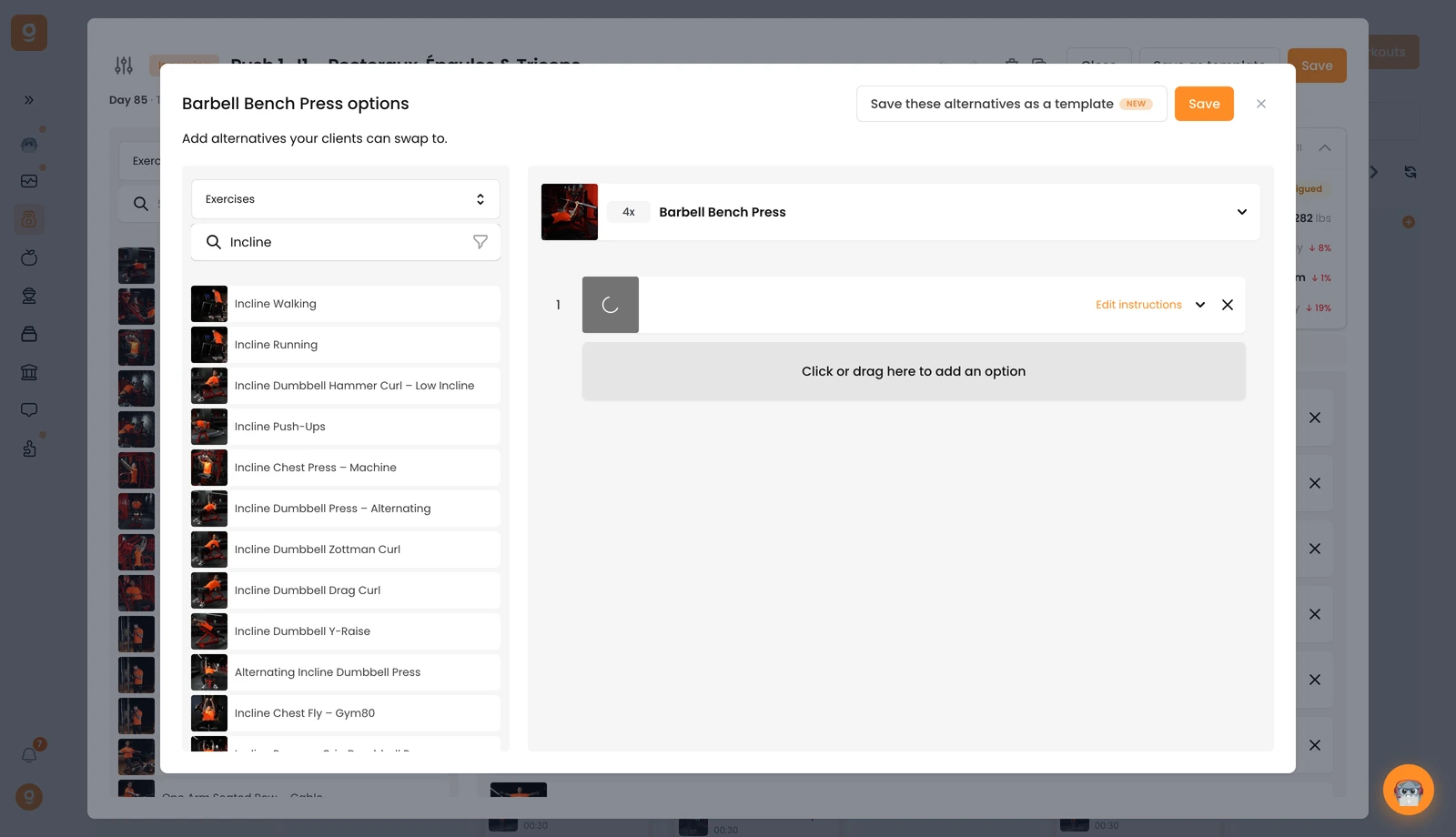
Your client will then be able to swap to any of these alternatives right from their app during the workout.
