

Op Gymkee kun je elke klant flexibiliteit geven door alternatieven aan een maaltijd toe te voegen: maak meerdere versies van dezelfde maaltijd en laat je klant kiezen welke hij wil volgen.
Klik bij de gewenste maaltijd op het wissel-icoon (de twee ronddraaiende pijlen). Heeft de maaltijd al alternatieven, dan laat een klein badge zien hoeveel.
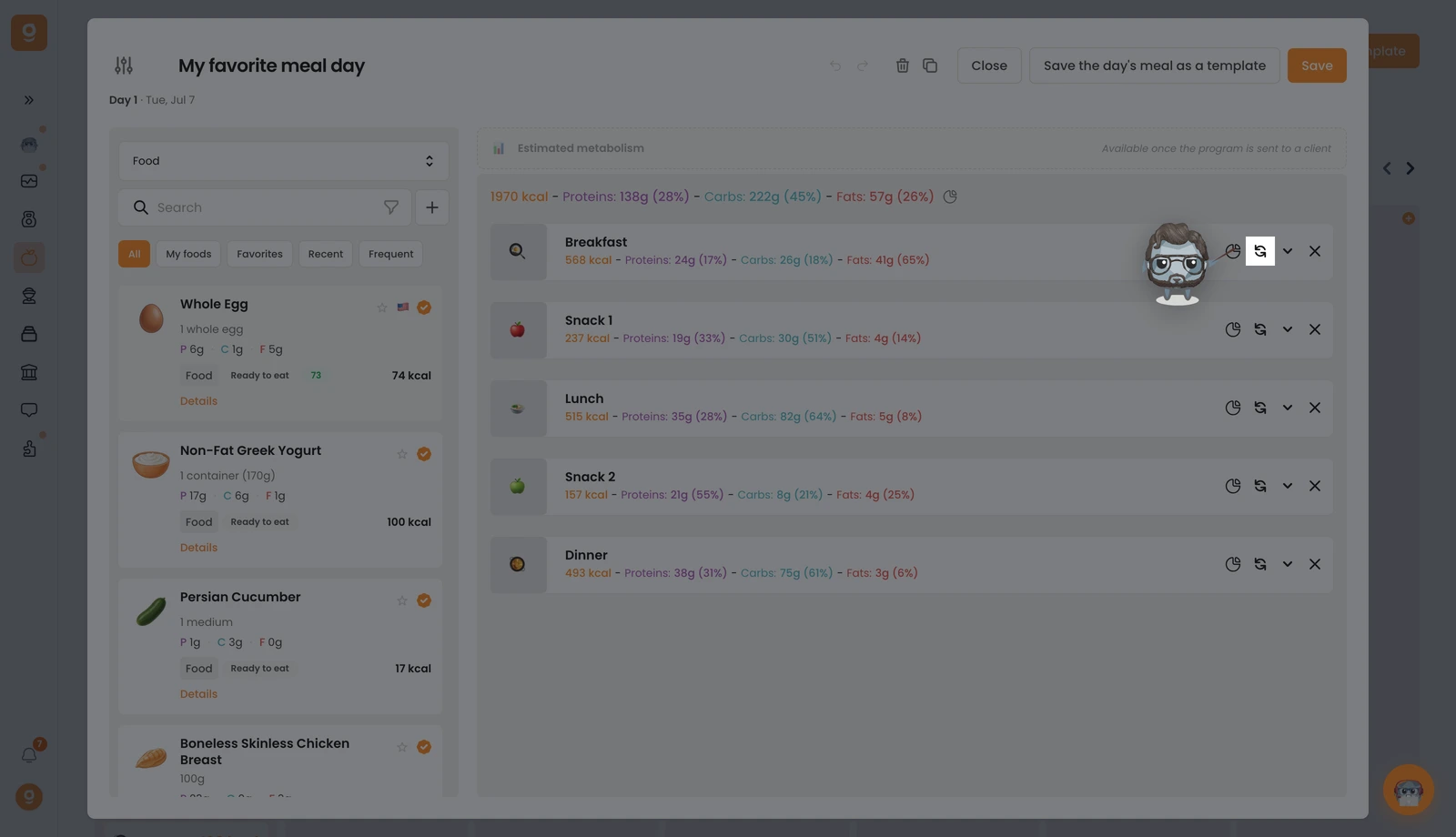
Het paneel Maaltijdopties opent met je basismaaltijd bovenaan. Het start op Sjablonen voor maaltijdalternatieven (opgeslagen sets die je opnieuw kunt gebruiken). Open linksboven dat dropdownmenu en zet het op Voeding (of Recepten) om de bibliotheek met een zoekbalk te krijgen. Zoek de gewenste voeding en sleep die naar het vak "Klik of sleep hier om een optie toe te voegen" aan de rechterkant. Voeg zoveel alternatieve maaltijden toe als je wilt en klik daarna op Opslaan.
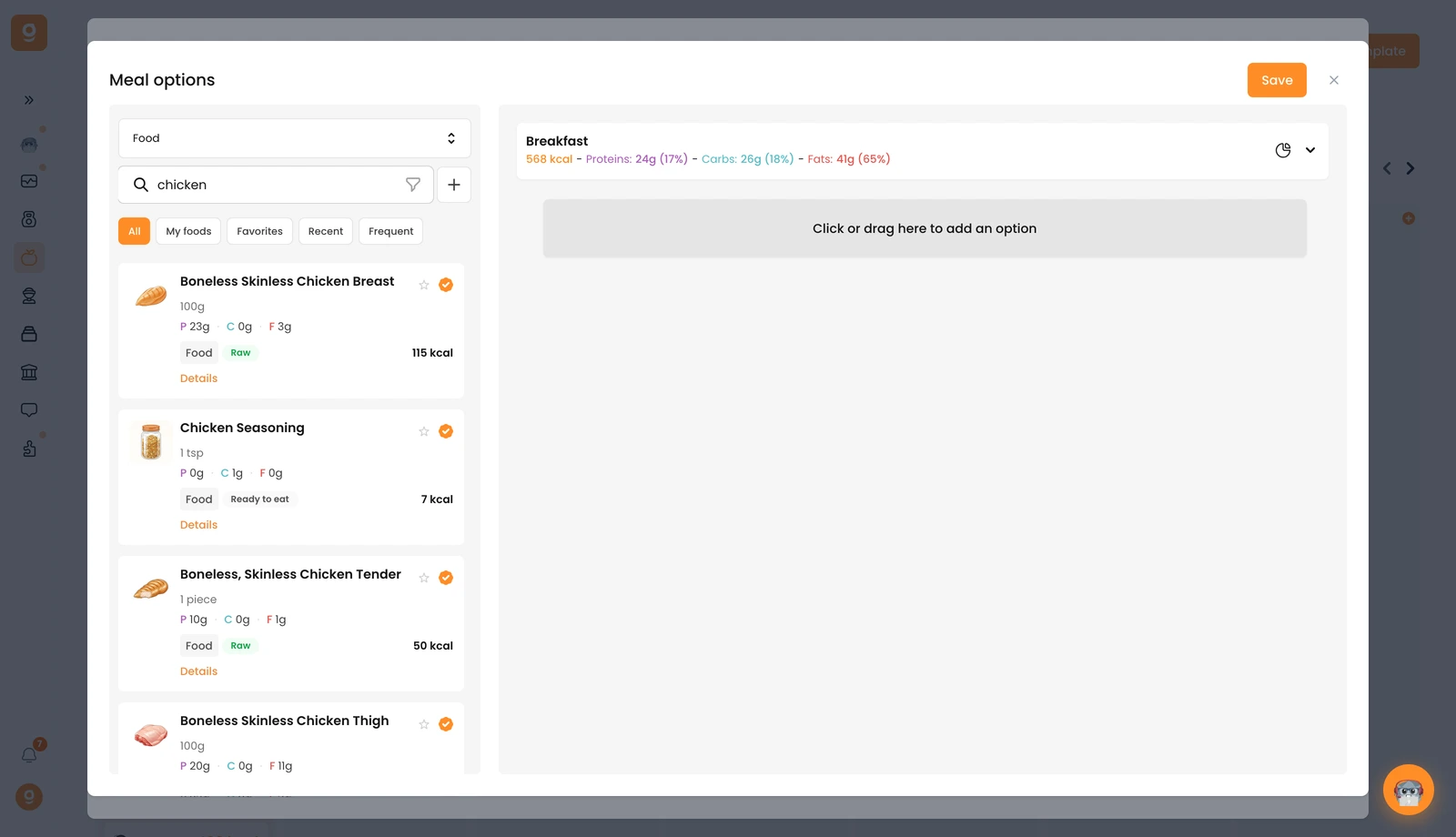
Je kunt precies hetzelfde doen bij een los voedingsmiddel om binnen een maaltijd wisselopties aan te bieden. Je klant kiest dan welke versie hij volgt, rechtstreeks vanuit zijn app.
