在营养程序中添加餐食和食物替代

自定义餐食并添加食物替代。

On Gymkee, we give you the flexibility to adapt to each client and make their nutrition plan easier to follow.

For every meal of the day, you can create one or several alternatives.

That means you can prepare multiple versions of the same meal and let your client choose which one they want to follow.

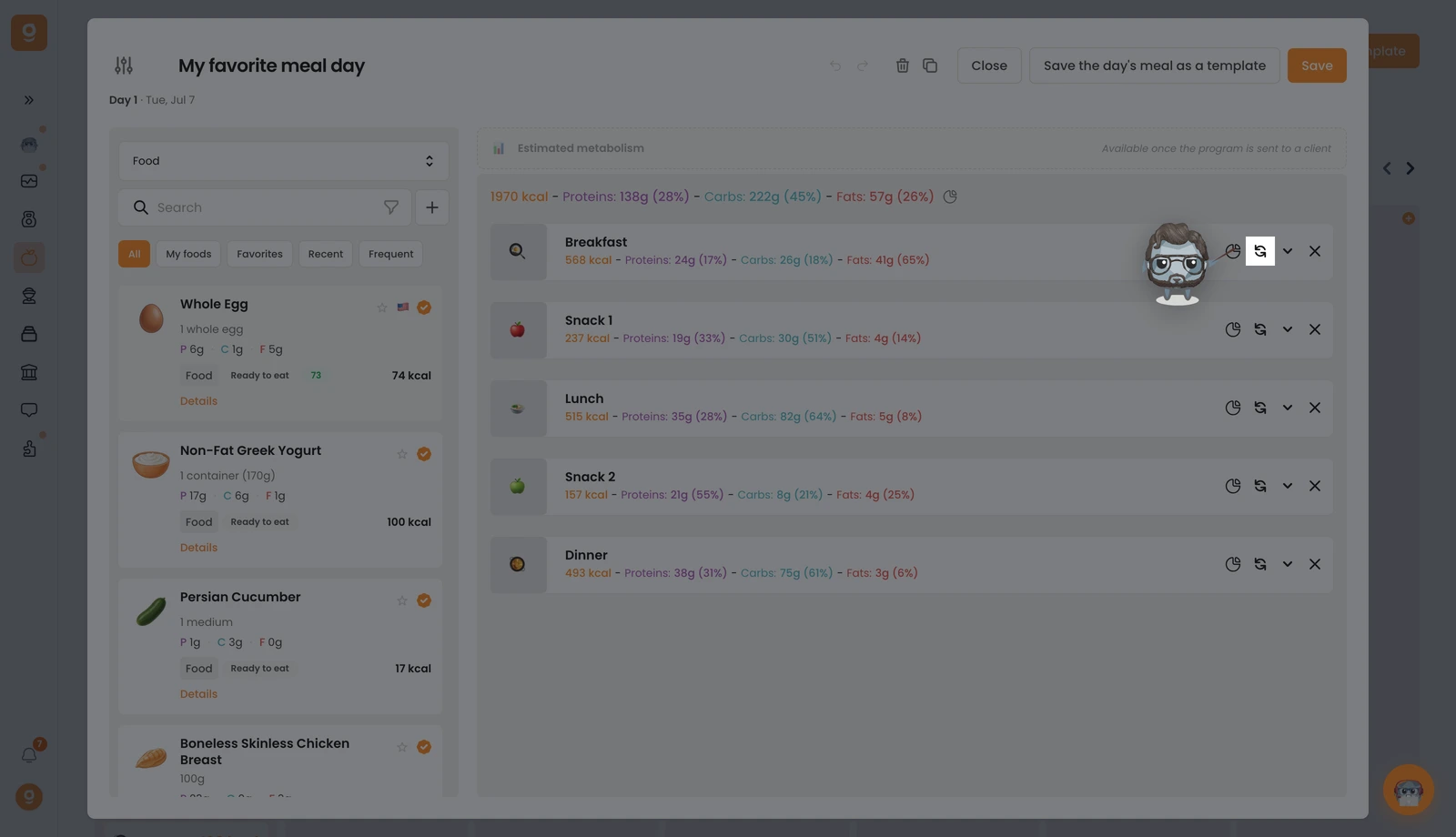
To add an alternative, simply click on the button here:

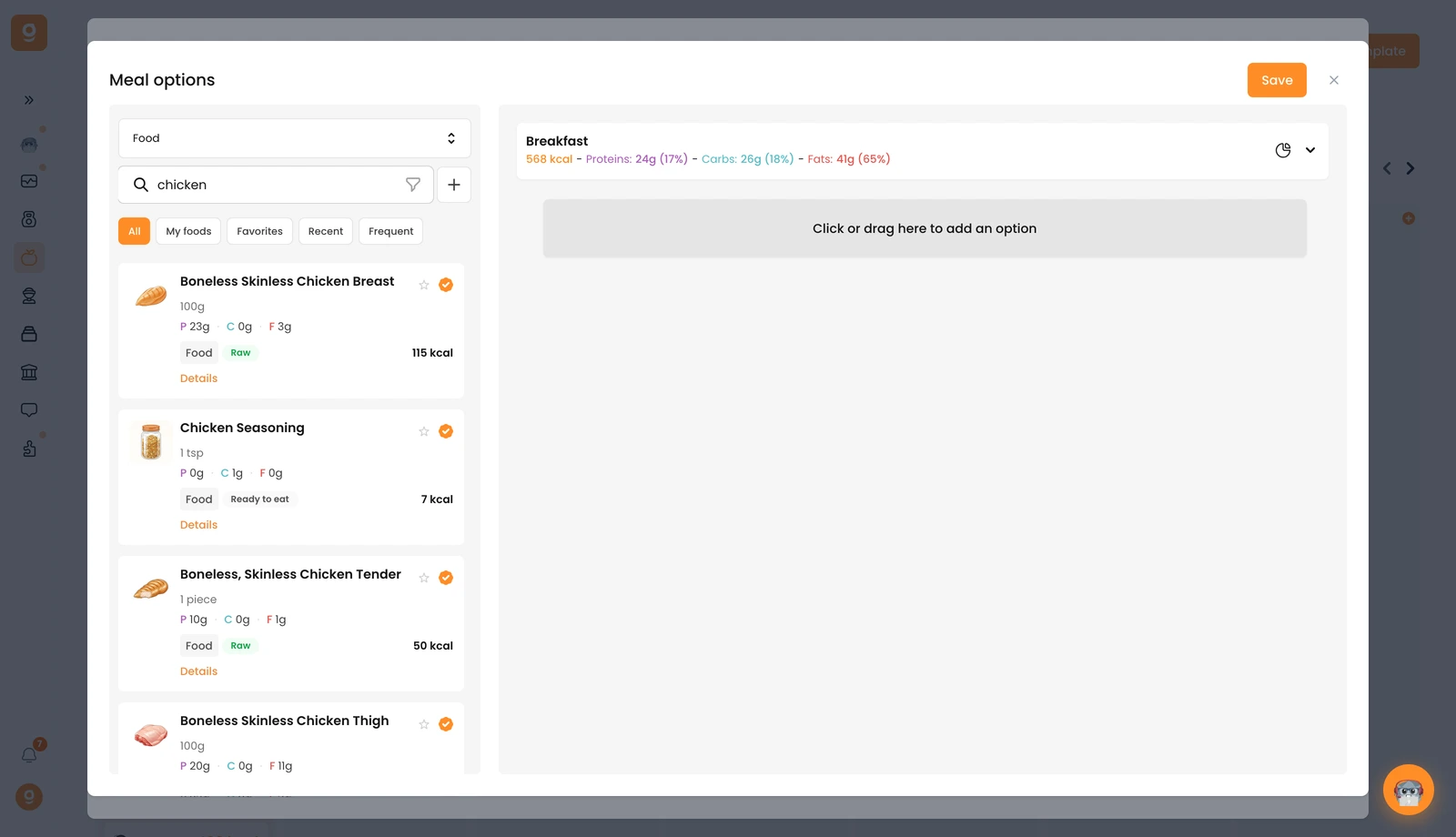
Once inside, you’ll see the base meal at the top. You can open it to review all the foods it contains while you create alternatives.

To add an alternative, just drag a food item into this section:

Your alternative meals will appear right under the base meal.

You can add as many alternatives as you want.

Once you’ve added meal alternatives, you’ll see a small badge appear above the alternatives button, showing the total number of added meals.

You can do the same for each food item.

这篇文章对你有帮助吗?

还需要帮助吗?

我们的团队和 Gymkee AI 助手 Dwayne 随时为你服务。

询问 Dwayne