

W Gymkee możesz dać każdemu klientowi elastyczność, dodając alternatywy do dowolnego posiłku, przygotuj kilka wersji tego samego posiłku i pozwól klientowi wybrać tę, którą chce realizować.
Na wybranym posiłku kliknij ikonę zamiany (dwie okrągłe strzałki). Jeśli posiłek ma już alternatywy, mała plakietka pokazuje ile.
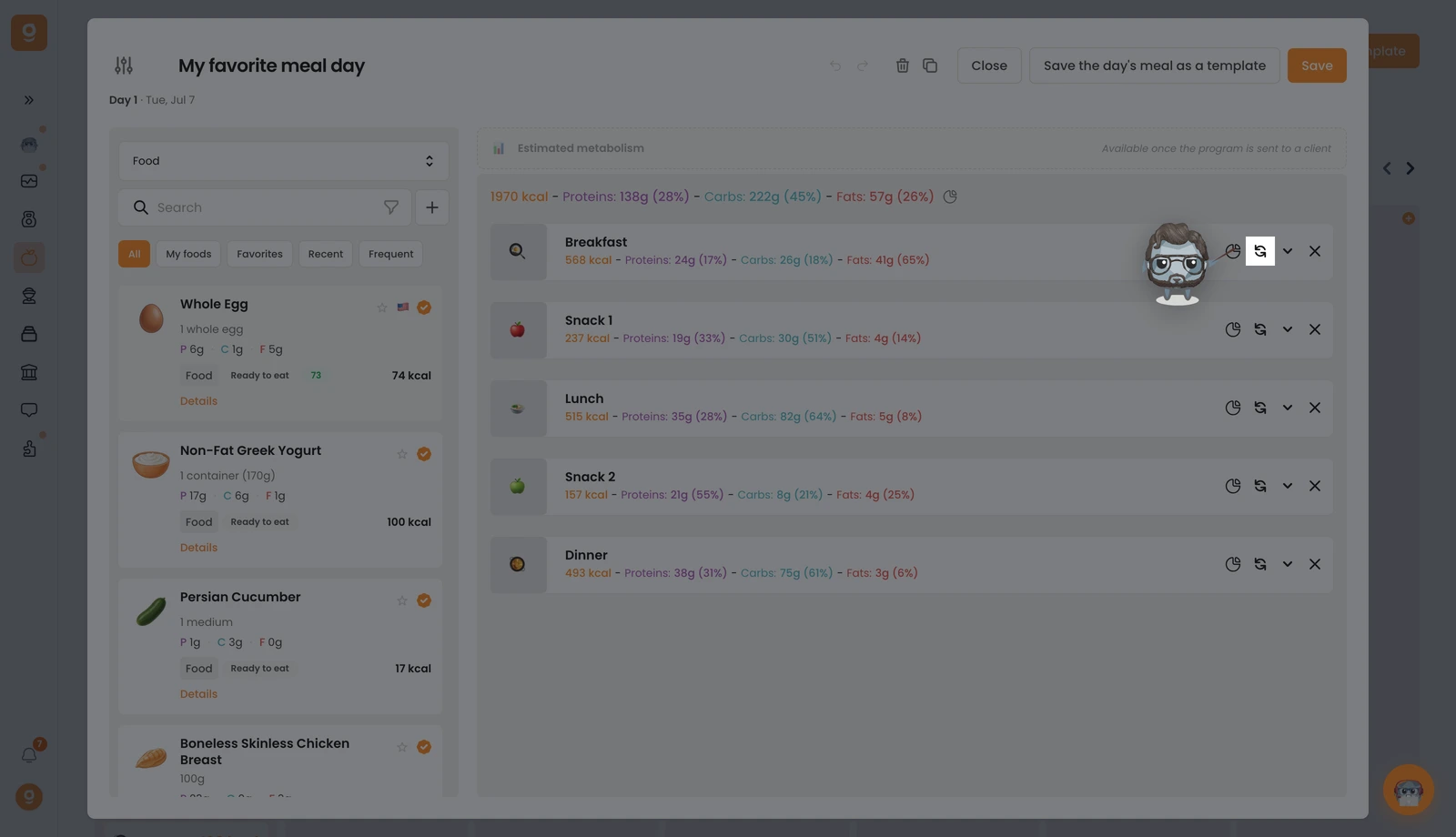
Otworzy się panel Opcje posiłku z Twoim posiłkiem bazowym na górze. Zaczyna się na Szablony alternatyw posiłków (zapisane zestawy, które możesz wykorzystać ponownie), otwórz tę listę rozwijaną w lewym górnym rogu i przełącz ją na Produkty (lub Przepisy), aby uzyskać bibliotekę z paskiem wyszukiwania. Wyszukaj produkt, który chcesz, i przeciągnij go do pola „Kliknij lub przeciągnij tutaj, aby dodać opcję” po prawej stronie. Dodaj tyle alternatywnych posiłków, ile chcesz, a następnie kliknij Zapisz.
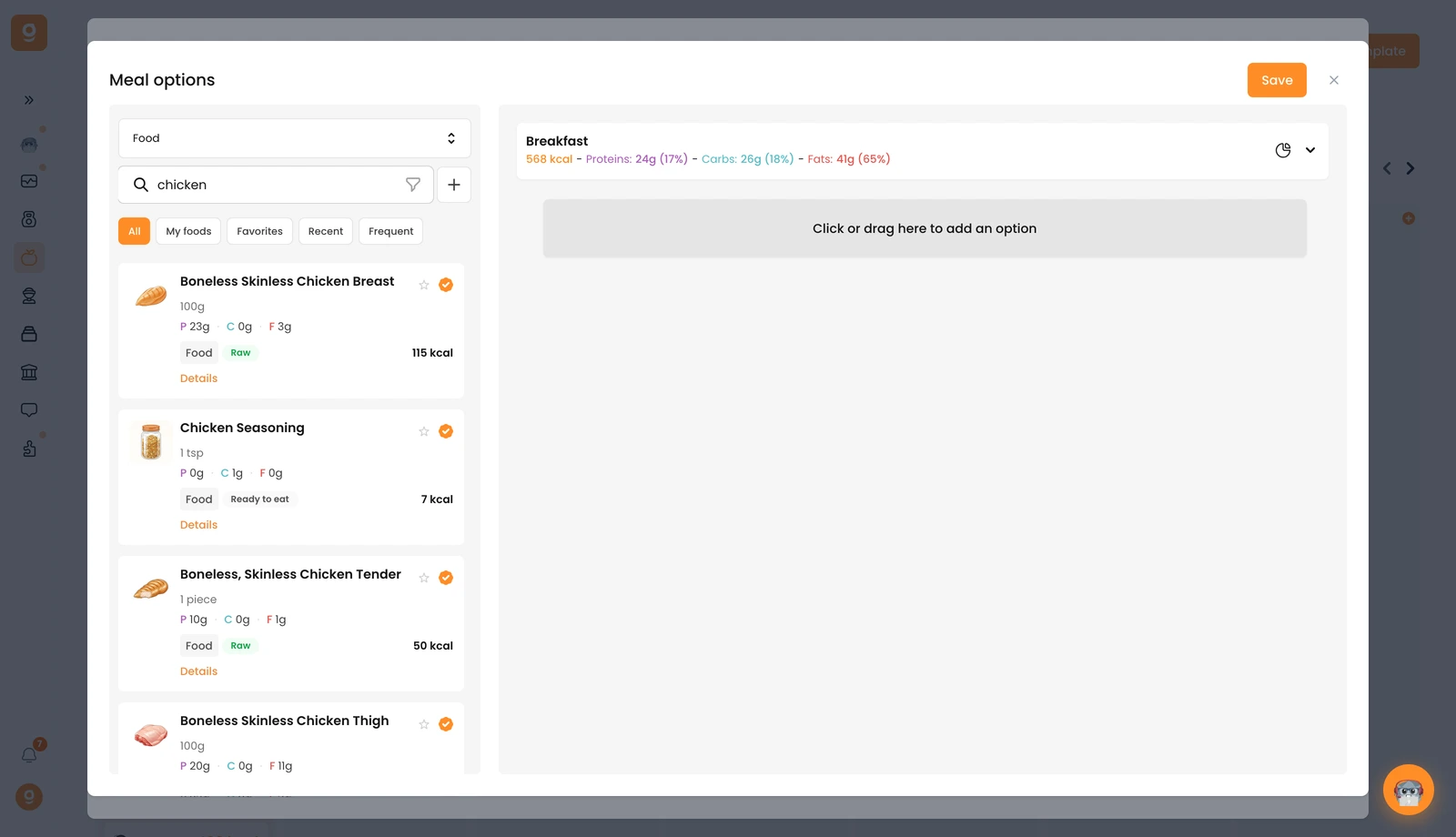
Dokładnie to samo możesz zrobić na pojedynczym produkcie, aby zaoferować zamiany wewnątrz posiłku. Twój klient wybiera potem, którą wersję realizować, prosto ze swojej aplikacji.
