

Gymkeeでは、どの食事にも代替メニューを追加することで、クライアントに柔軟性を持たせられます。同じ食事の複数のバージョンを用意しておき、クライアントに好きなものを選んでもらえます。
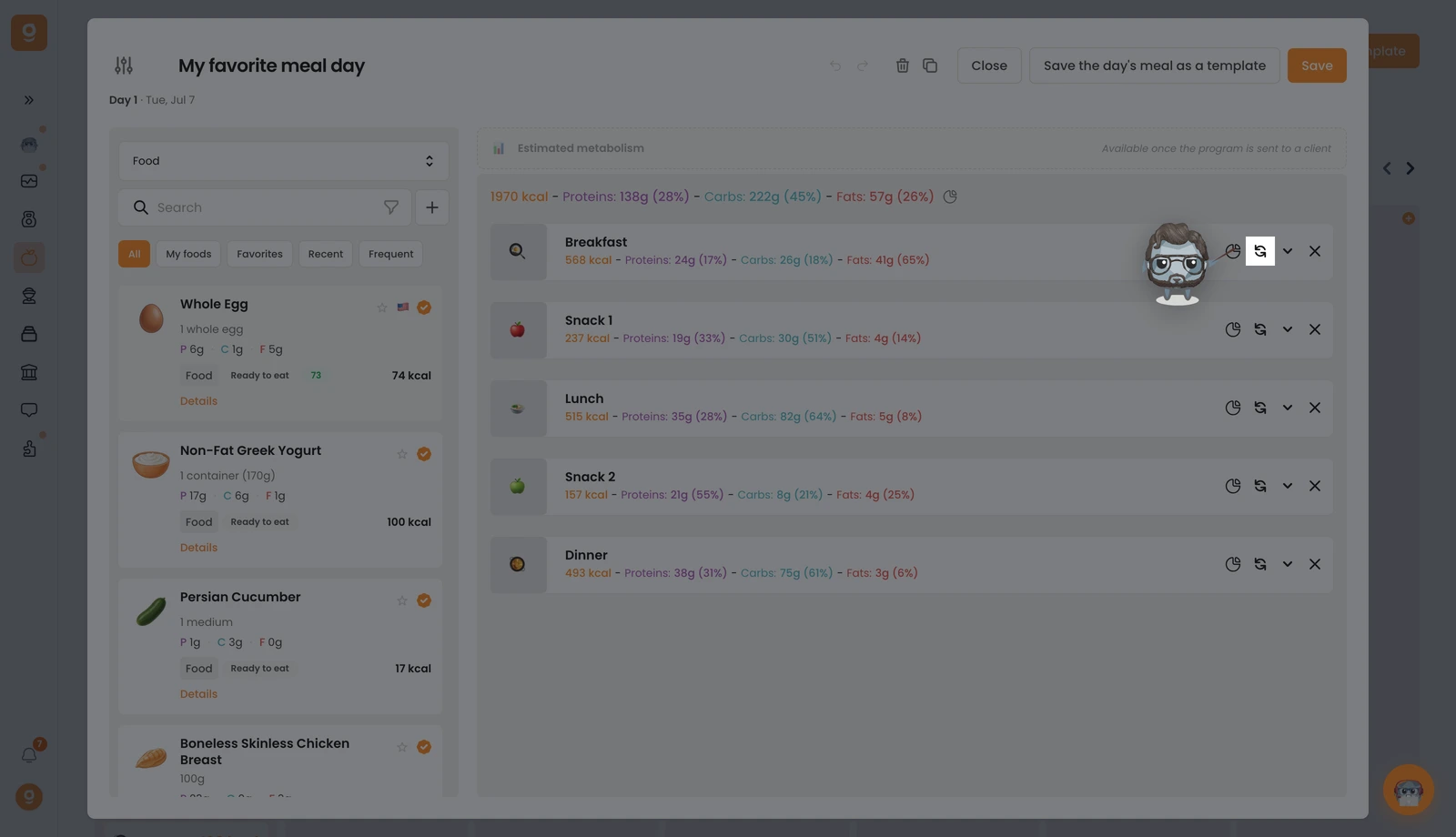
対象の食事で、swap(入れ替え)アイコン(2つの円形の矢印)をクリックします。すでに代替メニューがある場合は、その数を示す小さなバッジが表示されます。
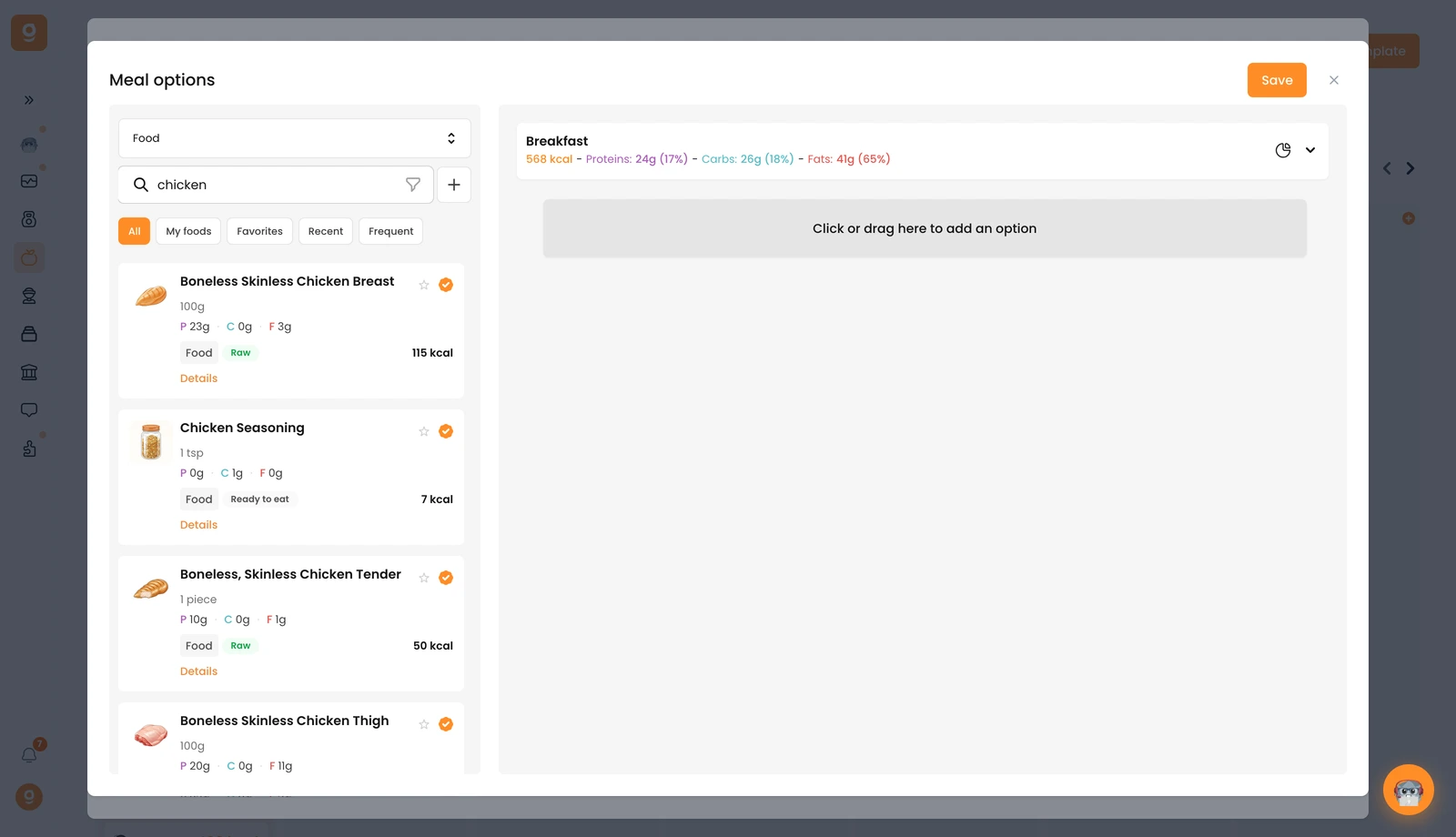
Meal options(食事オプション)パネルが開き、上部にベースとなる食事が表示されます。最初は Meal alternative templates(食事の代替テンプレート、再利用できる保存済みのセット)が表示されています。左上のドロップダウンを開いて Food(食材)(または Recipes(レシピ))に切り替えると、検索バー付きのライブラリが表示されます。追加したい食材を検索し、右側の 「Click or drag here to add an option」のスロットにドラッグします。好きなだけ代替メニューを追加したら、Save(保存)をクリックします。
まったく同じ操作を1つの食材に対しても行えるので、食事の中での入れ替え候補も用意できます。あとはクライアントが、自分のアプリからどのバージョンに従うかを選ぶだけです。
