

Jeder Satz einer Übung hat 4 Anweisungsfelder, die du ausfüllen kannst: Last, Wiederholungen, Pause und Tempo. Klappe eine Übung mit dem Pfeil auf, um sie zu sehen, und klicke dann auf einen Feldnamen, um zu ändern, was er misst.
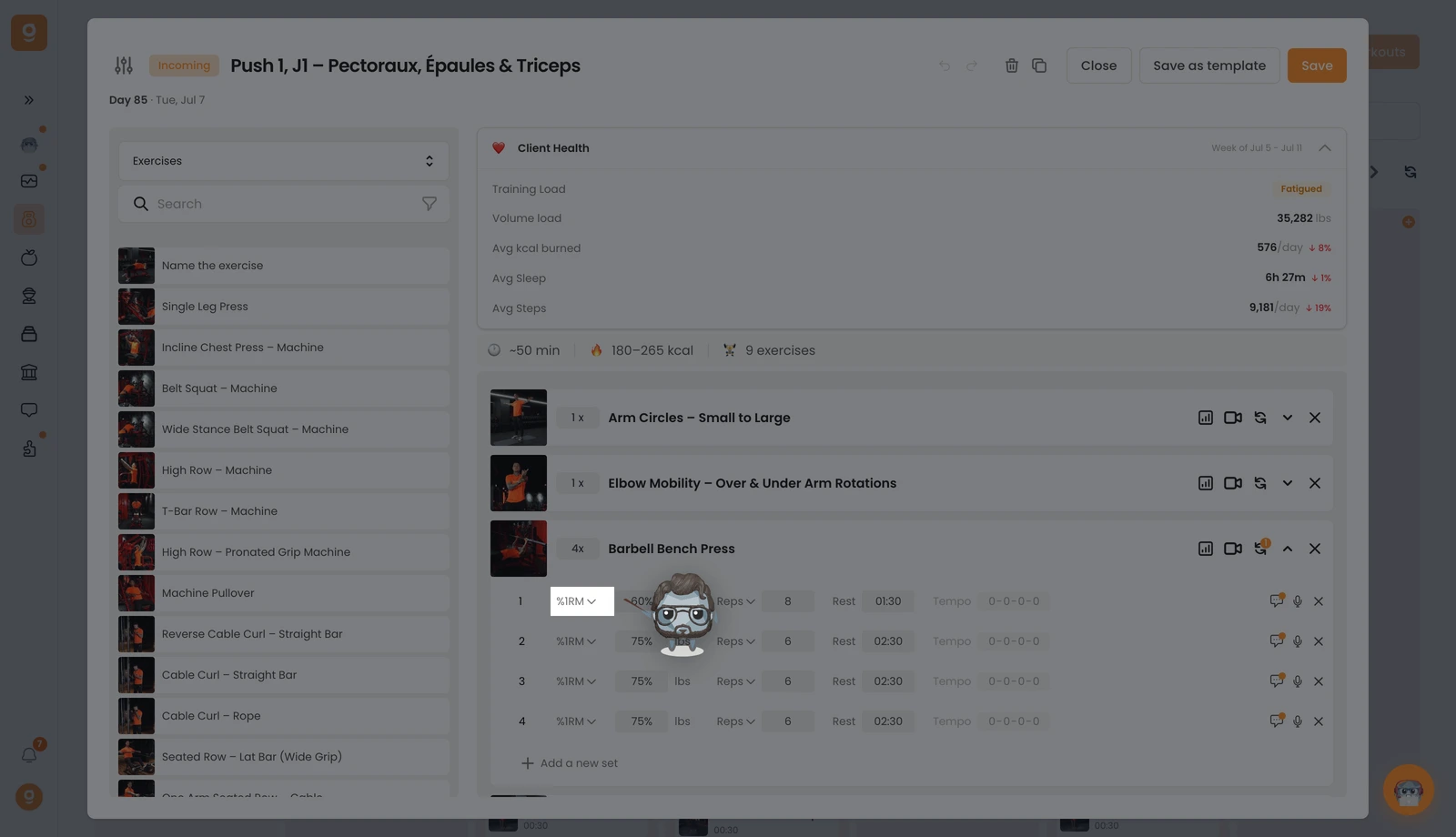
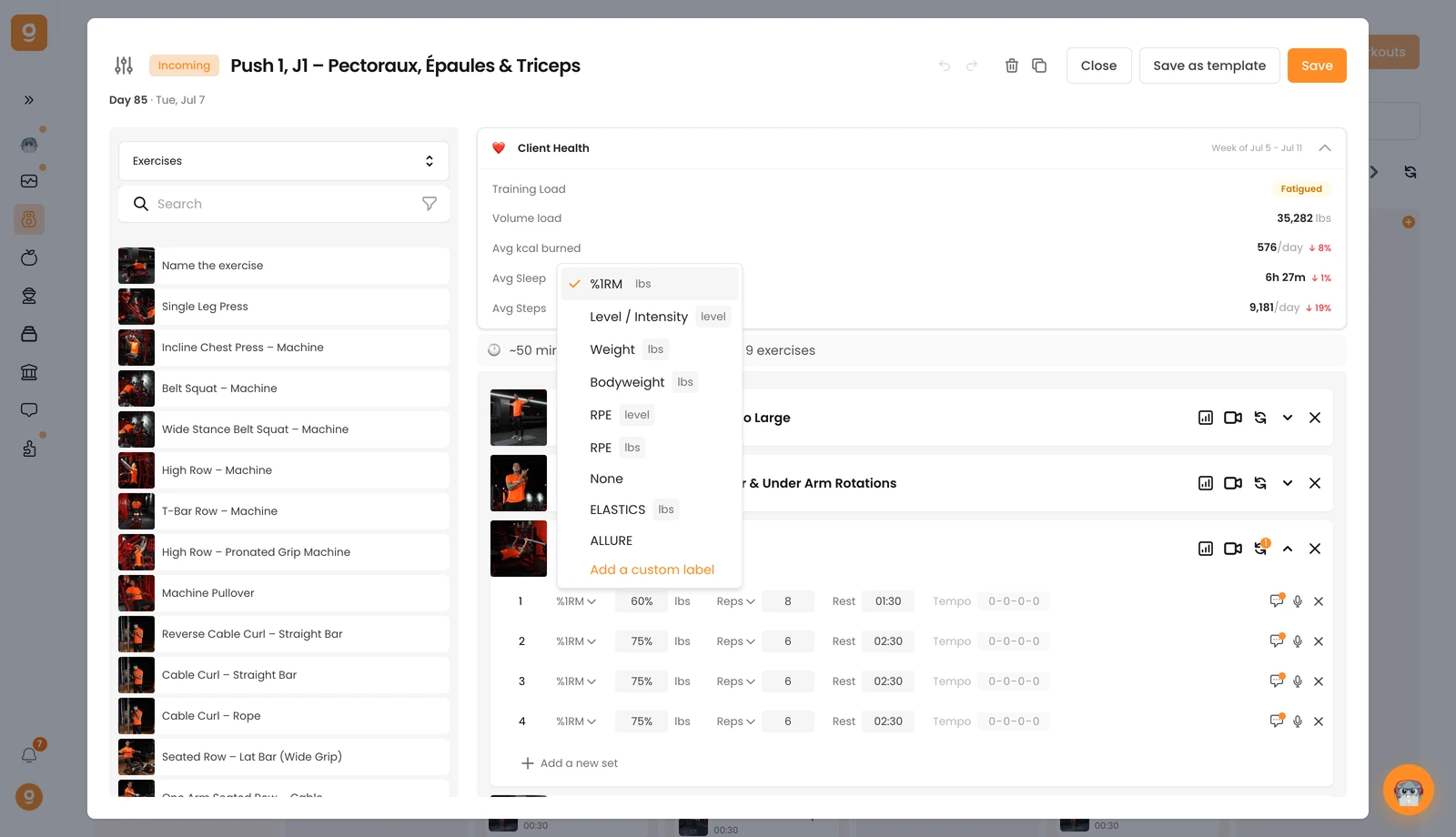
1, Last & Intensität. Das erste Feld legt fest, wie hart der Satz ist. Standardmäßig ist es Gewicht. Klicke darauf, um stattdessen %1RM, Level / Intensität (ideal für Cardiogeräte), Körpergewicht, RPE (nach Level oder nach Gewicht) oder Keine zu wählen, falls keine Last vorgesehen ist. Alle Felder unterhalb der Linie sind benutzerdefinierte Felder – füge deine eigenen mit Benutzerdefiniertes Feld hinzufügen hinzu.
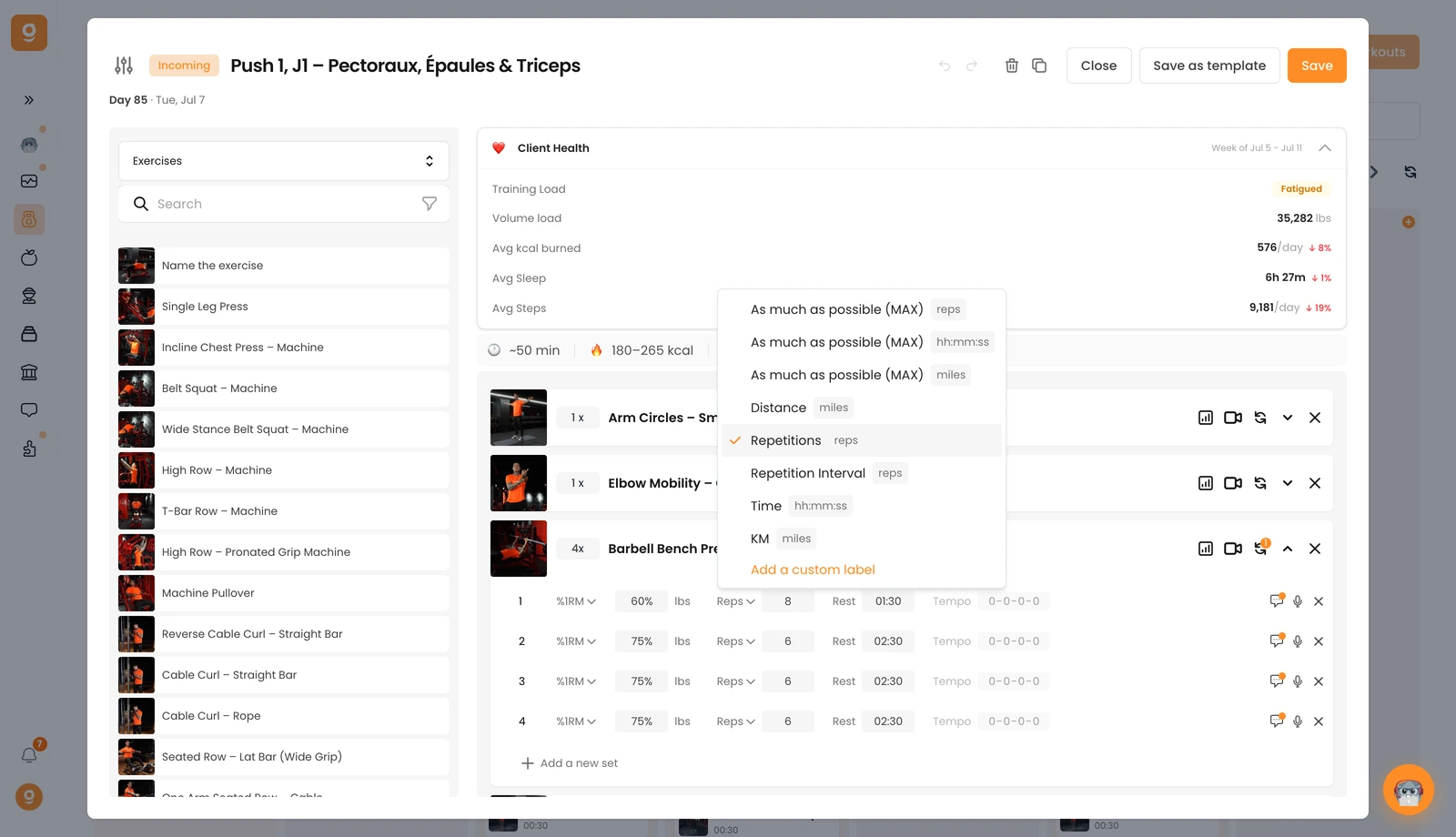
2, Wiederholungen, Zeit oder Distanz. Das zweite Feld ist standardmäßig Wiederholungen. Klicke darauf, um zu so viele wie möglich (MAX) in Wiederholungen, Zeit oder Distanz, einer festen Distanz, einem Wiederholungsintervall (z. B. 8–10 Wiederholungen), einer Zeit-Vorgabe oder km zu wechseln – und auch hier kannst du benutzerdefinierte Felder hinzufügen.
3, Pause. Das dritte Feld ist die Pausenzeit zwischen den Sätzen – tippe sie einfach ein.
4, Tempo. Das vierte ist das Tempo (standardmäßig 0-0-0-0 = aus). Klicke auf die Werte, um es zu aktivieren und dein Tempo festzulegen.
Du kannst außerdem mit dem Kommentar-Symbol einen Kommentar zu jedem Satz hinzufügen, um zusätzliche Hinweise zu geben, und einen Satz mit seinem ✕ entfernen. Jetzt bist du bereit, deinen Kunden präzise, klare Anweisungen zu geben.
