

エクササイズの各セットには、記入できる 4つの指示ラベル(load・reps・rest・tempo)があります。シェブロン(山型アイコン)でエクササイズを展開すると表示され、ラベル名をクリックすると測定する内容を変更できます。
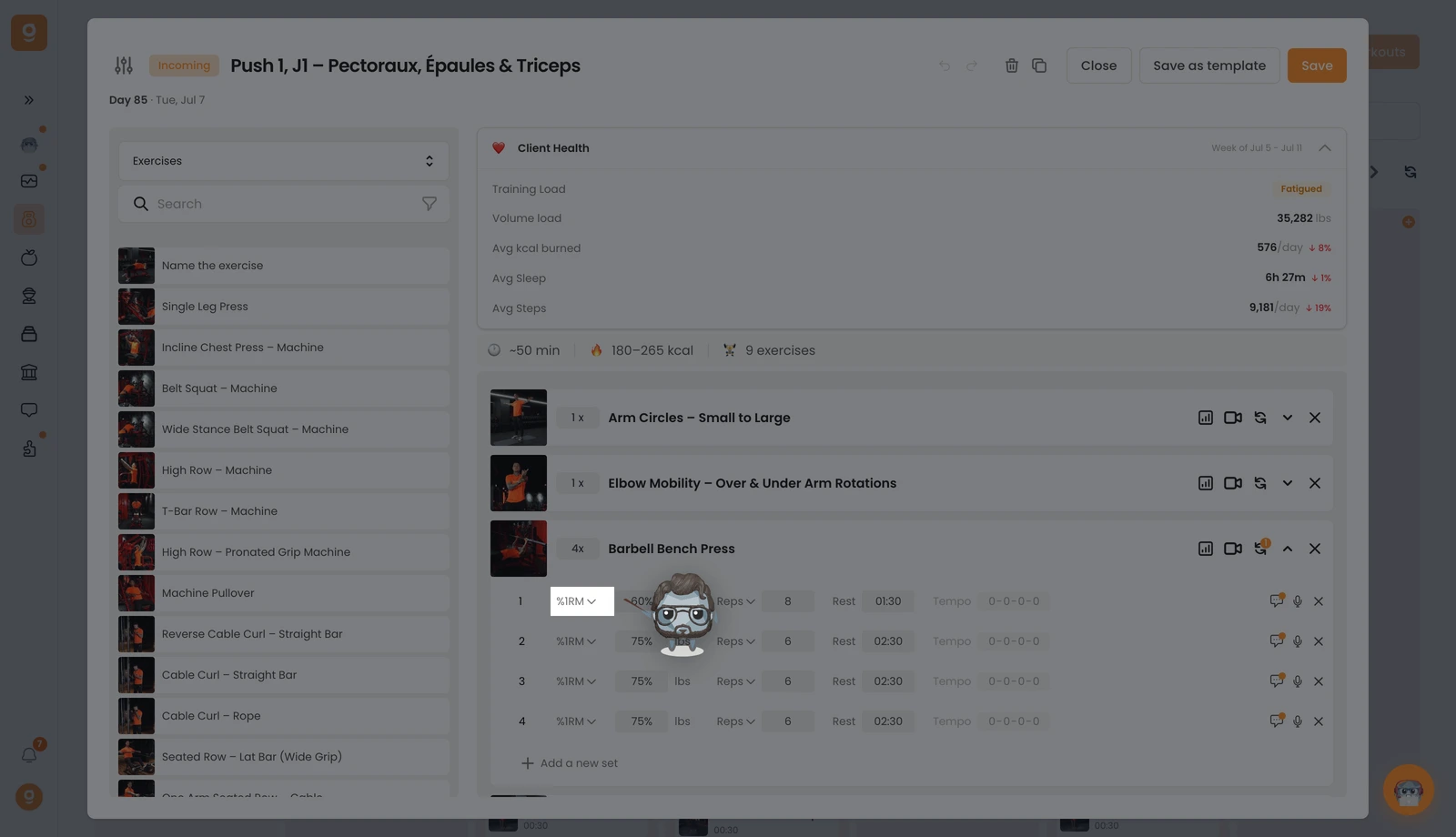
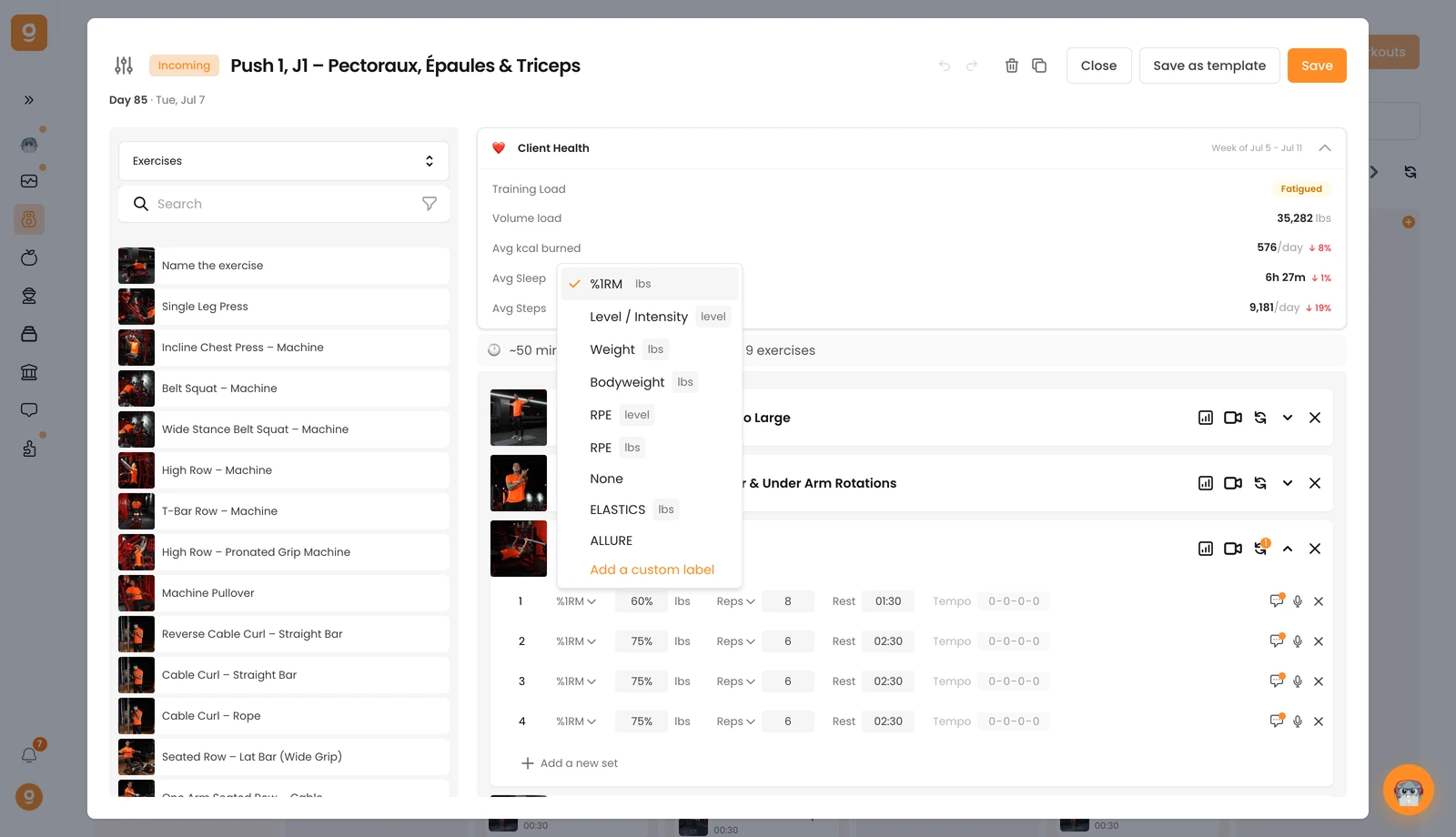
1,負荷と強度。 1つ目のラベルは、そのセットの負荷の大きさを設定します。初期設定は Weight(重量)です。クリックすると、代わりに %1RM、Level / Intensity(レベル / 強度、カーディオマシンに最適)、Bodyweight(自重)、RPE(レベル指定または重量指定)、負荷を想定しない場合は None(なし)を選べます。区切り線より下にあるラベルはカスタムラベルです。Add a custom label(カスタムラベルを追加)から自分で追加できます。
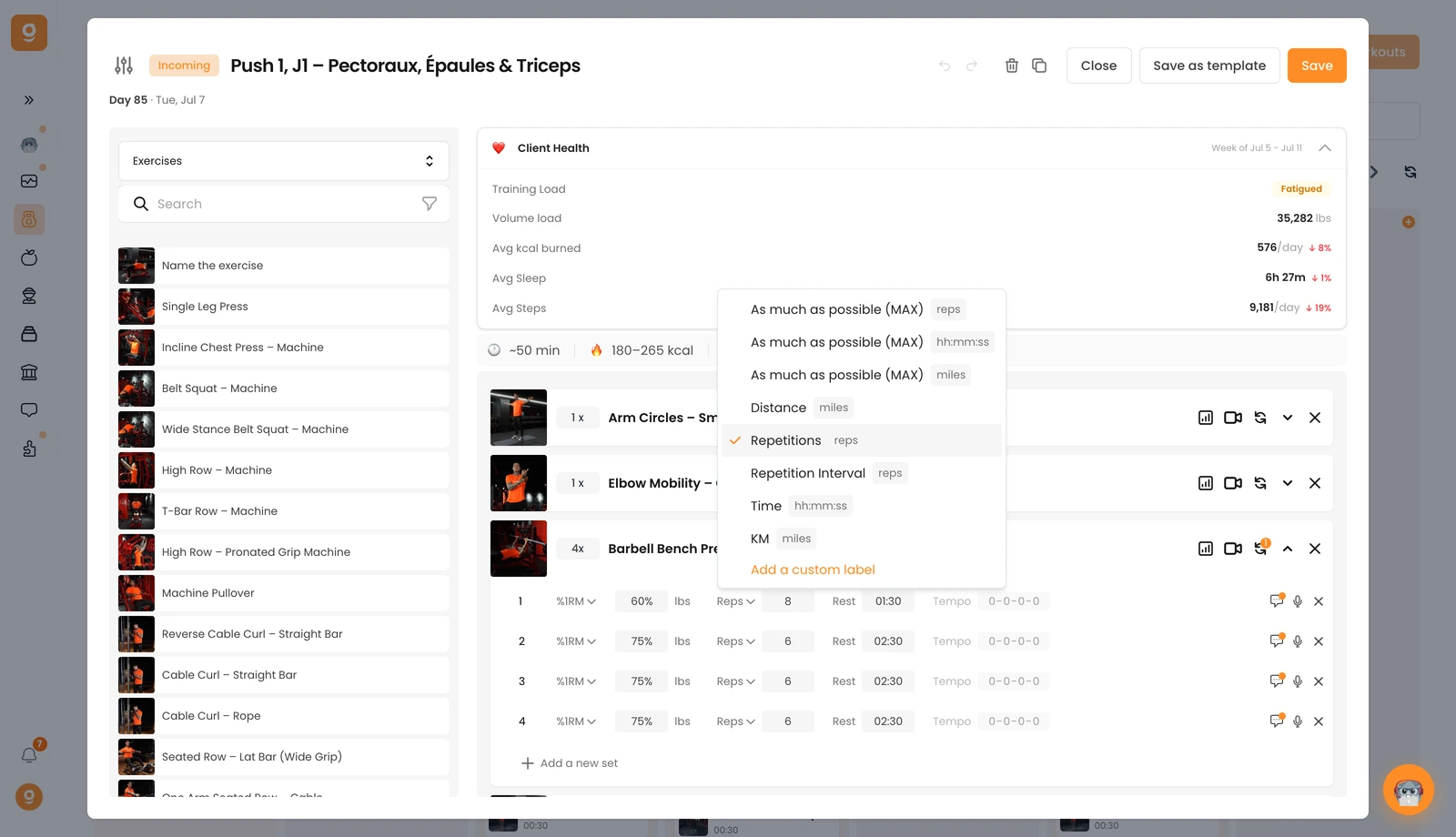
2、レップ、時間、距離。 2つ目のラベルの初期設定は Repetitions(レップ数)です。クリックすると、レップ・時間・距離のいずれかで as much as possible (MAX)(できる限り)、固定の Distance(距離)、Repetition Interval(レップの範囲、例:8〜10レップ)、Time(時間)の目標、KM に切り替えられます。ここでもカスタムラベルを追加できます。
3,休憩。 3つ目のラベルはセット間の休憩時間です。そのまま入力するだけです。
4、テンポ。 4つ目はテンポです(初期設定の 0-0-0-0 はオフを意味します)。値をクリックすると有効になり、テンポを設定できます。
また、コメントアイコンから任意のセットにコメントを追加して補足の指示を伝えたり、✕ でセットを削除したりもできます。これで、クライアントに正確で分かりやすい指示を出す準備が整いました。
