

Every set of an exercise has 4 instruction labels you can fill: load, reps, rest, and tempo. Expand an exercise with the chevron to see them, then click any label name to change what it measures.
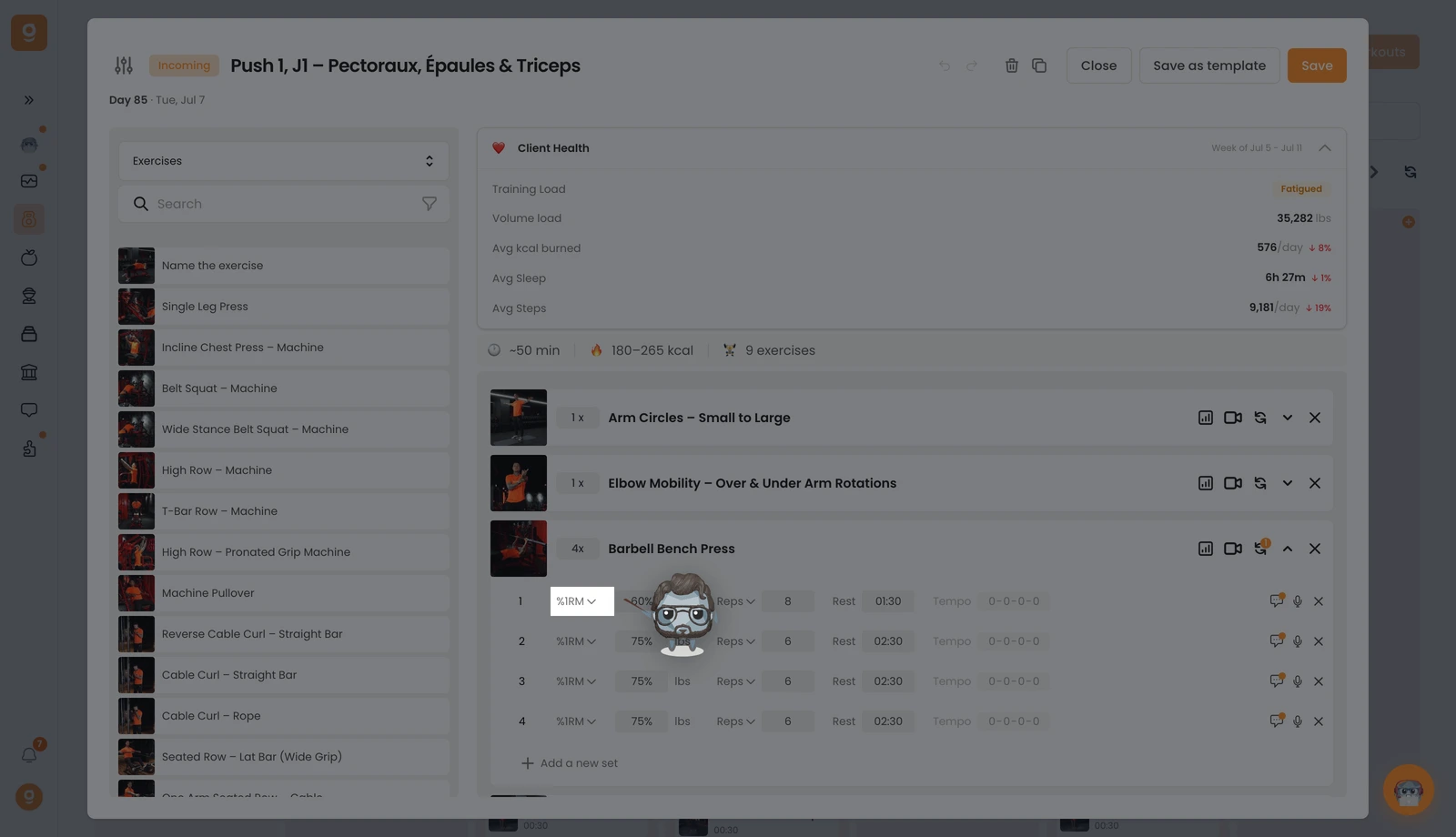
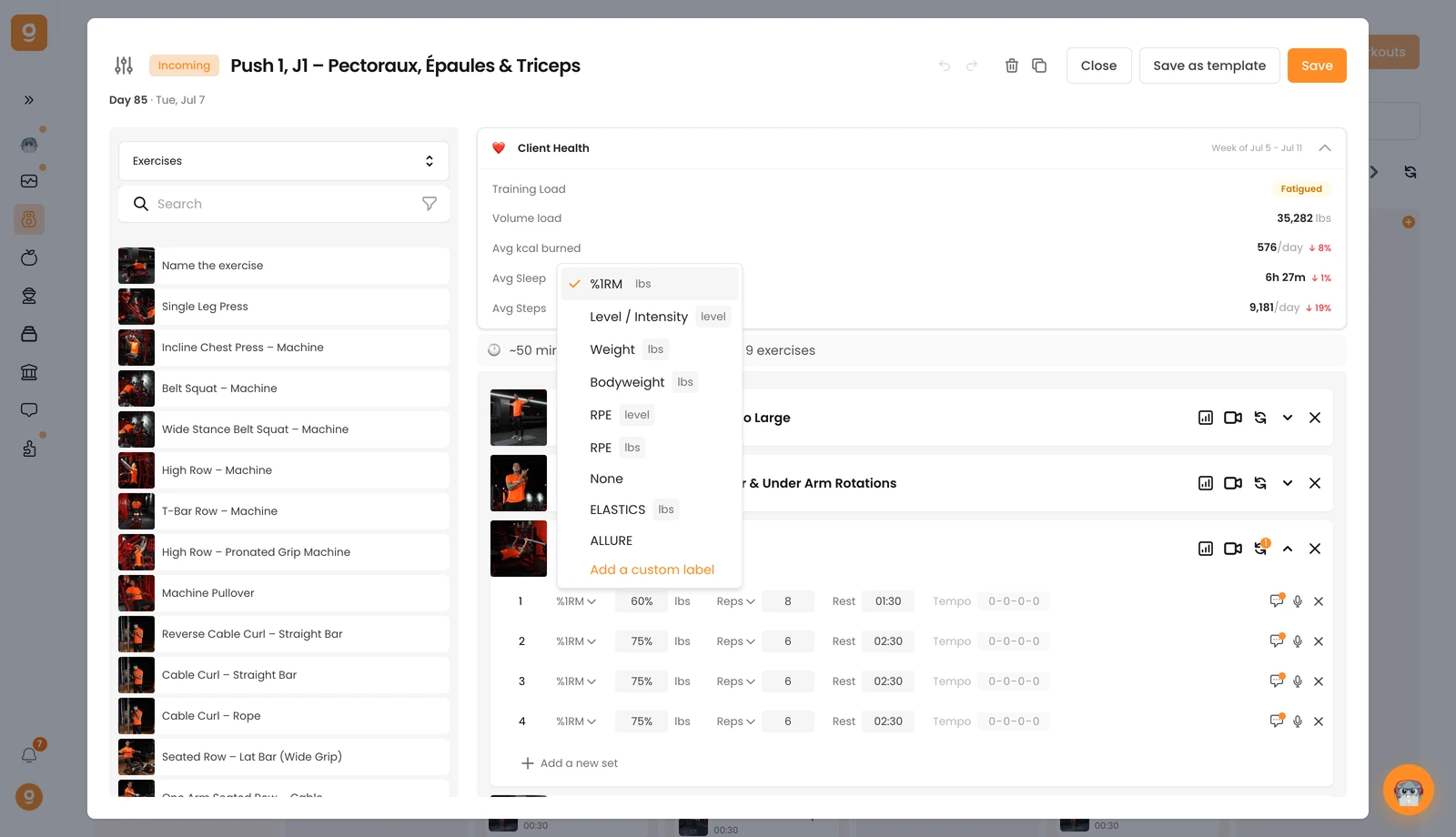
1 — Load & intensity. The first label sets how hard the set is. It defaults to Weight. Click it to choose instead %1RM, Level / Intensity (great for cardio machines), Bodyweight, RPE (by level or by weight), or None if no load is expected. Any labels below the line are custom ones — add your own with Add a custom label.
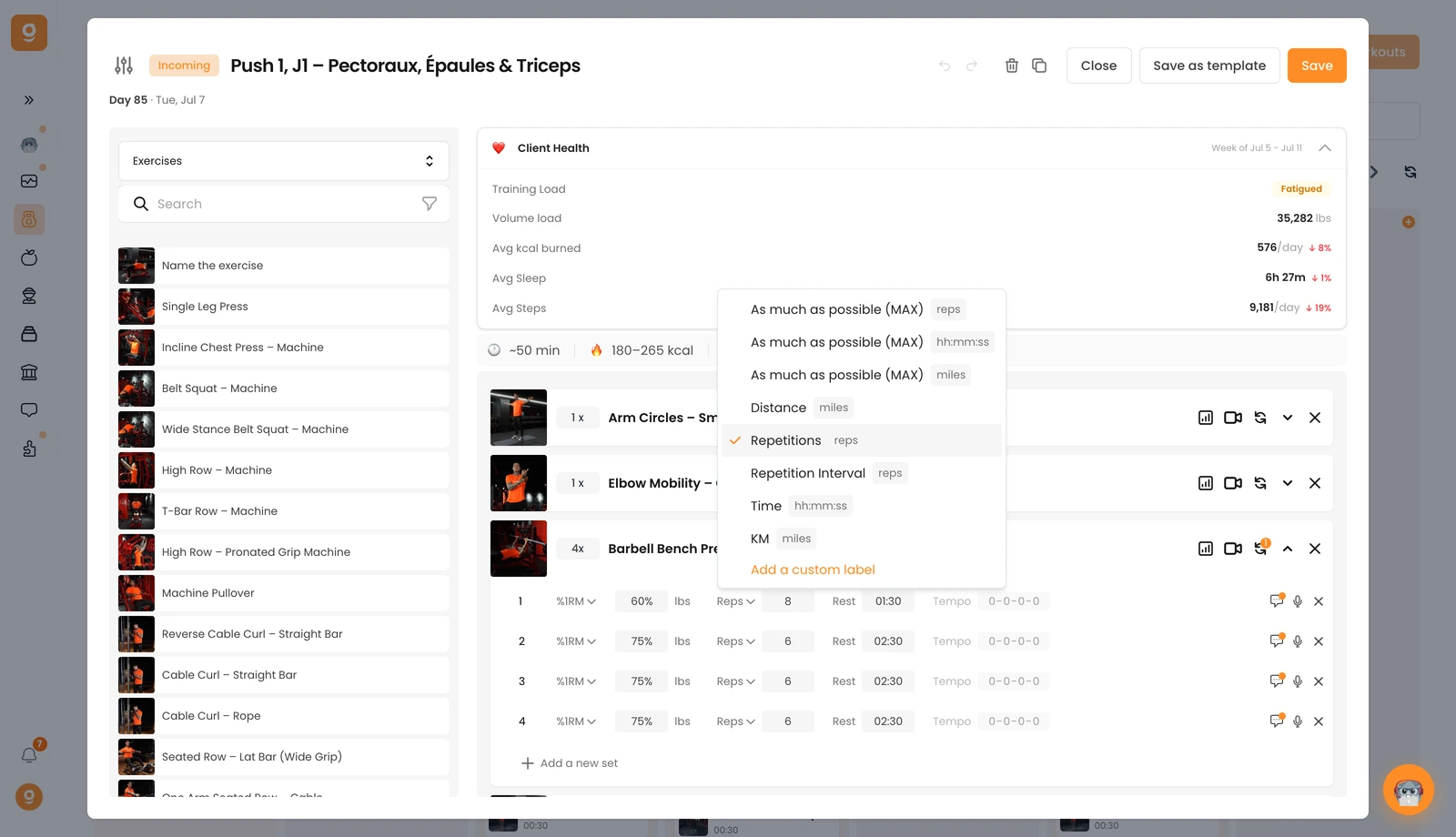
2 — Reps, time or distance. The second label defaults to Repetitions. Click it to switch to as much as possible (MAX) in reps, time or distance, a fixed Distance, a Repetition Interval (e.g. 8–10 reps), a Time target, or KM — and you can add custom labels here too.
3 — Rest. The third label is the rest time between sets — just type it in.
4 — Tempo. The fourth is the tempo (0-0-0-0 by default = off). Click the values to activate and set your tempo.
You can also add a comment on any set with the comment icon to give extra guidance, and remove a set with its ✕. Now you're set up to give your clients precise, clear instructions.
