

栄養の1日分を組み立てるいちばん細かい方法は、食事ごとに作っていくやり方です。実際の食品、市販品、レシピを使い、それぞれにマクロ栄養素を設定できます。ここでは食事ビルダーの使い方をご紹介します。
食事ビルダーを開くには、日付にカーソルを合わせてCreate a meal(食事を作成)をクリックします(その日の小さな**+からでも開けます)。栄養プランビルダーが表示され、左側にライブラリ**、右側にあなたの食事が並びます。
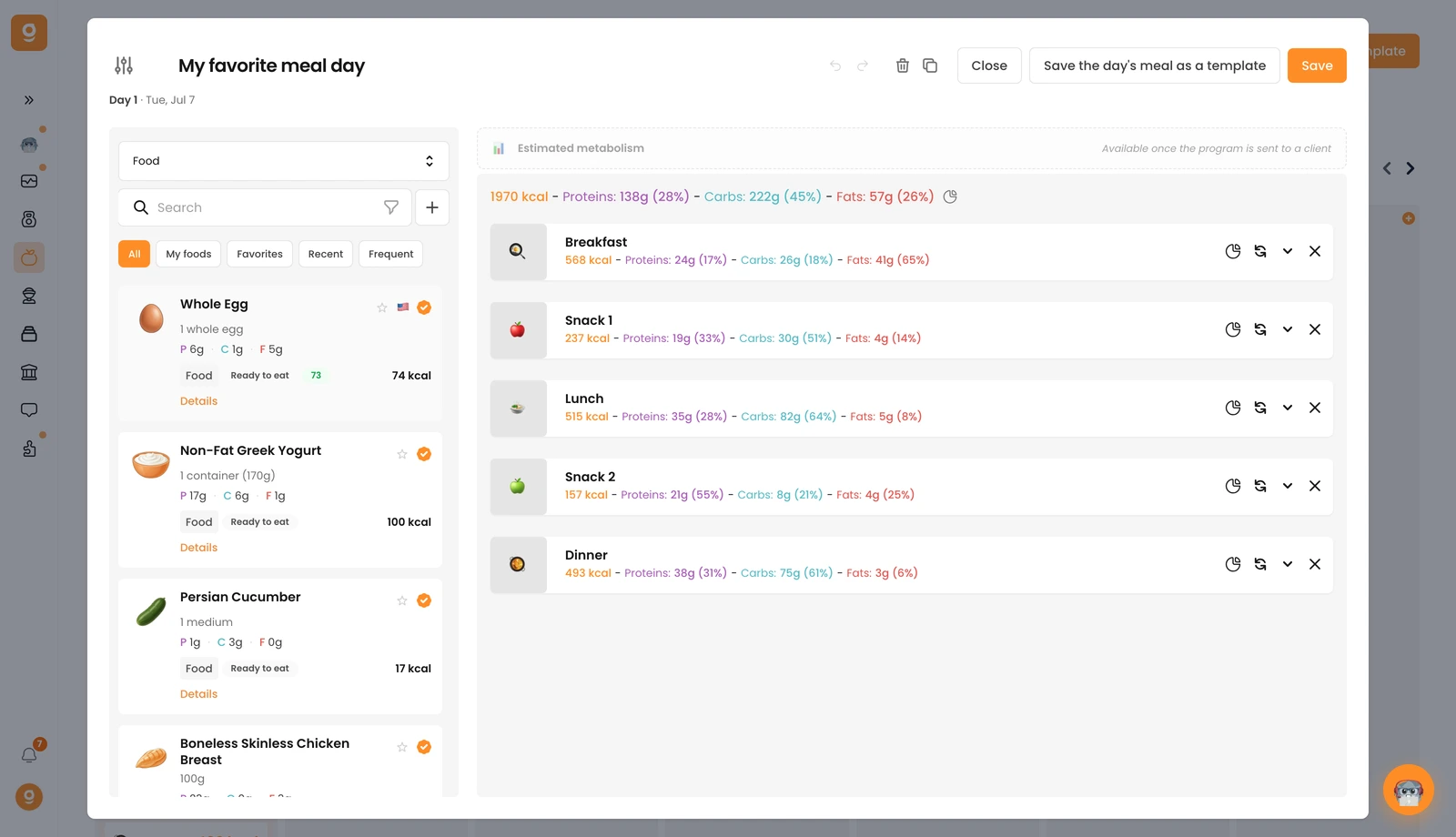
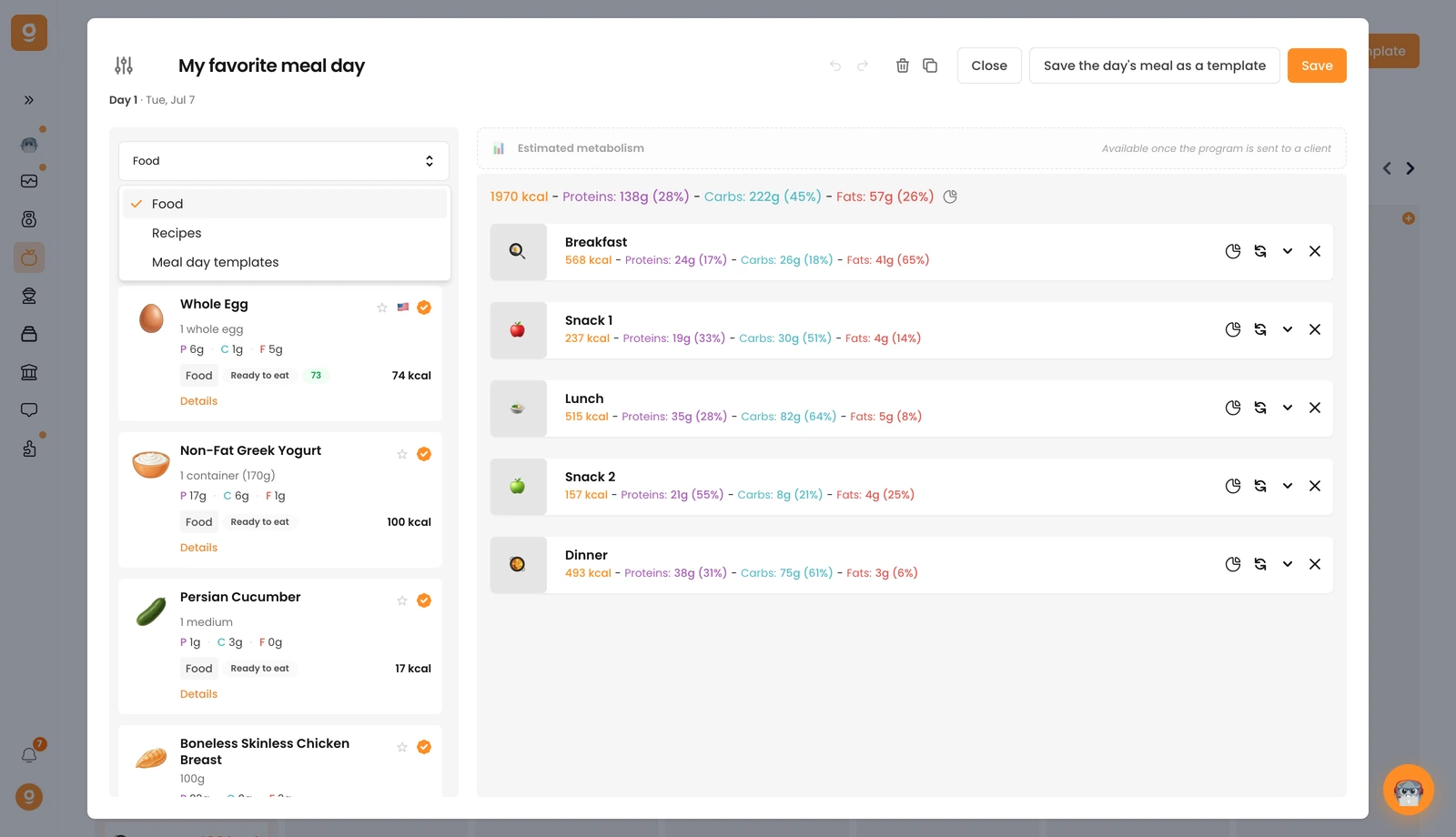
左上のドロップダウンで、ライブラリに表示する内容を切り替えられます。Food(食品)、Recipes(レシピ)、Meal day templates(食事1日分のテンプレート)の3つです。500万点を超える食品やブランド商品を使って組み立てられるほか、検索バーの横にある**+**ボタンから自分だけの食品を追加することもできます。
どのコーチでも食品を追加できるため、ほとんどの食品には認証バッジ(オレンジ色のチェックマーク)が付いています。このバッジが付いているものは検証済みで、安心してお使いいただけます。
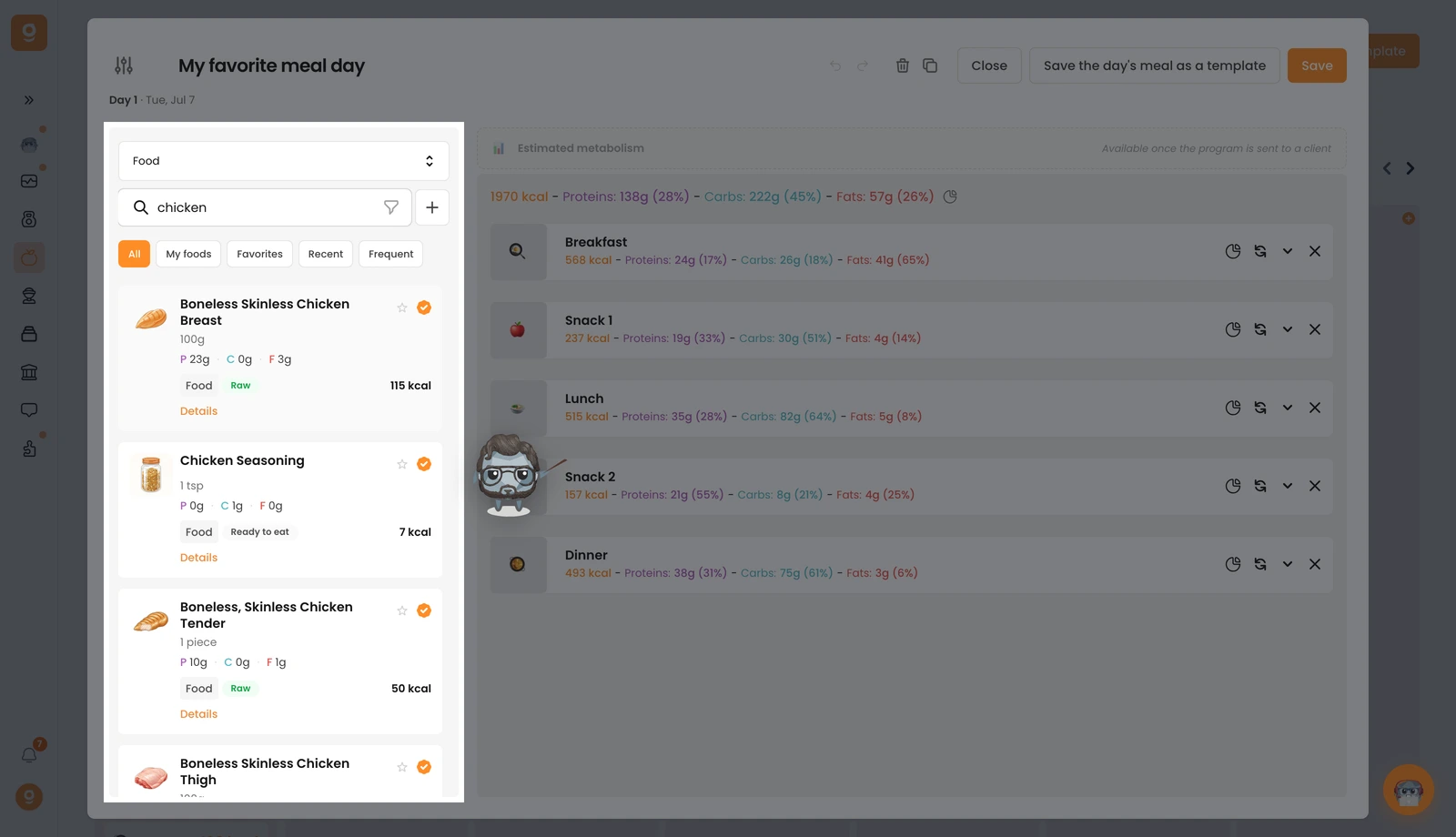
食事ごとに組み立てる。 検索バーに食品を入力し、右側の食事エリアにドラッグします。最初に追加した食品には、自動でBreakfast(朝食)という名前の食事が作られます。以降の食事はSnack 1, Lunch, Snack 2, Dinner(間食1、昼食、間食2、夕食)と名付けられ、それ以降はSnack(間食)になります。どの食事も名前を変更したり、絵文字を変えたり、好きな画像を追加したりできます。ブランド商品を探すときは、その商品名で検索してください。最初の検索結果に出てこない場合は、リストの下にあるadvanced search(詳細検索)をお使いください。
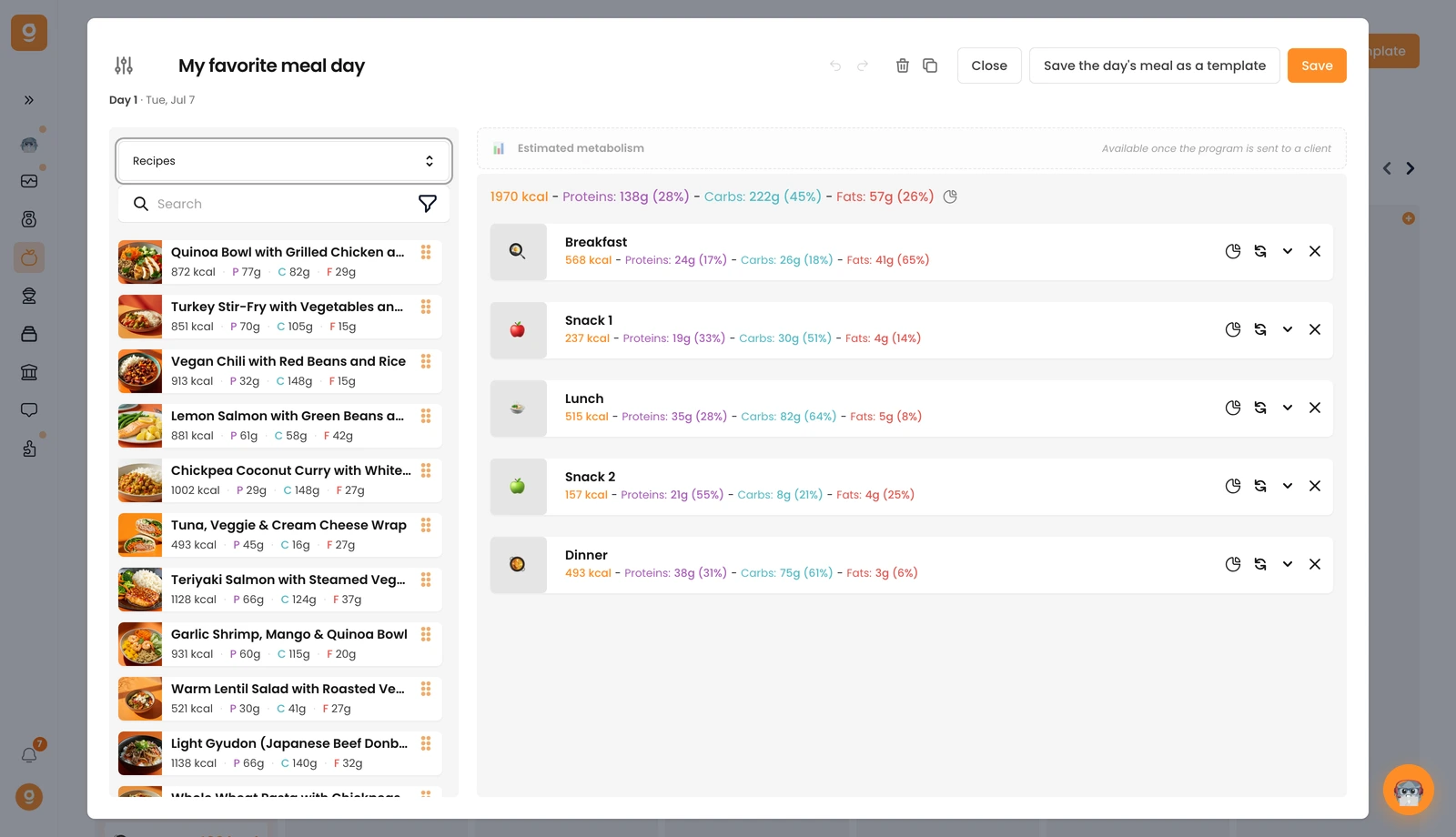
レシピを追加する。 左上のドロップダウンをRecipes(レシピ)に切り替えると、100種類以上のヘルシーなレシピを使えます(自分で作ったレシピはいちばん上に表示されます)。レシピは食品と同じように食事にドラッグするだけで追加でき、あらかじめ設定された分量とそれに対応するマクロ栄養素が一緒に入ります。このとき、分量(ポーション数)は何人前かの数と同じになっています。クライアントに合わせて分量を調整してください(1人前にしたい場合は1に設定します)。
食事の代替オプション。 どの食事にも、入れ替え可能な代替オプションを用意できます。クライアントが好きなバージョンを自分で選べるようになります。詳しくは専用ガイドをご覧ください:食事・食品の代替オプションを追加する。
食事が完成すると、プログラム内ではDraft(下書き)として表示されます。ステータスが変わるのは、クライアントに送信したときだけです。
