
除了食材和产品之外,你还可以在膳食计划里使用菜谱(recipes)。
在当天的编辑器里,打开左上角的来源下拉菜单,从 Food(食材) 切换到 Recipes(菜谱)。你会看到 100 多个现成的健康菜谱,而你自己创建的菜谱会出现在最上方。
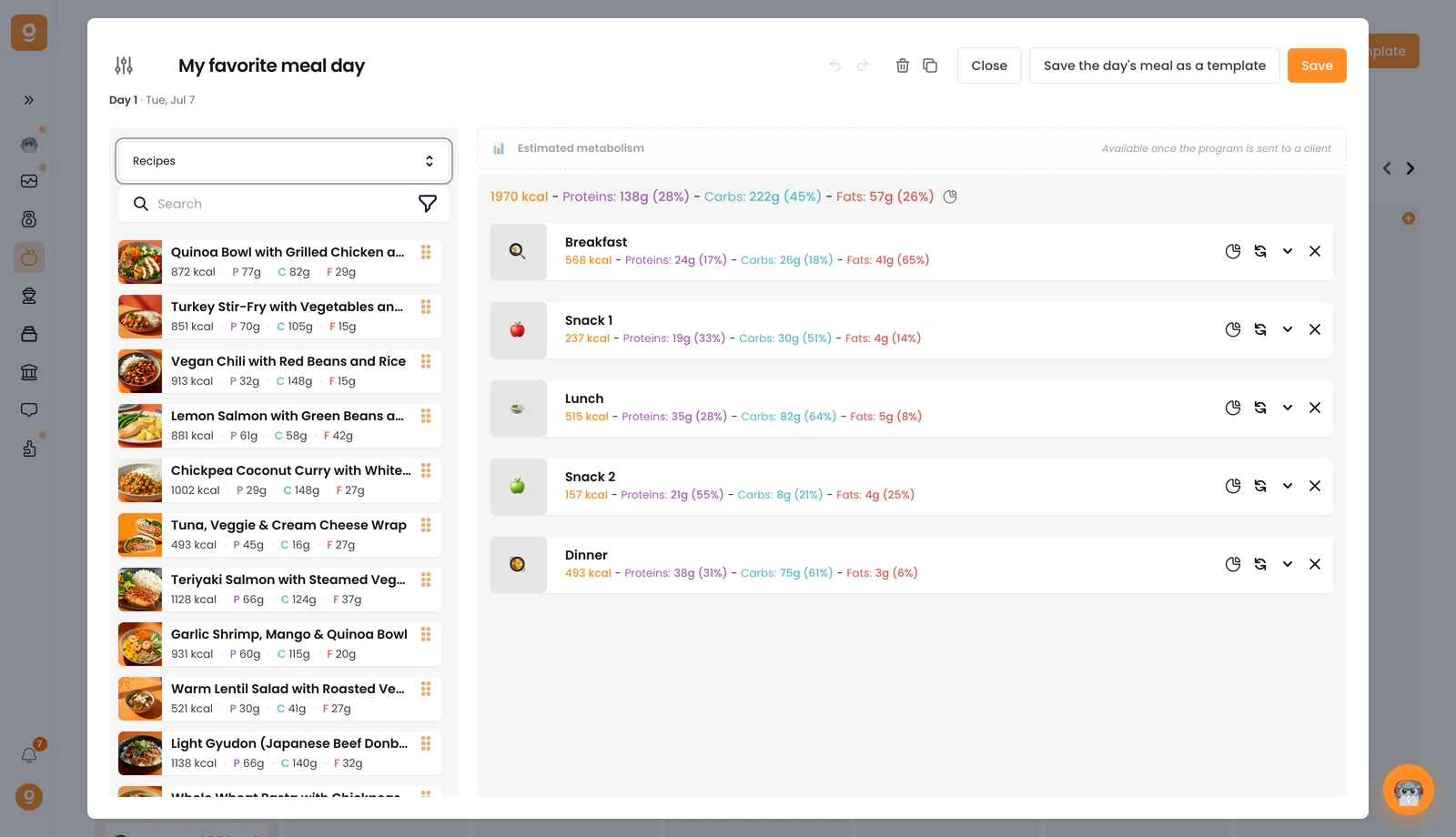
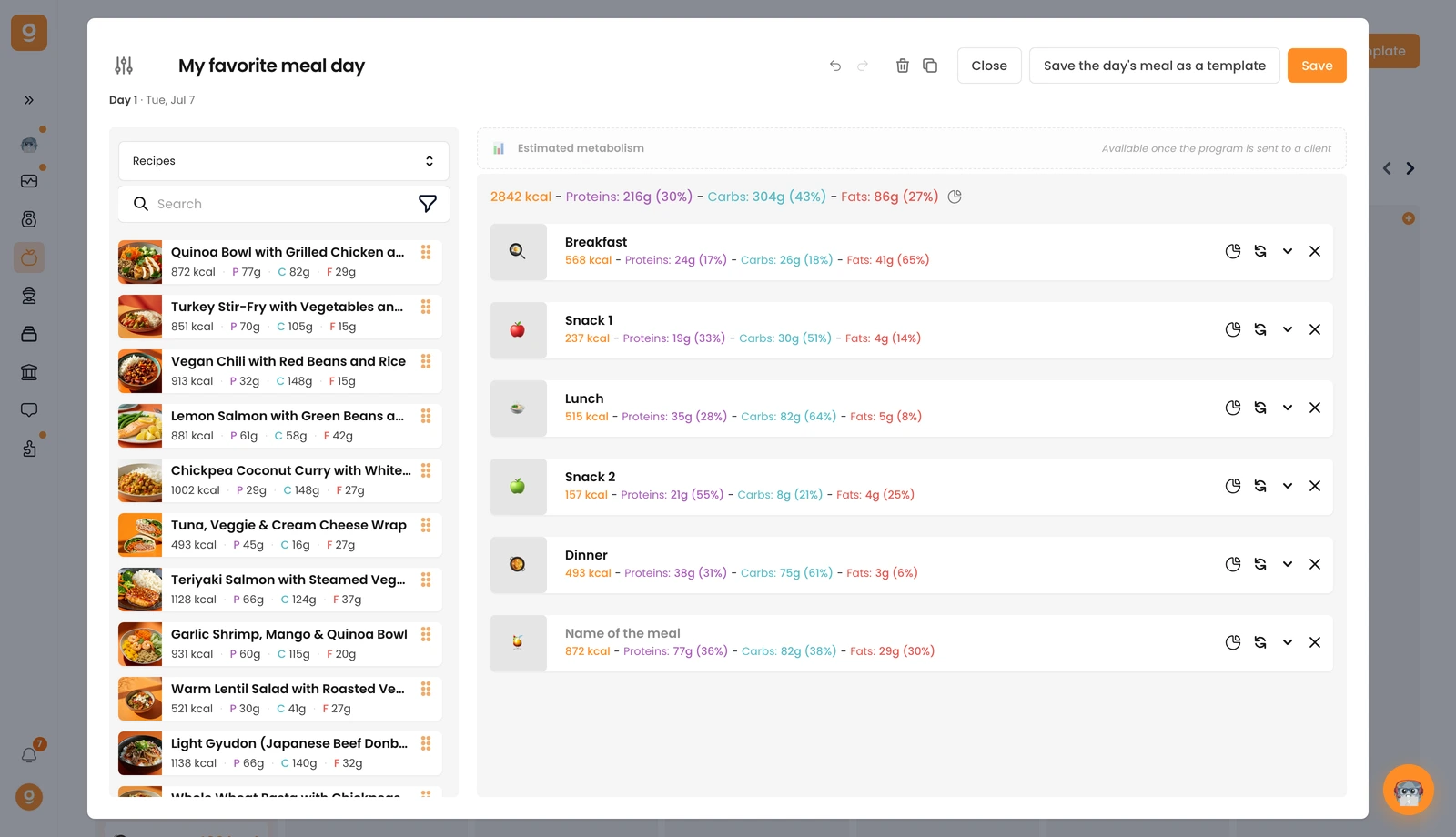
点击一个菜谱(或者把它拖到右侧的膳食区域),它就会连同菜谱的营养成分一起被添加进来。打开这一餐来设置份数,份数等于餐份数,所以如果只吃一份,就把它设为 1。
未找到结果
请尝试其他搜索,浏览下方热门文章,或联系我们。
将自定义食谱添加到客户的营养计划中。

除了食材和产品之外,你还可以在膳食计划里使用菜谱(recipes)。
在当天的编辑器里,打开左上角的来源下拉菜单,从 Food(食材) 切换到 Recipes(菜谱)。你会看到 100 多个现成的健康菜谱,而你自己创建的菜谱会出现在最上方。
点击一个菜谱(或者把它拖到右侧的膳食区域),它就会连同菜谱的营养成分一起被添加进来。打开这一餐来设置份数,份数等于餐份数,所以如果只吃一份,就把它设为 1。
这篇文章对你有帮助吗?
感谢你的反馈!
抱歉。想和我们聊聊吗?
我们的团队和 Gymkee AI 助手 Dwayne 随时为你服务。
